Keychron V4 Max vs V5 Max60% vs 96% Layout Comparison
Choose the V4 Max for a portable, space-saving board or the V5 Max for a full numpad and dedicated media keys without sacrificing desk space.
KeebFinder may earn a commission when you buy through these links, at no extra cost to you.

No reviews
from$84at Keychron

4.8 (5)4.8 · 5 reviews
from$99at MK
Which one should you get?
Get the
Keychron V4 Max
60%
Build quality in the top 10% of 60% boards under $100.
- Extremely portable 60% layout measuring 305mm in length.
- Lighter weight of 645g for easy repositioning.
- Frees up substantial desk space for mouse movement.
- South-facing LEDs. Shine-through legends stay dark, and some sculpted keycaps can clip the LED.
- No ISO layout. ISO-DE, UK, and other ISO variants are not offered.
- Compact layout only. No function row, dedicated arrow keys, or numpad.
Get the
Keychron V5 Max
96% Layout Comparison
Build quality in the top 10% of 96% boards under $100.
- 96% layout includes a full numpad and navigation cluster in a compact form factor.
- Includes dedicated multi-media keys for quick audio and playback control.
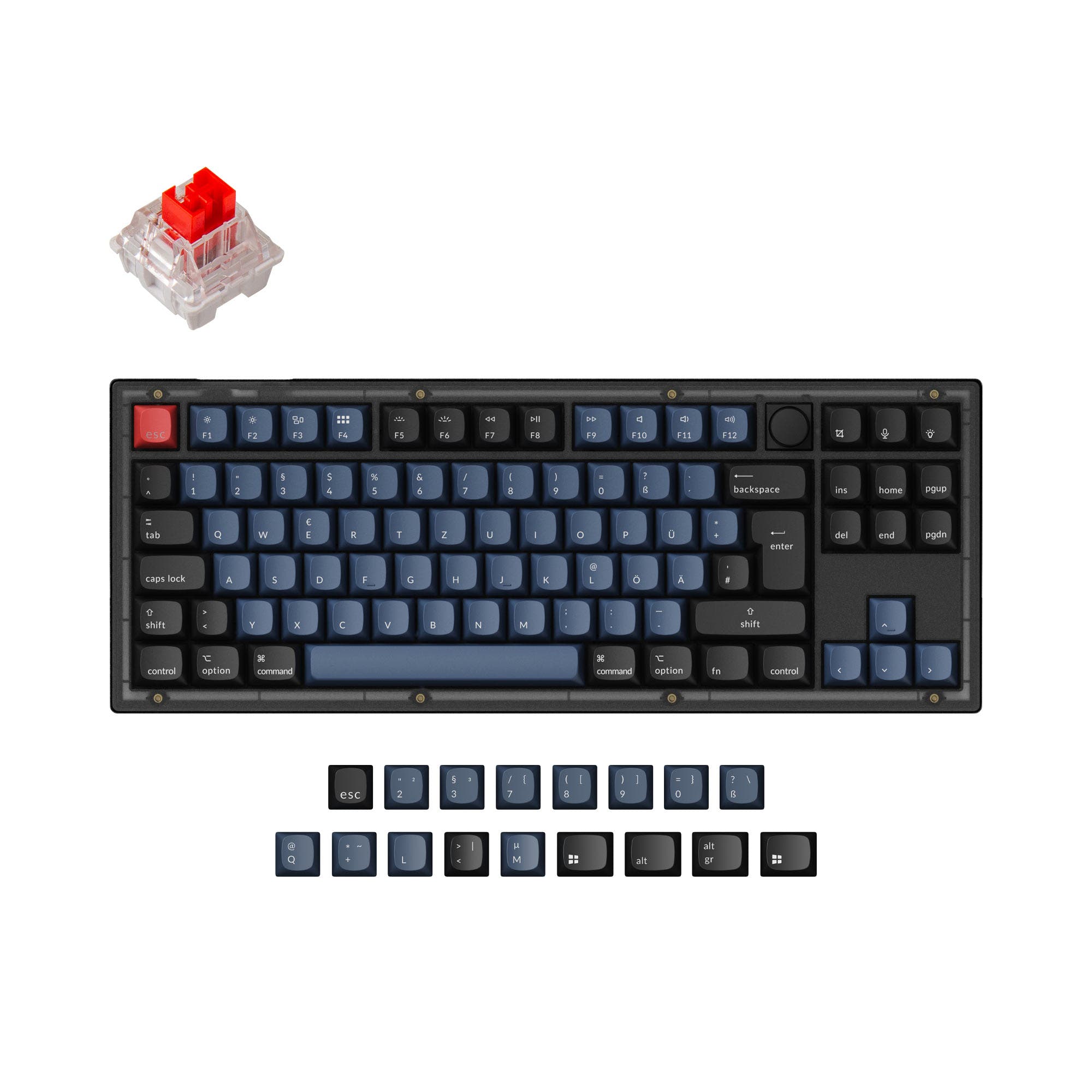
- Supports a wide range of ISO layouts including UK, German, Nordic, and more.
- South-facing LEDs. Shine-through legends stay dark, and some sculpted keycaps can clip the LED.
- Compact full-size layout. The numpad is present, the gaps of a full-size board are not.
Your primary need dictates the choice. If you require a numpad for data entry, finance, or content creation but want to save space versus a full-size board, the Keychron V5 Max is the logical pick. If maximizing desk space, portability, and a minimalist setup are your goals, the Keychron V4 Max is the better option. Both deliver excellent customizability and wireless performance.
The differences that matter
Skip the 40-row spec sheet. These are the specs that change how each board feels, sounds, and fits your desk.
Keychron V4 Max
Keychron V5 Max
Layout size
60%
96%
Mount style
Gasket Mount
Gasket Mount, Plate Mount
Weight
645 g
925 g
Heavier boards stay planted and lighter ones travel
Layout standard
ANSI
ANSI, ISO, ISO-DE, ISO-ES, ISO-FR, ISO-Nordic, ISO-SW, ISO-UK
ISO and JIS exist so regional layouts fit
Plate material
Polycarbonate, Steel
Polycarbonate
- Keychron V4 Max
- Keychron V5 Max
- Performance
- 7883
- Build quality
- 8686
- Productivity
- 9597
- Customizability
- 9698
- Portability
- 8853
- Connection: Bluetooth, 2.4 GHz, Wired
- Hot-swappable
- Battery: 4,000 mAh
- Max polling rate: 1,000 Hz
- Case material: ABS, Plastic
- Switch options: Clicky, Linear, Tactile
What will you mostly use it for?
The V5 Max is the clear choice for office work and content creation where a numpad is non-negotiable. The V4 Max wins for gaming and travel due to its compact, lightweight form. For programming and modding, the decision is a tie, as both offer identical core customization features, leaving the choice purely to layout preference.
Pick the Keychron V4 Max
- The 60% layout of the V4 Max frees up more desk space for large mouse movements.
- Its lighter weight of 645g makes it easier to reposition on a desk or carry to LAN events.
- Both share the same 1000Hz polling rate for low-latency performance.
Keychron V4 Max vs V5 Max specs
Every tracked spec, side by side. Rows marked with a dot differ between the boards.
9 of 27 specs differ
Keychron V4 Max
Keychron V5 Max
Switch options
Hot-swappable
Mount style
Sound dampening
Screw-in stabilizers
Layout size
Layout standard
Ergonomics
Knob
Display
Media keys
Connection
Max polling rate
Battery
USB-C
Case material
Plate material
Keycaps
Weight
Dimensions
Typing angle
Backlight
QMK
VIA
N-key rollover
Mac & Windows
Released
ISO layouts by store
Which stores sell ISO-DE, UK, and the other regional layouts.
Keychron V4 Max
No ISO layout at the stores we track.
Keychron V5 Max
Keychron
ISO-DE, ISO-UK, ISO-Nordic, ISO-SW
Out of stockShips to you
Keychron (DE)
ISO-DE, ISO-UK, ISO-FR, ISO-ES, ISO-SW
Out of stockDoes not ship to you
Compare prices
Live prices from the stores we track, cheapest in-stock offer first.
Prices in USD are converted to your currency and can change at any time. KeebFinder may earn a commission when you buy through these links, at no extra cost to you.
Lowest price across stores, Amazon excluded.



Keychron V4 Max vs V5 Max: your questions
The core difference is the layout size. The V4 Max is a 60% keyboard, sacrificing the numpad, function row, and navigation cluster for maximum compactness. The V5 Max is a 96% keyboard, which retains a full numpad and navigation keys in a condensed layout that saves space compared to a traditional full-size board.
Yes. Both the V4 Max and V5 Max offer tri-mode connectivity, supporting 2.4GHz wireless, Bluetooth 5.1, and wired USB-C connections. According to Keychron, both include a 4000mAh battery and come with both Type-A and Type-C 2.4GHz receivers.
Yes, both models are hot-swappable. Their PCBs support both 3-pin and 5-pin MX-style mechanical switches, allowing you to install or change switches without any soldering required.
It depends on your workflow. Both support QMK and VIA for limitless key remapping and macros. If you frequently use a numpad for numbers or shortcuts, the V5 Max is advantageous. If you prefer a minimalist desk setup and use layers for all functions, the V4 Max is a great portable choice.
Yes. Both keyboards are listed as compatible with Windows, macOS, and Linux. Keychron states they include a system toggle switch and an additional set of keycaps for both macOS and Windows layouts.
Both feature an ABS plastic case, a gasket mount design with a polycarbonate plate, and screw-in PCB stabilizers. The V5 Max is noted in a customer review for having a plastic construction that contributes to a deep, resonant sound signature. The V4 Max also offers a steel plate option.
The Keychron V4 Max is significantly more portable. It is 87mm shorter, 26mm narrower, and 280 grams lighter than the V5 Max, making it much easier to carry in a bag and fit on small surfaces.
The vendor description for the V5 Max lists product types as 'Fully Assembled Knob' and 'Barebone Knob,' and 'Knob Support' is listed in its extra features. This indicates the V5 Max includes or supports an encoder knob, while the V4 Max listing does not mention a knob.
The fully assembled versions of both come with double-shot PBT keycaps in the OSA profile. However, the metadata for the V5 Max also lists ABS as a keycap material option, suggesting some configurations or barebone kits might not include PBT keycaps.
Both keyboards offer a 1000 Hz polling rate in their 2.4GHz wireless and wired modes, which is suitable for gaming. Keychron specifies the polling rate drops to 90 Hz when in Bluetooth mode.
Yes. The Keychron V5 Max metadata explicitly supports multiple ISO layouts, including ISO-DE (German), ISO-Nordic, ISO-UK, ISO-ES (Spanish), ISO-FR (French), and ISO-SW (Swiss). The V4 Max only lists ANSI support.
Not sold on either?




Still torn?
Answer a few quick questions and the keyboard finder ranks 2,000+ boards by how you will actually use yours.