Keychron V4 vs V760% vs 70% Layout Custom Keyboard Comparison
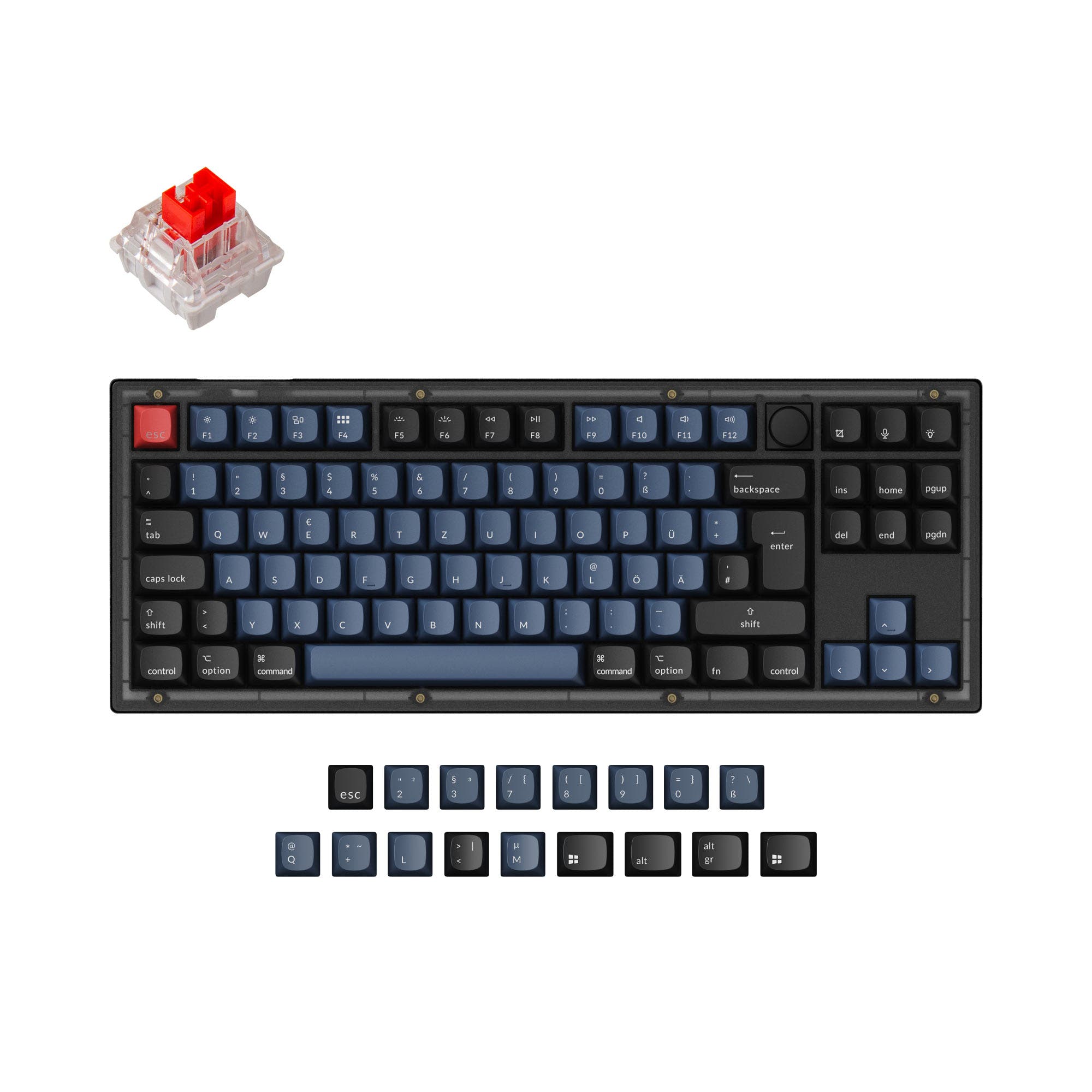
Choose the V4 for maximum compactness and ISO layout support, or the V7 for a slightly larger form with dedicated arrow keys.
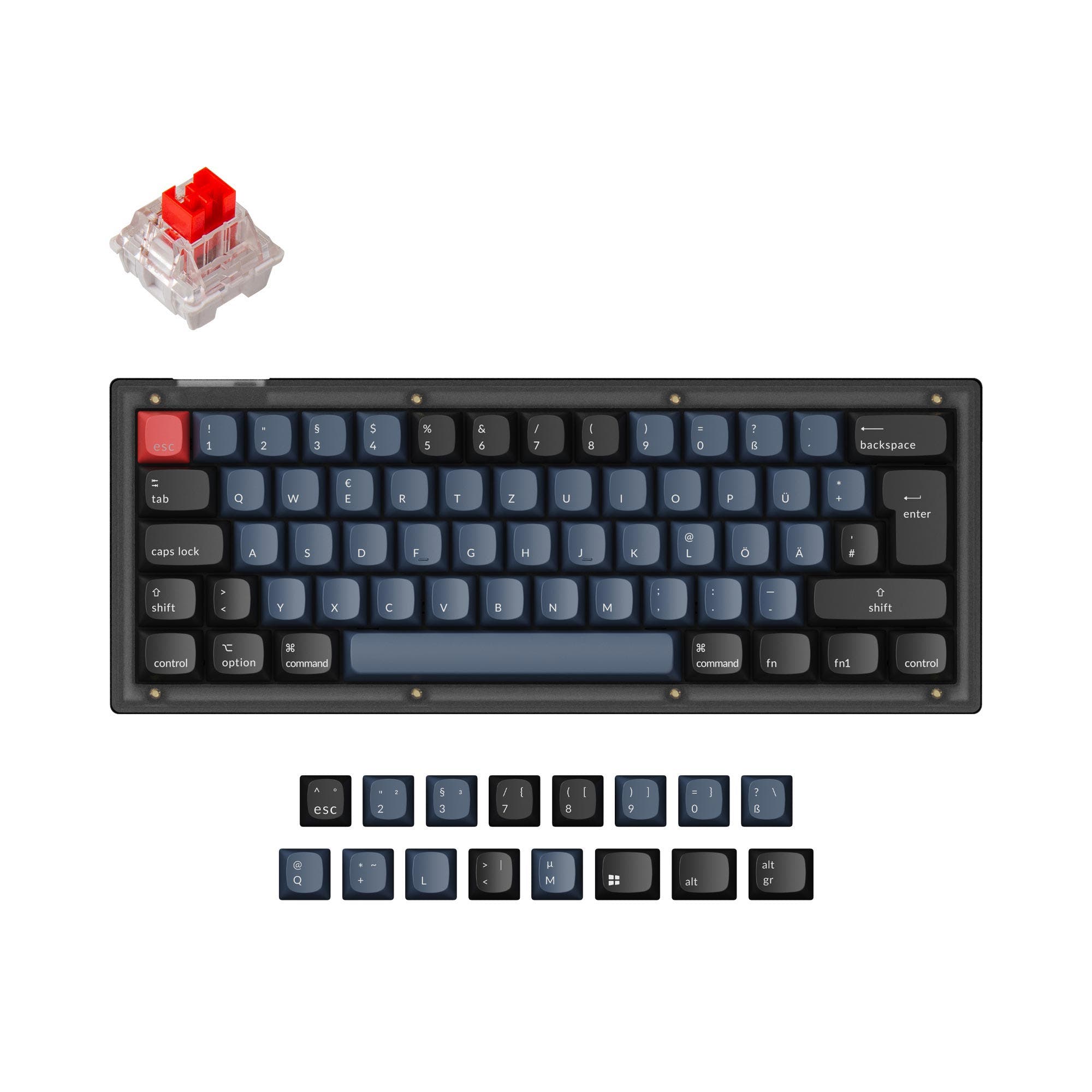

Which one should you get?
Get the
Keychron V4
60%
- More compact 60% layout for a smaller desk footprint.
- Supports multiple layout standards including ISO, JIS, and ANSI.
- Product listing includes sound dampening and knob support as features.
- Lacks dedicated arrow keys, requiring a function layer.
- ABS keycaps are listed as a material option, which may show shine faster than PBT.
- The mini layout has a steeper learning curve for new users.
Get the
Keychron V7
70% Layout Custom Keyboard Comparison
- 70% layout includes dedicated arrow and navigation keys.
- Uses double-shot PBT keycaps according to the metadata for better durability.
- Slightly larger form factor may suit users who find 60% boards too small.
- Larger and heavier (845g) than the V4.
- Only listed with ANSI layout support, limiting regional keycap options.
- The product description does not mention sound dampening or knob support.
Your primary need dictates the choice. If you value the smallest possible size, want ISO layout options, or plan to add a knob, the Keychron V4 is the clear pick. If you require dedicated arrow keys for work or gaming and prefer a layout that's compact but not minimalist, the Keychron V7 is the better tool. Both are excellent, highly customizable entry points into mechanical keyboards.
The differences that matter
Skip the 40-row spec sheet. These are the specs that change how each board feels, sounds, and fits your desk.
Keychron V4
Keychron V7
Layout size
60%
70%
Mount style
Plate Mount, Tray Mount
Tray Mount
Knob
Yes
No
Weight
730 g
845 g
Sound dampening
Yes
No
- Keychron V4
- Keychron V7
- Performance
- 6865
- Build quality
- 8783
- Productivity
- 9588
- Customizability
- 9895
- Portability
- 7665
- Connection: Wired
- Hot-swappable
- Max polling rate: 1,000 Hz
- Case material: ABS, Plastic
- Switch options: Clicky, Linear, Tactile
- QMK
What will you mostly use it for?
The V7 wins for office and programming use due to its included arrow keys. The V4 is the better choice for travel and offers slight advantages for modders with its listed sound dampening and knob support. For gaming and content creation, the boards are evenly matched on core performance specs, leaving the decision to layout preference.
It's a tie
- Both have a 1000 Hz polling rate for low latency.
- Both support hot-swappable sockets for switch customization.
- Both use a tray mount design with a steel plate.
What owners say
Ratings and quotes collected from verified store reviews, including the critical ones.
Keychron V4
14 owner reviews
“Definitely the best 80 dollar keyboard out right now. Very well lubed and stabbed are tooned well. Unfortunately can't get via to work (VIA isn't accepting the json file)”
Keychron V7
2 owner reviews
“I have 5 of the v-series keyboards and love them all. I think the 70% layout on the V7 is my favourite.”
Keychron V4 vs V7 specs
Every tracked spec, side by side. Rows marked with a dot differ between the boards.
9 of 25 specs differ
Keychron V4
Keychron V7
Switch options
Hot-swappable
Mount style
Sound dampening
Screw-in stabilizers
Layout size
Layout standard
Ergonomics
Knob
Display
Media keys
Connection
Max polling rate
USB-C
Case material
Plate material
Keycaps
Weight
Dimensions
Typing angle
Backlight
QMK
VIA
Mac & Windows
Released
Compare prices
Live prices from the stores we track, cheapest in-stock offer first.
Lowest price across stores, Amazon excluded.



Prices in USD are converted to your currency and can change at any time. KeebFinder may earn a commission when you buy through these links, at no extra cost to you.
Keychron V4 vs V7: your questions
The main difference is the layout size. The V4 is a 60% keyboard, which removes the arrow keys, function row, and navigation cluster. The V7 is a 70% keyboard, which retains the arrow keys and a column of navigation keys like Delete and Page Up/Down, while still omitting the function row and number pad.
No. Both the Keychron V4 and V7 are wired-only keyboards. They connect via an included USB Type-C cable.
Yes. Both the V4 and V7 feature hot-swappable sockets on their PCBs. This allows you to install or change mechanical switches without any soldering, and they support both 3-pin and 5-pin MX-style switches.
Yes. Both keyboards support the open-source QMK firmware and the VIA configuration software. This allows for deep customization, including key remapping, creating macros, and setting up layers directly through a web app.
According to the vendor descriptions, the fully assembled versions of both keyboards come with double-shot PBT keycaps in the OSA profile. The V4's metadata also lists ABS as a material option, suggesting some configurations may differ. The keycaps include legends for both macOS and Windows.
Both are equally suitable for Mac users. Each keyboard includes a system toggle switch and comes with an additional set of keycaps with Mac-specific legends (Command, Option) so you can customize the board for your Mac layout.
Yes. Both the Keychron V4 and V7 feature south-facing RGB LED backlighting. South-facing LEDs are designed to prevent interference with Cherry-profile keycaps and provide better illumination from the typist's angle.
Both keyboards have a 1000 Hz polling rate. According to Keychron's description, this makes latency hardly noticeable even in competitive games.
Yes. Both models are available as barebones kits, which include the ABS plastic case, PCB with screw-in stabilizers, and steel plate, but do not include switches or keycaps. This is ideal for builders who want to install their own preferred components.
Yes. The Keychron V4 metadata lists support for ISO, JIS, ANSI, and ISO-DE layouts. The vendor description also mentions specific ISO collections for languages like UK English, German, French, and Spanish.
Both the V4 and V7 use screw-in PCB stabilizers for the larger keys like spacebar and shift. According to the manufacturer, this screw-in design increases stability and makes them easier to change or upgrade compared to clip-in stabilizers.
The Keychron V4 is more portable. It is shorter in length (304mm vs 342mm) and lighter in weight (730g vs 845g) than the V7, making it easier to fit into a backpack or laptop bag.
Not sold on either?




Still torn?
Answer a few quick questions and the keyboard finder ranks 2,000+ boards by how you will actually use yours.