Mechboards Let's Split vs Qwertykeys Neo65 Core Plus
Choose the Let's Split for its split ortholinear layout and choose the Neo65 Core Plus for hot-swap switches, wireless connectivity, and an aluminum case.
Prices checked Nov 28, 2026. KeebFinder may earn a commission when you buy through these links, at no extra cost to you.
Hot-swappable

Which one should you get?
Get the
Mechboards Let's Split
If you want
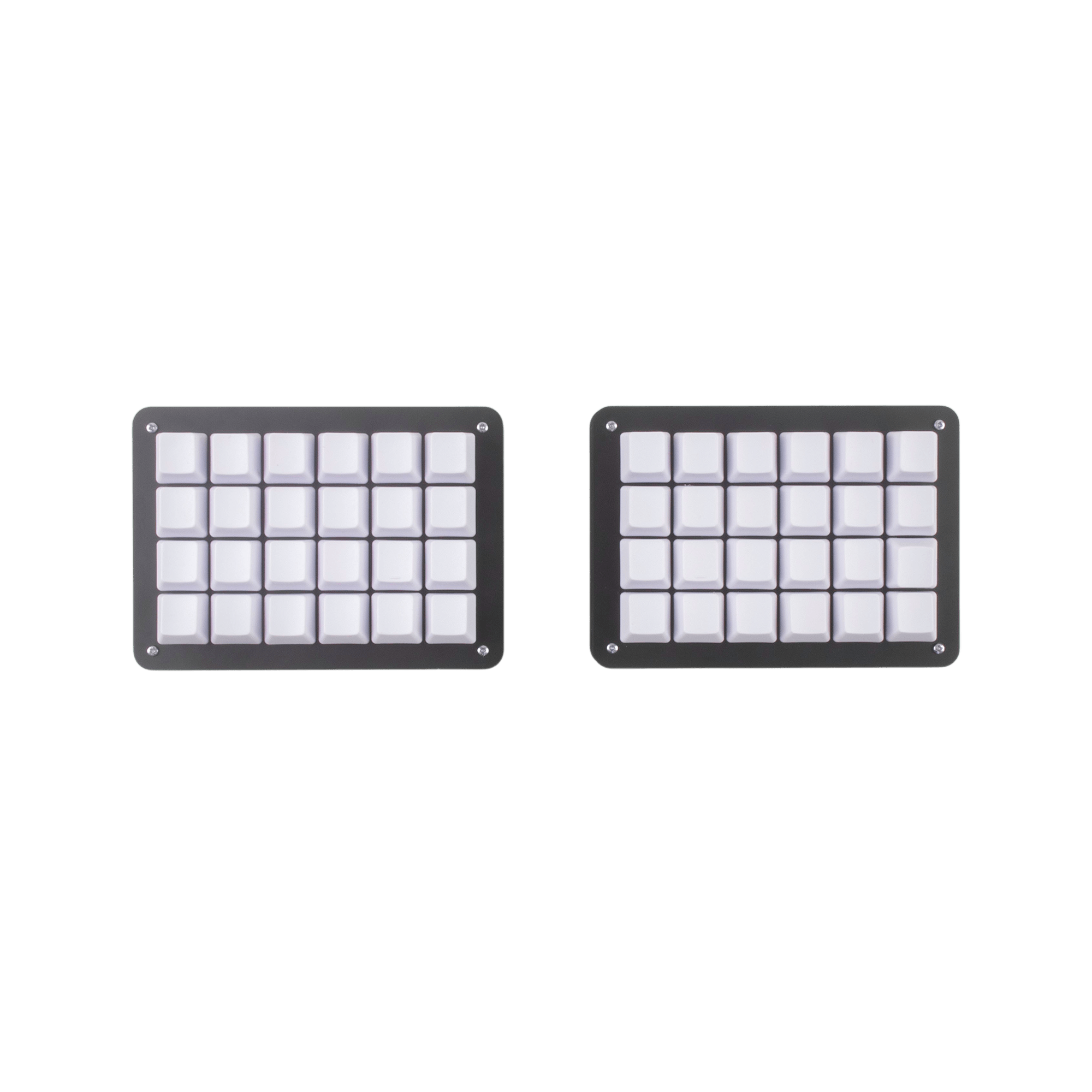
- Split ortholinear layout for a keyboard arrangement unlike a conventional 65% design.
- DIY kit includes the components to build the Let's Split, with its PCBs supplied unsoldered.
Rules this board out
- Switches are soldered. Swapping them means soldering.
- No ISO layout. ISO-DE, UK, and other ISO variants are not offered.
Get the
Qwertykeys Neo65 Core Plus
Hot-swappable
Build quality in the top 25% of 65% boards under $100.
If you want
- Hot-swap PCB option for changing switches without soldering.
- Bluetooth and 2.4 GHz wireless connectivity, alongside wired operation.
- Aluminum case with brass or copper weight options and carbon fiber, aluminum, or PP plate choices.
Bottom line
Get the Mechboards Let's Split for its split ortholinear layout if that arrangement is your priority. Choose the Qwertykeys Neo65 Core Plus for the features the Let's Split does not list, including hot-swap support, wireless connectivity, and its aluminum case with multiple plate options.
The differences that matter
- Hot-swappable
No
Yes
Switch changes without soldering - Ergonomics
Ortholinear, Split
Standard
- Sound dampening
No
Yes
- Layout standard
ANSI
ANSI, ISO
ISO and JIS exist so regional layouts fit - Screw-in stabilizers
No
Yes
Easier to tune than the plate-mount stabs you get prebuilt
KeebFinder scores
How we score- Mechboards Let's Split
- Qwertykeys Neo65 Core Plus
- Performance
- 4352
- Build quality
- 5279
- Productivity
- 5079
- Customizability
- 4965
- Portability
- 4187
What will you mostly use it for?
For gaming, pick the Qwertykeys Neo65 Core Plus
- The Neo65 Core Plus lists a 1000 Hz polling rate.
- Its wired, 2.4 GHz, and Bluetooth connectivity options give it more connection choices.
Mechboards Let's Split vs Qwertykeys Neo65 Core Plus specs
19 of 21 specs differ
 |  | |
| Mechboards Let's Split$18 | Qwertykeys Neo65 Core Plus$75 | |
|---|---|---|
| Typing & switches | ||
| Hot-swappable (differs) | No | Yes |
| Mount style (differs) | Not specified | Gasket Mount |
| Sound dampening (differs) | No | Yes |
| Screw-in stabilizers (differs) | No | Yes |
| Layout | ||
| Layout size (differs) | Not specified | 65% |
| Layout standard (differs) | ANSI | ANSI, ISO |
| Ergonomics (differs) | Ortholinear, Split | Standard |
| Display | None | None |
| Connectivity & battery | ||
| Connection (differs) | Not specified | Bluetooth, 2.4 GHz, Wired |
| Max polling rate (differs) | Not specified | 1,000 Hz |
| Battery (differs) | Not specified | 4,400 mAh |
| USB-C (differs) | No | Yes |
| Build & materials | ||
| Case material (differs) | Not specified | Aluminum |
| Plate material (differs) | Not specified | Aluminum, CarbonFiber, Plastic |
| Weight (differs) | Not specified | 1,340 g |
| Dimensions (differs) | Not specified | 18 x 313 x 111 mm |
| Typing angle (differs) | Not specified | 7° |
| Backlight | None | None |
| Firmware & software | ||
| N-key rollover (differs) | No | Yes |
| Mac & Windows (differs) | No | Yes |
| Extras | ||
| Released (differs) | 2021 | 2025 |
Compare prices
Prices in USD are converted to your currency and can change at any time. KeebFinder may earn a commission when you buy through these links, at no extra cost to you.
Lowest price across stores, Amazon excluded.
- Price now
- $114
- Lowest in range
- $114Aug 29
- Highest in range
- $114Aug 29
Price in USD
- Check on Amazon
AmazonGlobal
Check price - Extra 5% off

- Check on Amazon
AmazonGlobal
Check price - Extra 5% off

ISO layouts by store
Mechboards Let's Split
No ISO layout at the stores we track.
Qwertykeys Neo65 Core Plus
Listed on the product, not split by store: ISO.


