Monka A75 vs K75Aluminum Build vs Knob and Battery
Choose the Monka A75 for its aluminum build and south-facing RGB, or the K75 for its included knob, larger battery, and lower price.
KeebFinder may earn a commission when you buy through these links, at no extra cost to you.


Which one should you get?
Get the
Monka A75
Aluminum Build
Build quality in the bottom 25% of 75% boards under $100.
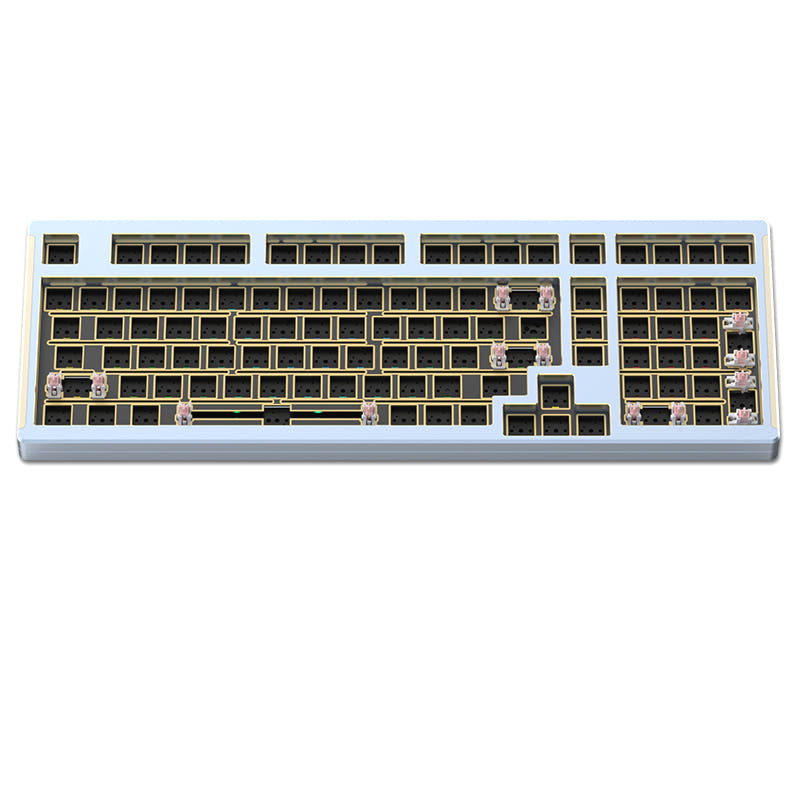
- Constructed with an aluminum case for a premium feel and durability.
- Features south-facing RGB LEDs for broader keycap compatibility.
- Includes a polycarbonate plate, which can offer a more flexible typing feel.
- South-facing LEDs. Shine-through legends stay dark, and some sculpted keycaps can clip the LED.
Get the
Monka K75
Knob and Battery
Build quality in the bottom 20% of 75% boards under $100.
- Includes a dedicated metallic CNC machined knob for media control.
- Larger 5000mAh battery capacity for extended wireless use.
- Lighter weight (860g) makes it easier to carry.
Your priority dictates the choice. If a solid, metal build and future keycap compatibility are most important, the Monka A75 is worth the investment. If you want a lighter keyboard with a handy control knob, longer battery life, and a lower price, the Monka K75 is the more feature-packed daily driver.
The differences that matter
Skip the 40-row spec sheet. These are the specs that change how each board feels, sounds, and fits your desk.
Monka A75
Monka K75
Battery
4,000 mAh
5,000 mAh
A larger battery means fewer cables during the day
Case material
Aluminum
Plastic
Switch options
Clicky, Linear, Tactile
Linear, Tactile
Knob
No
Yes
Weight
1,440 g
860 g
Heavier boards stay planted and lighter ones travel
- Monka A75
- Monka K75
- Performance
- 5851
- Build quality
- 5450
- Productivity
- 6583
- Customizability
- 5866
- Portability
- 7979
- Layout size: 75%
- Connection: Bluetooth, 2.4 GHz, Wired
- Hot-swappable
- Mount style: Gasket Mount
- Keycaps: PBT
What will you mostly use it for?
The K75 takes the lead for office use and travel due to its knob and superior battery life in a lighter package. The A75 is the pick for gaming and modding enthusiasts who value the aluminum construction and south-facing LEDs. For programming, both are equally capable, while content creators may prefer the K75 for its programmable knob.
Pick the Monka A75
- Aluminum case may offer a more stable typing platform.
- South-facing RGB LEDs listed for the A75 ensure compatibility with Cherry profile keycaps.
- Slightly heavier weight (1440g vs 860g) could reduce movement during intense sessions.
Monka A75 vs K75 specs
Every tracked spec, side by side. Rows marked with a dot differ between the boards.
9 of 21 specs differ
Monka A75
Monka K75
Switch options
Hot-swappable
Mount style
Sound dampening
Layout size
Layout standard
Ergonomics
Knob
Display
Connection
Battery
USB-C
Case material
Plate material
Keycaps
Weight
Dimensions
Backlight
N-key rollover
Mac & Windows
Released
Compare prices
Live prices from the stores we track, cheapest in-stock offer first.
Prices in USD are converted to your currency and can change at any time. KeebFinder may earn a commission when you buy through these links, at no extra cost to you.
- Check on Amazon
Amazon
Check price



- Check on Amazon
Amazon
Check price
Monka A75 vs K75: your questions
The Monka K75 includes a dedicated metallic CNC machined knob. The manufacturer states it can be used for quick volume or backlight adjustment. The Monka A75 does not have a knob.
Yes, the Monka A75 features an aluminum case construction. The Monka K75 uses a plastic case, which contributes to its lighter weight.
The Monka K75 has a larger 5000mAh battery, while the A75 has a 4000mAh battery. The K75's vendor page claims up to 15 days of use with lighting off.
Yes, both the Monka A75 and K75 feature full-key hot-swappable sockets. This allows you to change the mechanical switches without soldering.
Yes, both the Monka A75 and K75 list Mac and Windows support in their specifications. They connect via wired USB-C, Bluetooth, or 2.4GHz wireless.
The Monka A75 weighs 1440 grams, which is significantly heavier than the Monka K75 at 860 grams. This makes the K75 the more portable option.
Both have internal sound-dampening features. The A75's vendor description lists a specific five-layer filling including PO silencer cotton and PET pads. The K75 also mentions five-layered internal padding with an IXPE pad and Poron cotton.
Yes, the vendor specifications for the Monka A75 explicitly list south-facing RGB LEDs. The LED orientation for the K75 is not specified in the provided information.
The Monka A75 offers a choice between KTT Hyacinth Linear or Monka Sea Salt V2 Tactile switches. The listed option for the K75 is the Monka Sea Salt V2 Tactile switch.
The Monka K75 specifically lists two-stage adjustable feet in its features. Adjustable feet for the A75 are not mentioned in the provided specifications.
The Monka K75 vendor description mentions custom driver integration for RGB and macro key adjustment. The A75 listing includes a software download link, suggesting driver support.
Not sold on either?




Still torn?
Answer a few quick questions and the keyboard finder ranks 2,000+ boards by how you will actually use yours.