Not sure which keyboard to choose? Try the Keyboard Finder now!

Compare Qwertykeys Neo80 vs Neo60 Core Differences Side by Side

This comparison is for buyers deciding between Qwertykeys' premium TKL and their value-oriented 60% offering. Both are wireless, hot-swappable kits with aluminum cases, but they target different priorities. The decision hinges on whether you value the Neo80's heavier construction, larger layout, and tuned acoustics, or the Neo60 Core's lower cost, smaller footprint, and out-of-the-box VIA support.

73
Qwertykeys Neo80 Cu Keyboard
74
Qwertykeys Neo60 Core Keyboard

Select a keyboard to compare

5.0 (6)
5.0 (12)
  • Available in a 80% layout
  • Built with the ANSI layout standard
  • Has built-in sound dampening
  • Uses a Gasket Mount mounting style
  • Equipped with a 4400 mAh battery
  • Weighs about 4500 g
  • Sized at 18 x 356 x 134 mm
  • Made with a Aluminum, Brass, Copper case
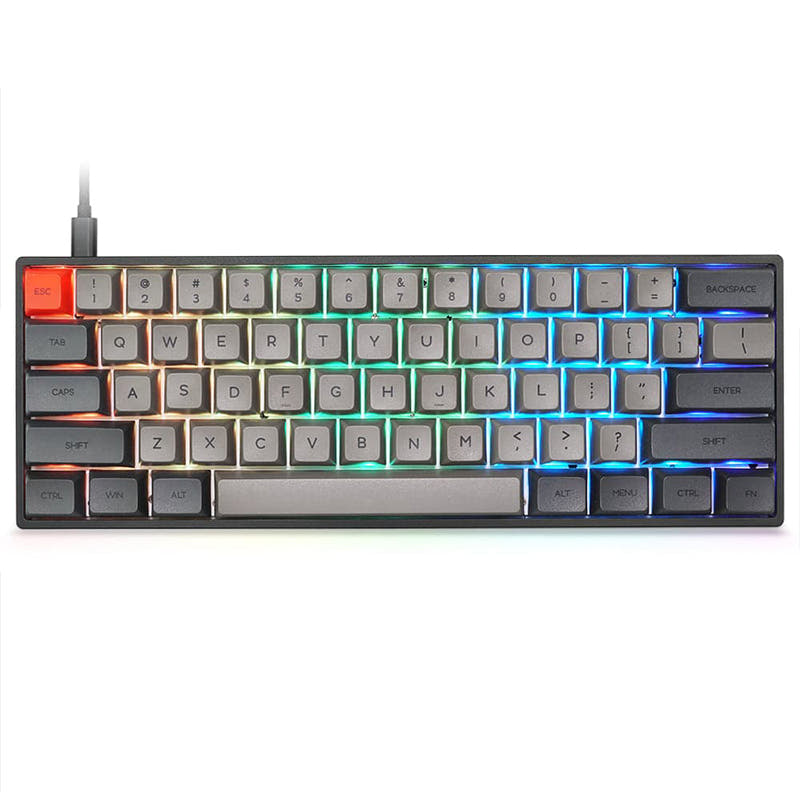
  • Available in a 60% layout
  • Built with the ANSI, ISO layout standard
  • Supports VIA configuration
  • Uses a PCB Mount mounting style
  • Equipped with a 2200 mAh battery
  • Weighs about 1500 g
  • Sized at 18 x 293 x 109 mm
  • Made with a Aluminum case
Scores
  • Performance: 61.1
  • Build Quality: 85.3
  • Productivity: 62.2
  • Customizability: 55.6
  • Portability: 71.9
Scores
  • Performance: 56
  • Build Quality: 79.2
  • Productivity: 58.5
  • Customizability: 73.2
  • Portability: 86.8
Name
Qwertykeys Neo80
Name
Qwertykeys Neo60 Core
Release year
2025
Release year
2025
Switch Options
-
Switch Options
-
Profile
Normal Profile
Profile
Normal Profile
Hot Swappable
 
Hot Swappable
 
Layout Size
80%
Layout Size
60%
Layout Standard
ANSI
Layout Standard
ANSI, ISO
Layout Ergonomics
Normal
Layout Ergonomics
Normal
Knob Support
 
Knob Support
 
Display Support
 
Display Support
 
Mac/Win Support
 
Mac/Win Support
 
Multi-Media Keys
 
Multi-Media Keys
 
USB-C
 
USB-C
 
USB passthrough
 
USB passthrough
 
Connection
Bluetooth, 2.4 GHz, Wired, Wireless
Connection
Bluetooth, 2.4 GHz, Wired, Wireless
Polling Rate
-
Polling Rate
-
Battery capacity
4400 mAh
Battery capacity
2200 mAh
Hall Effect Support
 
Hall Effect Support
 
QMK Support
 
QMK Support
 
VIA Support
 
VIA Support
 
VIAL Support
 
VIAL Support
 
N-Key Rollover
 
N-Key Rollover
 
Rapid Trigger
 
Rapid Trigger
 
Mount Style
Gasket Mount
Mount Style
PCB Mount
Screw in Stabilizers
 
Screw in Stabilizers
 
Sound Dampening
 
Sound Dampening
 
Backlight
 
Backlight
 
Case Colors
Case Colors
Case Material
Aluminum, Brass, Copper
Case Material
Aluminum
Keycaps Material
-
Keycaps Material
-
Dimensions
18 x 356 x 134 mm
Dimensions
18 x 293 x 109 mm
Weight
4500g
Weight
1500g
*Something incorrect or missing? Please
let me know
!

Pros and Trade-offs

Your primary need dictates the choice. If you want a substantial, acoustically-tuned keyboard with a full TKL layout and are willing to pay more for premium materials like brass or copper, the Neo80 is the clear path. If your budget is tighter, you value portability and easy software customization with VIA, and can adapt to a 60% layout, the Neo60 Core offers exceptional value.

Qwertykeys Neo80

  • +Premium construction with optional brass or copper bottom case.
  • +Tuned internal acoustic chamber and integrated force break pads for a deep, clean sound.
  • +Multiple mounting style options: Poron gasket, silicone gasket, or top mount.
  • +Includes a comprehensive foam kit (Poron PCB foam, PE sheet, case foam).
  • +Large 4400mAh battery capacity for extended wireless use.

  • Very heavy at 4.5kg, limiting portability.
  • Larger TKL footprint requires more desk space.
  • No mention of VIA or QMK firmware support in the provided descriptions.
  • Higher price point compared to the Neo60 Core.

Qwertykeys Neo60 Core

  • +More affordable price point for a full aluminum kit.
  • +VIA compatible for easy software-based customization.
  • +Lightweight (1.5kg) and compact 60% form factor.
  • +Includes a plate fork and disassembly tool for easier maintenance.
  • +Offers both ANSI and ISO layout support on its PCB.

  • Smaller 2200mAh battery compared to the Neo80.
  • 60% layout lacks dedicated arrow keys and function row, requiring layers.
  • PCB mount style may offer a different typing feel compared to gasket mounts.
  • Fewer case material options (aluminum only vs. aluminum with brass/copper).

Which Keyboard Is Better for Your Needs?

The Neo80 is the clear choice for traditional office work, programming, and gaming where its TKL layout is an advantage. The Neo60 Core wins for travel due to its smaller size and lighter weight, and for modding thanks to its VIA support and included disassembly tools. For content creation, the choice depends on whether you prioritize dedicated keys or a minimalist desk setup.

GamingQwertykeys Neo80
  • The TKL layout provides dedicated arrow and function keys without a separate layer.
  • Heavier 4.5kg weight provides more stability during intense use.
  • Gasket mount options can offer a more forgiving typing feel.
OfficeQwertykeys Neo80
  • TKL layout includes arrow keys and a navigation cluster for spreadsheet work.
  • Tri-mode connectivity offers flexibility for connecting to multiple devices.
  • Heavier build may feel more substantial and premium on a desk.
ProgrammingQwertykeys Neo80
  • TKL layout retains function row for IDE shortcuts.
  • Dedicated arrow keys and navigation cluster are beneficial for code editing.
  • Larger form factor can accommodate more macro keys if needed.
TravelQwertykeys Neo60 Core
  • Smaller 60% dimensions (293 x 109 mm vs 356 x 134 mm) take up less bag space.
  • Significantly lighter at 1.5kg compared to 4.5kg.
  • Includes a keyboard carrying case, according to its kit contents.
ModdingQwertykeys Neo60 Core
  • Explicitly listed as VIA compatible for easy key remapping and macro programming.
  • Offers five plate material options (Carbon Fiber, Aluminum, FR4, POM, PP) for sound and feel tuning.
  • Includes a plate fork and disassembly tool for easier teardowns.
Content CreationTie
  • Both offer tri-mode wireless for flexible device switching.
  • Both are hot-swappable for customizing switch feel.
  • Neo80's TKL layout is better for shortcut-heavy software, while Neo60 Core's compactness saves desk space for graphics tablets.

Frequently Asked Questions (FAQ)


Discover similar products

You might also like similar products in that price range:

100
$160
Keychron Q1 HE QMK Wireless Custom Keyboard ISO Layout Collection
Keychron Q1 HE
75%,
Hotswap,
Wireless,
Wired,
RGB/ White LEDs,
Knob,
VIA,
QMK,
HE,
Rapid trigger,
Alu case,
Gasket Mount

97
$44
Keychron V1 QMK Custom Mechanical Keyboard
Keychron V1
75%,
Hotswap,
Wired,
RGB/ White LEDs,
Knob,
VIA,
QMK,
Tray Mount

96
$170
Nuphy GEM80 Barebones Keyboard Kit
Nuphy Gem80
80%,
Hotswap,
Wireless,
Wired,
RGB,
VIA,
QMK,
Alu case,
Gasket Mount

96
$54
Keychron V3 QMK Custom Mechanical Keyboard ISO Layout Collection
Keychron V3
80%,
Hotswap,
Wired,
RGB/ White LEDs,
Knob,
VIA,
QMK,
Tray Mount

98
$186
Keychron Q1 Max QMK/VIA Wireless Custom Mechanical Keyboard
Keychron Q1 Max
75%,
Hotswap,
Wireless,
Wired,
RGB,
Knob,
VIA,
QMK,
Alu case,
Gasket Mount

91
$44
Keychron V2 QMK Custom Mechanical Keyboard ISO Layout Collection
Keychron V2
65%,
Hotswap,
Wired,
RGB,
Knob,
VIA,
QMK,
Tray Mount

95
$149
Keychron Q1 Pro QMK/VIA Wireless Custom Mechanical Keyboard ISO Layout Collection
Keychron Q1 Pro
75%,
Hotswap,
Wireless,
Wired,
RGB,
Knob,
VIA,
QMK,
Alu case,
Gasket Mount

76
$110
Qwertykeys Neo65 Cu Keyboard
Qwertykeys Neo65
65%,
Hotswap,
Wireless,
Wired,
VIA,
Alu case,
PCB Mount

95
$159
Keychron Q10 Pro (Alice Layout) QMK/VIA Wireless Custom Mechanical Keyboard
Keychron Q10 Pro
75%,
Hotswap,
Wireless,
Wired,
RGB,
Knob,
VIA,
QMK,
Alu case,
Gasket Mount

75
$110
Qwertykeys Neo60 Cu Keyboard
Qwertykeys Neo60
60%,
Hotswap,
Wireless,
Wired,
VIA,
Alu case,
PCB Mount