Nuphy Halo IO Series vs Halo65 V2Full-Size vs 65% Layout Choice
Choose the Halo65 V2 for its compact layout, tri-mode connectivity, and open-source firmware, or the Halo V2 IO if you require a full-size keyboard with dedicated number pad.
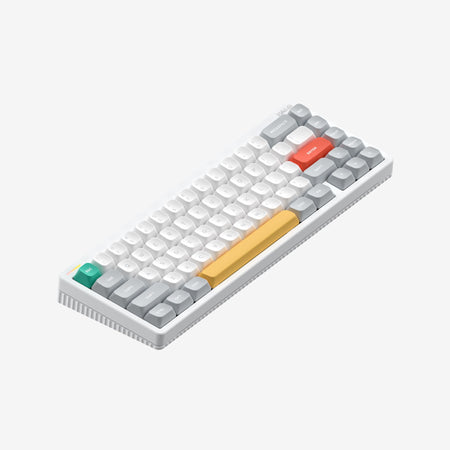
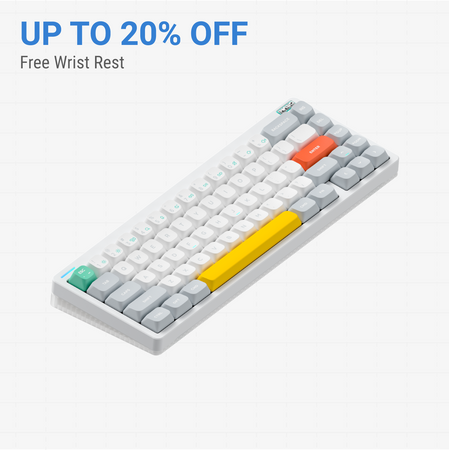
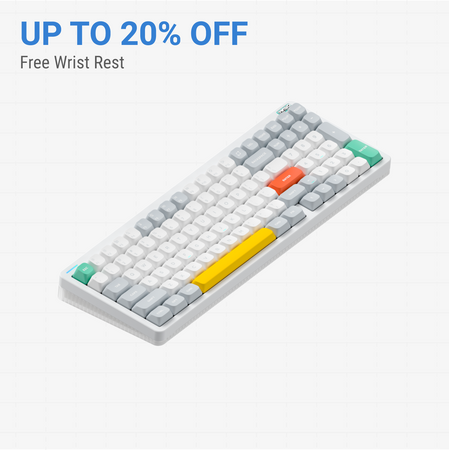
Which one should you get?
Get the
Nuphy Halo IO Series
Full-Size
- Full-size layout with dedicated number pad for data entry.
- Includes a two-stage foot stand for adjustable typing angle.
- Web-based NuPhy IO 2.0 software for configuration and macro recording.
- Only supports 2.4 GHz wireless and wired connectivity, lacking Bluetooth.
- Larger and heavier form factor, less portable.
- Does not support QMK or VIA open-source firmware.
Get the
Nuphy Halo65 V2
65% Layout Choice
- Compact 65% layout saves desk space and is highly portable.
- Tri-mode connectivity with Bluetooth, 2.4GHz, and wired USB-C.
- Full QMK and VIA firmware support for limitless customization.
- Lacks a dedicated number pad, which may require adaptation.
- The 65% layout uses function layers for some keys, which has a learning curve.
For most users, the Nuphy Halo65 V2 is the recommended choice. Its superior portability, flexible tri-mode connectivity, and powerful QMK/VIA firmware make it a more future-proof and versatile board. Only choose the Halo V2 IO if your daily workflow is heavily dependent on a full-size keyboard with a number pad and you do not need Bluetooth connectivity.
The differences that matter
Skip the 40-row spec sheet. These are the specs that change how each board feels, sounds, and fits your desk.
Nuphy Halo IO Series
Nuphy Halo65 V2
Case material
Aluminum, Plastic
Aluminum, Polycarbonate
Knob
Yes
No
Weight
1,028 g
798 g
QMK
No
Yes
VIA
No
Yes
- Nuphy Halo IO Series
- Nuphy Halo65 V2
- Performance
- 7875
- Build quality
- 7882
- Productivity
- 9184
- Customizability
- 7989
- Portability
- 9889
- Layout size: 65%
- Connection: Bluetooth, 2.4 GHz, Wired
- Hot-swappable
- Battery: 4,000 mAh
- Max polling rate: 1,000 Hz
- Switch options: Mechanical
What will you mostly use it for?
The Halo65 V2 is the more versatile choice, winning in gaming, programming, travel, and modding due to its compact size, tri-mode wireless, and open-source firmware support. The Halo V2 IO is specifically better for office work where a number pad is essential. For content creation, the decision hinges on whether you prioritize a number pad or advanced macro programming.
Pick the Nuphy Halo65 V2
- Both offer a 1000Hz polling rate for responsive input.
- The Halo65 V2's 65% layout frees up more desk space for mouse movement.
- Its vendor description highlights a 'pro-gaming level wireless performance' with a 1000Hz 2.4G connection.
Nuphy Halo IO Series vs Halo65 V2 specs
Every tracked spec, side by side. Rows marked with a dot differ between the boards.
10 of 27 specs differ
Nuphy Halo IO Series
Nuphy Halo65 V2
Switch options
Hot-swappable
Mount style
Sound dampening
Screw-in stabilizers
Layout size
Layout standard
Ergonomics
Knob
Display
Media keys
Connection
Max polling rate
Battery
USB-C
Case material
Plate material
Keycaps
Weight
Dimensions
Typing angle
Backlight
QMK
VIA
N-key rollover
Mac & Windows
Released
Compare prices
Live prices from the stores we track, cheapest in-stock offer first.
Lowest price across stores, Amazon excluded.


Prices in USD are converted to your currency and can change at any time. KeebFinder may earn a commission when you buy through these links, at no extra cost to you.
Nuphy Halo IO Series vs Halo65 V2: your questions
The primary difference is the layout. The Halo V2 IO is a full-size keyboard, while the Halo65 V2 is a compact 65% layout without a number pad or function row. The Halo65 V2 also adds Bluetooth connectivity and QMK/VIA firmware support, which the Halo V2 IO lacks.
The Halo65 V2 offers more wireless options. It supports tri-mode connectivity, including Bluetooth, 2.4GHz, and wired USB-C. The Halo V2 IO is limited to 2.4GHz wireless and wired connections only.
Yes, but the method and depth differ. The Halo V2 IO uses the web-based NuPhy IO 2.0 software for remapping and macros. The Halo65 V2 supports the open-source QMK and VIA firmware, which allows for more advanced and granular key remapping, layer creation, and customization.
Yes. Both the Nuphy Halo V2 IO and the Halo65 V2 feature hot-swappable sockets. This allows you to easily change switches without soldering.
Based on their descriptions, the Halo65 V2 has a more elaborate sound-dampening construction. Its vendor page lists a PCB gasket mount and a stack of six sound mods, including plate foam, a switch pad, and PCB foam. The Halo V2 IO also has sound dampening and a gasket mount, but its specific mod layers are not detailed in the same way.
Yes. Both keyboards are listed as compatible with Mac and Windows systems. The Halo65 V2's description also explicitly mentions Linux compatibility.
Both keyboards have a large 4000mAh battery. The Halo65 V2's tech specs provide specific estimates: up to 85 hours with lights on and up to 240 hours with lights off in lab tests. The Halo V2 IO's vendor description claims up to 1200 hours of battery life, but the testing conditions for this figure are not specified.
Both have RGB lighting, but the implementation varies. The Halo65 V2 features south-facing RGB LEDs, which are better for compatibility with Cherry-profile keycaps and reduce glare. It also has a more extensive lighting system called Halolight 2.0 with a translucent bottom case and support for SignalRGB. The Halo V2 IO has a distinctive light band on its side.
The Halo65 V2 is significantly more portable. It is a 65% layout measuring 318mm wide and weighs 798g. The Halo V2 IO is a full-size keyboard and is heavier at 1000g, with larger overall dimensions, making it less convenient to transport.
According to its vendor page, the Halo65 V2 comes with a pre-built keyboard, a USB-C to USB-C cable, a USB-C to USB-A adapter, a 2.4G receiver, a keycap/switch puller, six extra keycaps, three extra switches, a sticker set, and a quick guide.
The Halo V2 IO does not come with a wrist rest in the box, but its product description mentions and shows Twotone wrist rests as available accessories for purchase separately. It does include a two-stage foot stand.
Not sold on either?




Still torn?
Answer a few quick questions and the keyboard finder ranks 2,000+ boards by how you will actually use yours.