Nuphy Halo65 V2 vs Node75 High ProfileCustomization vs Layout
Choose the Halo65 V2 for deep firmware customization and a premium build, or the Node75 for its larger layout and dedicated function keys.
KeebFinder may earn a commission when you buy through these links, at no extra cost to you.
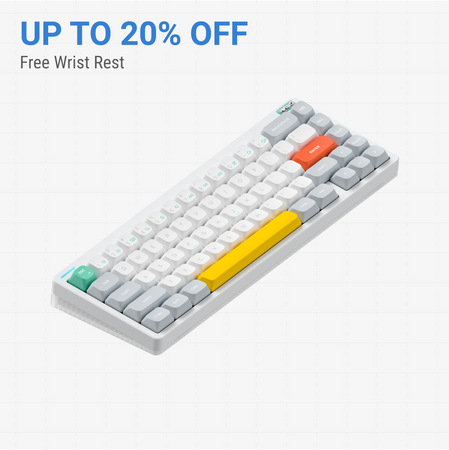

Which one should you get?
Get the
Nuphy Halo65 V2
Customization
Build quality in the top 15% of 65% boards under $150.
- Extensive firmware customization with open-source QMK and VIA support.
- Premium material combination with an aluminum top case and polycarbonate bottom case.
- Comprehensive sound-dampening mod stack pre-installed, including multiple foam layers and silicone.
- South-facing LEDs. Shine-through legends stay dark, and some sculpted keycaps can clip the LED.
- No ISO layout. ISO-DE, UK, and other ISO variants are not offered.
- 65% layout. No function row and no numpad.
Get the
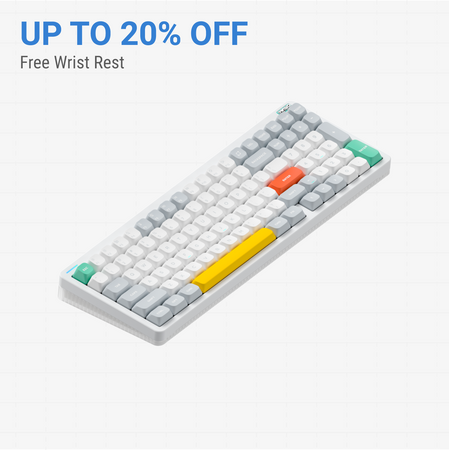
Nuphy Node75 High Profile
Layout
Build quality in the bottom 40% of 75% boards under $100.
- 75% layout provides arrow keys, function row, and navigation cluster without a drastic size increase.
- Offers multiple layout standards including ANSI and ISO-DE for broader regional compatibility.
- PBT keycap material is listed, which is known for durability and resistance to shine.
- No numpad.
Your primary need dictates the choice. If you want to deeply customize your typing experience, firmware, and acoustics, the Nuphy Halo65 V2 is the superior tool. If you prefer a ready-to-use layout with more immediate key access and a focus on quiet operation, the Nuphy Node75 HighProfile will serve you better. Both are competent wireless boards, but they cater to different philosophies of use.
The differences that matter
Skip the 40-row spec sheet. These are the specs that change how each board feels, sounds, and fits your desk.
Nuphy Halo65 V2
Nuphy Node75 High Profile
Layout size
65%
75%
Case material
Aluminum, Polycarbonate
ABS
Switch options
Mechanical
Clicky, Linear
Weight
798 g
827 g
Heavier boards stay planted and lighter ones travel
QMK
Yes
No
The deep option when you want to remap every key
- Nuphy Halo65 V2
- Nuphy Node75 High Profile
- Performance
- 7561
- Build quality
- 8159
- Productivity
- 8562
- Customizability
- 8952
- Portability
- 8975
- Connection: Bluetooth, 2.4 GHz, Wired
- Hot-swappable
- Battery: 4,000 mAh
- Max polling rate: 1,000 Hz
- Mount style: Gasket Mount
- Sound dampening
What will you mostly use it for?
The Halo65 V2 is the clear choice for users who value customization, whether through firmware, physical mods, or gaming performance. Its compact size also gives it an edge for portability. The Node75 HighProfile wins for traditional office and productivity use where its larger layout with more dedicated keys is beneficial. For content creation, the decision splits between the Halo65's lighting aesthetics and the Node75's key accessibility.
Pick the Nuphy Halo65 V2
- The Halo65 V2's vendor description highlights a 1000Hz polling rate in 2.4G mode for 'pro-gaming level wireless performance'.
- It offers linear switch options like the 45gf Raspberry, which the manufacturer describes as designed 'to best serve the gamers'.
- Its aluminum top case may provide a more solid, premium base for rapid key presses.
Nuphy Halo65 V2 vs Node75 High Profile specs
Every tracked spec, side by side. Rows marked with a dot differ between the boards.
14 of 25 specs differ
Nuphy Halo65 V2
Nuphy Node75 High Profile
Switch options
Hot-swappable
Mount style
Sound dampening
Layout size
Layout standard
Ergonomics
Display
Media keys
Connection
Max polling rate
Battery
USB-C
Case material
Plate material
Keycaps
Weight
Dimensions
Typing angle
Backlight
QMK
VIA
N-key rollover
Mac & Windows
Released
ISO layouts by store
Which stores sell ISO-DE, UK, and the other regional layouts.
Nuphy Halo65 V2
No ISO layout at the stores we track.
Nuphy Node75 High Profile
Input Gear
ISO-DE
Out of stockShips to you
Compare prices
Live prices from the stores we track, cheapest in-stock offer first.
Prices in USD are converted to your currency and can change at any time. KeebFinder may earn a commission when you buy through these links, at no extra cost to you.
Lowest price across stores, Amazon excluded.



Nuphy Halo65 V2 vs Node75 High Profile: your questions
The Nuphy Halo65 V2 has significantly more advanced software customization. It supports the open-source QMK and VIA firmware, which allows for extensive key remapping, macro creation, and lighting control. The Node75 HighProfile's vendor description does not mention QMK or VIA support.
The vendor description for the Node75 states that 'Every Mac-tweak you can find on a NuPhy keyboard, you can find it on Node Series.' However, the Halo65 V2's description explicitly lists a dedicated OS switch for toggling Mac-specific function keys, a detail not specified for the Node75.
The Halo65 V2 uses an aluminum top case and a polycarbonate bottom case. The Node75 HighProfile uses an ABS plastic case according to its specifications. The aluminum on the Halo65 V2 typically offers a more premium, rigid feel.
Yes, both keyboards are hot-swappable, as listed in their extra features. This means you can easily pull out and replace the mechanical switches without soldering, allowing you to customize the typing feel and sound.
The Nuphy Halo65 V2 is more portable. It has a smaller 65% form factor (115mm deep) compared to the Node75's 75% layout (141mm deep). The Halo65 V2 is also slightly lighter at 798g versus the Node75's 827g.
Yes, both the Halo65 V2 and the Node75 HighProfile have RGB backlighting according to their specifications. The Halo65 V2's description provides more detail, noting south-facing LEDs and support for SignalRGB software.
The Halo65 V2 comes with keycaps in the mSA profile, which is a taller, spherical profile. The vendor description highlights that these keycaps have light-emitting homing bars and include an upgraded 'Ghostbar' spacebar designed for sound suppression.
Both keyboards are listed with a 4000mAh battery. The Halo65 V2's vendor page provides specific lab test results, stating up to 85 hours with lights on and up to 240 hours with lights off. The Node75 does not provide specific runtime estimates.
The Node75 HighProfile may have a slight edge for quiet offices as its listed switch options include silent variants like the Blush Max, described as 'smooth and quiet.' The Halo65 V2 also offers a silent 'Blush Max' switch, but the Node75's larger layout may reduce layer usage and associated keypress sounds.
According to the Node75's vendor description, it features a 'touch zone' that allows for slide, tap, or double-tap inputs to execute various functions. This feature is not mentioned in the Halo65 V2's description.
The provided specifications and descriptions do not state whether the stabilizers are pre-lubricated on either the Halo65 V2 or the Node75 HighProfile. Both are listed as pre-built keyboards.
The Nuphy Halo65 V2 has a listed typing angle of 5 degrees. The Node75 HighProfile's specifications do not list a typing angle, so a direct comparison cannot be made.
Not sold on either?





Still torn?
Answer a few quick questions and the keyboard finder ranks 2,000+ boards by how you will actually use yours.