Ducky Tinker 65 ProjectD vs Tinker 75 ProjectDCompact 65% vs Functional 75% Layout
Choose the Tinker 65 for maximum portability and a lower price, or the Tinker 75 for dedicated function and navigation keys without a full-size footprint.


Which one should you get?
Get the
Ducky Tinker 65 ProjectD
Compact 65%
- More compact 65% layout saves significant desk space and is highly portable.
- Includes PBT keycaps according to its metadata, which are more resistant to shine.
- Comes with screw-in stabilizers, as noted in its vendor description, for potentially better tuning.
- Lacks dedicated function keys, arrow keys, and a navigation cluster, requiring use of layers.
- The compact layout may have a steeper learning curve for users new to 65% keyboards.
Get the
Ducky Tinker 75 ProjectD
Functional 75% Layout
- 75% layout retains dedicated arrow keys, function row, and a navigation cluster for direct access.
- Vendor listing explicitly confirms N-Key Rollover (NKRO) for reliable simultaneous key presses.
- Includes a PE sheet in its gasket mount assembly, according to its product description.
- Larger and less portable than the 65% model.
- The vendor description does not mention PBT keycaps or screw-in stabilizers for this model.
Your priority should dictate the choice. If you need dedicated arrow keys, function keys, and navigation keys for work or gaming without a full-size board, the Ducky Tinker 75 ProjectD is the logical pick. If maximizing desk space, portability, and finding a lower-cost entry point are more important, and you are willing to adapt to layers, the Ducky Tinker 65 ProjectD is the better option. Both offer excellent modding foundations.
The differences that matter
Skip the 40-row spec sheet. These are the specs that change how each board feels, sounds, and fits your desk.
Ducky Tinker 65 ProjectD
Ducky Tinker 75 ProjectD
Layout size
65%
75%
Case material
ABS, Plastic
Plastic
Plate material
FR4, POM
FR4
Screw-in stabilizers
Yes
No
N-key rollover
No
Yes
- Ducky Tinker 65 ProjectD
- Ducky Tinker 75 ProjectD
- Performance
- 6482
- Build quality
- 8273
- Productivity
- 9289
- Customizability
- 9389
- Portability
- 7563
- Connection: Wired
- Hot-swappable
- Switch options: Clicky, Linear, Tactile
- Mount style: Plate Mount
- QMK
- VIA
What will you mostly use it for?
The Tinker 75 ProjectD is the more versatile choice for productivity-focused tasks like office work, programming, and content creation, thanks to its dedicated function and navigation keys. The Tinker 65 ProjectD wins for travel and scenarios where desk space is at a premium. For core modding potential, both keyboards are equally capable, sharing the same hotswap sockets, programmability, and sound-dampening foam setup.
Pick the Ducky Tinker 75 ProjectD
- The Tinker 75's layout includes dedicated arrow keys, which are often preferred for certain games.
- Its vendor listing explicitly mentions N-Key Rollover (NKRO) for simultaneous key presses.
- The 75% form factor provides more immediate access to F-keys for game macros without a layer toggle.
Ducky Tinker 65 ProjectD vs Tinker 75 ProjectD specs
Every tracked spec, side by side. Rows marked with a dot differ between the boards.
6 of 21 specs differ
Ducky Tinker 65 ProjectD
Ducky Tinker 75 ProjectD
Switch options
Hot-swappable
Mount style
Sound dampening
Screw-in stabilizers
Layout size
Layout standard
Ergonomics
Display
Media keys
Connection
USB-C
Case material
Plate material
Keycaps
Backlight
QMK
VIA
N-key rollover
Mac & Windows
Released
Compare prices
Live prices from the stores we track, cheapest in-stock offer first.
Lowest price across stores, Amazon excluded.


Prices in USD are converted to your currency and can change at any time. KeebFinder may earn a commission when you buy through these links, at no extra cost to you.
Ducky Tinker 65 ProjectD vs Tinker 75 ProjectD: your questions
The main difference is the layout size. The Tinker 65 is a 65% keyboard with 67 keys, omitting the function row, navigation cluster, and dedicated arrow keys. The Tinker 75 is a 75% keyboard with 83 keys, which includes a condensed function row, arrow keys, and a navigation cluster for more direct key access.
Yes. According to their vendor descriptions, both the Tinker 65 and Tinker 75 ProjectD feature hot-swappable PCBs using Kailh yellow sockets. This allows you to change switches without soldering.
Yes. Both keyboards are programmable using the QMK and VIA firmware, as stated in their feature lists. This allows for extensive key remapping, layer creation, and macro programming.
Yes. The product descriptions for both models confirm a gasket mount design. This mounting style uses silicone or foam gaskets to isolate the plate from the case, typically aiming for a softer typing feel and reduced case noise.
Based on the vendor descriptions, both models include Poron plate foam and bottom foam, as well as IXPE switch dampeners (switch pads). The Tinker 75's description also mentions a PE sheet as part of its gasket mount assembly.
The Tinker 75 is generally better for office work. Its 75% layout provides dedicated arrow keys and a navigation cluster (like Home, End, Page Up/Down), which are frequently used in document editing and spreadsheet navigation, reducing the need to memorize layer combinations.
The Tinker 65 can be good for gaming, especially if you value a large mouse pad area. However, the Tinker 75 may be preferred by gamers who use F-keys for in-game macros or who strongly prefer dedicated arrow keys, which the Tinker 65 lacks. The Tinker 75's listing also specifically notes N-Key Rollover.
The vendor listings show both models are available with Cherry MX Red, Brown, and Blue switches. The Tinker 75 listing also shows an option for Cherry MX Silver switches. Both are offered in pre-built and barebones variants.
Warranty information is not provided in the available specifications or vendor descriptions. You would need to check Ducky's official website or the retailer's policy for specific warranty details at the time of purchase.
The Ducky Tinker 65 is more portable. Its 65% form factor is significantly smaller and lighter than the 75% layout of the Tinker 75, making it easier to transport in a bag or use in confined spaces.
The metadata for the Tinker 65 explicitly lists PBT as the keycap material. The metadata for the Tinker 75 does not specify the keycap material, so it cannot be confirmed as PBT from the provided information.
Not sold on either?

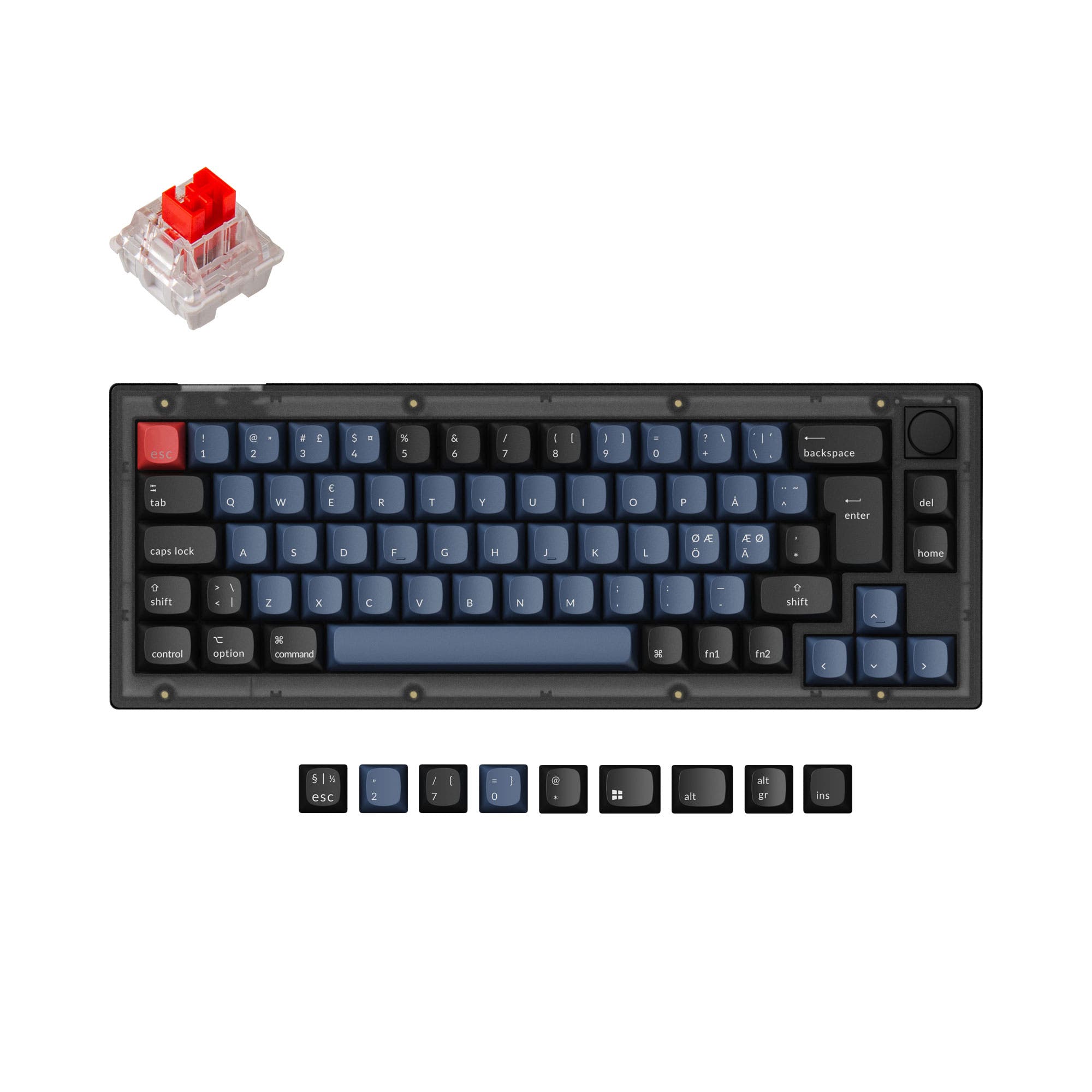
![[Out of Stock] Lucky65 65% Mechanical Keyboard](https://cdn.shopify.com/s/files/1/0549/0262/0278/files/5_926b3a56-4411-4c76-b8da-74cee064f846.jpg?v=1725348037&width=3840&quality=75)



Still torn?
Answer a few quick questions and the keyboard finder ranks 2,000+ boards by how you will actually use yours.