KBDFans TOFU60 V3 vs TOFU65 V2 ViorWireless vs Wired Layout
Choose the TOFU60 V3 for wireless flexibility and high-performance features, or the TOFU65 V2 Vior for a dedicated wired setup with arrow keys.
KeebFinder may earn a commission when you buy through these links, at no extra cost to you.

5.0 (3)5.0 · 3 reviews
from$53at KBDfans
90-day lowLowest price in 90 days

No reviews
from$230at Input Gear
Which one should you get?
Get the
KBDFans TOFU60 V3
Wireless
Build quality in the top 5% of 60% boards under $100.
- Offers dual-mode wireless connectivity (wired and Bluetooth).
- Supports high-performance features like an 8000 Hz polling rate and Hall Effect magnetic switches.
- Extensive customization with a configurator for case materials (Aluminum, Copper, Steel), plates, and PCBs.
- Magnetic switches only. Standard MX switches will not fit.
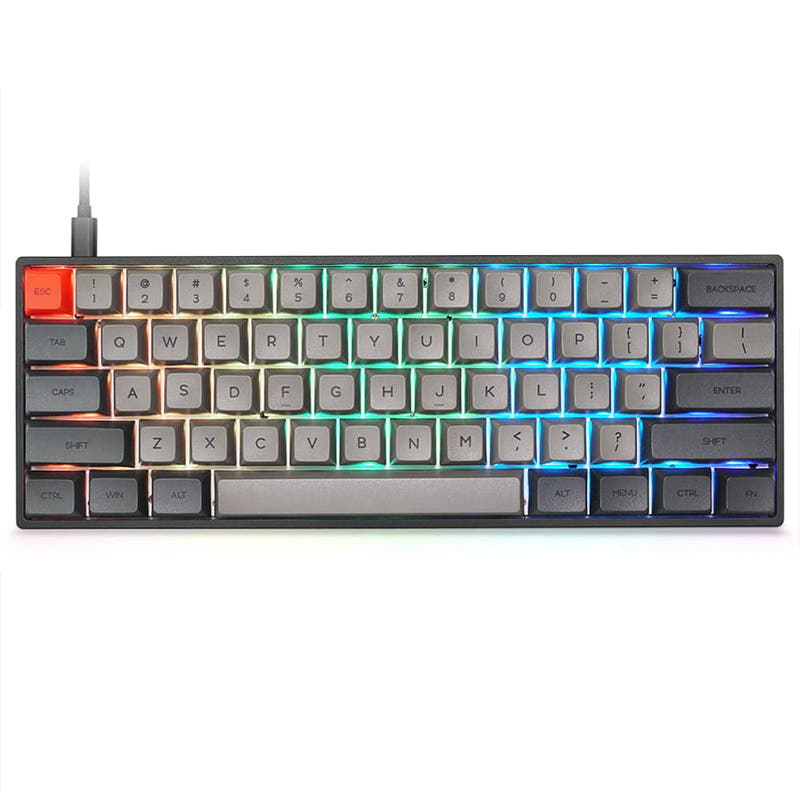
- Compact layout only. No function row, dedicated arrow keys, or numpad.
Get the
KBDFans TOFU65 V2 Vior
Wired Layout
Build quality in the top 50% of 65% boards under $300.
- The 65% layout includes dedicated arrow keys for easier navigation.
- Wired-only USB-C connection ensures consistent, lag-free operation without battery management.
- Features a gasket mount design within an aluminum case with an E-Coating finish.
- 65% layout. No function row and no numpad.
Select the KBDFans TOFU60 V3 if you value cutting-edge features like wireless connectivity, ultra-low latency for gaming, and extensive personalization. Opt for the KBDFans TOFU65 V2 Vior if your priority is a straightforward, wired keyboard with a practical 65% layout that includes arrow keys, and you prefer a simpler build process. The TOFU60 V3 is a forward-looking platform, while the TOFU65 V2 Vior is a focused, traditional tool.
The differences that matter
Skip the 40-row spec sheet. These are the specs that change how each board feels, sounds, and fits your desk.
KBDFans TOFU60 V3
KBDFans TOFU65 V2 Vior
Layout size
60%
65%
Hall effect (magnetic)
Yes
No
Adjustable actuation helps in games and not in normal typing
Connection
Wired, Bluetooth
Wired
Wireless for several devices and wired for lower latency
Case material
Aluminum, Copper, Steel
Aluminum
VIA
Yes
No
GUI remapping without compiling firmware
- KBDFans TOFU60 V3
- KBDFans TOFU65 V2 Vior
- Performance
- 8747
- Build quality
- 9065
- Productivity
- 6451
- Customizability
- 8456
- Portability
- 7771
- Hot-swappable
- Mount style: Gasket Mount
What will you mostly use it for?
The TOFU60 V3 is the clear choice for gaming, travel, and modding due to its high-performance specs, wireless capability, and deep customization. The TOFU65 V2 Vior wins for office and programming use, where its dedicated arrow keys and reliable wired connection are primary advantages. For content creation, the decision is a tie, hinging on whether RGB lighting or arrow keys are more valuable for the individual's workflow.
Pick the KBDFans TOFU60 V3
- The TOFU60 V3 supports an 8000 Hz polling rate for lower latency.
- It offers Hall Effect magnetic switches with adjustable actuation for precision.
- The vendor states latency is 0.125ms for magnetic switches.
KBDFans TOFU60 V3 vs TOFU65 V2 Vior specs
Every tracked spec, side by side. Rows marked with a dot differ between the boards.
11 of 20 specs differ
KBDFans TOFU60 V3
KBDFans TOFU65 V2 Vior
Switch options
Hall effect (magnetic)
Hot-swappable
Mount style
Sound dampening
Layout size
Layout standard
Ergonomics
Display
Connection
Max polling rate
Battery
USB-C
Case material
Plate material
Typing angle
Backlight
VIA
VIAL
Released
Compare prices
Live prices from the stores we track, cheapest in-stock offer first.
Prices in USD are converted to your currency and can change at any time. KeebFinder may earn a commission when you buy through these links, at no extra cost to you.
Lowest price across stores, Amazon excluded.



- Check on Amazon
Amazon
Check price

KBDFans TOFU60 V3 vs TOFU65 V2 Vior: your questions
No, the TOFU60 V3 is a 60% layout keyboard. It does not have dedicated arrow keys. Arrow functions would need to be accessed via a function layer combination.
No. According to the product specifications, the TOFU65 V2 Vior is a wired-only keyboard with a USB-C connection. It does not support Bluetooth or any other wireless mode.
The TOFU60 V3 is designed for low latency gaming. Its specifications include an 8000 Hz polling rate, and the vendor offers a Hall Effect PCB option which they state has a latency of 0.125ms for magnetic switches. The TOFU65 V2 Vior's polling rate is not specified.
Both products are sold as DIY or barebones kits. The TOFU65 V2 Vior vendor description explicitly states keycaps are not included and switches must be sourced separately. The TOFU60 V3 kit includes cases, PCB, plate, and accessories, but not switches or keycaps.
Both keyboards use a gasket mount style. The TOFU60 V3 offers a choice between a PCB Gasket mount and a Top mount, while the TOFU65 V2 Vior is listed with a Gasket-Mount design.
Yes. The TOFU60 V3 product description lists VIA and VIAL support for its wired and hot-swap PCBs, allowing for easy key remapping and macro programming.
The TOFU60 V3 has a 9-degree typing angle. The TOFU65 V2 Vior has a 7-degree typing angle, as noted in its technical specifications.
The TOFU60 V3 offers top cases in aluminum with various finishes and bottom cases in aluminum, copper, or stainless steel. The TOFU65 V2 Vior features an aluminum case with an E-Coating finish.
Based on the vendor page, the TOFU60 V3 was offered as a pre-order with an estimated delivery in Q2 2026. It may be subject to a waiting list, so immediate availability cannot be assumed.
The TOFU60 V3 includes more sound-dampening options in the kit. It comes with an optional foam kit, a battery compartment foam kit, and Teflon pads to decouple case sections to reduce resonance.
Yes. According to the vendor description, the TOFU60 V3's solderable PCB supports a 'plateless' build configuration when combined with the PCB Gasket mount, which is intended to provide maximum flex and a deep sound profile.
Not sold on either?



Still torn?
Answer a few quick questions and the keyboard finder ranks 2,000+ boards by how you will actually use yours.