Yunzii AL68 vs B75 Pro MaxAluminum vs Screen & Battery
Choose the AL68 for a compact, premium aluminum build, or the B75 Pro Max for a larger layout with a customizable screen and bigger battery.
KeebFinder may earn a commission when you buy through these links, at no extra cost to you.

from$64at Yunzii
90-day lowLowest price in 90 days

Which one should you get?
Get the
Yunzii AL68
Aluminum
Build quality in the top 15% of 65% boards under $100.
- Constructed from premium anodized aluminum for durability.
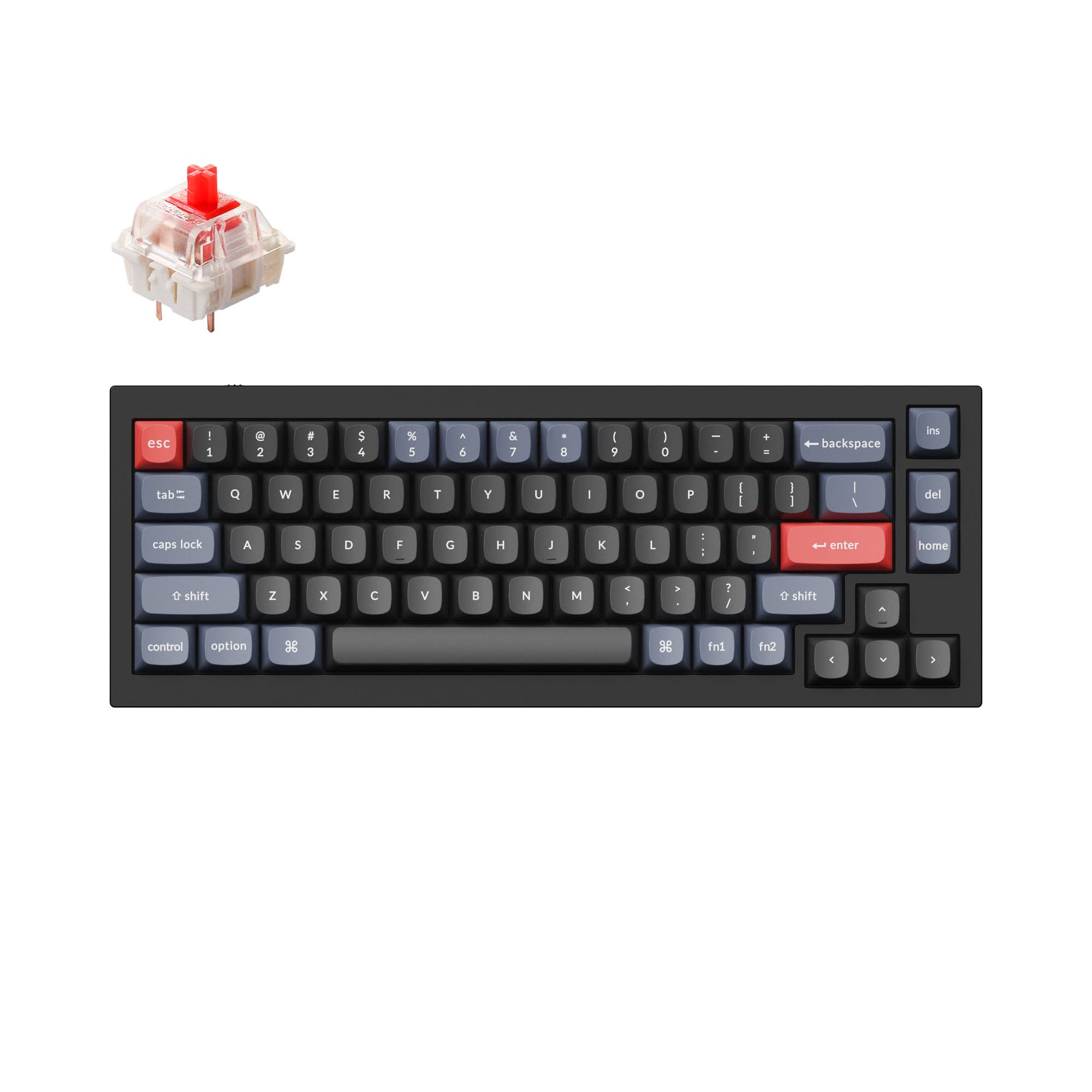
- More compact 65% layout (319mm width) saves desk space.
- Includes a Flex-Cut PC plate and 4-layer sound dampening fillings.
- South-facing LEDs. Shine-through legends stay dark, and some sculpted keycaps can clip the LED.
- 65% layout. No function row and no numpad.
Get the
Yunzii B75 Pro Max
Screen & Battery
Build quality in the top 15% of 75% boards under $100.
- Features a customizable TFT screen (160x96px) for status, GIFs, or photos.
- Larger 8000mAh battery capacity for extended wireless use.
- 75% layout includes dedicated arrow and navigation keys.
- South-facing LEDs. Shine-through legends stay dark, and some sculpted keycaps can clip the LED.
- No numpad.
Your primary need dictates the choice. If a premium metal build and maximum desk space savings are critical, the Yunzii AL68 is the clear pick. If you value having more dedicated keys, a visual screen for information or customization, and the longest possible battery life, the Yunzii B75 Pro Max offers more features for a similar price. Both are excellent, customizable boards, so prioritize layout and material.
The differences that matter
Skip the 40-row spec sheet. These are the specs that change how each board feels, sounds, and fits your desk.
Yunzii AL68
Yunzii B75 Pro Max
Layout size
65%
75%
Battery
6,000 mAh
8,000 mAh
A larger battery means fewer cables during the day
Display
None
TFT
A case display rather than a typing feature
Weight
1,205 g
993 g
Heavier boards stay planted and lighter ones travel
Sound dampening
Yes
No
- Yunzii AL68
- Yunzii B75 Pro Max
- Performance
- 7983
- Build quality
- 8480
- Productivity
- 8973
- Customizability
- 8988
- Portability
- 9490
- Connection: Bluetooth, 2.4 GHz, Wired
- Hot-swappable
- Switch options: Linear
- Mount style: Gasket Mount
- Knob
- QMK
What will you mostly use it for?
The B75 Pro Max wins in most productivity-focused categories due to its more functional 75% layout and unique TFT screen. The AL68 is the better choice for portability thanks to its smaller 65% footprint. For modding, both are equally capable platforms with hot-swap sockets and extensive firmware support. Gamers and content creators may appreciate the extra visual feedback and customization offered by the B75 Pro Max's screen.
Pick the Yunzii B75 Pro Max
- The B75 Pro Max includes a TFT screen for displaying system status or custom graphics.
- Its 75% layout retains dedicated arrow and function keys for in-game shortcuts.
- It features N-Key Rollover for simultaneous key presses.
Yunzii AL68 vs B75 Pro Max specs
Every tracked spec, side by side. Rows marked with a dot differ between the boards.
8 of 23 specs differ
Yunzii AL68
Yunzii B75 Pro Max
Switch options
Hot-swappable
Mount style
Sound dampening
Layout size
Layout standard
Ergonomics
Knob
Display
Connection
Battery
USB-C
Case material
Plate material
Keycaps
Weight
Dimensions
Backlight
QMK
VIA
N-key rollover
Mac & Windows
Released
Compare prices
Live prices from the stores we track, cheapest in-stock offer first.
Prices in USD are converted to your currency and can change at any time. KeebFinder may earn a commission when you buy through these links, at no extra cost to you.
Lowest price across stores, Amazon excluded.


Yunzii AL68 vs B75 Pro Max: your questions
The core differences are layout and key features. The AL68 is a 65% aluminum keyboard, while the B75 Pro Max is a 75% keyboard with a customizable TFT screen. The B75 Pro Max also has a larger 8000mAh battery.
The Yunzii B75 Pro Max has a larger 8000mAh battery, while the AL68 has a 6000mAh battery. Actual runtime will depend on usage patterns like RGB brightness and wireless mode.
The Yunzii AL68 vendor description explicitly lists Mac/Win support. The B75 Pro Max description states compatibility with Windows, Mac, Linux, and Android, confirming broad OS support.
Yes, both the Yunzii AL68 and B75 Pro Max are hot-swappable. Their vendor pages confirm they support both 3-pin and 5-pin mechanical switches for easy customization.
The Yunzii B75 Pro Max is generally better for programming due to its 75% layout. It provides dedicated arrow keys and more immediate access to navigation keys without using function layers, which can improve workflow efficiency.
Yes, according to its vendor description, the Yunzii AL68 is crafted from premium anodized aluminum. This is reflected in its heavier weight of 1205g compared to the 993g B75 Pro Max.
According to Yunzii, the TFT screen on the B75 Pro Max can display system status like battery level, date, and time. It also supports customization to show GIFs, photos, and other graphics through an online website.
Both keyboards come with double-shot PBT keycaps in a Cherry profile. This material is durable and resistant to shine, and the profile is popular for its typing feel.
The Yunzii AL68 is more compact, with dimensions of 319mm in width compared to the B75 Pro Max's 334mm. This makes the AL68 slightly easier to fit in a bag, though it is the heavier of the two.
Both keyboards support QMK and VIA, which are open-source firmware solutions. This allows for deep customization like key remapping, macro creation, and lighting control without proprietary software.
Both the Yunzii AL68 and B75 Pro Max use a gasket mount structure. This design aims to provide a softer, more cushioned typing feel and reduce internal noise, as described in their vendor pages.
Yes, the vendor descriptions for both the AL68 and B75 Pro Max state that they come with pre-lubed switches and stabilizers. This is done to enhance the smoothness and sound of the typing experience out of the box.
Not sold on either?




Still torn?
Answer a few quick questions and the keyboard finder ranks 2,000+ boards by how you will actually use yours.