Yunzii AL71 vs X75Wireless Aluminum vs Wired Transparent PC
Choose the Yunzii AL71 for wireless flexibility and a premium metal build, or the X75 for a unique transparent aesthetic and a lower price point.
KeebFinder may earn a commission when you buy through these links, at no extra cost to you.

from$55at Yunzii
90-day lowLowest price in 90 days

Which one should you get?
Get the
Yunzii AL71
Wireless Aluminum
- Triple-mode connectivity with wired USB-C, Bluetooth, and 2.4 GHz wireless.
- CNC machined aluminum gasket mount case for a solid feel.
- Comprehensive sound dampening with Poron sandwich foam, socket foam, and PET pads.
- South-facing LEDs. Shine-through legends stay dark, and some sculpted keycaps can clip the LED.
Get the
Yunzii X75
Wired Transparent PC
Build quality in the bottom 45% of 75% boards under $50.
- Unique transparent polycarbonate case and PC keycaps for a distinctive look.
- Often available at a lower price point than the AL71.
- 75% layout with 82 keys includes navigation and function keys.
- No numpad.
Your primary need dictates the choice. If you value the freedom of wireless connectivity, a metal build, and extensive modding potential, the Yunzii AL71 is the better investment. If you prefer a lower-cost, visually striking keyboard with a more complete key layout and do not mind a wired connection, the Yunzii X75 is a compelling option. Prioritize the AL71 for flexibility and the X75 for aesthetic and budget.
The differences that matter
Skip the 40-row spec sheet. These are the specs that change how each board feels, sounds, and fits your desk.
Yunzii AL71
Yunzii X75
Layout size
68%
75%
Connection
Bluetooth, 2.4 GHz, Wired
Wired
Wireless for several devices and wired for lower latency
Case material
Aluminum
Polycarbonate
Switch options
Clicky, Linear, Silent
Clicky, Linear, Tactile
Mount style
Gasket Mount, Plate Mount
Gasket Mount
- Yunzii AL71
- Yunzii X75
- Performance
- 7079
- Build quality
- 7368
- Productivity
- 7173
- Customizability
- 6964
- Portability
- 10062
- Hot-swappable
- Sound dampening
What will you mostly use it for?
The Yunzii AL71 is the clear choice for mobile and multi-device users, winning in Travel, Office, and Gaming due to its wireless connectivity. It also leads in Modding thanks to its aluminum construction and detailed internal foams. The X75 is a strong contender for Programming with its more complete key layout and is a viable option for Content Creation if its transparent aesthetic is a priority. For Gaming, the AL71's wireless options give it an edge.
Pick the Yunzii AL71
- Offers wireless connectivity via 2.4 GHz and Bluetooth for cable-free setups.
- Includes N-key rollover for simultaneous key presses.
- South-facing RGB LEDs prevent interference with Cherry-profile keycaps.
Yunzii AL71 vs X75 specs
Every tracked spec, side by side. Rows marked with a dot differ between the boards.
13 of 21 specs differ
Yunzii AL71
Yunzii X75
Switch options
Hot-swappable
Mount style
Sound dampening
Layout size
Layout standard
Ergonomics
Display
Media keys
Connection
Battery
USB-C
Case material
Plate material
Keycaps
Weight
Dimensions
Backlight
N-key rollover
Mac & Windows
Released
Compare prices
Live prices from the stores we track, cheapest in-stock offer first.
Prices in USD are converted to your currency and can change at any time. KeebFinder may earn a commission when you buy through these links, at no extra cost to you.
Lowest price across stores, Amazon excluded.



Yunzii AL71 vs X75: your questions
Yes, the Yunzii AL71 supports three connection modes. You can use it wired via the included USB-C cable, with Bluetooth, or with a 2.4 GHz wireless dongle. It has a built-in 4600mAh rechargeable battery to power the wireless modes.
The Yunzii AL71 features a CNC machined aluminum case, which is heavier and offers a premium, solid feel. The Yunzii X75 uses a transparent polycarbonate case for its unique aesthetic, which is lighter but typically feels less dense than metal.
Yes, both keyboards are hot-swappable. The AL71 uses TTC hotswap sockets that support both 3-pin and 5-pin switches. The X75 also has a hot-swappable PCB compatible with most 3-pin and 5-pin mechanical switches.
The Yunzii AL71 lists more comprehensive sound-dampening materials. According to the vendor, it includes Poron sandwich foam, Poron socket foam, and PET sound pads. The X75 uses silicone sound dampeners on the plate and a large bottom silicone pad.
No, the Yunzii X75 is a wired-only keyboard. The product specifications list 'Battery: NO', meaning it must be connected via its USB-C cable to function and does not support wireless operation.
The Yunzii AL71 comes with Cherry profile double-shot PBT keycaps. The Yunzii X75 uses transparent PC keycaps with an ASA profile, which is a sculpted shape similar to SA profile but shorter.
The Yunzii AL71 is more compact with a 65% layout, but it is significantly heavier at 1300g. The X75 is larger as a 75% keyboard but lighter at 1000g. For true portability, the AL71's wireless capability is a major advantage, despite its weight.
The Yunzii AL71 is explicitly listed as compatible with macOS and includes easy-reach switches to toggle between Windows and macOS modes. The X75's vendor description does not specify Mac compatibility, focusing only on Windows for its software.
Both keyboards feature RGB backlighting. The Yunzii AL71 has south-facing LEDs and side case lights. The vendor description for the X75 states that custom software is available for designing effects and setting up per-key lighting, though it notes the software only works on Windows.
The vendor description for the Yunzii X75 mentions a one-year warranty service. Specific warranty terms for the AL71 are not provided in the given information, so it's best to check with the retailer at the time of purchase.
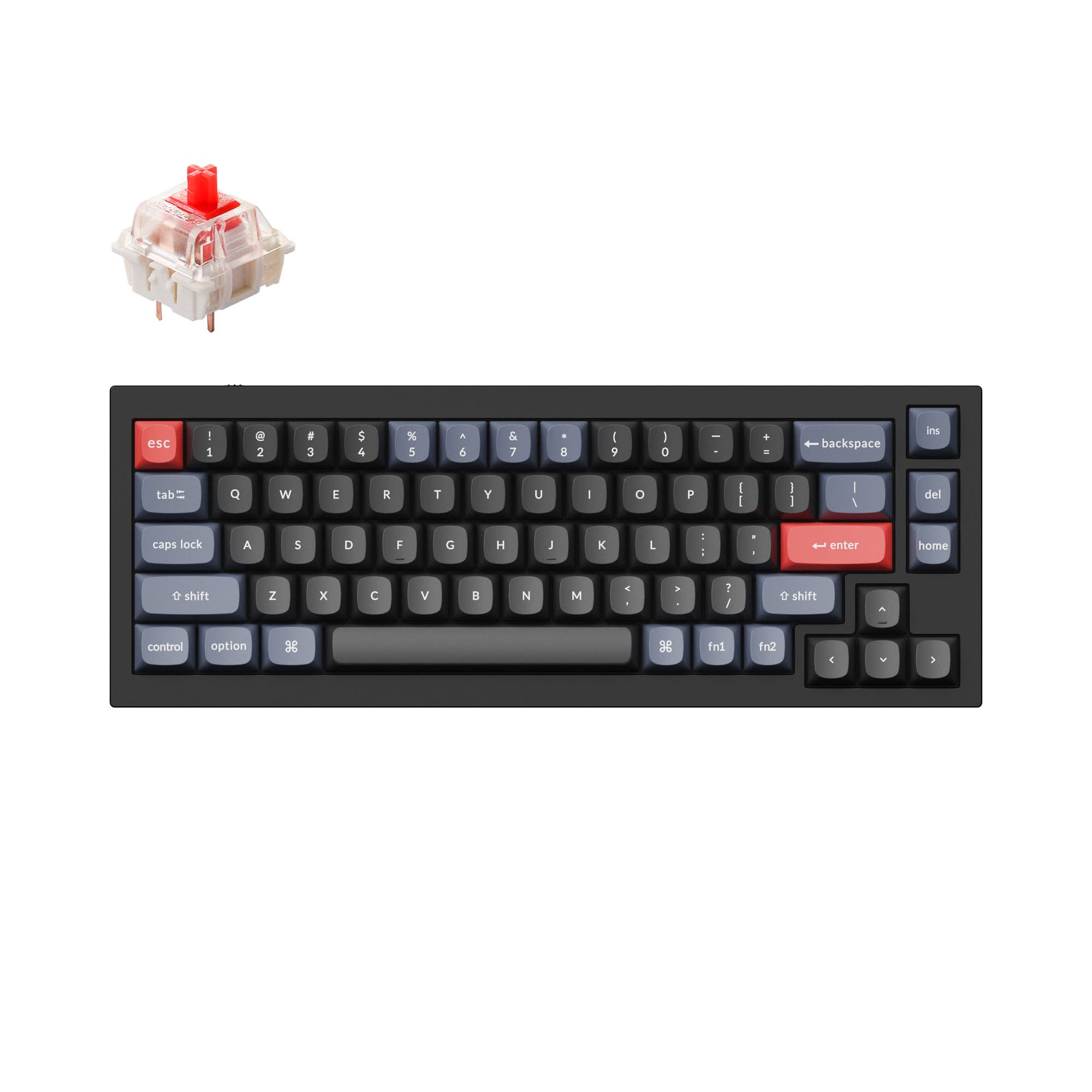
The Yunzii X75 has more keys. It is a 75% layout with 82 keys, retaining a column of function keys and navigation cluster. The Yunzii AL71 is a 65% layout with 71 keys, which omits the function row and has a more compact navigation cluster.
Not sold on either?



Still torn?
Answer a few quick questions and the keyboard finder ranks 2,000+ boards by how you will actually use yours.