Yunzii C68 vs YZ75 ProSilicone Cat Design vs 75% Layout
Choose the Yunzii C68 for its unique silicone design and compact form, or the YZ75 Pro for a more traditional 75% layout with dedicated function keys.
KeebFinder may earn a commission when you buy through these links, at no extra cost to you.


Which one should you get?
Get the
Yunzii C68
Silicone Cat Design
Build quality in the bottom 5% of 65% boards under $100.
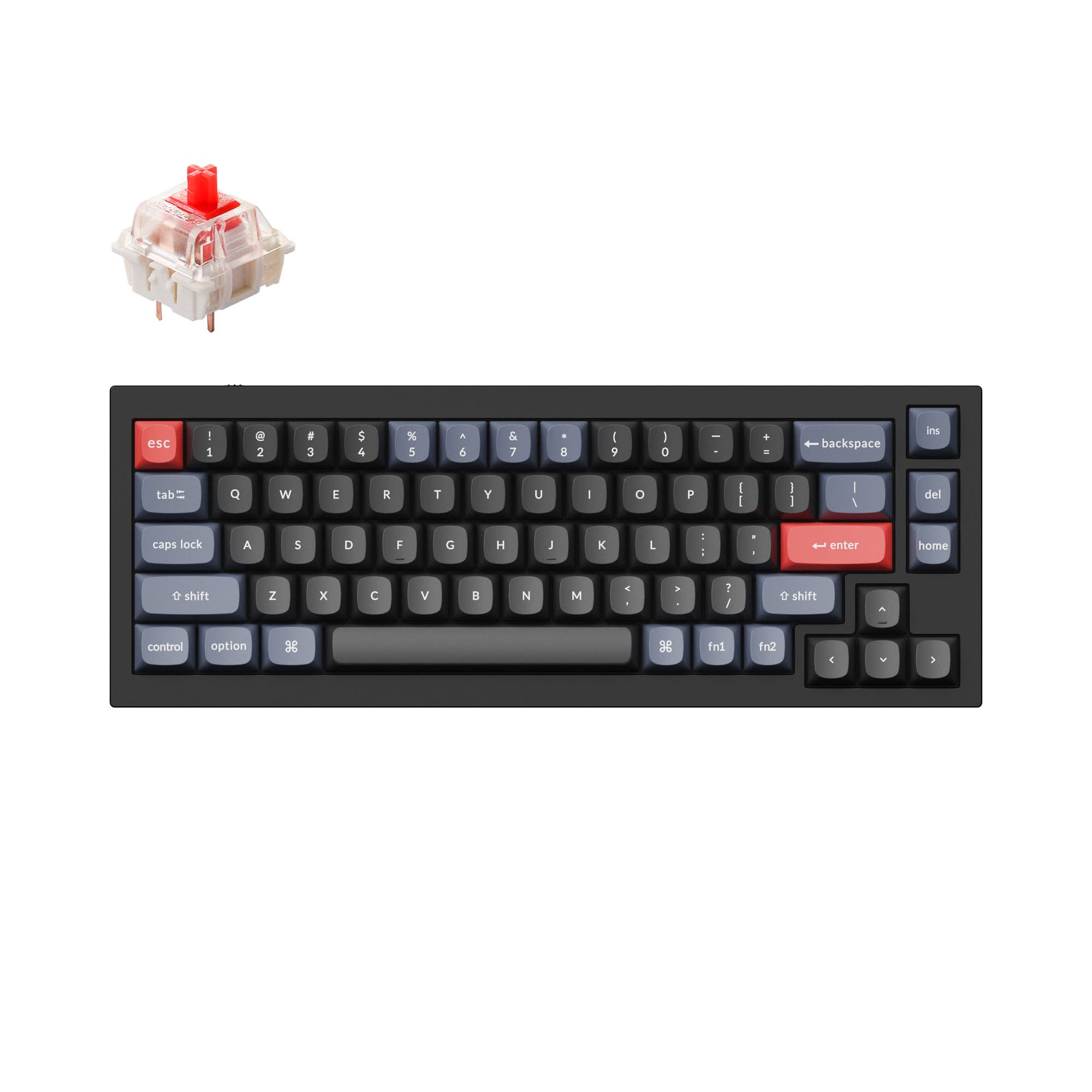
- Unique silicone case with a detachable, cat-inspired design.
- Compact 65% layout maximizes desk space.
- Explicitly includes multiple layers of sound-absorbing fillings and a solid silicone case for sound dampening.
- South-facing LEDs. Shine-through legends stay dark, and some sculpted keycaps can clip the LED.
- 65% layout. No function row and no numpad.
Get the
Yunzii YZ75 Pro
75% Layout
Build quality in the bottom 15% of 75% boards under $100.
- More functional 75% layout retains arrow keys and a dedicated function row.
- Includes double layers of sound-absorbing foam according to the manufacturer.
- Offers a choice of both linear and tactile Gateron G Pro switches.
- South-facing LEDs. Shine-through legends stay dark, and some sculpted keycaps can clip the LED.
- No numpad.
Your primary need dictates the choice. If you value a unique aesthetic, a compact footprint for travel, and explicit sound-dampening construction for modding, the Yunzii C68 is the clear pick. If you need a more traditional, functional layout with dedicated keys for work or gaming, and prefer the option of tactile switches, the Yunzii YZ75 Pro is the better tool, provided you can find it in stock.
The differences that matter
Skip the 40-row spec sheet. These are the specs that change how each board feels, sounds, and fits your desk.
Yunzii C68
Yunzii YZ75 Pro
Layout size
65%
75%
Battery
4,000 mAh
5,000 mAh
A larger battery means fewer cables during the day
Switch options
Linear
Linear, Tactile
Sound dampening
Yes
No
Released
2023
2022
- Yunzii C68
- Yunzii YZ75 Pro
- Performance
- 5376
- Build quality
- 4248
- Productivity
- 7067
- Customizability
- 7462
- Portability
- 8881
- Connection: Bluetooth, 2.4 GHz, Wired
- Hot-swappable
- Keycaps: PBT
What will you mostly use it for?
The YZ75 Pro is the more functional choice for work and gaming, winning in Office, Programming, and Gaming due to its 75% layout and tactile switch options. The C68 excels in Travel and Modding, leveraging its compact 65% size, unique silicone construction, and explicit sound-dampening features. For Content Creation, both are evenly matched, offering strong programmability and wireless features, leaving the choice to aesthetic preference.
Pick the Yunzii YZ75 Pro
- The YZ75 Pro's listing mentions it is geared as a 'gaming keyboard'.
- Its 75% layout retains dedicated arrow keys, which are often preferred for gaming navigation.
- The manufacturer states it includes double layers of sound-absorbing foam, which may provide a more solid feel.
Yunzii C68 vs YZ75 Pro specs
Every tracked spec, side by side. Rows marked with a dot differ between the boards.
5 of 18 specs differ
Yunzii C68
Yunzii YZ75 Pro
Switch options
Hot-swappable
Sound dampening
Layout size
Layout standard
Ergonomics
Display
Connection
Battery
USB-C
Case material
Keycaps
Weight
Dimensions
Backlight
N-key rollover
Mac & Windows
Released
Compare prices
Live prices from the stores we track, cheapest in-stock offer first.
Prices in USD are converted to your currency and can change at any time. KeebFinder may earn a commission when you buy through these links, at no extra cost to you.
Lowest price across stores, Amazon excluded.



Yunzii C68 vs YZ75 Pro: your questions
The Yunzii C68 is a 65% layout keyboard with 68 keys, sacrificing the dedicated function row and navigation cluster for compactness. The YZ75 Pro is a 75% layout with 82 keys, retaining the arrow keys and a dedicated function row in a slightly larger form factor.
Yes, both the Yunzii C68 and YZ75 Pro feature hot-swappable PCBs. The manufacturer states both support 3-pin and 5-pin mechanical switches, allowing you to change switches without soldering.
The Yunzii YZ75 Pro has a larger 5000mAh battery, while the C68 has a 4000mAh battery. The YZ75 Pro's listing claims you can check battery capacity with a shortcut (Fn+Space).
The YZ75 Pro is listed with Gateron G Pro linear and tactile switches (Yellow, Red, Black, Brown). The C68, however, offers specific 'mute linear' switch options like the Caramel Coffee V2, which are advertised for silent typing.
The Yunzii C68 may have an edge for quiet environments. Its vendor description explicitly mentions 'multiple layers of sound-absorbing fillings' and 'mute linear' switch options designed to eliminate typing noise. The YZ75 Pro also has double sound foam but lacks specific mute switch options in its listed choices.
The Yunzii C68 uses PBT keycaps with an MOA profile, which has a larger, flatter top surface. The YZ75 Pro uses PBT keycaps with a Cherry profile, which has a more sculpted, cylindrical top.
Yes, both the Yunzii C68 and YZ75 Pro are listed with Mac/Win support. They are compatible with both operating systems out of the box.
The software for the YZ75 Pro is explicitly noted to only work on Windows systems. The C68's description mentions Windows software for customization, but does not specify macOS compatibility, suggesting it may also be Windows-only.
The Yunzii C68 features a case made of silicone with a cat-inspired design. The vendor description states the cat head is detachable and can be replaced with other heads in the future, and the silky silicone material is advertised as easy to clean.
The Yunzii C68's product description lists 18 RGB modes and 8 backlight colors accessible via shortcut keys. The YZ75 Pro description mentions 'multiple default RGBs' on the front and sides, but does not specify a number of modes, focusing instead on custom software control.
Based on the provided metadata, the Yunzii C68 is listed as available from 3 vendors, while the YZ75 Pro is shown with a price but from 0 vendors in stock, indicating it may be backordered or harder to find.
Not sold on either?




Still torn?
Answer a few quick questions and the keyboard finder ranks 2,000+ boards by how you will actually use yours.