

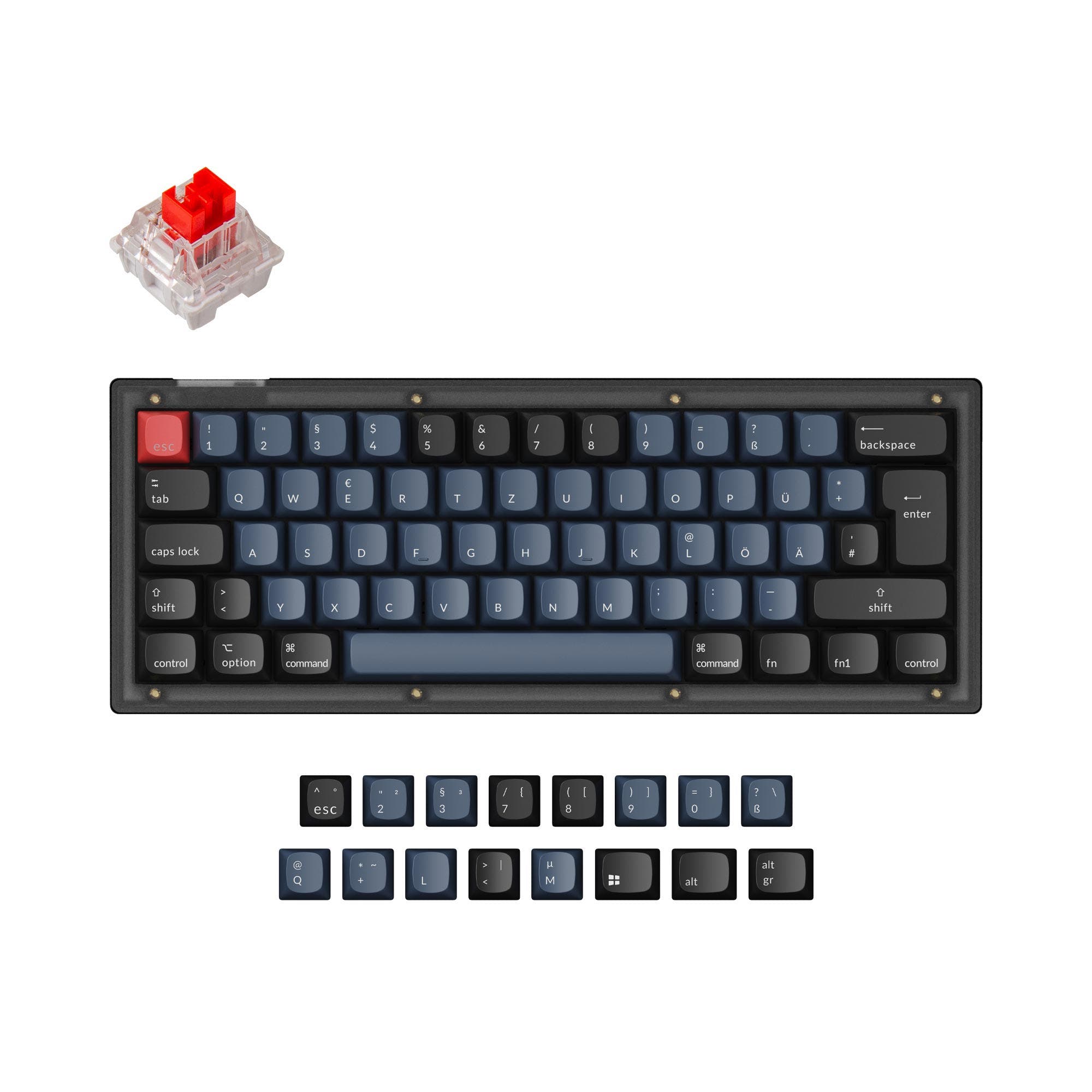
Keychron V4
60%, Hotswap, Wired, RGB, Knob, VIA, QMK, Tray Mount
$39at 2 shops
Black Friday deals are liveEarly Black Friday deals are live: verified discounts on keyboards, keycaps & switches from 40+ storesShop nowShop the deals

Image 1 of 2
Compare prices from $45. Score rank 290 in keyboards
Epomaker HE60 Lite is identified here only by name. The available information does not confirm its switch technology, layout, connection options, construction, or software support. That leaves too little evidence to judge whether it suits a gamer, a typist, or someone looking to customize a keyboard.</p
Read moreClick the coupon code for a discount. Features and specs may vary by model version.
| Vendor | Location | Coupon code | In stock | Price (USD) | Shop link |
|---|---|---|---|---|---|
 Epomaker HE60 Lite | Global | – | Check shop | Price at Amazon | Visit shop at Amazon |
 EPOMAKER HE60 Lite | Based in US | – | $45 | Visit shop at Epomaker |
Epomaker HE60 Lite
GlobalPrice at AmazonEPOMAKER HE60 Lite
Based in US$45*I may earn a commission if you purchase through these links. Thanks for your support!
The price history chart tracks the lowest in-stock price per store over time, excluding Amazon (shipping costs not included).
Price in USD
Same price range, layout, and form factor, from different brands.
60%, Hotswap, Wired, RGB, Knob, VIA, QMK, Tray Mount
60%, Hotswap, Wireless, Wired, VIA, Alu case, PCB Mount
60%, Hotswap, Wireless, Wired, RGB, Gasket Mount
60%, HE, Alu case, Gasket Mount
60%, Hotswap, RGB
60%, Hotswap, Wireless, Wired

60%, Wireless, Wired, RGB, Plate Mount

60%, RGB, Plate Mount
Compare similar keyboards side by side, or use the comparison table to compare all keyboards!
31 of 36 specs differ
 |  |  | |
| Epomaker HE60 Lite$45 | Keychron V4$39 | Qwertykeys Neo60 Core$49 | |
|---|---|---|---|
| Where to buy | |||
| Rating (differs) | Not specified | 5.0 (20) | 5.0 (14) |
| Stores (differs) | |||
| Main differences | |||
| Stands out with (differs) |
|
|
|
| KeebFinder scores | |||
| Performance (differs) | 86.2Best | 67.8 | 57.2 |
| Build quality (differs) | 68.7 | 86.7Best | 78.9 |
| Productivity (differs) | 78.8 | 95.3Best | 60.4 |
| Customizability (differs) | 71.7 | 98.4Best | 71.4 |
| Portability (differs) | 75.5 | 75.7 | 86.3Best |
| Typing | |||
| Switch options (differs) |
|
| Not specified |
| Profile | Normal profile | Normal profile | Normal profile |
| Hot-swappable | Yes | Yes | Yes |
| Hall effect (differs) | Yes | No | No |
| N-key rollover (differs) | No | No | Yes |
| Layout | |||
| Layout size |
|
|
|
| Layout standard (differs) | Not specified |
|
|
| Ergonomics | Normal | Normal | Normal |
| Knob (differs) | No | Yes | No |
| Display (differs) | LED | No | No |
| Media keys (differs) | No | Yes | No |
| Connectivity | |||
| Connection (differs) |
|
|
|
| Max polling rate (differs) | 8,000 HzBest | 1,000 Hz | Not specified |
| Battery (differs) | Wired only | Wired only | 2,200 mAh |
| USB-C | Yes | Yes | Yes |
| Mac and Windows (differs) | Yes | Yes | No |
| Software | |||
| QMK (differs) | No | Yes | No |
| VIA (differs) | No | Yes | Yes |
| Build | |||
| Mount style (differs) | Tray Mount | Tray Mount | PCB Mount |
| Case material (differs) |
|
|
|
| Keycap material (differs) |
|
| Not specified |
| Screw-in stabilizers (differs) | No | Yes | No |
| Sound dampening (differs) | Yes | Yes | No |
| Backlight (differs) | Rgb, North-face | Rgb, South-face | No |
| Case colors (differs) | Black, White | Black | Brown, Black, Red, Grey, Blue, Green |
| Dimensions (differs) | 35 x 299 x 102 mm | 20 x 117 x 304 mm | 18 x 293 x 109 mm |
| Weight (differs) | 540 g | 730 g | 1,500 g |
| Release year (differs) | 2026 | 2022 | 2025 |
Epomaker HE60 Lite is identified here only by name. The available information does not confirm its switch technology, layout, connection options, construction, or software support. That leaves too little evidence to judge whether it suits a gamer, a typist, or someone looking to customize a keyboard.
The main benefit that can be established is none: no specific user-facing feature is documented in the supplied information. Likewise, the name alone is not enough to confirm what “HE” refers to, so it should not be treated as proof of Hall Effect switches or any particular capability.
The drawback is uncertainty. Without verified details about switch behavior, typing feel, connectivity, or compatibility, you cannot assess whether the board meets your preferences or setup requirements. Any performance or customization claims would also be unsubstantiated.
This description cannot establish a clear use case. If you need a particular feature, such as adjustable actuation, wireless use, quiet typing, or support for a specific operating system, verify that feature in the product’s structured specifications before deciding. If you are comparing keyboards on documented characteristics, the current information is insufficient for a confident comparison.
There is no confirmed advantage to weigh against a confirmed limitation. The practical limitation is that key decision factors remain unknown. Seek a fuller specification before deciding whether Epomaker HE60 Lite fits your needs.
Discover products that are frequently liked and visited by other users!
Linear, Magnetic, Factory lubed, 5-Pin, Nylon bottom, PC top, POM stem

PBT, Dye-sublimation, ANSI

900x400mm


