

Not sure which keyboard to choose? Try the Keyboard Finder now!
NextTime NT19 Numpad Kit

NextTime NT19 Numpad

The NextTime NT19 Numpad is a compact numeric keypad designed for users who need flexible connectivity and a modular typing experience. It suits professionals or hobbyists who want a dedicated numpad with multiple connection modes and customizable key layouts. Its wireless options support switching between devices, making it convenient for multi-device setups.</p... Read more
Compare prices from $39.00
Details
Specification
Price alert

Compare prices and purchase options

Click the coupon code for a discount. Features and specs may vary by model version.

*I may earn a commission if you purchase through these links. Thanks for your support!

Price history

The price history chart tracks the lowest price over time across all stores, excluding Amazon (shipping costs not included).

Similar Numpad keyboards

Same price range, layout, and form factor, from different brands.
-10% off
68
$49$44
EPOMAKER HE30
Epomaker HE30
Numpad,
Screen,
RGB,
HE,
Tray Mount

Compare specs
80
$35
GMK21 Numpad Kit
Zuoya GMK21 Numpad
Numpad,
Hotswap,
RGB,
Knob,
VIA,
QMK

Compare specs
70
$35
[In Stock] LeleDesign x Mozkito Leee Mechanical Numpad/Macropad
LeleDesign Leee
Numpad,
Hotswap,
Screen,
RGB

Compare specs
79
$49
YUNZII AL21 Wireless Aluminum Mechanical Numpad Keyboard
Yunzii AL21
Numpad,
Hotswap,
Wireless,
Wired,
RGB,
Knob,
Alu case,
Gasket Mount

Compare specs
61
$50
MM HE Gaming M64 barebone
KBDFans MM HE M64
Numpad,
Wired,
RGB,
HE,
Rapid trigger

Compare specs
84
$49
Leopold FC220TP Ash White Hotswap Wireless RGB Numpad Keyboard
Leopold FC220TP Numpad
Numpad,
Hotswap,
Wireless,
Wired,
RGB,
VIA,
QMK,
Plate Mount

Compare specs

Compare NextTime NT19 Numpad vs Epomaker HE30 vs Zuoya GMK21 Numpad Specification

Compare similar keyboards side by side, or use the comparison table to compare all keyboards!
NextTime NT19 NumpadEpomaker HE30Zuoya GMK21 Numpad
NextTime NT19 Numpad Kit
-10% off
68
EPOMAKER HE30
80
GMK21 Numpad Kit
0.0 (0)
4.7 (3)
0.0 (0)
  • Released in 2023
  • Uses a Gasket Mount mounting style
  • Supports Bluetooth, 2.4 GHz, Wired, Wireless connectivity
  • Offers No RGB lighting
  • Has Magnetic switch options
  • Built with the Dvorak layout standard
  • Includes a Yes, LCD display
  • Compatible with both Mac and Windows
  • Connects via USB-C
  • Utilizes Hall effect sensors
  • Features N-key rollover
  • Has built-in sound dampening
  • Uses a Tray Mount mounting style
  • Supports Wired, Wired only connectivity
  • Runs at a 8000 Hz polling rate
  • Weighs about 350 g
  • Sized at 29 x 153 x 133 mm
  • Made with a Plastic case
  • Features PBT keycaps
  • Offers Yes, Rgb, South-face, Rgb South-face RGB lighting
  • Supports hot-swappable switches
  • Comes with a knob
  • Supports QMK firmware
  • Supports VIA configuration
  • Offers Yes, Rgb RGB lighting
Scores
  • Performance: 40
  • Build Quality: 49.5
  • Productivity: 46
  • Customizability: 50.4
  • Portability: 79.2
Scores
  • Performance: 88.5
  • Build Quality: 64.6
  • Productivity: 73.5
  • Customizability: 58.3
  • Portability: 70.3
Scores
  • Performance: 61.2
  • Build Quality: 78.6
  • Productivity: 64.9
  • Customizability: 94.1
  • Portability: 65.2
Name
NextTime NT19 Numpad
Name
Epomaker HE30
Name
Zuoya GMK21 Numpad
Release year
2023
Release year
2026
Release year
2026
Switch Options
-
Switch Options
Magnetic
Switch Options
-
Profile
Normal Profile
Profile
Normal Profile
Profile
Normal Profile
Hot Swappable
 
Hot Swappable
 
Hot Swappable
 
Layout Size
Numpad
Layout Size
Numpad
Layout Size
Numpad
Layout Standard
ANSI
Layout Standard
Dvorak
Layout Standard
ANSI
Layout Ergonomics
Normal
Layout Ergonomics
Normal
Layout Ergonomics
Normal
Knob Support
 
Knob Support
 
Knob Support
 
Display Support
 
Display Support
 
LCD
Display Support
 
Mac/Win Support
 
Mac/Win Support
 
Mac/Win Support
 
Multi-Media Keys
 
Multi-Media Keys
 
Multi-Media Keys
 
USB-C
 
USB-C
 
USB-C
 
USB passthrough
 
USB passthrough
 
USB passthrough
 
Connection
Bluetooth, 2.4 GHz, Wired, Wireless
Connection
Wired, Wired only
Connection
Polling Rate
-
Polling Rate
8000 Hz
Polling Rate
-
Battery capacity
-
Battery capacity
-
Battery capacity
-
Hall Effect Support
 
Hall Effect Support
 
Hall Effect Support
 
QMK Support
 
QMK Support
 
QMK Support
 
VIA Support
 
VIA Support
 
VIA Support
 
VIAL Support
 
VIAL Support
 
VIAL Support
 
N-Key Rollover
 
N-Key Rollover
 
N-Key Rollover
 
Rapid Trigger
 
Rapid Trigger
 
Rapid Trigger
 
Mount Style
Gasket Mount
Mount Style
Tray Mount
Mount Style
-
Screw in Stabilizers
 
Screw in Stabilizers
 
Screw in Stabilizers
 
Sound Dampening
 
Sound Dampening
 
Sound Dampening
 
Backlight
 
Backlight
 
Rgb, South-face
Backlight
 
Rgb
Case Colors
Case Colors
Case Colors
Case Material
-
Case Material
Plastic
Case Material
-
Keycaps Material
-
Keycaps Material
PBT
Keycaps Material
-
Dimensions
-
Dimensions
29 x 153 x 133 mm
Dimensions
-
Weight
-
Weight
350g
Weight
-
*Something incorrect or missing? Please
let me know
!

Product Description

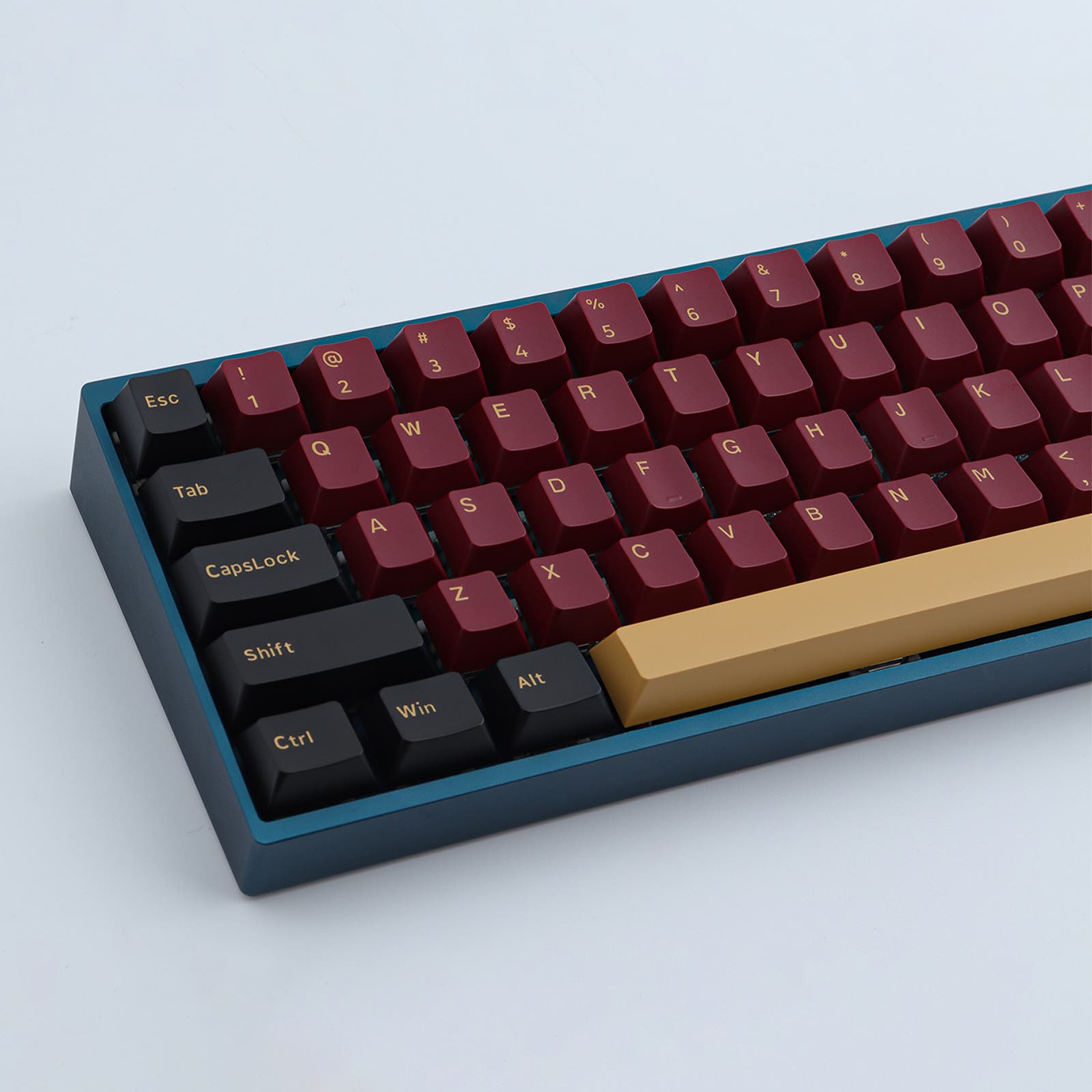
The NextTime NT19 Numpad is a compact numeric keypad designed for users who need flexible connectivity and a modular typing experience. It suits professionals or hobbyists who want a dedicated numpad with multiple connection modes and customizable key layouts. Its wireless options support switching between devices, making it convenient for multi-device setups.
Key Features

  • Supports three connection modes: 2.4 GHz wireless, Bluetooth, and wired USB, allowing users to switch based on their environment or device.
  • Multi-device Bluetooth pairing lets users quickly toggle between up to three devices using function keys, improving workflow across computers or mobile devices.
  • Gasket mount design reduces typing noise and vibration, offering a softer, quieter keypress experience preferred by some typists.

Connectivity

  • 2.4 GHz mode requires a specific connection sequence: power on the battery switch, activate pairing with FN+4, then plug in the adapter for automatic matching.
  • Bluetooth pairing involves holding FN+1, 2, or 3 to enter pairing mode, then connecting through the device’s Bluetooth settings.
  • Wired mode is activated by pressing FN+5, providing a stable connection without wireless interference.

Trade-offs

  • The 2.4 GHz connection process is less intuitive and requires following a strict sequence, which may be inconvenient for some users.
  • Battery status and life are unknown, which could affect wireless usage planning.
  • Limited information on software or firmware customization may restrict advanced key remapping or macro programming.

Frequently Asked Questions (FAQ)

Other users are also interested in these products

Discover products that are frequently liked and visited by other users!