AULA F108 Pro vs MCHOSE K99 V2Full-Size LCD vs Compact Build
Choose the AULA F108 Pro for a full-size layout with a smart display, or the MCHOSE K99 V2 for a more compact, aluminum build with a higher polling rate.
KeebFinder may earn a commission when you buy through these links, at no extra cost to you.

4.7 (30)4.7 · 30 reviews
from$84at Epomaker
Down 15% this monthDown 15% this month

No reviews
from$89at Mechkeys
90-day lowLowest price in 90 days
Which one should you get?
Get the
AULA F108 Pro
Full-Size LCD
Build quality in the top 25% of 100% boards under $100.
- Includes a 1.14-inch smart LCD display for custom images and system info.
- Features a multi-function control knob for volume and settings.
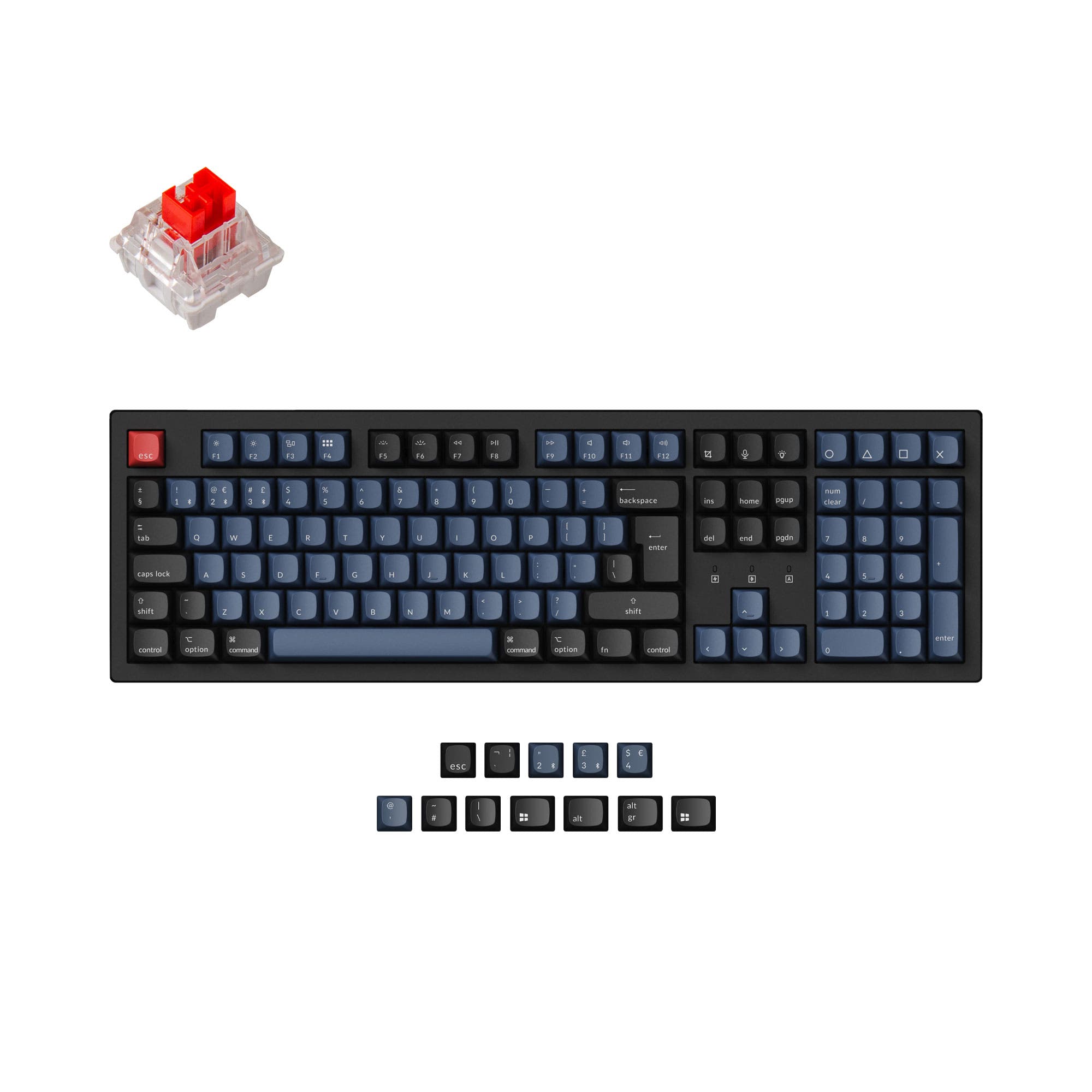
- Offers a traditional 108-key full-size layout with a numpad.
- South-facing LEDs. Shine-through legends stay dark, and some sculpted keycaps can clip the LED.
Get the
MCHOSE K99 V2
Compact Build
Build quality in the bottom 5% of 96% boards under $100.
- Constructed with an aluminum case for a premium feel.
- Features a high 8000 Hz polling rate.
- Utilizes a six-layer gasket mount with poron, IXPE, and PET foams for sound.
- Switches are soldered. Swapping them means soldering.
- Low-profile switches and keycaps only. Standard MX keycaps will not fit.
- Compact full-size layout. The numpad is present, the gaps of a full-size board are not.
Your primary need dictates the choice. If you require a full-size keyboard with visual flair and a control knob for media, the AULA F108 Pro is the clear pick. If you prefer a denser, sturdier aluminum build with a higher polling rate for gaming and more advanced acoustic modding potential, the MCHOSE K99 V2 is worth the extra investment. Consider your desk space and whether a numpad is non-negotiable.
The differences that matter
Skip the 40-row spec sheet. These are the specs that change how each board feels, sounds, and fits your desk.
AULA F108 Pro
MCHOSE K99 V2
Layout size
100%
96%
Connection
Bluetooth, 2.4 GHz, Wired
Wireless
Wireless for several devices and wired for lower latency
Hot-swappable
Yes
No
Switch changes without soldering
Low profile
No
Yes
Switch options
Linear, Silent
Linear
- AULA F108 Pro
- MCHOSE K99 V2
- Performance
- 7743
- Build quality
- 6841
- Productivity
- 7343
- Customizability
- 7246
- Portability
- 5956
- Battery: 8,000 mAh
- Case material: ABS, Plastic
- Mount style: Gasket Mount
- Keycaps: PBT
What will you mostly use it for?
The AULA F108 Pro wins for office use and content creation due to its full-size layout and unique LCD screen. The MCHOSE K99 V2 is better suited for gaming and travel, thanks to its higher polling rate and more compact footprint. For programming, both are strong contenders, and modders will find more layered internal construction in the MCHOSE model.
Pick the MCHOSE K99 V2
- The MCHOSE K99 V2 has a specified 8000 Hz polling rate for potentially lower latency.
- Its 98% layout retains arrow keys and a numpad while saving desk space for mouse movement.
- The aluminum case may offer a more stable, premium feel during intense use.
AULA F108 Pro vs MCHOSE K99 V2 specs
Every tracked spec, side by side. Rows marked with a dot differ between the boards.
12 of 22 specs differ
AULA F108 Pro
MCHOSE K99 V2
Switch options
Hot-swappable
Mount style
Low profile
Sound dampening
Layout size
Layout standard
Ergonomics
Knob
Display
Connection
Max polling rate
Battery
Case material
Plate material
Keycaps
Weight
Dimensions
Backlight
N-key rollover
Mac & Windows
Released
Compare prices
Live prices from the stores we track, cheapest in-stock offer first.
Prices in USD are converted to your currency and can change at any time. KeebFinder may earn a commission when you buy through these links, at no extra cost to you.
Lowest price across stores, Amazon excluded.



AULA F108 Pro vs MCHOSE K99 V2: your questions
Both keyboards have the same 8000mAh battery capacity. The MCHOSE vendor page claims up to 69 hours with RGB on and 727 hours with it off, while similar endurance can be expected from the AULA given its identical battery size and RGB feature set.
Yes, both keyboards list Mac support in their metadata. The MCHOSE K99 V2 vendor description also explicitly states compatibility with macOS, iOS, and Android.
The AULA F108 Pro listing mentions a driver for customization. The MCHOSE K99 V2 offers dual-driver support through the MCHOSE Hub and a Web Driver for key remapping, macros, and lighting effects.
The AULA F108 Pro metadata lists only linear switches, and its vendor page shows several linear options like Raindrop and Wind Spirit switches. The MCHOSE K99 V2 metadata lists both linear and tactile switch types, and its vendor page specifically mentions the Icy Creamsicle linear switch.
The MCHOSE K99 V2 is better for small desks. It has a compact 98% layout measuring 399mm wide, which is significantly narrower than the AULA F108 Pro's full-size 445mm width, saving valuable desk space.
The MCHOSE K99 V2 comes with dual-shot PBT keycaps, which are known for resisting shine and fading. The AULA F108 Pro's keycap material is not specified in the provided information.
According to the vendor description, the AULA F108 Pro's 1.14-inch smart display can show custom images, GIFs, time, calendar, and battery status. This allows for personalization and at-a-glance system information without using on-screen software.
The MCHOSE K99 V2 uses an aluminum case, which typically offers more rigidity and a premium feel. The AULA F108 Pro uses an ABS plastic case, which is lighter but may feel less substantial.
Yes, both keyboards are hot-swappable, meaning you can change the mechanical switches without soldering. The MCHOSE K99 V2 vendor page notes its sockets support both 3-pin and 5-pin switches.
The MCHOSE K99 V2 has more detailed sound-dampening according to its listing. It features a six-layer structure with poron sound-absorbing foam, IXPE foam, PET film, and silicone gaskets. The AULA F108 Pro also includes sound dampening but without specific layering details.
Yes, both keyboards include a USB-C port for wired connectivity and charging, as listed in the extra features metadata for each product.
According to its specifications, the MCHOSE K99 V2 package includes the keyboard, a user guide, a Type-C cable, a puller, two spare switches, and a dust cover.
Not sold on either?




Still torn?
Answer a few quick questions and the keyboard finder ranks 2,000+ boards by how you will actually use yours.