AULA F75 vs Yunzii RT68Wireless Flexibility vs Hall Effect Gaming
Choose the AULA F75 for wireless versatility and a fuller layout, or the Yunzii RT68 for wired-only, ultra-customizable Hall effect gaming performance.
KeebFinder may earn a commission when you buy through these links, at no extra cost to you.

4.5 (510)4.5 · 510 reviews
from$42at Epomaker
90-day lowLowest price in 90 days

No reviews
from$59at Yunzii
90-day lowLowest price in 90 days
Which one should you get?
Get the
AULA F75
Wireless Flexibility
Build quality in the bottom 35% of 75% boards under $50.
- Triple-mode connectivity with Bluetooth, 2.4GHz wireless, and wired USB-C.
- Includes a multimedia control knob and a 75% layout with function keys.
- Features a five-layer sound-dampening design with Poron foam and a silicone pad.
- North-facing LEDs. Cherry-profile keycaps can hit the switch housing.
- South-facing LEDs. Shine-through legends stay dark, and some sculpted keycaps can clip the LED.
- No numpad.
Get the
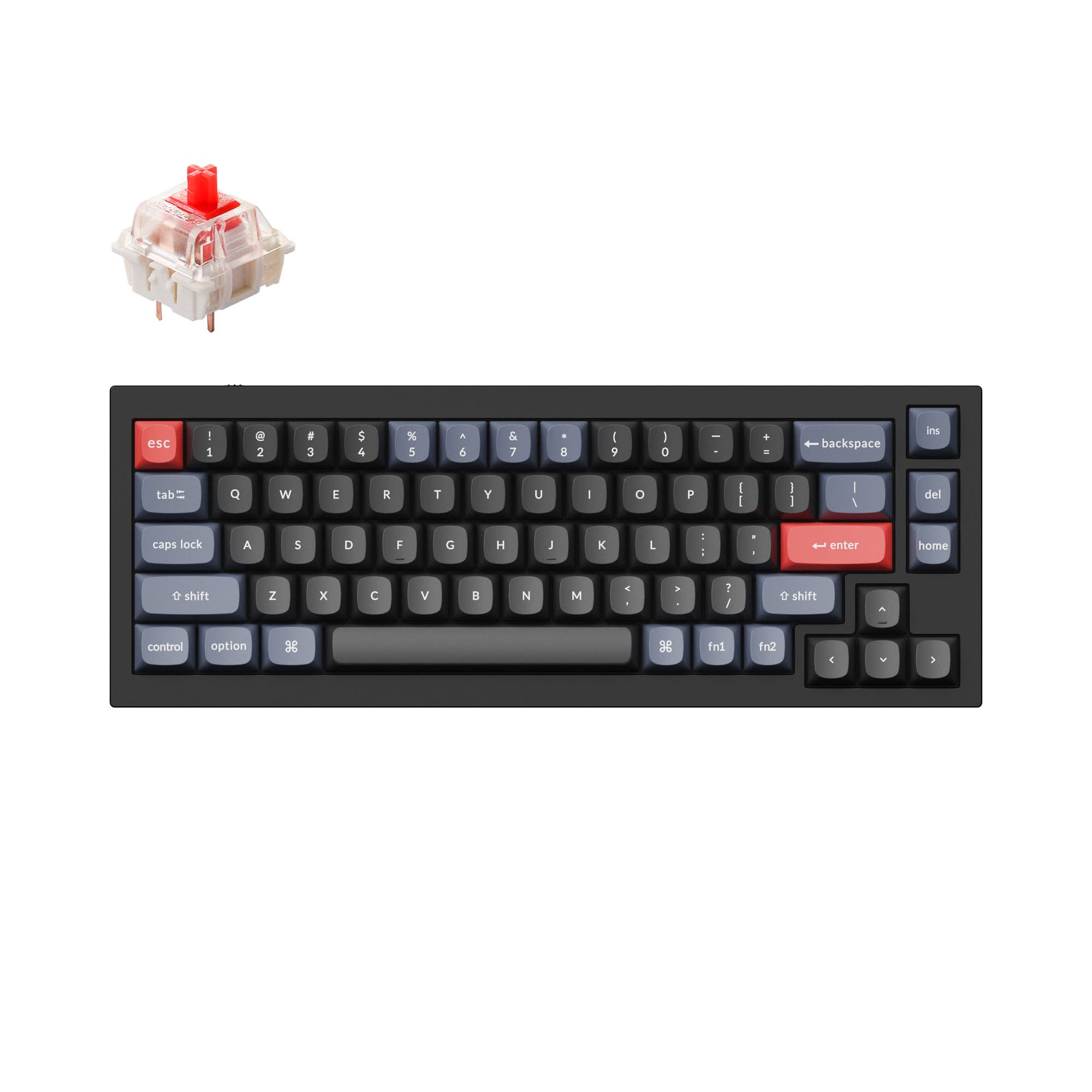
Yunzii RT68
Hall Effect Gaming
Build quality in the bottom 35% of 65% boards under $100.
- Utilizes Hall effect magnetic switches with a 100 million keystroke lifespan.
- Offers customizable actuation points from 0.1mm to 4.0mm in 0.1mm increments via web software.
- Supports Rapid Trigger technology for gaming performance.
- Magnetic switches only. Standard MX switches will not fit.
- South-facing LEDs. Shine-through legends stay dark, and some sculpted keycaps can clip the LED.
- 65% layout. No function row and no numpad.
Your primary need dictates the choice. For a daily driver that excels at productivity, offers wireless freedom, and includes convenient media controls, the AULA F75 is the clear recommendation. If your focus is purely on competitive gaming and you desire the ultimate in customizable, low-latency keypress tuning from magnetic switches, the wired Yunzii RT68 is the specialized tool, provided you can accept its more limited layout and lack of wireless connectivity.
The differences that matter
Skip the 40-row spec sheet. These are the specs that change how each board feels, sounds, and fits your desk.
AULA F75
Yunzii RT68
Layout size
75%
65%
Hall effect (magnetic)
No
Yes
Adjustable actuation helps in games and not in normal typing
Rapid trigger
No
Yes
Faster resets help in games and not in normal typing
Connection
Bluetooth, 2.4 GHz, Wired
Wired
Wireless for several devices and wired for lower latency
Hot-swappable
Yes
No
Switch changes without soldering
- AULA F75
- Yunzii RT68
- Performance
- 6387
- Build quality
- 6655
- Productivity
- 9354
- Customizability
- 8249
- Portability
- 8365
- Max polling rate: 1,000 Hz
- Mount style: Gasket Mount
- Sound dampening
What will you mostly use it for?
The AULA F75 is the more versatile choice, winning in office, programming, travel, modding, and content creation due to its wireless options, included knob, and practical 75% layout. The Yunzii RT68 claims a clear victory for dedicated gaming, where its Hall effect switches and fine-tunable actuation provide a technical edge. For users with a single, stationary gaming setup, the RT68's features are compelling, but the F75 caters to a wider range of daily computing tasks.
Pick the Yunzii RT68
- The Yunzii RT68 features Hall effect magnetic switches with adjustable actuation points from 0.1mm to 4.0mm.
- It supports Rapid Trigger functionality for reduced input latency in fast-paced games.
- Its wired-only connection provides a stable link with a 1000Hz polling rate.
AULA F75 vs Yunzii RT68 specs
Every tracked spec, side by side. Rows marked with a dot differ between the boards.
14 of 25 specs differ
AULA F75
Yunzii RT68
Switch options
Hall effect (magnetic)
Rapid trigger
Hot-swappable
Mount style
Sound dampening
Screw-in stabilizers
Layout size
Layout standard
Ergonomics
Knob
Display
Media keys
Connection
Max polling rate
Battery
USB-C
Case material
Keycaps
Weight
Dimensions
Backlight
N-key rollover
Mac & Windows
Released
Compare prices
Live prices from the stores we track, cheapest in-stock offer first.
Prices in USD are converted to your currency and can change at any time. KeebFinder may earn a commission when you buy through these links, at no extra cost to you.
Lowest price across stores, Amazon excluded.






AULA F75 vs Yunzii RT68: your questions
Only the AULA F75 offers wireless connectivity. It supports Bluetooth, 2.4GHz wireless via a dongle, and wired USB-C. The Yunzii RT68 is a wired-only keyboard.
Hall effect switches, like the magnetic switches in the Yunzii RT68, use a magnet and sensor to detect keypresses. This allows for adjustable actuation points, where you can set how far down a key travels to register, from 0.1mm to 4.0mm. The manufacturer states they have a lifespan of up to 100 million keystrokes.
Yes, the AULA F75 includes an integrated multimedia control knob. The vendor description states it can be used to fine-tune media settings like volume.
The AULA F75 has hot-swappable sockets, allowing you to change switches without soldering. The Yunzii RT68 product information does not mention hot-swap functionality, suggesting its magnetic switches may not be user-replaceable in the same way.
The AULA F75 is generally better for office work. Its 75% layout keeps the function row and navigation keys, and its wireless connectivity helps reduce desk clutter. The vendor also mentions a five-layer sound-dampening design which can reduce typing noise in shared spaces.
Rapid Trigger is a feature that allows a key to be re-triggered without it returning to its full resting position, potentially reducing input latency in fast games. Both the AULA F75 and Yunzii RT68 list Rapid Trigger as a feature in their specifications.
The AULA F75 is equipped with a 4000mAh rechargeable lithium battery. The vendor description highlights this as providing extended usage times for long work or gaming sessions. The Yunzii RT68, being wired-only, does not have a battery.
Both keyboards use PBT keycaps. The AULA F75 vendor specifies Cherry-profile double-shot PBT keycaps. The Yunzii RT68 listing also mentions double-shot PBT Cherry Profile keycaps.
The AULA F75 vendor advertises vibrant 16.8 million color RGB illumination. The Yunzii RT68 listing mentions 22 pre-set lighting effects and 8 colors. Both have south-facing RGB LEDs, which are better for shine-through with Cherry-profile keycaps.
Both product listings include Mac/Win support in their specifications. The AULA F75 vendor provides specific software downloads noted for Windows systems, but the keyboard's basic functionality should work with Mac. The Yunzii RT68 mentions its web software supports Win/Mac.
The AULA F75 uses a 75% layout (around 80 keys), which retains the function key row (F1-F12) and a column of navigation keys like Insert and Delete. The Yunzii RT68 is a 65% layout (68 keys), which omits the function row and further condenses the navigation cluster, relying more on layers accessed via a Function key.
Yes, both offer software customization. The AULA F75 has downloadable software for Windows for lighting and key remapping. The Yunzii RT68 uses a web-based software that allows customization of actuation points (DKS), macros, RGB, and key reassignments for both Windows and Mac.
Not sold on either?


Still torn?
Answer a few quick questions and the keyboard finder ranks 2,000+ boards by how you will actually use yours.