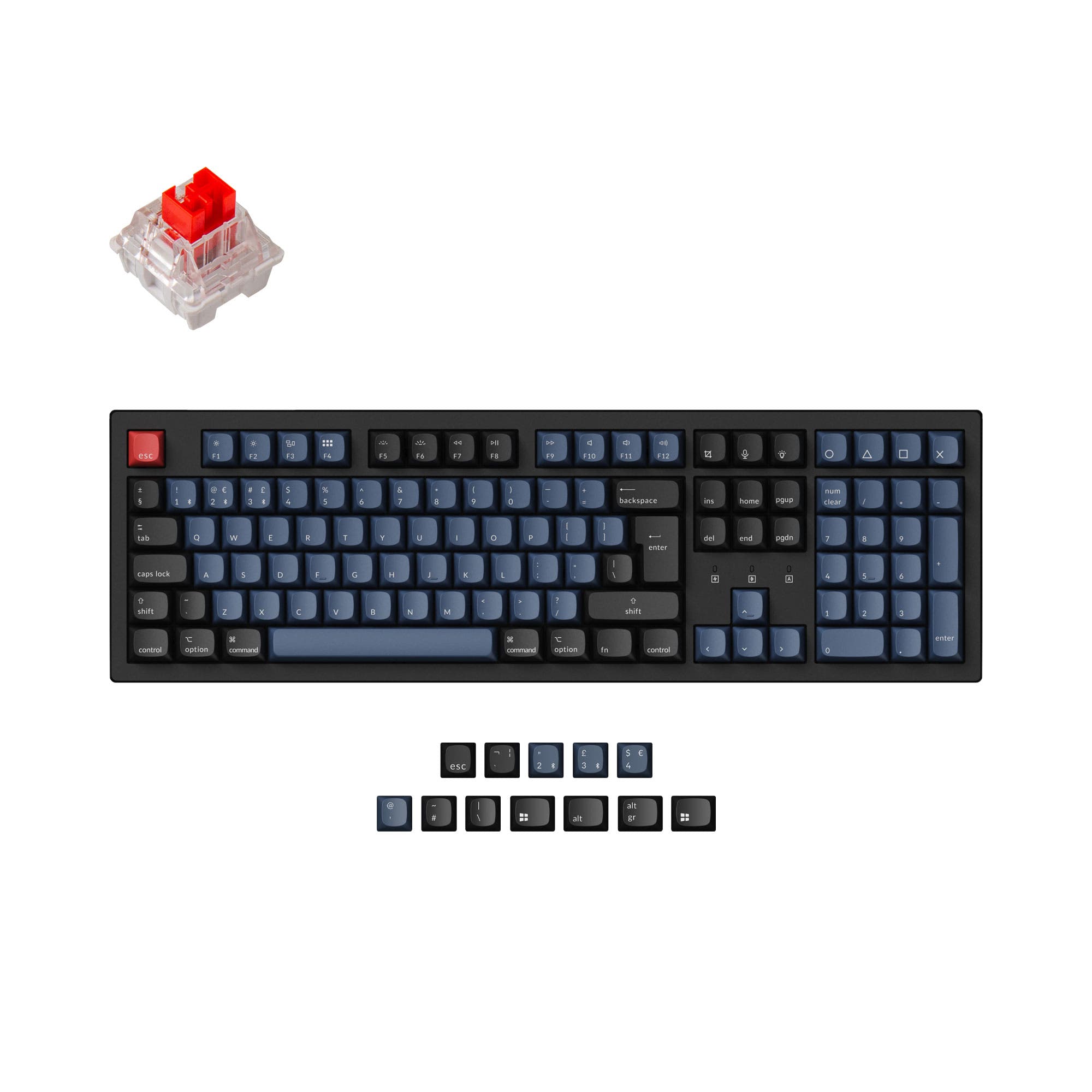
AULA F99 vs MCHOSE G98
Get the AULA F99 for its five-layer sound-dampening materials, PC/FR4 plate options, and Bluetooth connectivity; choose the MCHOSE G98 for dual-level adjustable feet and stated Linux support.
Prices checked Nov 28, 2026. KeebFinder may earn a commission when you buy through these links, at no extra cost to you.
Screw-in stabilizers


Which one should you get?
Get the
AULA F99
Screw-in stabilizers
Build quality in the top 45% of 96% boards under $100.
If you want
- Bluetooth connectivity in addition to 2.4 GHz and wired connections.
- PC and FR4 plate options, plus a single-slot flex-cut PCB.
- Five specified sound-dampening layers and AULA Driver features for remapping and macros.
Rules this board out
- North-facing LEDs. Cherry-profile keycaps can hit the switch housing.
- Compact full-size layout. The numpad is present, the gaps of a full-size board are not.
Get the
MCHOSE G98
Build quality in the bottom 35% of 98% boards under $100.
If you want
- Dual-level adjustable feet.
- The vendor lists Linux support.
Rules this board out
- Compact full-size layout. The numpad is present, the gaps of a full-size board are not.
Bottom line
Choose the AULA F99 for Bluetooth, PC/FR4 plate options, five-layer sound treatment, and the vendor-described AULA Driver features. Choose the MCHOSE G98 if dual-level adjustable feet or its stated Linux support is more useful to you. Both offer Rapid Trigger, hot-swap support, and a compact full-size layout.
The differences that matter
- Layout size
96%
98%
- Connection
Bluetooth, 2.4 GHz, Wired
2.4 GHz, Wired
Wireless for several devices and wired for lower latency - Weight
1,023 g
1,700 g
Heavier boards stay planted and lighter ones travel - Screw-in stabilizers
Yes
No
Easier to tune than the plate-mount stabs you get prebuilt - Backlight
RGB, north-facing
RGB
RGB for looks and low light rather than speed
KeebFinder scores
How we score- AULA F99
- MCHOSE G98
- Performance
- 7274
- Build quality
- 6959
- Productivity
- 8676
- Customizability
- 6561
- Portability
- 6164
What they share
- Rapid trigger
- Hot-swappable
- Battery: 8,000 mAh
- Switch options: Linear
- Mount style: Gasket Mount
- Sound dampening
What will you mostly use it for?
For gaming, it’s a tie
- Both list Rapid Trigger and linear switches.
- Both use gasket mounts and support hot-swappable switches.
AULA F99 vs MCHOSE G98 specs
9 of 21 specs differ
 |  | |
| AULA F99$63 | MCHOSE G98$77 | |
|---|---|---|
| Typing & switches | ||
| Switch options | Linear | Linear |
| Rapid trigger | Yes | Yes |
| Hot-swappable | Yes | Yes |
| Mount style | Gasket Mount | Gasket Mount |
| Sound dampening | Yes | Yes |
| Screw-in stabilizers (differs) | Yes | No |
| Layout | ||
| Layout size (differs) | 96% | 98% |
| Layout standard | ANSI | ANSI |
| Ergonomics | Standard | Standard |
| Display | None | None |
| Connectivity & battery | ||
| Connection (differs) | Bluetooth, 2.4 GHz, Wired | 2.4 GHz, Wired |
| Battery | 8,000 mAh | 8,000 mAh |
| USB-C | Yes | Yes |
| Build & materials | ||
| Case material (differs) | ABS, PBT, Plastic | Not specified |
| Plate material (differs) | FR4, Plastic, Polycarbonate | Not specified |
| Keycaps | PBT | PBT |
| Weight (differs) | 1,023 g | 1,700 g |
| Dimensions (differs) | 43 x 147 x 391 mm | 30 x 390 x 140 mm |
| Backlight (differs) | RGB, north-facing | RGB |
| Firmware & software | ||
| Mac & Windows | Yes | Yes |
| Extras | ||
| Released (differs) | 2023 | 2024 |
Compare prices
Prices in USD are converted to your currency and can change at any time. KeebFinder may earn a commission when you buy through these links, at no extra cost to you.
Lowest price across stores, Amazon excluded.
- Lowest price now
- $63
- Lowest in range
- $63Oct 31 at AULA F99
- Highest in range
- $79Aug 29 at AULA F99
Price in USD
- Check on Amazon
AmazonGlobal
Check price




- Check on Amazon
AmazonGlobal
Check price