Leobog Hi75C Pro vs Yunzii AL6675% vs 65% Wireless Keyboard
Choose the Leobog Hi75C Pro for a more functional layout and tri-mode wireless, or the Yunzii AL66 for maximum portability and a pre-tuned sound profile.


Which one should you get?
Get the
Leobog Hi75C Pro
75%
- Tri-mode connectivity (wired, 2.4G, Bluetooth) according to its vendor description.
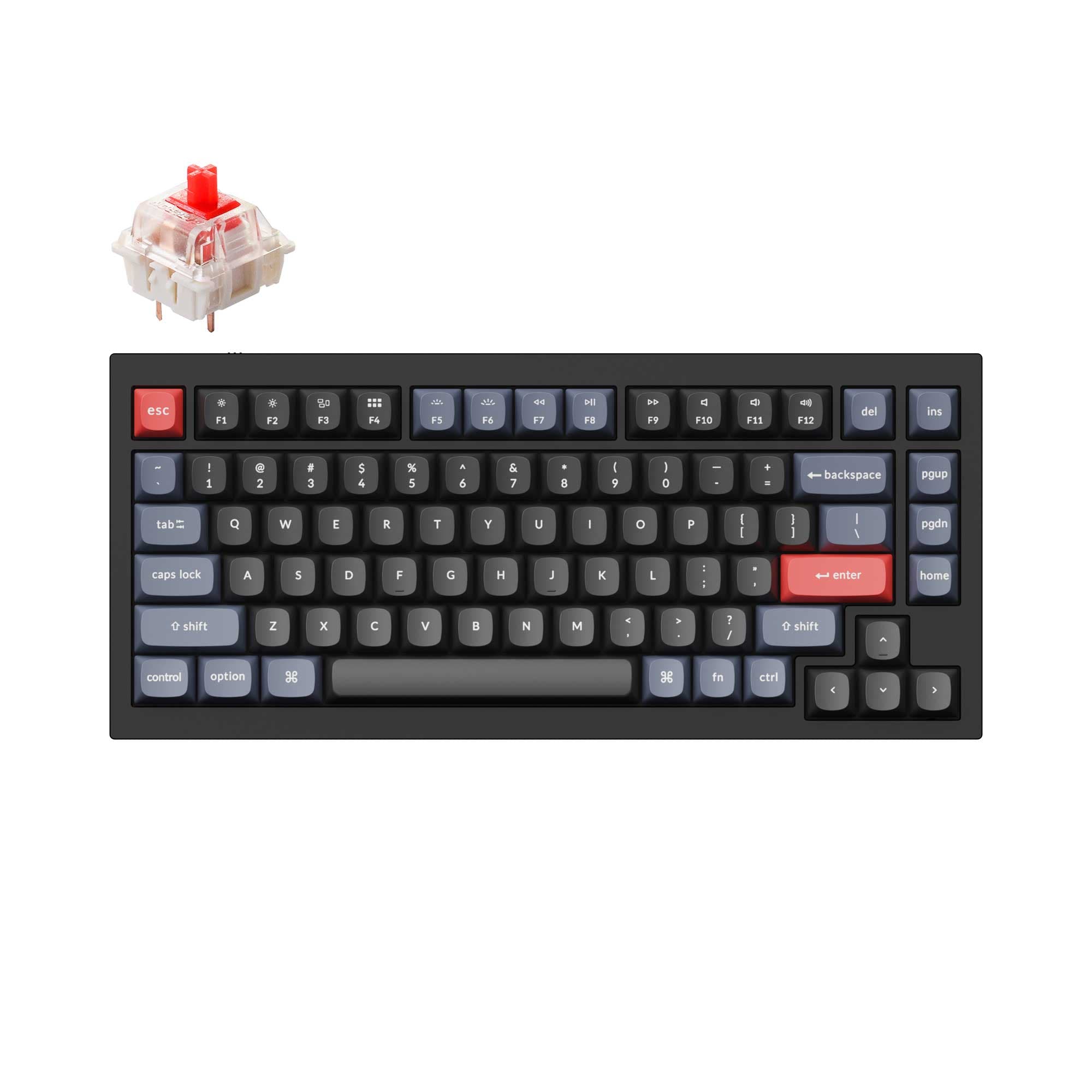
- 75% layout with 81 keys retains function row and dedicated arrow keys.
- Aluminum alloy case construction for a premium feel.
- Heavier at 1230g, making it less portable than the AL66.
- Vendor descriptions for this model show conflicting connectivity info (wired-only in metadata vs. tri-mode in description).
- Lacks the detailed, pre-installed sound dampening kit listed for the Yunzii AL66.
Get the
Yunzii AL66
65% Wireless Keyboard
- More compact 65% layout (66 keys) for minimal desk footprint.
- Extensive sound dampening with Poron sandwich foam, Poron socket foam, and PET sound pads pre-installed.
- Polycarbonate plate, which can contribute to a specific sound profile.
- 65% layout lacks dedicated function keys, arrow keys, and a navigation cluster, requiring layers.
- No user reviews are available in the provided data, making real-world feedback scarce.
- The listed switch type is clicky, which may not be preferred by all users, though it is hot-swappable.
Your primary need dictates the choice. If you require a more complete layout for productivity or gaming and value a control knob, the Leobog Hi75C Pro is the logical pick, assuming the tri-mode wireless from its vendor description is accurate. If your priority is a compact, travel-friendly keyboard with a deeply tuned acoustic profile right out of the box, the Yunzii AL66 is the stronger candidate. Verify the connectivity of the Hi75C Pro with your retailer before purchasing if wireless is essential.
The differences that matter
Skip the 40-row spec sheet. These are the specs that change how each board feels, sounds, and fits your desk.
Leobog Hi75C Pro
Yunzii AL66
Layout size
75%
65%
Battery
4,000 mAh
4,600 mAh
Switch options
Linear
Clicky
Mount style
Gasket Mount
Gasket Mount, Plate Mount
Weight
1,230 g
1,145 g
- Leobog Hi75C Pro
- Yunzii AL66
- Performance
- 7873
- Build quality
- 7675
- Productivity
- 8278
- Customizability
- 7775
- Portability
- 7989
- Connection: Bluetooth, 2.4 GHz, Wired
- Hot-swappable
- Case material: Aluminum
- Knob
- Sound dampening
What will you mostly use it for?
The Leobog Hi75C Pro wins in scenarios where key count and layout efficiency are paramount, such as office work, programming, and gaming. Its extra keys and tri-mode wireless provide tangible benefits. The Yunzii AL66 takes the lead for travel due to its smaller size and lower weight, and for modding enthusiasts due to its explicitly listed, extensive internal foam and polycarbonate plate. For content creation, the Hi75C Pro's knob and extra programmability give it a slight edge.
Pick the Leobog Hi75C Pro
- The Leobog Hi75C Pro's vendor page mentions a 'top-tier gaming chip' for responsive keystroke registration.
- Its 75% layout retains dedicated arrow keys and function row for gaming shortcuts without a full-size footprint.
- The vendor description highlights a knob for switching between work and gaming modes with dynamic RGB.
Leobog Hi75C Pro vs Yunzii AL66 specs
Every tracked spec, side by side. Rows marked with a dot differ between the boards.
7 of 22 specs differ
Leobog Hi75C Pro
Yunzii AL66
Switch options
Hot-swappable
Mount style
Sound dampening
Layout size
Layout standard
Ergonomics
Knob
Display
Media keys
Connection
Battery
USB-C
Case material
Plate material
Keycaps
Weight
Dimensions
Backlight
N-key rollover
Mac & Windows
Released
Compare prices
Live prices from the stores we track, cheapest in-stock offer first.
Lowest price across stores, Amazon excluded.





Prices in USD are converted to your currency and can change at any time. KeebFinder may earn a commission when you buy through these links, at no extra cost to you.
Leobog Hi75C Pro vs Yunzii AL66: your questions
The Yunzii AL66 comes with extensive pre-installed sound dampening foams and a polycarbonate plate, which are designed to create a more muted and consistent typing sound. The Leobog Hi75C Pro uses a gasket mount with PORON gaskets for a softer feel, but its vendor description does not list the same level of internal foam. Preference depends on whether you want a pre-tuned acoustic experience or a more standard foundation.
The core product metadata lists it as wired only. However, the vendor product description explicitly states the Hi75C Pro model has tri-mode connectivity (wired, 2.4G, and Bluetooth) with a 4000mAh battery. It is crucial to confirm which version you are purchasing from the retailer, as specifications may differ.
Yes, the Yunzii AL66 product listing confirms compatibility with Windows, macOS, and Linux. Both keyboards use a standard ANSI layout and connect via USB-C, making them broadly compatible with modern operating systems.
Yes, both the Leobog Hi75C Pro and the Yunzii AL66 feature hot-swappable sockets. The Yunzii listing specifies support for both 3-pin and 5-pin switches. This allows you to easily install different mechanical switches without soldering.
The Yunzii AL66 is more portable. It has a 65% layout with 66 keys, making it significantly smaller than the 75% Hi75C Pro. The AL66 is also lighter, weighing 1145g compared to the Hi75C Pro's 1230g, and both offer wireless connectivity for cable-free use.
The product metadata lists the switch type as clicky. The vendor description further details a 'Yunzii Milk Switch' variant that is linear. This suggests different switch options may be available, so check the specific listing when purchasing to see which switch is included.
Yes, both keyboards feature RGB backlighting with south-facing LEDs. South-facing LEDs are often preferred as they improve compatibility with Cherry-profile keycaps and can reduce glare. The Yunzii AL66 also includes side case lights according to its description.
The Leobog Hi75C Pro has a 4000mAh battery according to its vendor description. The Yunzii AL66 has a slightly larger 4600mAh battery as listed in its specifications. Both should offer good battery life for wireless use.
Both keyboards feature a control knob. The Leobog Hi75C Pro's vendor description says its knob can switch between work/gaming modes and control volume and lighting. The Yunzii AL66 listing states its metal knob can control RGB modes, brightness, or volume.
The Yunzii AL66 specifically lists Cherry profile dye-sublimated PBT keycaps. The Leobog Hi75C Pro vendor description does not specify the keycap material, so they may be made of a different material like ABS.
The Leobog Hi75C Pro uses a 75% layout with 81 keys. It retains the function row, arrow keys, and a few navigation keys like Insert and Delete in a compact block. The Yunzii AL66 is a 65% layout with only 66 keys, removing the function row and navigation cluster, requiring the use of keyboard layers to access those functions.
The Yunzii AL66 supports N-key rollover for accurate multi-key presses and has wireless connectivity for a clean desk setup. However, its 65% layout means common gaming keys like the function row must be accessed via a layer, which could be less convenient than the dedicated keys on the 75% Leobog Hi75C Pro.
Not sold on either?




Still torn?
Answer a few quick questions and the keyboard finder ranks 2,000+ boards by how you will actually use yours.