Leobog Hi75C Pro vs Zuoya GMK67Aluminum 75% vs Wireless 65%
Choose the Leobog Hi75C Pro for its aluminum build and dedicated function row, or the Zuoya GMK67 for its lighter weight and triple-mode wireless connectivity.
KeebFinder may earn a commission when you buy through these links, at no extra cost to you.

4.7 (66)4.7 · 66 reviews
from$65at ktechs

No reviews
from$65at WhatGeek
Which one should you get?
Get the
Leobog Hi75C Pro
Aluminum 75%
Build quality in the top 25% of 75% boards under $100.
- Constructed with a durable aluminum alloy case for a premium feel.
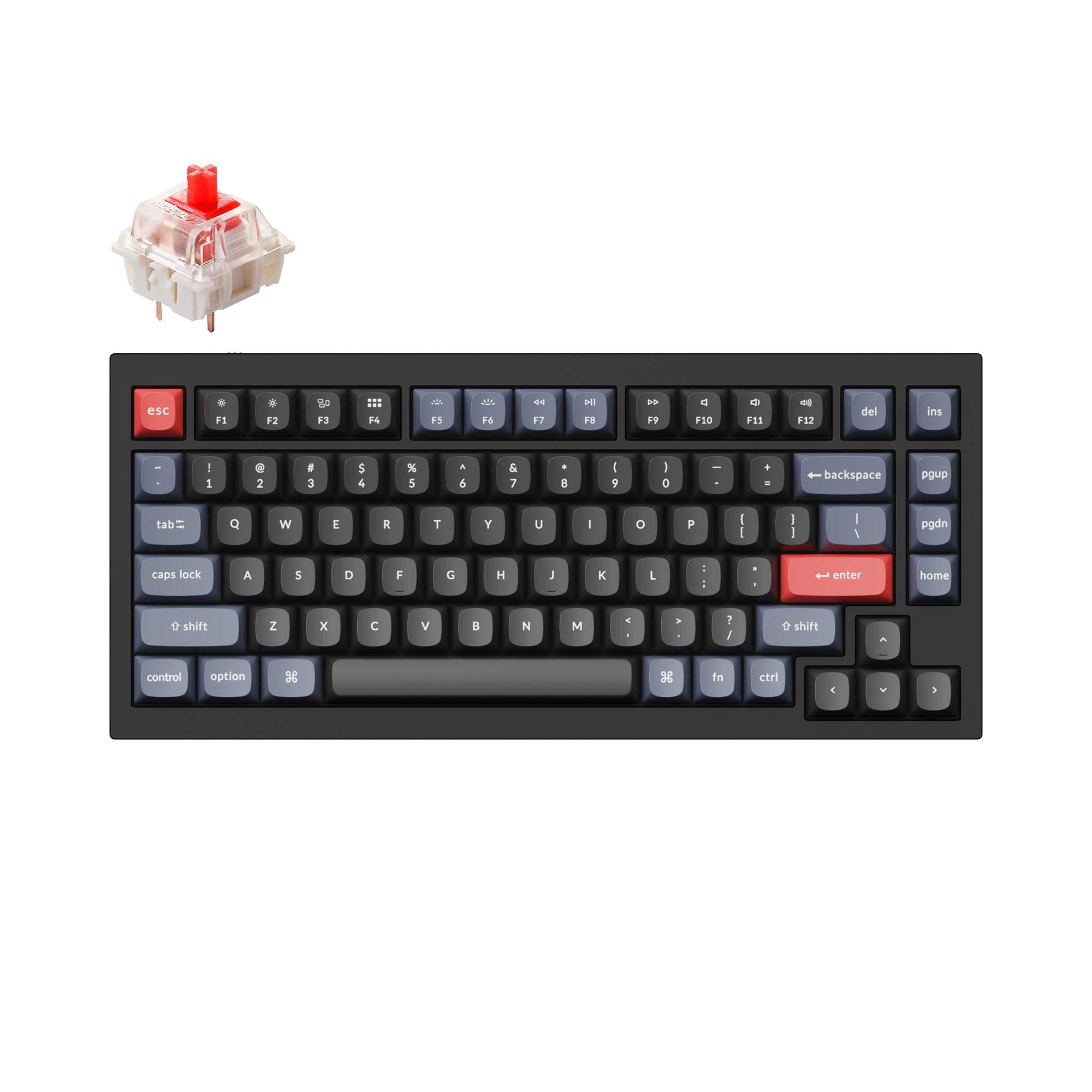
- 75% layout includes function row, arrow keys, and a navigation cluster for greater utility.
- Larger 4000mAh battery capacity for longer wireless use (as per vendor description for the Hi75C Pro version).
- South-facing LEDs. Shine-through legends stay dark, and some sculpted keycaps can clip the LED.
- No numpad.
Get the
Zuoya GMK67
Wireless 65%
Build quality in the top 45% of 65% boards under $100.
- Offers triple-mode wireless connectivity (Bluetooth, 2.4G, wired) for maximum flexibility.
- Much lighter weight of 710g, enhancing portability.
- 65% layout is very compact, saving desk space.
- South-facing LEDs. Shine-through legends stay dark, and some sculpted keycaps can clip the LED.
- 65% layout. No function row and no numpad.
Your primary need dictates the choice. If you work primarily at a desk and value a sturdy, full-featured layout with direct access keys, the Leobog Hi75C Pro's aluminum build is compelling. If you frequently move your keyboard, use multiple devices, or prioritize a minimalist desk setup, the Zuoya GMK67's wireless versatility and light weight are decisive advantages. Both are capable modding platforms.
The differences that matter
Skip the 40-row spec sheet. These are the specs that change how each board feels, sounds, and fits your desk.
Leobog Hi75C Pro
Zuoya GMK67
Layout size
75%
65%
Case material
Aluminum
ABS
Weight
1,230 g
710 g
Heavier boards stay planted and lighter ones travel
Sound dampening
Yes
No
Dimensions
45 x 135 x 330 mm
40 x 140 x 380 mm
- Leobog Hi75C Pro
- Zuoya GMK67
- Performance
- 7873
- Build quality
- 7667
- Productivity
- 8267
- Customizability
- 7780
- Portability
- 7987
- Connection: Bluetooth, 2.4 GHz, Wired
- Hot-swappable
- Mount style: Gasket Mount
- Knob
What will you mostly use it for?
The Leobog Hi75C Pro is the stronger choice for stationary, key-intensive tasks like gaming, office work, programming, and content creation, thanks to its more expansive layout and metal build. The Zuoya GMK67 dominates for travel and mobile use due to its lighter weight and wireless freedom. For modding, both offer an equally solid foundation with hot-swap sockets and gasket mounts.
Pick the Leobog Hi75C Pro
- The Leobog Hi75C Pro's vendor description mentions a 'top-tier gaming chip' for responsive keystroke registration.
- Its 75% layout retains dedicated arrow and function keys, which can be useful for in-game macros or controls.
- The aluminum case may provide a more stable, premium feel during intense use.
Leobog Hi75C Pro vs Zuoya GMK67 specs
Every tracked spec, side by side. Rows marked with a dot differ between the boards.
5 of 19 specs differ
Leobog Hi75C Pro
Zuoya GMK67
Switch options
Hot-swappable
Mount style
Sound dampening
Layout size
Layout standard
Ergonomics
Knob
Display
Connection
Battery
USB-C
Case material
Weight
Dimensions
Backlight
N-key rollover
Mac & Windows
Released
Compare prices
Live prices from the stores we track, cheapest in-stock offer first.
Prices in USD are converted to your currency and can change at any time. KeebFinder may earn a commission when you buy through these links, at no extra cost to you.
Lowest price across stores, Amazon excluded.



Leobog Hi75C Pro vs Zuoya GMK67: your questions
There is conflicting information. The core product specifications list it as wired only. However, the vendor description for the 'Hi75C Pro' explicitly states it has tri-mode connectivity (wired, 2.4G, Bluetooth) with a 4000mAh battery. Buyers should verify the specific model and version with the retailer before purchasing.
Yes. The Zuoya GMK67 includes a wired Type-C connection mode, which requires a USB-C cable. The product features list includes USB-C, confirming it uses a standard removable cable for wired use and charging.
Both use a gasket mount design with sound-dampening foam, which generally provides a softer, more cushioned typing feel. The Leobog Hi75C Pro has an aluminum case which may feel more solid, while the Zuoya GMK67 uses a polycarbonate plate which can create a different, sometimes more flexible, acoustic and tactile response. Preference between metal and polycarbonate plate feel is subjective.
Yes, both the Leobog Hi75C Pro and Zuoya GMK67 feature hot-swappable sockets. This allows you to change mechanical switches without any soldering, using compatible 3-pin or 5-pin switches.
The vendor description for the Zuoya GMK67 claims it has 'over 16.8 million RGB lighting effects' that can be customized via software. The Leobog Hi75C Pro's vendor page mentions dynamic RGB lighting controlled by a knob but does not specify a number of effects. Both have south-facing RGB LEDs.
Yes. The Zuoya GMK67 lists 'Mac/Win Support' in its extra features, indicating compatibility with both macOS and Windows operating systems.
The Leobog Hi75C Pro (75%) retains the function row (F1-F12), arrow keys, and a small cluster of navigation keys like Insert and Delete in a compact block. The Zuoya GMK67 (65%) removes the function row and the dedicated navigation cluster, requiring the use of a function layer to access those keys, resulting in a smaller footprint.
According to its listed features, the Leobog Hi75C Pro is available as a 'Pre-Built' option, which typically includes switches and keycaps. It is also listed as a 'Diy Kit/Barebones' option for those who want to supply their own.
The Leobog Hi75C Pro's aluminum case is typically more rigid, heavier, and provides a premium, cold-to-the-touch feel. The Zuoya GMK67's plastic/polycarbonate case is lighter and can offer more flex in a gasket mount system, which some users prefer for sound. Polycarbonate is durable but can be more prone to showing scratches than anodized aluminum.
Both are accessible. The Zuoya GMK67 is often sold as a kit, inviting customization. The Leobog Hi75C Pro's vendor description markets it as a great 'first custom keyboard' that is 'ready-to-use.' For someone who wants a complete product out of the box, the pre-built Leobog may be simpler. For someone wanting to learn assembly, the GMK67 kit is a good start.
Yes. Both the Leobog Hi75C Pro and Zuoya GMK67 list 'N-Key Rollover' (NKRO) in their extra features. This means every keypress is registered independently, even when many keys are pressed simultaneously, which is important for gaming and fast typing.
Not sold on either?




Still torn?
Answer a few quick questions and the keyboard finder ranks 2,000+ boards by how you will actually use yours.