Nuphy Halo75 V2 vs Kick75Aluminum Build vs Convertible Profile
Choose the Halo75 V2 for a premium, feature-rich experience with superior lighting, or the Kick75 for its unique convertible profile and knob functionality.

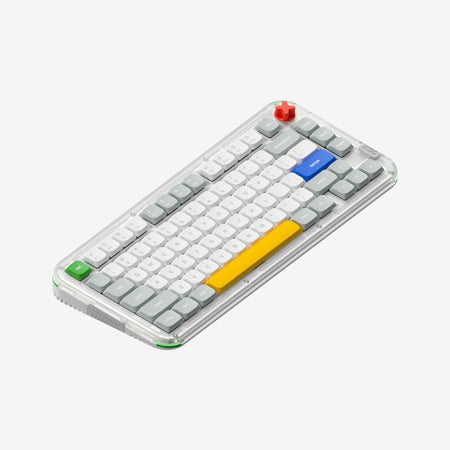
Which one should you get?
Get the
Nuphy Halo75 V2
Aluminum Build
- Premium aluminum top case combined with a translucent ABS bottom case for a solid build.
- Extensive RGB lighting system (Halolight 2.0) with side columns, bottom glow, and SignalRGB support.
- Larger 4000mAh battery capacity for longer wireless use between charges.
- Heavier weight (1020g) may reduce portability.
- Lacks a dedicated volume knob, which is a common productivity feature.
- The design is fixed as a high-profile keyboard, with no option to convert to a low-profile form factor.
Get the
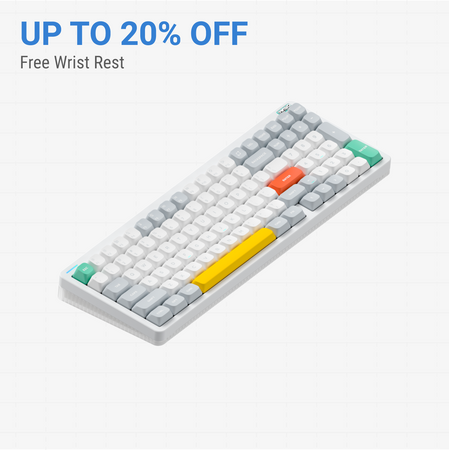
Nuphy Kick75
Convertible Profile
- Unique convertible design allows switching between high and low profile configurations with a separate kit.
- Includes a dedicated volume knob for convenient media control.
- Fully polycarbonate (PC) case and plate, which can produce a distinctive sound signature.
- Smaller 2500mAh battery capacity compared to the Halo75 V2.
- The QMK/VIA version has the larger battery, adding complexity to the purchase decision.
- Does not feature the same level of multi-zone RGB lighting or SignalRGB support as the Halo75 V2.
Your priority should guide your choice. If you want a keyboard with a premium metal build, maximal RGB lighting control, and the longest possible battery life, the NuPhy Halo75 V2 is the better investment. If you value flexibility above all, specifically the ability to change the keyboard's profile height, need a volume knob, or enjoy open-source hardware tinkering, the NuPhy Kick75 is the more versatile option. Both deliver excellent core typing performance.
The differences that matter
Skip the 40-row spec sheet. These are the specs that change how each board feels, sounds, and fits your desk.
Nuphy Halo75 V2
Nuphy Kick75
Case material
ABS, Aluminum
Plastic
Knob
No
Yes
Weight
1,020 g
1,009 g
Plate material
POM
Polycarbonate
Dimensions
33 x 320 x 135 mm
34 x 333 x 143 mm
- Nuphy Halo75 V2
- Nuphy Kick75
- Performance
- 8082
- Build quality
- 8178
- Productivity
- 8893
- Customizability
- 8992
- Portability
- 8182
- Layout size: 75%
- Connection: Bluetooth, 2.4 GHz, Wired
- Hot-swappable
- Battery: 4,000 mAh
- Max polling rate: 1,000 Hz
- Switch options: Mechanical
What will you mostly use it for?
The Kick75 shows a slight edge in flexible use cases, winning for Office use due to its knob and quiet switch options, and for Travel due to its convertible, potentially lighter low-profile mode. It also wins for Modding thanks to its included conversion kit and open-source design files. The Halo75 V2 is the clear pick for Content Creation focused on RGB synchronization and lighting effects. For Gaming and Programming, the keyboards are evenly matched on core performance and customization specs.
It's a tie
- Both offer a 1000Hz polling rate in 2.4GHz and wired modes for low latency.
- Both feature N-key rollover and hot-swappable sockets for switch customization.
- Both have gasket mounts for a responsive typing feel.
Nuphy Halo75 V2 vs Kick75 specs
Every tracked spec, side by side. Rows marked with a dot differ between the boards.
6 of 26 specs differ
Nuphy Halo75 V2
Nuphy Kick75
Switch options
Hot-swappable
Mount style
Sound dampening
Layout size
Layout standard
Ergonomics
Knob
Display
Media keys
Connection
Max polling rate
Battery
USB-C
Case material
Plate material
Keycaps
Weight
Dimensions
Typing angle
Backlight
QMK
VIA
N-key rollover
Mac & Windows
Released
Compare prices
Live prices from the stores we track, cheapest in-stock offer first.
Lowest price across stores, Amazon excluded.


Prices in USD are converted to your currency and can change at any time. KeebFinder may earn a commission when you buy through these links, at no extra cost to you.
Nuphy Halo75 V2 vs Kick75: your questions
The Halo75 V2 has a larger 4000mAh battery. The Kick75's battery capacity depends on the firmware version you choose. The Kick75's NuPhyIO version has a 2500mAh battery, while its QMK version is listed with a 4000mAh battery.
No, the Kick75 is purchased as either a high-profile or low-profile configuration. To switch profiles later, you must purchase a separate conversion kit. The vendor description notes that these kits contain the necessary top case, plate foam, and switch pad.
Yes, both keyboards support QMK and VIA firmware for key remapping and macros. However, the Kick75 is also available in a NuPhyIO firmware version, so you must select the QMK/VIA option at purchase if that is your requirement.
Both can be configured for quiet use. The Halo75 V2 offers Cherry Clear-Top Silent Red switches. The Kick75 vendor description recommends its Blush Nano switches as quiet and smooth for long typing sessions. The Kick75's optional low-profile mode may also be perceived as more discreet.
No, the Halo75 V2 does not include a volume knob. The Kick75 includes a dedicated volume knob for media control.
According to NuPhy, Halolight 2.0 is an extensive RGB lighting system that includes side column lights, a translucent bottom case for glow, per-key south-facing RGB, and a magnetic nameplate LED. It also supports synchronization with other devices via SignalRGB.
Yes. The Halo75 V2 uses mSA profile keycaps with features like light-emitting homing bars and a Ghostbar spacebar. The Kick75 comes with dye-sublimated PBT keycaps and is compatible with both high and low-profile switches, which use different keycap stems.
The Kick75 in its low-profile configuration is likely more portable. Its low-profile weight is listed at 877g, compared to the Halo75 V2's 1020g. The vendor also states the low-profile mode is designed for users who frequently carry their keyboard.
Yes, NuPhy states that the Kick75 has open-source decorative mounting holes on its case. The company provides design files that users can download to 3D print their own custom accessories.
The Halo75 V2 uses an aluminum top case and ABS bottom case. The Kick75 uses a polycarbonate (PC) material for both its top and bottom case, as well as its plate, which is a type of plastic known for its clarity and specific acoustic properties.
Yes, both the NuPhy Halo75 V2 and the Kick75 utilize a PCB gasket mount design. This provides a softer, more cushioned typing feel compared to tray or top mount styles.
Not sold on either?




Still torn?
Answer a few quick questions and the keyboard finder ranks 2,000+ boards by how you will actually use yours.