Jamesdonkey R2 V2 vs R496% vs 75% Layout Showdown
Choose the R2 V2 for a full numpad and dedicated arrow keys, or the R4 for a more compact footprint and structural versatility.


Which one should you get?
Get the
Jamesdonkey R2 V2
96%
- Includes a full numpad in a 96% layout for efficient data entry.
- Uses an FR4 plate, which is listed in the specifications.
- Vendor cites a specific 1-2ms response time for low-latency input.
- Larger and heavier dimensions (414mm long, 1950g) reduce portability.
- Lacks the structural versatility and knob featured on the R4.
- The 96% layout consumes more desk space.
Get the
Jamesdonkey R4
75% Layout Showdown
- More compact 75% layout (329mm long) saves desk space.
- Vendor states compatibility with multiple internal structures (gasket/top-mounted).
- Includes a multimedia volume knob for quick audio control.
- No integrated numpad, requiring a separate keypad or layer use for data entry.
- The vendor description does not cite a specific response time figure.
- Plate material is not specified in the provided metadata.
Your primary need dictates the choice. If you require a numpad daily for spreadsheets, accounting, or data entry, the Jamesdonkey R2 V2 is the logical pick despite its larger size. If desk space is limited, you travel often, or you enjoy tinkering with different mounting styles, the more compact and versatile Jamesdonkey R4 is the better option. Both offer excellent core features like aluminum builds, gasket mounts, and QMK support.
The differences that matter
Skip the 40-row spec sheet. These are the specs that change how each board feels, sounds, and fits your desk.
Jamesdonkey R2 V2
Jamesdonkey R4
Layout size
96%
75%
Knob
No
Yes
Weight
1,950 g
1,900 g
Media keys
No
Yes
N-key rollover
Yes
No
- Jamesdonkey R2 V2
- Jamesdonkey R4
- Performance
- 6555
- Build quality
- 6667
- Productivity
- 6363
- Customizability
- 7679
- Portability
- 5277
- Connection: Bluetooth, 2.4 GHz, Wired
- Hot-swappable
- Battery: 4,000 mAh
- Case material: Aluminum
- Mount style: Gasket Mount
- QMK
What will you mostly use it for?
The R2 V2 is the clear choice for office work and data-heavy tasks due to its integrated numpad, and it also has an edge for gaming with its cited low latency. The compact R4 wins for travel and offers more intrigue for modders with its advertised structural flexibility. For programming, both are equally capable thanks to shared QMK and hot-swap foundations.
Pick the Jamesdonkey R2 V2
- The manufacturer cites a 1-2ms response time for lag-free input.
- Full-key N-key rollover is listed as a feature.
- The larger 96% layout provides dedicated macro keys without layer switching.
Jamesdonkey R2 V2 vs R4 specs
Every tracked spec, side by side. Rows marked with a dot differ between the boards.
7 of 20 specs differ
Jamesdonkey R2 V2
Jamesdonkey R4
Hot-swappable
Mount style
Layout size
Layout standard
Ergonomics
Knob
Display
Media keys
Connection
Battery
Case material
Plate material
Keycaps
Weight
Dimensions
Backlight
QMK
N-key rollover
Mac & Windows
Released
Compare prices
Live prices from the stores we track, cheapest in-stock offer first.
Lowest price across stores, Amazon excluded.


Prices in USD are converted to your currency and can change at any time. KeebFinder may earn a commission when you buy through these links, at no extra cost to you.
Jamesdonkey R2 V2 vs R4: your questions
The core difference is the layout size. The R2 V2 is a 96% keyboard that includes a numpad and dedicated navigation keys, while the R4 is a more compact 75% layout that omits the numpad and function row to save space. The R4 also advertises multi-structure compatibility and includes a volume knob.
Yes. Both the Jamesdonkey R2 V2 and R4 feature full-key hot-swappable sockets according to their specifications and vendor descriptions. This allows you to easily change the mechanical switches without soldering.
Both keyboards list QMK support in their features. The vendor descriptions for both models mention a self-developed, web-based driver that is QMK compatible, allowing for key remapping and macro programming.
The Jamesdonkey R4 is better for small desks. Its 75% layout measures 329mm in length, which is 85mm shorter than the 414mm long R2 V2. This compact footprint frees up significant space for your mouse and other peripherals.
Yes, both keyboards feature RGB backlighting with south-facing LEDs. The vendor pages mention support for multiple lighting effects and an independent RGB chipset for the R2 V2, while the R4 also includes an RGB light strip on the chassis.
Both the Jamesdonkey R2 V2 and R4 are equipped with a 4000mAh internal battery for wireless use. The exact battery life in hours is not provided, but the capacity is identical for both models.
According to the vendor descriptions, both keyboards come with customized Latte switches developed in collaboration with Huanuo. These are described as factory-lubricated linear switches with a light actuation force.
Yes, the R4 is suitable for gaming. Its vendor description promotes low-latency connectivity for a delay-free experience. However, the R2 V2's listing specifically cites a 1-2ms response time, which may be a consideration for competitive gamers.
The manufacturer states the R4 supports switching between gasket-mounted and top-mounted structures using included silicone beans, sleeves, and sleeve strips. This allows users to change the typing feel and sound profile of the keyboard.
Both keyboards use dual-tone injection-molded PBT keycaps, which are durable and resistant to shine. The specific profile (e.g., OEM) is mentioned for the R2 V2, but not explicitly stated for the R4 in the provided information.
Based on the listed prices, the Jamesdonkey R4 is available at a slightly lower cost than the R2 V2. The exact price difference can vary, but the R4 generally represents a more budget-friendly option.
Not sold on either?
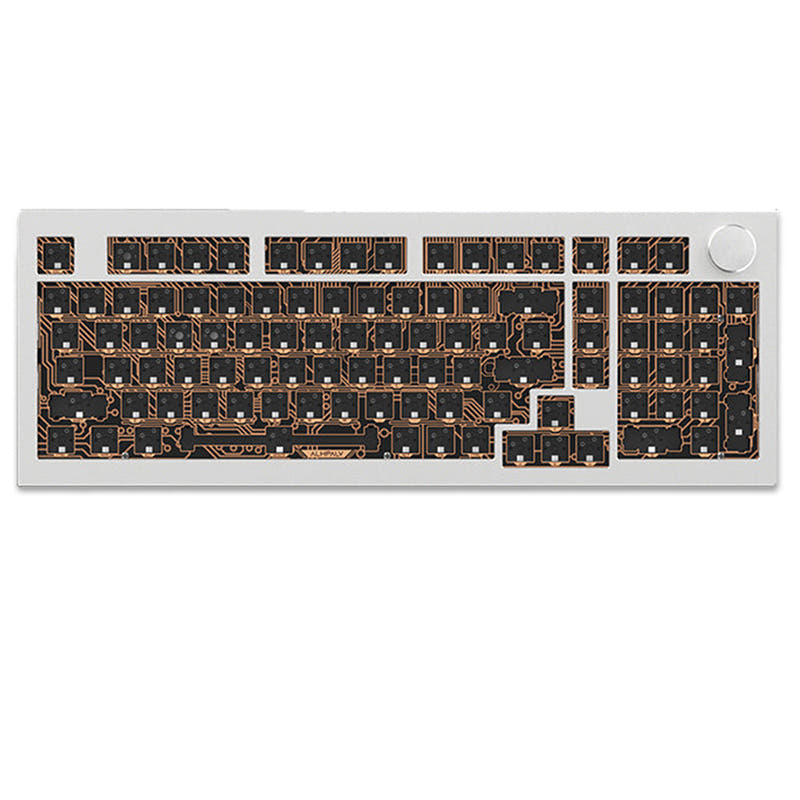


![[In Stock] Dolphins75 75% Mechanical Keyboard](https://cdn.shopify.com/s/files/1/0549/0262/0278/products/7ce4f9b819d9d19cecd21e99770e30b1.jpg?v=1702526832&width=3840&quality=75)


Still torn?
Answer a few quick questions and the keyboard finder ranks 2,000+ boards by how you will actually use yours.