Jamesdonkey R2 vs R3 HEFull-Size vs 65% Gaming
Choose the R2 for a full layout and wireless use, or the R3 for competitive gaming with magnetic switches and an 8K polling rate.
KeebFinder may earn a commission when you buy through these links, at no extra cost to you.

Which one should you get?
Get the
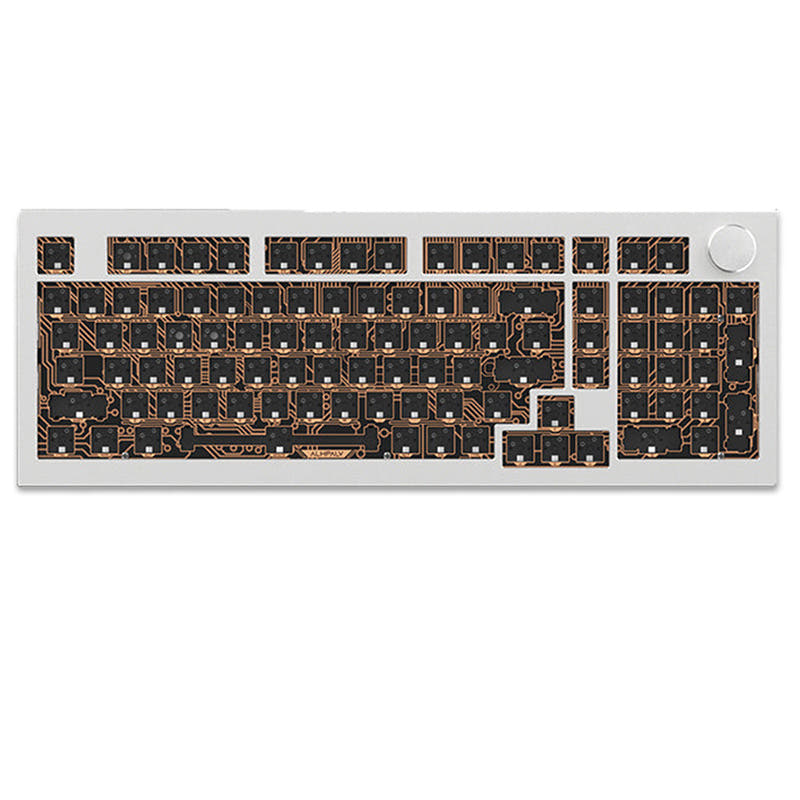
Jamesdonkey R2
Full-Size
Build quality in the top 30% of 100% boards under $150.
- Full 100% layout with a numpad and function row for data entry and navigation.
- Wireless connectivity with Bluetooth, 2.4 GHz, and wired modes for flexible setup.
- High 6000mAh battery provides up to 5 weeks of battery life per charge (RGB dependent).
Get the
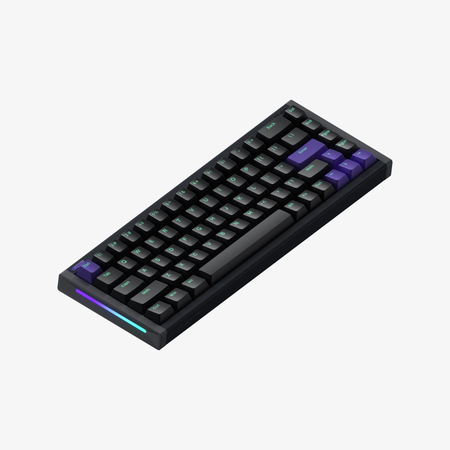
Jamesdonkey R3 HE
65% Gaming
Build quality in the bottom 45% of 65% boards under $150.
- Magnetic switches with rapid trigger and 0.01mm accuracy for fast gaming input.
- 8K polling rate delivers a 0.125ms response time for low latency.
- Compact 65% layout (316mm wide) saves desk space and is easier to travel with.
- Magnetic switches only. Standard MX switches will not fit.
- 65% layout. No function row and no numpad.
The key differentiator is your primary use case. Choose the Jamesdonkey R2 if you need a full-size wireless keyboard for typing, data entry, or modding, with its versatile connectivity and large battery. Opt for the Jamesdonkey R3 TMR HE if you are a competitive gamer who prioritizes low latency, rapid trigger, and a compact footprint over a full layout and wireless convenience.
The differences that matter
Skip the 40-row spec sheet. These are the specs that change how each board feels, sounds, and fits your desk.
Jamesdonkey R2
Jamesdonkey R3 HE
Layout size
100%
65%
Hall effect (magnetic)
No
Yes
Adjustable actuation helps in games and not in normal typing
Rapid trigger
No
Yes
Faster resets help in games and not in normal typing
Connection
Bluetooth, 2.4 GHz, Wired
Wired
Wireless for several devices and wired for lower latency
Switch options
Clicky
Magnetic
- Jamesdonkey R2
- Jamesdonkey R3 HE
- Performance
- 5791
- Build quality
- 6559
- Productivity
- 8854
- Customizability
- 8257
- Portability
- 6566
- Hot-swappable
- Case material: Aluminum
- Mount style: Gasket Mount
- Sound dampening
What will you mostly use it for?
The R3 TMR HE wins outright for gaming due to its magnetic switches, rapid trigger, and high polling rate. The R2 is the better choice for office, programming, and content creation tasks, offering a full layout, wireless flexibility, and a numpad. For travel, the R3's lighter weight and compact size give it a clear edge, while modders will prefer the R2's DIY kit format and full-size compatibility.
Pick the Jamesdonkey R3 HE
- Features magnetic switches with rapid trigger and 0.01mm movement accuracy for competitive gaming.
- Offers an 8K polling rate with a 0.125ms response time, as stated by the vendor.
- Uses a 480MHz MCU chipset and zero aggregation delay technology for low latency.
Jamesdonkey R2 vs R3 HE specs
Every tracked spec, side by side. Rows marked with a dot differ between the boards.
14 of 25 specs differ
Jamesdonkey R2
Jamesdonkey R3 HE
Switch options
Hall effect (magnetic)
Rapid trigger
Hot-swappable
Mount style
Sound dampening
Layout size
Layout standard
Ergonomics
Knob
Display
Media keys
Connection
Max polling rate
Battery
USB-C
Case material
Plate material
Keycaps
Weight
Dimensions
Backlight
N-key rollover
Mac & Windows
Released
Compare prices
Live prices from the stores we track, cheapest in-stock offer first.
Prices in USD are converted to your currency and can change at any time. KeebFinder may earn a commission when you buy through these links, at no extra cost to you.
Lowest price across stores, Amazon excluded.



Jamesdonkey R2 vs R3 HE: your questions
The Jamesdonkey R2 features a 6000mAh battery, which the vendor states can provide up to 5 weeks of battery life depending on RGB settings. The R3 TMR HE is wired only and does not include a battery.
The Jamesdonkey R2 supports three wireless modes: Bluetooth, 2.4 GHz, and wired connection. The R3 TMR HE is a wired-only keyboard with no wireless connectivity options.
The R3 TMR HE is better for FPS gaming due to its magnetic switches with rapid trigger, 0.01mm accuracy, 8K polling rate, and 0.125ms response time. The R2 lacks these specific gaming features.
Yes, both the Jamesdonkey R2 and R3 TMR HE are hot-swappable. The R2 is a DIY kit that supports both 3-pin and 5-pin switches, while the R3 is a pre-built board that uses magnetic switches.
The R3 TMR HE is more portable due to its 65% compact layout, weighing approximately 1112g and measuring 316mm wide. The R2 is a full-size board that weighs 2205g.
No, the R3 TMR HE uses a 65% layout and does not include a numpad, function row, or dedicated arrow keys. The R2 has a full 100-key layout with a numpad.
The R2 is available with clicky switches by default and comes as a DIY kit allowing you to install your own 3-pin or 5-pin switches. The R3 TMR HE uses pre-installed magnetic switches, specifically customized Gateron Golden Dragon switches.
The R3 TMR HE has an 8K polling rate with a 0.125ms response time. The polling rate for the Jamesdonkey R2 is not specified in the provided information.
Both keyboards use PBT keycaps. The R2 features durable PBT five-sided heat sublimation keycaps, while the R3 uses dye-sublimation PBT and silk-screen PC dual-tone keycaps.
The Jamesdonkey R2 is generally better for programming thanks to its full-size layout, which includes a numpad, function row, and dedicated navigation keys. Its gasket mount and multi-layered padding may contribute to a comfortable typing experience.
Neither the Jamesdonkey R2 nor the R3 TMR HE includes a screen on the keyboard.
Neither the product metadata nor vendor descriptions for the Jamesdonkey R2 or R3 TMR HE mention including a carrying case.
Not sold on either?




Still torn?
Answer a few quick questions and the keyboard finder ranks 2,000+ boards by how you will actually use yours.