Keychron vs Monsgeek M3WISO or Wireless?
Choose the Keychron for ISO layout options, or the Monsgeek M3W for wireless connectivity and its 6000mAh battery.
KeebFinder may earn a commission when you buy through these links, at no extra cost to you.
Keychron

from$19at Input Gear

Which one should you get?
Get the
Keychron
Knob
- Aluminum case.
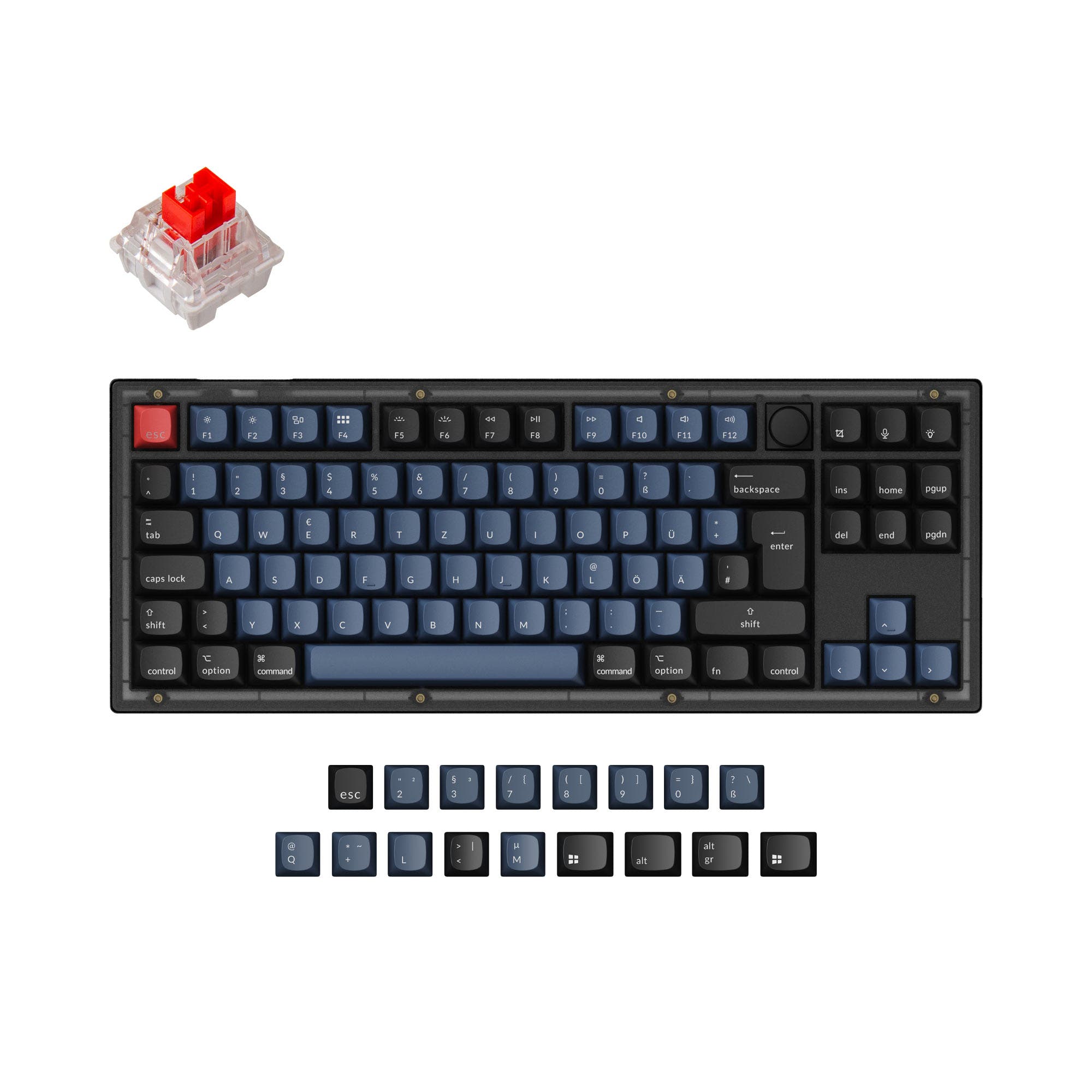
- Listed layout options include ISO-DE, ISO-UK, ISO-FR, ISO, and ANSI.
- Hot-swappable design.
Get the
Monsgeek M3W
Sound dampening
Build quality in the top 40% of 80% boards under $100.
- Offers wired USB-C, Bluetooth, and 2.4 GHz connectivity, with a listed 6000mAh battery.
- Aluminum case with a gasket mount design, according to the vendor description.
- Hot-swap sockets support 3-pin and 5-pin switches.
- South-facing LEDs. Shine-through legends stay dark, and some sculpted keycaps can clip the LED.
- No ISO layout. ISO-DE, UK, and other ISO variants are not offered.
Choose the Keychron if an ISO layout or knob support is central to your setup. Pick the Monsgeek M3W if you want wireless connectivity, a 6000mAh battery, and more specifically documented switch and sound-dampening customization. Check the M3W’s ANSI-only layout and south-facing LED compatibility before buying.
The differences that matter
Skip the 40-row spec sheet. These are the specs that change how each board feels, sounds, and fits your desk.
Keychron
Monsgeek M3W
Knob
Yes
No
Sound dampening
No
Yes
Layout standard
ANSI, ISO, ISO-DE, ISO-FR, ISO-UK
ANSI
ISO and JIS exist so regional layouts fit
Screw-in stabilizers
No
Yes
Easier to tune than the plate-mount stabs you get prebuilt
Backlight
White
RGB, south-facing
RGB for looks and low light rather than speed
- Keychron
- Monsgeek M3W
- Performance
- 4659
- Build quality
- 6667
- Productivity
- 4687
- Customizability
- 6779
- Portability
- 4286
- Hot-swappable
- Case material: Aluminum
What will you mostly use it for?
The M3W is the more feature-documented choice for wireless gaming, office use, and travel, though its listed weight is substantial. The Keychron’s wider listed layout selection keeps it relevant for buyers who need an ISO variant. For programming, both have distinct advantages, layout choice on the Keychron and N-Key Rollover with switch flexibility on the M3W. Modding and content creation are closer calls, with the M3W listing detailed internal layers and the Keychron offering knob support.
Pick the Monsgeek M3W
- The M3W lists N-Key Rollover.
- It offers wired, Bluetooth, and 2.4 GHz connectivity, while no connectivity modes are listed for the Keychron.
Keychron vs Monsgeek M3W specs
Every tracked spec, side by side. Rows marked with a dot differ between the boards.
9 of 22 specs differ
Keychron
Monsgeek M3W
Switch options
Hot-swappable
Mount style
Sound dampening
Screw-in stabilizers
Layout size
Layout standard
Ergonomics
Knob
Display
Connection
Battery
USB-C
Case material
Plate material
Keycaps
Weight
Dimensions
Backlight
N-key rollover
Mac & Windows
Released
ISO layouts by store
Which stores sell ISO-DE, UK, and the other regional layouts.
Keychron
Input Gear
ISO-DE, ISO-UK, ISO-FR
In stockShips to you
Monsgeek M3W
No ISO layout at the stores we track.
Compare prices
Live prices from the stores we track, cheapest in-stock offer first.
Prices in USD are converted to your currency and can change at any time. KeebFinder may earn a commission when you buy through these links, at no extra cost to you.
Lowest price across stores, Amazon excluded.
- Check on Amazon
Amazon
Check price




Keychron vs Monsgeek M3W: your questions
The Keychron is listed with ISO-DE, ISO-UK, ISO-FR, and ISO layout options, as well as ANSI. The Monsgeek M3W is ANSI only, with no ISO variants listed.
Yes, the M3W lists Bluetooth and 2.4 GHz wireless connectivity, along with wired USB-C. Its battery capacity is listed as 6000mAh.
Bluetooth is not listed among the Keychron’s specifications here. Its listed features include hot-swap support, knob support, and multiple layout options.
Both keyboards are listed as hot-swappable. The M3W vendor description specifies support for both 3-pin and 5-pin switches.
The M3W has south-facing LEDs, and its compatibility note warns that shine-through legends stay dark. Some sculpted keycaps may also clip the LED.
The vendor description lists OEM profile Double Shot PBT keycaps. The product is described as prebuilt.
Yes, its vendor description lists Poron case foam, plate foams, an IXPE switch pad, and a VHB insulation layer. It also lists extra Teflon pads, extra tape, and 3mm Poron foam as included items.
The M3W has Bluetooth and 2.4 GHz wireless connectivity, plus a listed 6000mAh battery, which can suit setups away from a cable. Its listed weight is 2000g, so it is not a lightweight option.
The M3W lists Mac/Win support, and its vendor description says operating system modes can be changed with a switch under the Caps Lock key. The same description also lists Linux compatibility.
Both list hot-swap support, and the Keychron also lists DIY kit/barebones options and knob support. The M3W’s vendor description specifies 3-pin and 5-pin switch support, plus RGB and key customization through MonsGeek Driver.
Yes, N-Key Rollover is listed for the M3W. No rollover specification is listed for the Keychron.
The Keychron is the fit if you specifically need ISO-DE, since that layout is listed among its options. The Monsgeek M3W is ANSI only and does not offer ISO-DE.
Not sold on either?




Still torn?
Answer a few quick questions and the keyboard finder ranks 2,000+ boards by how you will actually use yours.