Keychron J2 HE vs Q1 V2Speed or Build Quality
The decision comes down to whether you prioritize the cutting-edge speed and magnetic switch technology of the J2 HE or the premium aluminum build and extensive modding potential of the Q1 V2.
KeebFinder may earn a commission when you buy through these links, at no extra cost to you.

1.0 (2)1.0 · 2 reviews
from$99at Keychron
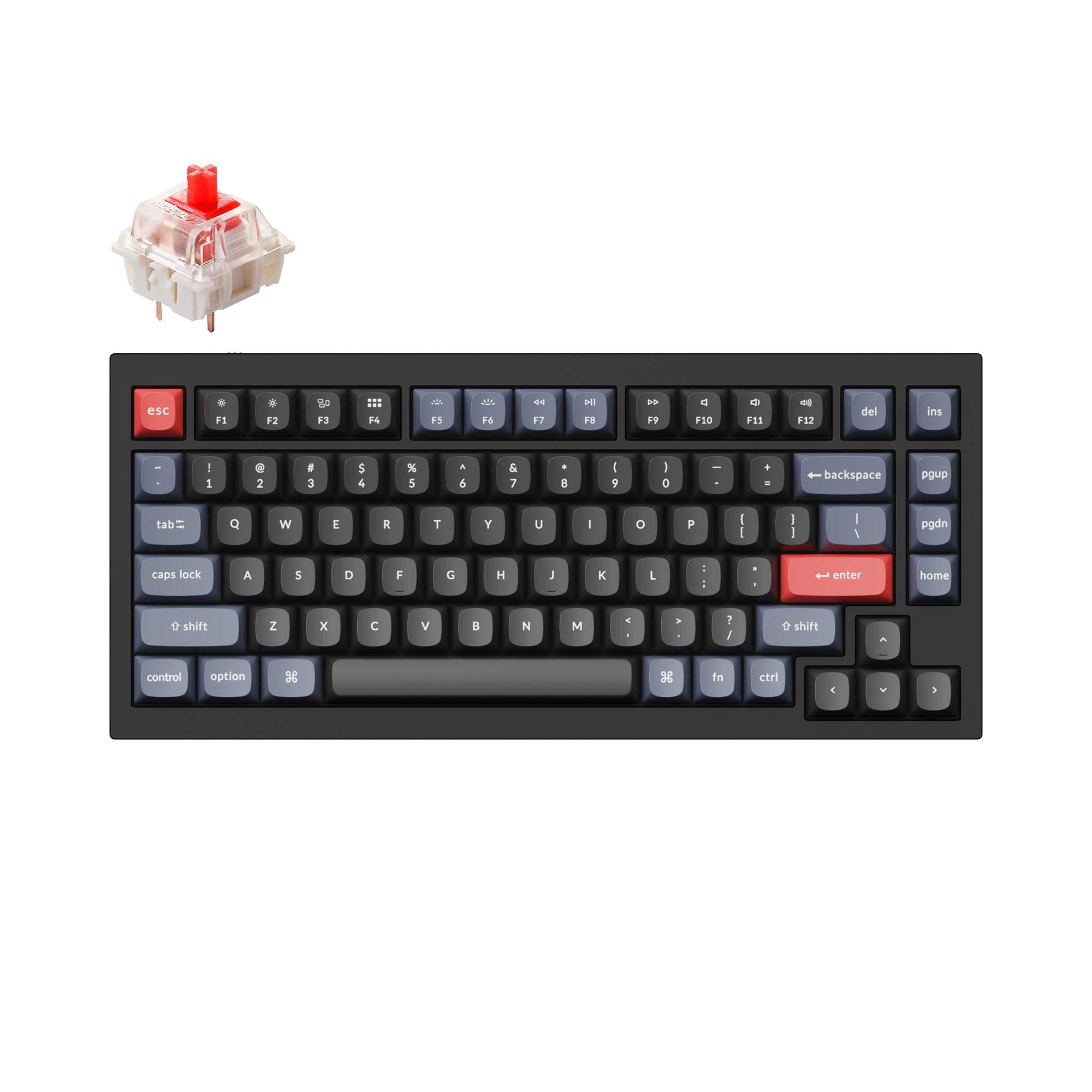
4.9 (318)4.9 · 318 reviews
from$59at Keychron
Which one should you get?
Get the
Keychron J2 HE
Hall effect
Build quality in the top 10% of 75% boards under $100.
- 8000 Hz polling rate for extremely low latency in competitive gaming.
- Hall Effect magnetic switches with adjustable actuation points for unique control.
- Lightweight plastic construction (780g) is easier to move and travel with.
- Magnetic switches only. Standard MX switches will not fit.
- North-facing LEDs. Cherry-profile keycaps can hit the switch housing.
Get the
Keychron Q1 V2
Knob
Build quality in the top 5% of 75% boards under $100.
- Full CNC machined aluminum case with a double-gasket design for a premium feel and sound.
- Programmable knob for quick control of volume, zoom, and other functions.
- Extensive modding support including barebones option and compatibility with third-party stabilizers.
- South-facing LEDs. Shine-through legends stay dark, and some sculpted keycaps can clip the LED.
Choose the Keychron J2 HE if your primary need is cutting-edge gaming performance and you value the new Hall Effect switch technology in a lightweight, portable package. Choose the Keychron Q1 V2 if you prioritize a premium, heavy-duty build, extensive modding potential, and proven community support for a high-quality daily driver.
The differences that matter
Skip the 40-row spec sheet. These are the specs that change how each board feels, sounds, and fits your desk.
Keychron J2 HE
Keychron Q1 V2
Hall effect (magnetic)
Yes
No
Adjustable actuation helps in games and not in normal typing
Max polling rate
8,000 Hz
1,000 Hz
Higher polling helps competitive FPS and does nothing for typing
Case material
Plastic
Aluminum
Mount style
Gasket Mount
Gasket Mount, Plate Mount
Knob
No
Yes
- Keychron J2 HE
- Keychron Q1 V2
- Performance
- 8972
- Build quality
- 8389
- Productivity
- 8798
- Customizability
- 8998
- Portability
- 6162
- Layout size: 75%
- Connection: Wired
- Hot-swappable
- Switch options: Clicky, Linear, Tactile
- QMK
- VIA
What will you mostly use it for?
The Keychron J2 HE wins for gaming and travel due to its speed and light weight. The Q1 V2 dominates in office, modding, and content creation because of its premium build, programmable knob, and extensive customization options. For programming, both are strong contenders, offering full QMK/VIA support, making the choice a matter of personal preference for feel and build.
Pick the Keychron J2 HE
- Keychron J2 HE features an 8000 Hz polling rate for minimized input lag.
- Uses Hall Effect magnetic switches with adjustable actuation points for responsive control.
- Lighter weight for desk mat or travel setups.
- North-facing RGB offers brighter keycap illumination.
What owners say
Ratings and quotes collected from verified store reviews, including the critical ones.
Keychron J2 HE
2 owner reviews
“Worked perfectly, best keyboard I've ever owned. For one hour. After that all RGB turned off, and the main function of the keyboard (Typing), no longer works. I can't type with it, the web launcher doesn't detect it either, just don't waste your money.”
Keychron Q1 V2
318 owner reviews
“Exactly what I wanted. Swapped out the switches for some Gateron Zero degree fully silent switches. Mechanical but almost completely silent, works a dream!”
Keychron J2 HE vs Q1 V2 specs
Every tracked spec, side by side. Rows marked with a dot differ between the boards.
12 of 26 specs differ
Keychron J2 HE
Keychron Q1 V2
Switch options
Hall effect (magnetic)
Hot-swappable
Mount style
Sound dampening
Screw-in stabilizers
Layout size
Layout standard
Ergonomics
Knob
Display
Media keys
Connection
Max polling rate
USB-C
Case material
Plate material
Keycaps
Weight
Dimensions
Typing angle
Backlight
QMK
VIA
Mac & Windows
Released
Compare prices
Live prices from the stores we track, cheapest in-stock offer first.
Prices in USD are converted to your currency and can change at any time. KeebFinder may earn a commission when you buy through these links, at no extra cost to you.
Lowest price across stores, Amazon excluded.



Keychron J2 HE vs Q1 V2: your questions
The Keychron J2 HE is generally better for competitive gaming due to its 8000 Hz polling rate, which can reduce input lag compared to the Q1 V2's standard 1000 Hz. Its Hall Effect switches also offer adjustable actuation points, allowing for faster response times that competitive gamers may find advantageous.
Yes, both keyboards are functional out of the box. However, to access their full range of features such as remapping keys, creating macros, and adjusting lighting effects, you will need to use a software tool. Both support the Keychron Launcher web app and QMK firmware for deep customization.
Yes, both keyboards are compatible with Windows and macOS. The Q1 V2 is specifically noted for its Mac multimedia key layout, and it comes with both Mac and Windows keycaps. The J2 HE is also stated to be compatible with both operating systems.
The most significant difference is the case material. The Keychron Q1 V2 is built from a full CNC machined aluminum body, while the J2 HE uses a plastic construction. This makes the Q1 V2 much heavier and gives it a more premium feel.
The Keychron Q1 V2 is considered more mod-friendly. It is available as a barebones kit, supports both gasket and plate mounting, and is compatible with a wide range of aftermarket components, including third-party stabilizers and various switch types.
The Q1 V2 uses standard MX-style mechanical switches, like Gateron G Pro and Keychron K Pro series. The J2 HE uses Keychron Ultra-fast Lime Magnetic Switches, which rely on Hall Effect technology rather than physical metal contacts for actuation.
Both are suitable, but for different reasons. The J2 HE has three adjustable typing angles and Cherry profile keycaps designed for ergonomic comfort. The Q1 V2's heavier aluminum build provides desk stability, and its gasket mount with sound dampening can reduce fatigue for some users.
Yes, the Q1 V2 is available in versions with a programmable knob. This rotary encoder can be customized through VIA software to control volume, zoom, screen brightness, and more, making it a strong feature for content creators.
The fully assembled Q1 V2 includes the keyboard PCB, case, steel plate, keycaps, and switches pre-installed. The Q1 V2 also comes with a Type-C cable and a Type-A to Type-C adapter.
The J2 HE's hot-swappable nature is designed for compatible Hall Effect magnetic switches. While the vendor notes it is compatible with other Hall Effect switches, specific cross-brand compatibility is not stated in the provided descriptions.
The Keychron Q1 V2 uses screw-in PCB stabilizers, which are generally considered more stable and less prone to wobble. The Keychron J2 HE uses plate-mounted stabilizers.
Not sold on either?


Still torn?
Answer a few quick questions and the keyboard finder ranks 2,000+ boards by how you will actually use yours.