Keychron J4 vs K4 Pro80% TKL vs 96% Layout Wireless Keyboards
Choose the J4 for a standard TKL layout with 2.4 GHz wireless, or the K4 Pro for a compact full-size layout with a larger battery.


Which one should you get?
Get the
Keychron J4
80% TKL
- Includes a 2.4 GHz wireless connection with a 1000 Hz polling rate for low-latency gaming.
- 80% TKL layout saves desk space and allows for more mouse movement.
- Features multiple layers of acoustic foams (IXPE, PET, EPDM) for a tuned typing sound.
- Has a very small 1mAh battery, limiting wireless usage time compared to the K4 Pro.
- Lacks the dedicated numpad and navigation cluster of a 96% layout.
- Does not offer a barebone kit version for builders.
Get the
Keychron K4 Pro
96% Layout Wireless Keyboards
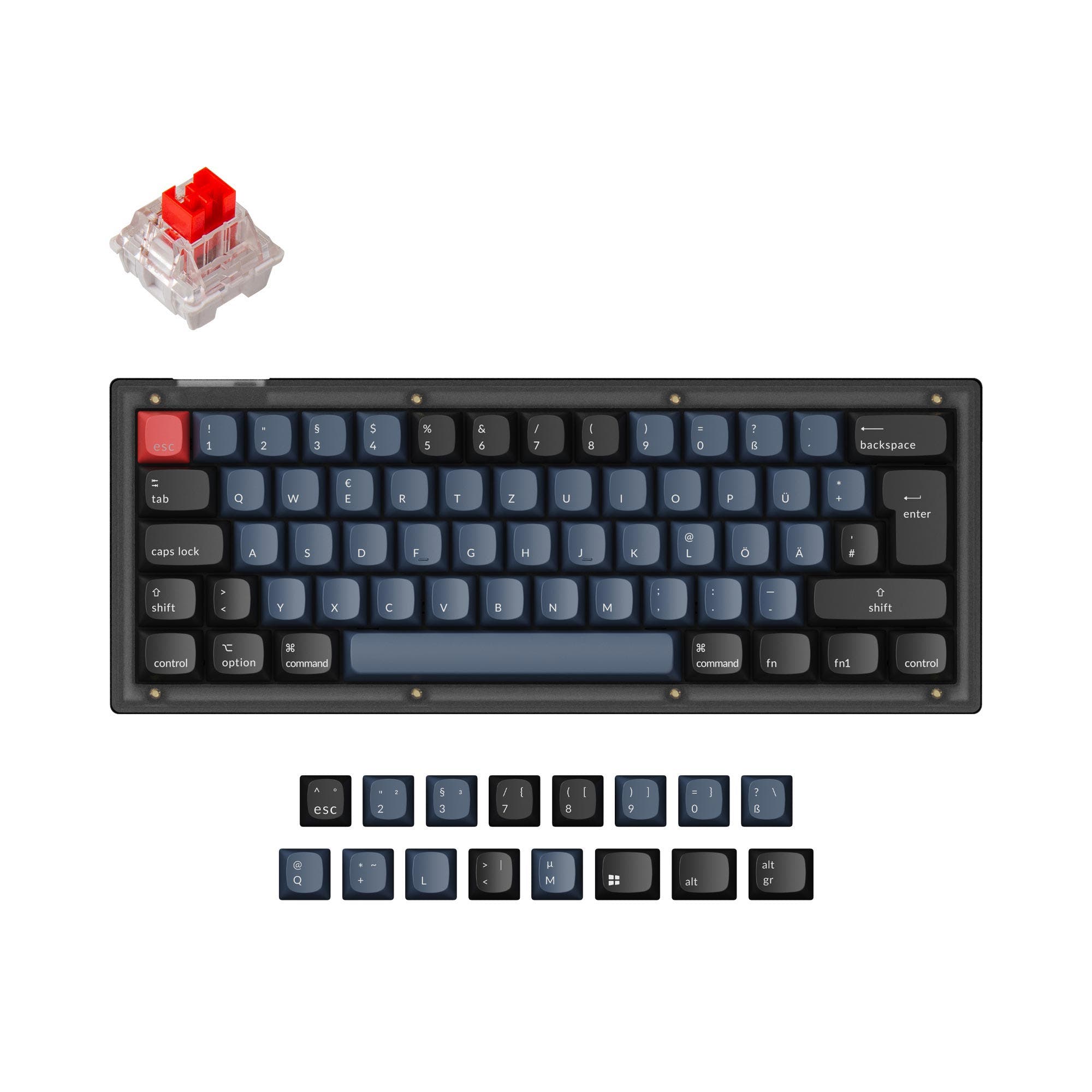
- 96% layout includes a numpad and arrow keys in a compact form factor.
- Large 4000mAh battery supports extended wireless use.
- Available in a barebone kit and features screw-in PCB stabilizers for easier modding.
- The vendor description does not mention a 2.4 GHz wireless connection, only Bluetooth and wired.
- The 96% layout is wider than a TKL, potentially reducing available mouse space.
- Weighs 1280g, which is substantial and less portable.
Your primary need dictates the choice. If low-latency wireless gaming and a standard, space-efficient TKL layout are priorities, the Keychron J4 is the clear pick. If you require a numpad for data entry or content creation in a still-compact form, value a huge battery, or want a barebone kit for modding, the Keychron K4 Pro is the better tool despite its lack of 2.4 GHz wireless.
The differences that matter
Skip the 40-row spec sheet. These are the specs that change how each board feels, sounds, and fits your desk.
Keychron J4
Keychron K4 Pro
Layout size
80%
96%
Connection
Bluetooth, 2.4 GHz, Wired
Bluetooth, Wired
Layout standard
ANSI
ANSI, ISO, ISO-DE, ISO-ES, ISO-FR, ISO-Nordic, ISO-SW, ISO-UK
Keycaps
PBT
ABS, PBT
Screw-in stabilizers
No
Yes
- Keychron J4
- Keychron K4 Pro
- Performance
- 7081
- Build quality
- 7184
- Productivity
- 7495
- Customizability
- 8696
- Portability
- 6654
- Hot-swappable
- Battery: 4,000 mAh
- Max polling rate: 1,000 Hz
- Switch options: Clicky, Linear, Tactile
- QMK
- VIA
What will you mostly use it for?
The K4 Pro is the more versatile choice for office work and content creation due to its integrated numpad and large battery, while also leading in modding potential with its barebone option and screw-in stabilizers. The J4 takes the lead for gaming and travel, thanks to its 2.4 GHz wireless mode and more compact TKL footprint. For programming, both are equally capable due to their shared firmware and hot-swap features, leaving the decision to layout preference.
Pick the Keychron J4
- The J4 includes a 2.4 GHz wireless connection with a 1000 Hz polling rate, which the K4 Pro's listing does not mention.
- Its TKL layout provides more mouse space than the wider 96% layout.
- The manufacturer states its 1000 Hz polling rate on 2.4 GHz and wired modes makes latency 'hardly noticeable' for competitive games.
What owners say
Ratings and quotes collected from verified store reviews, including the critical ones.
Keychron J4
No owner reviews collected yet.
Keychron K4 Pro
7 owner reviews
“I previously had a normal K4 and i love the new one, the only thing is that the stabilizers lube work is kinda bad and the space bar was very rattly but after some lube work the K4 pro retakes the perfect productivity keyboard.”
Keychron J4 vs K4 Pro specs
Every tracked spec, side by side. Rows marked with a dot differ between the boards.
10 of 26 specs differ
Keychron J4
Keychron K4 Pro
Switch options
Hot-swappable
Mount style
Sound dampening
Screw-in stabilizers
Layout size
Layout standard
Ergonomics
Display
Media keys
Connection
Max polling rate
Battery
USB-C
Case material
Plate material
Keycaps
Weight
Dimensions
Typing angle
Backlight
QMK
VIA
N-key rollover
Mac & Windows
Released
Compare prices
Live prices from the stores we track, cheapest in-stock offer first.
Lowest price across stores, Amazon excluded.


Prices in USD are converted to your currency and can change at any time. KeebFinder may earn a commission when you buy through these links, at no extra cost to you.
Keychron J4 vs K4 Pro: your questions
The Keychron K4 Pro product listing and description only mention Bluetooth 5.1 and wired USB-C connectivity. It does not list a 2.4 GHz wireless mode, unlike the J4 which specifically includes it.
The Keychron K4 Pro has a significantly larger 4000mAh battery. The J4 is listed with a 1mAh battery, so the K4 Pro will offer vastly longer wireless usage time between charges.
Yes, but with a consideration for RGB. The K4 Pro has south-facing RGB LEDs, which the manufacturer states prevents interference with Cherry-profile keycaps. The J4 has north-facing RGB, which can sometimes cause interference with certain Cherry-profile keycap sets.
The Keychron J4, with its 80% TKL layout, has a smaller footprint than the 96% K4 Pro. The J4 removes the numpad and some navigation keys, freeing up more space for your mouse.
Yes. The K4 Pro listing explicitly includes Mac/Win support and keycaps for both operating systems. The J4 vendor description mentions configuration via a web app but does not explicitly state OS compatibility; however, Keychron keyboards are generally cross-compatible.
The K4 Pro features screw-in PCB stabilizers, which are user-replaceable and support third-party stabilizers. The J4 product data does not specify the type of stabilizers used, so modding potential is less clear.
The J4 offers two adjustable typing angles (4.5º and 9.6º). The K4 Pro offers three adjustable angles (3º, 7º, and 10º), providing slightly more granularity for ergonomic adjustment.
Yes. The Keychron K4 Pro is available in a 'Barebone (Hot-Swappable)' version, which comes without switches and keycaps, allowing for a fully custom build from the start.
Both have sound dampening features. The J4 uses multiple layers of foam including IXPE, PET, and EPDM. The K4 Pro uses sound-absorbing foam and a thick silicone dampening bottom pad. The specific acoustic result may vary.
Both keyboards are listed with a 1000 Hz polling rate. The J4 manufacturer specifies this applies to its 2.4 GHz and wired modes.
The Keychron K4 Pro has a clear advantage, offering explicit support for ISO-UK, ISO-DE, ISO-ES, ISO-FR, ISO-Nordic, ISO-SW, and ISO layouts. The J4 is listed only with an ANSI layout.
Not sold on either?




Still torn?
Answer a few quick questions and the keyboard finder ranks 2,000+ boards by how you will actually use yours.