Keychron J4 vs V2 Max80% TKL vs 65% Gasket Mount Keyboard
Choose the V2 Max for a premium, compact typing experience and superior battery life, or the J4 for a more affordable TKL layout with similar core wireless features.


Which one should you get?
Get the
Keychron J4
80% TKL
- More affordable 80% TKL layout retains function row and navigation keys.
- Features multiple layers of acoustic foam including IXPE, PET, and EPDM for sound dampening.
- Offers two adjustable typing angles (4.5° and 9.6°) for ergonomics.
- Extremely small 1mAh battery severely limits practical wireless usage.
- Uses a steel plate, which typically provides a firmer, less flexible typing feel than polycarbonate.
- Lacks premium mounting features like a gasket mount design.
Get the
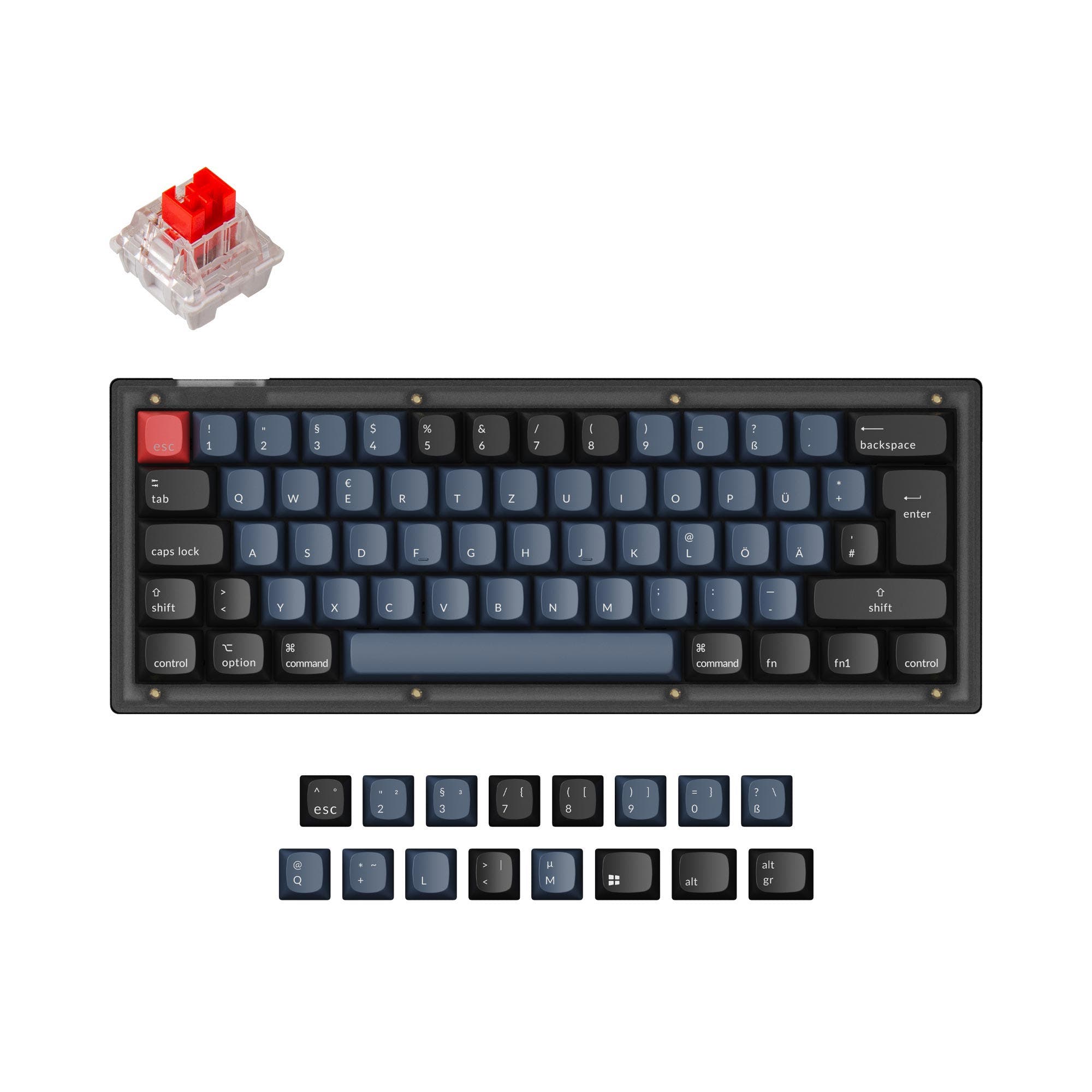
Keychron V2 Max
65% Gasket Mount Keyboard
- Gasket mount design with a polycarbonate plate for a softer, more consistent typing feel.
- Large 4000mAh battery provides up to 190 hours of wireless use with lighting off.
- Includes screw-in PCB stabilizers and is available as a barebones kit for enthusiasts.
- Higher cost compared to the J4.
- 65% layout requires using layers for function keys, arrows, and navigation cluster, which has a learning curve.
- ABS plastic case may feel less premium than other materials like aluminum.
Your budget and priority for typing feel versus layout size are the deciding factors. The Keychron V2 Max is worth the higher price for its premium gasket-mounted typing experience, outstanding battery life, and compact, travel-friendly design. Choose the Keychron J4 if you need a standard TKL layout for work or gaming and want to spend less, accepting its minimal battery life and more basic construction.
The differences that matter
Skip the 40-row spec sheet. These are the specs that change how each board feels, sounds, and fits your desk.
Keychron J4
Keychron V2 Max
Layout size
80%
65%
Knob
No
Yes
Plate material
Steel
Polycarbonate
Screw-in stabilizers
No
Yes
Backlight
RGB, north-facing
RGB, south-facing
- Keychron J4
- Keychron V2 Max
- Performance
- 7079
- Build quality
- 7187
- Productivity
- 7495
- Customizability
- 8699
- Portability
- 6689
- Connection: Bluetooth, 2.4 GHz, Wired
- Hot-swappable
- Battery: 4,000 mAh
- Max polling rate: 1,000 Hz
- Switch options: Clicky, Linear, Tactile
- QMK
What will you mostly use it for?
The V2 Max wins for office use and travel due to its system-switching features, exceptional battery life, and compact form. The J4 is the better choice for programming thanks to its TKL layout with dedicated keys. For modding, the V2 Max's gasket mount, screw-in stabs, and barebones option are superior. Gaming and content creation are ties, as both keyboards share critical performance features like polling rate and programmability.
It's a tie
- Both offer a 1000 Hz polling rate in 2.4 GHz and wired modes for low latency.
- Both support N-Key Rollover for simultaneous key presses.
- Both have hot-swappable PCBs for switch customization to preference.
Keychron J4 vs V2 Max specs
Every tracked spec, side by side. Rows marked with a dot differ between the boards.
9 of 27 specs differ
Keychron J4
Keychron V2 Max
Switch options
Hot-swappable
Mount style
Sound dampening
Screw-in stabilizers
Layout size
Layout standard
Ergonomics
Knob
Display
Media keys
Connection
Max polling rate
Battery
USB-C
Case material
Plate material
Keycaps
Weight
Dimensions
Typing angle
Backlight
QMK
VIA
N-key rollover
Mac & Windows
Released
Compare prices
Live prices from the stores we track, cheapest in-stock offer first.
Lowest price across stores, Amazon excluded.



Prices in USD are converted to your currency and can change at any time. KeebFinder may earn a commission when you buy through these links, at no extra cost to you.
Keychron J4 vs V2 Max: your questions
The core differences are layout and construction. The J4 is an 80% TKL keyboard with a steel plate, while the V2 Max is a 65% keyboard featuring a gasket mount design with a polycarbonate plate. The V2 Max also has a vastly larger 4000mAh battery compared to the J4's 1mAh battery.
The V2 Max has significantly better battery life. Its 4000mAh battery is rated for up to 190 hours of wireless use with the backlight off. The J4's listed 1mAh battery capacity suggests its wireless functionality is extremely limited or may be intended for a different power configuration.
Yes. The Keychron V2 Max listing states it includes a system toggle and an additional set of customized keycaps for both Windows and macOS systems, allowing you to save separate layouts for each.
Yes, both keyboards offer hot-swappable versions. Their product descriptions confirm the PCBs support both 3-pin and 5-pin MX-style mechanical switches, allowing for easy switch changes without soldering.
A gasket mount means the plate holding the switches is suspended on soft gaskets within the case, rather than being rigidly fixed. According to Keychron, this design on the V2 Max reduces acoustic resonance for a softer, quieter typing experience with more flex.
The Keychron V2 Max is more portable. Its 65% layout is smaller than the J4's 80% TKL layout, it has a specified weight of 696g, and it includes a magnetic storage slot on the keyboard to hold its wireless dongles.
Yes, both keyboards have RGB backlighting. The J4 features north-facing RGB LEDs, while the V2 Max uses south-facing RGB LEDs, which avoids interference with Cherry-profile keycaps. Both offer per-key lighting customization via software.
Yes, both keyboards support full programmability via the open-source QMK firmware and the VIA configurator. You can remap keys, create macros, and adjust lighting effects through the Keychron Launcher web app or compatible software.
The fully assembled V2 Max comes with double-shot PBT keycaps in an OSA profile, which Keychron describes as having OEM height with an SA-like spherical shape. The set includes keycaps for both Mac and Windows layouts.
While the product listing confirms the V2 Max has knob support and the keyboard supports QMK/VIA, the specific default or programmable functions of the knob are not detailed. However, QMK support typically allows the knob to be remapped to control volume, scrolling, or other functions.
The Keychron J4 may be better for first-time users who prefer a familiar TKL layout with all standard keys readily accessible. The V2 Max, with its 65% layout, requires learning layers for some functions, which might be a steeper initial learning curve.
Not sold on either?




Still torn?
Answer a few quick questions and the keyboard finder ranks 2,000+ boards by how you will actually use yours.