Not sure which keyboard to choose? Try the Keyboard Finder now!

Compare Keychron J5 vs K10 Pro Differences Side by Side

This comparison is for buyers deciding between two full-size (100%) wireless mechanical keyboards from Keychron: the newer J5 and the established K10 Pro. Both support hot-swappable switches, QMK/VIA customization, and feature PBT keycaps, making the choice difficult as they target different priorities. The J5 is the only one with a dedicated 2.4 GHz dongle for low-latency gaming, while the K10 Pro counters with a richer feature set including a larger battery, screw-in stabilizers, and more layout variants. Your decision hinges on whether you value the J5's gaming-focused wireless or the K10 Pro's more refined typing experience and customizability.

75
Keychron J5 QMK Wireless Mechanical Keyboard
94
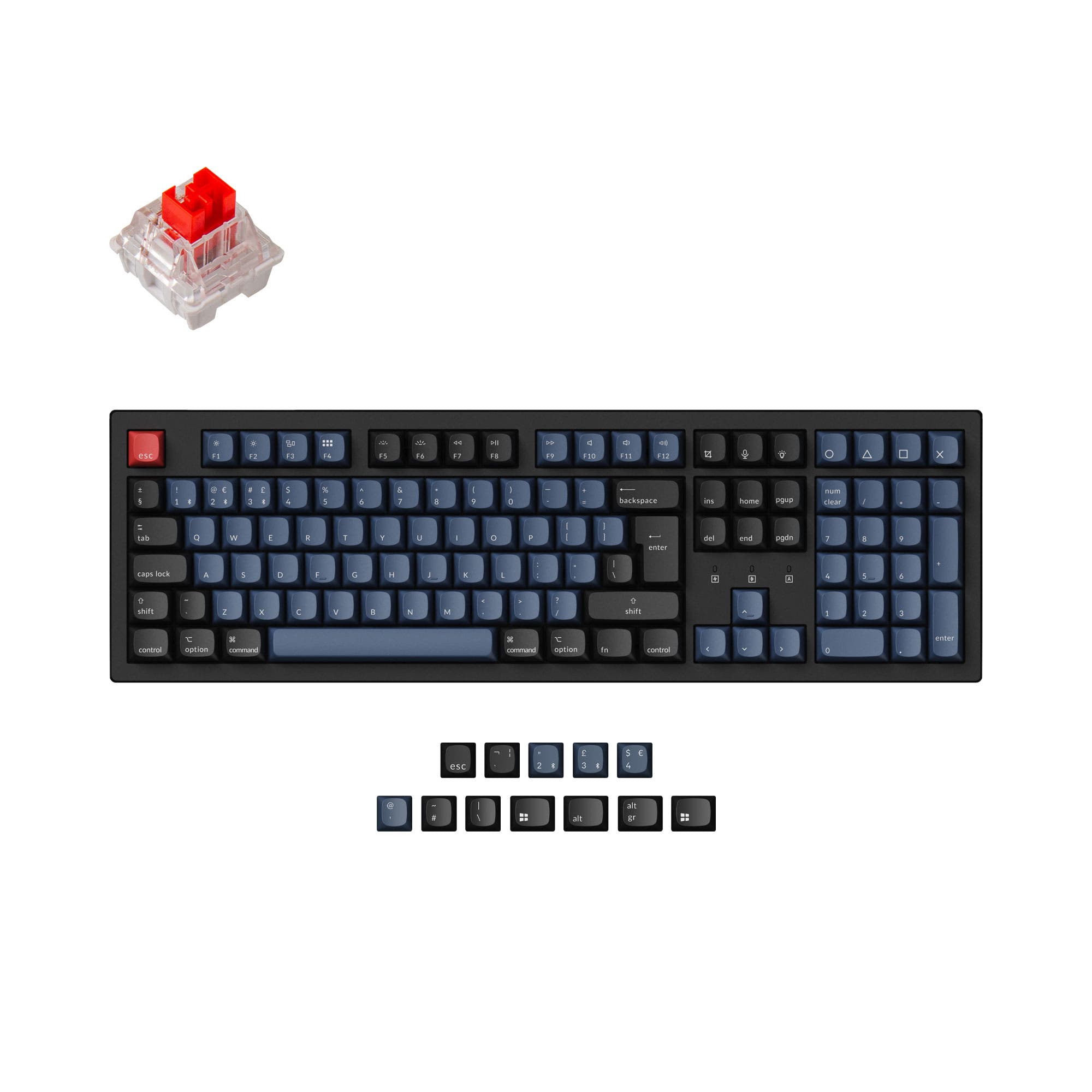
Keychron K10 Pro QMK/VIA Wireless Mechanical Keyboard ISO Layout Collection

Select a keyboard to compare

3.0 (2)
4.5 (13)
  • Released in 2025
  • Built with the ANSI layout standard
  • Supports Bluetooth, 2.4 GHz, Wired, Wireless connectivity
  • Equipped with a 3750 mAh battery
  • Features PBT keycaps
  • Offers Yes, Rgb, North-face, Rgb North-face RGB lighting
  • Released in 2023
  • Built with the ISO, ISO-DE, ISO-UK, ISO-FR, ISO-ES, ISO-SW, ANSI layout standard
  • Compatible with both Mac and Windows
  • Connects via USB-C
  • Features N-key rollover
  • Includes screw-in stabilizers
  • Has built-in sound dampening
  • Uses a Tray Mount mounting style
  • Supports Bluetooth, Wired, Wireless connectivity
  • Equipped with a 4000 mAh battery
  • Weighs about 1495 g
  • Sized at 31 x 445 x 138 mm
  • Made with a Plastic, ABS, Steel case
  • Features ABS, PBT keycaps
  • Offers Yes, Rgb, South-face, Rgb South-face, White, White South-face RGB lighting
Scores
  • Performance: 69.5
  • Build Quality: 69.2
  • Productivity: 62.8
  • Customizability: 86.5
  • Portability: 48.3
Scores
  • Performance: 81.2
  • Build Quality: 88.6
  • Productivity: 94.6
  • Customizability: 97.2
  • Portability: 53.5
Name
Keychron J5
Name
Keychron K10 Pro
Release year
2025
Release year
2023
Switch Options
Linear, Tactile, Clicky
Switch Options
Linear, Tactile, Clicky
Profile
Normal Profile
Profile
Normal Profile
Hot Swappable
 
Hot Swappable
 
Layout Size
100%
Layout Size
100%
Layout Standard
ANSI
Layout Standard
ISO, ISO-DE, ISO-UK, ISO-FR, ISO-ES, ISO-SW, ANSI
Layout Ergonomics
Normal
Layout Ergonomics
Normal
Knob Support
 
Knob Support
 
Display Support
 
Display Support
 
Mac/Win Support
 
Mac/Win Support
 
Multi-Media Keys
 
Multi-Media Keys
 
USB-C
 
USB-C
 
USB passthrough
 
USB passthrough
 
Connection
Bluetooth, 2.4 GHz, Wired, Wireless
Connection
Bluetooth, Wired, Wireless
Polling Rate
1000 Hz
Polling Rate
1000 Hz
Battery capacity
3750 mAh
Battery capacity
4000 mAh
Hall Effect Support
 
Hall Effect Support
 
QMK Support
 
QMK Support
 
VIA Support
 
VIA Support
 
VIAL Support
 
VIAL Support
 
N-Key Rollover
 
N-Key Rollover
 
Rapid Trigger
 
Rapid Trigger
 
Mount Style
-
Mount Style
Tray Mount
Screw in Stabilizers
 
Screw in Stabilizers
 
Sound Dampening
 
Sound Dampening
 
Backlight
 
Rgb, North-face
Backlight
 
Rgb, South-face, White, White South-face
Case Colors
Case Colors
Case Material
-
Case Material
Plastic, ABS, Steel
Keycaps Material
PBT
Keycaps Material
ABS, PBT
Dimensions
-
Dimensions
31 x 445 x 138 mm
Weight
-
Weight
1495g
*Something incorrect or missing? Please
let me know
!

Pros and Trade-offs

For a gamer requiring low-latency wireless without a wire, the Keychron J5's 2.4 GHz connectivity is a definite advantage. However, for most users, the Keychron K10 Pro is the superior choice due to its higher-quality components like screw-in stabilizers and sound dampening. The K10 Pro's broader feature set and more positive user reviews make it a safer and more rewarding investment for daily typing, productivity, and long-term customization.

Keychron J5

  • +Native 2.4 GHz wireless connectivity for low-latency gaming performance.
  • +Includes Last Key Priority (LKP) feature for competitive gaming, as stated by the vendor.
  • +Has a built-in storage slot on the bottom for the 2.4 GHz receiver.
  • +Offers a choice between Cherry profile (shine-through) and MDA profile (non-shine-through) keycaps.
  • +Features a powerful ARM architecture MCU with 256KB Flash for developer flexibility.

  • Based on only 2 reviews, which include a report of a defective unit.
  • The battery is 3750mAh, smaller than the K10 Pro's 4000mAh battery.
  • Uses plate-mounted stabilizers, which may feel less stable than screw-in alternatives.
  • Lacks the wider range of ISO layout options offered by the K10 Pro.

Keychron K10 Pro

  • +Built with screw-in PCB stabilizers for a more stable typing feel on larger keys.
  • +Includes sound dampening foam and a silicone bottom pad for a quieter, more refined sound profile.
  • +Offers pre-lubed K Pro switches, marketed for smoother keystrokes and less wobble.
  • +Provides keycaps for both Windows and macOS out of the box with a dedicated toggle switch.
  • +Available in a wider range of layout standards including multiple ISO options.

  • Lacks native 2.4 GHz wireless connectivity, relying on Bluetooth and wired modes only.
  • The non-hot-swappable version does not include sound-absorbing foam or silicone pad.
  • One user review reports a catastrophic firmware failure that rendered the keyboard unusable.
  • The 128KB Flash memory in its MCU is less than the 256KB found in the J5, potentially limiting complex firmware modifications.

Which Keyboard Is Better for Your Needs?

The Keychron J5 wins primarily for Gaming and Travel due to its dedicated 2.4 GHz wireless connectivity and convenient receiver storage. The Keychron K10 Pro dominates in all other categories including Office, Programming, Modding, and Content Creation, thanks to its more thoughtful design choices. These include screw-in stabilizers, sound dampening features, pre-lubed switches, and a broader selection of layout standards. The K10 Pro's higher quality components and superior feature set make it the more versatile daily driver despite lacking 2.4 GHz.

GamingKeychron J5
  • Native 2.4 GHz wireless connection with a 1000 Hz polling rate is specifically marketed for peak gaming performance.
  • Features Last Key Priority (LKP) for smoother directional changes in competitive titles.
  • Includes a plug-and-play Type-A receiver for quick connectivity.
OfficeKeychron K10 Pro
  • Vendor descriptions note sound dampening foam and a silicone bottom pad for a quieter typing experience.
  • Has included keycaps for both Windows and macOS with a toggle, making cross-platform use seamless.
  • Features a larger 4000mAh battery, potentially offering longer runtime between charges.
  • Offers three levels of adjustable typing angle (3.5°, 7°, and 10.5°) for better ergonomic support.
ProgrammingKeychron K10 Pro
  • Includes screw-in PCB stabilizers for a more stable and consistent feel on larger keys like Space and Enter.
  • Comes with pre-lubed K Pro switches, which are described as feeling smoother and wobbling less than standard switches.
  • Offers a wider range of layout standards (ISO, ANSI), accommodating different regional preferences.
TravelKeychron J5
  • Has a built-in storage slot on the bottom for the 2.4 GHz receiver, reducing the chance of losing it.
  • While not lightweight, its 2.4 GHz connection offers a more reliable wireless experience in potentially crowded RF environments than standard Bluetooth.
ModdingKeychron K10 Pro
  • Screw-in PCB stabilizers are a preferred upgrade point for enthusiasts, and the board supports third-party alternatives.
  • Available as a barebones kit, allowing users to select their own switches and keycaps without buying pre-installed ones.
  • The hot-swappable version uses PCB-mounted sockets, which are generally considered more robust for frequent switch changes.
Content CreationKeychron K10 Pro
  • Built with sound dampening foam and a silicone pad, contributing to a quieter keyboard for recording or live streaming.
  • The OSA profile double-shot PBT keycaps are designed for both comfort and durability, resisting shine over long editing sessions.
  • Pre-lubed switches provide a smoother keystroke out of the box, which can be beneficial for extended typing periods.

Frequently Asked Questions (FAQ)


Discover similar products

You might also like similar products in that price range:

92
$69
Keychron K4 Pro QMK/VIA Wireless Mechanical Keyboard
Keychron K4 Pro
96%,
Hotswap,
Wireless,
Wired,
RGB/ White LEDs,
VIA,
QMK,
Tray Mount

93
$84
Keychron K10 QMK Wireless Mechanical Keyboard (ISO Layout) - Version 2
Keychron K10 V2
100%,
Hotswap,
Wireless,
Wired,
RGB/ White LEDs,
VIA,
QMK,
Alu case,
Tray Mount

88
$69
Keychron K5 Pro QMK/VIA Wireless Custom Mechanical Keyboard ISO Layout Collection
Keychron K5 Pro
100%,
Hotswap,
Wireless,
Wired,
RGB/ White LEDs,
VIA,
QMK,
Alu case,
Tray Mount

97
$59
Keychron Q3 QMK Custom Mechanical Keyboard
Keychron Q3
80%,
Hotswap,
Wired,
RGB,
Knob,
VIA,
QMK,
Alu case,
Gasket Mount

96
$89
Keychron V6 Max QMK Wireless Custom Mechanical Keyboard ISO Layout Collection
Keychron V6 Max
100%,
Hotswap,
Wireless,
Wired,
RGB,
Knob,
VIA,
QMK,
Gasket Mount

96
$54
Keychron V3 QMK Custom Mechanical Keyboard ISO Layout Collection
Keychron V3
80%,
Hotswap,
Wired,
RGB/ White LEDs,
Knob,
VIA,
QMK,
Tray Mount

89
$95
Keychron K10 Max QMK Wireless Mechanical Keyboard ISO Layout Collection
Keychron K10 Max
100%,
Hotswap,
Wireless,
Wired,
RGB/ White LEDs,
VIA,
QMK,
PCB Mount

91
$60
Keychron C2 Pro 8K QMK Wired Custom Mechanical Keyboard ISO Layout Collection
Keychron C2 Pro
100%,
Hotswap,
Wired,
RGB/ White LEDs,
VIA,
QMK,
Tray Mount

94
$59
Keychron K8 Pro QMK/VIA Wireless Mechanical Keyboard
Keychron K8 Pro
80%,
Hotswap,
Wireless,
Wired,
RGB/ White LEDs,
VIA,
QMK,
Alu case,
Tray Mount

98
$94
Keychron V1 Max QMK Wireless Custom Mechanical Keyboard ISO Layout Collection
Keychron V1 Max
75%,
Hotswap,
Wireless,
Wired,
RGB,
Knob,
VIA,
QMK,
Gasket Mount