Keychron K10 HE vs K10 QMK V2Magnetic vs Mechanical
Choose the K10 HE if you want cutting-edge magnetic switch features like Rapid Trigger and adjustable actuation, or the K10 QMK V2 if you prefer standard mechanical switches and a lighter, more portable build.


Which one should you get?
Get the
Keychron K10 HE
Magnetic
- Magnetic switches with adjustable actuation down to 0.1 mm sensitivity and Rapid Trigger for gaming.
- 2.4 GHz wireless mode with 1000 Hz polling rate for low-latency play.
- Wood and aluminum Special Edition case options for a unique aesthetic.
- Heavier than the QMK V2 (1320 g vs 990 g), less portable.
- Magnetic switch compatibility is limited to specific Gateron or Keychron magnetic switches (not standard MX).
- Special Edition keycaps are non-shine-through, reducing backlight visibility.
Get the
Keychron K10 QMK V2
Mechanical
- Lighter build (990 g plastic frame) for easier transport.
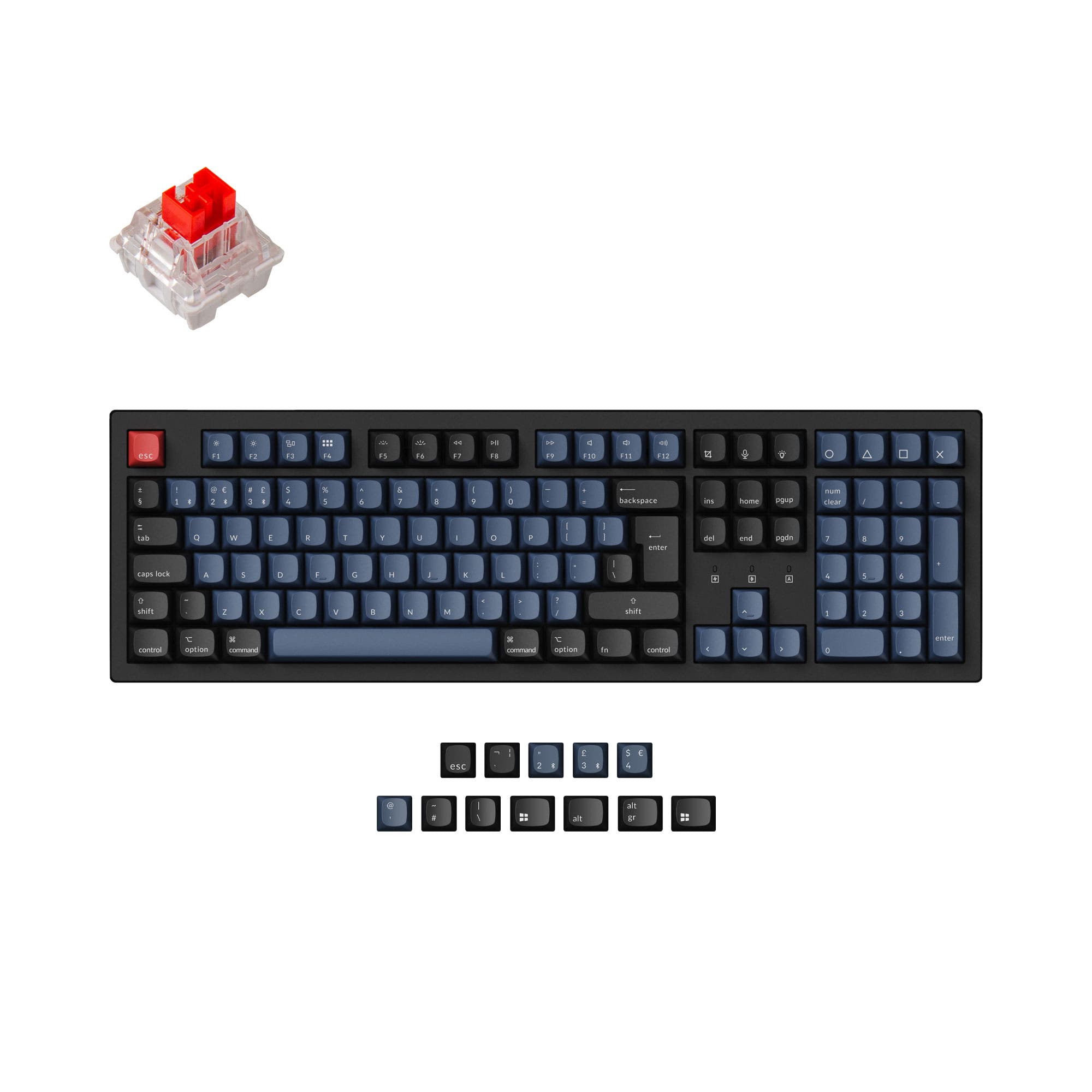
- Standard MX switch hot-swap sockets accept almost all 3-pin/5-pin mechanical switches.
- Cherry-profile double-shot PBT keycaps for a classic typing feel and durability.
- No 2.4 GHz wireless option; Bluetooth-only wireless may have slightly higher latency.
- Plate-mounted stabilizers can be less stable than screw-in ones for some users.
- Some customer feedback mentions relatively dim LEDs and a short cable length (1.2 m).
If you want advanced magnetic switch features like adjustable actuation, Rapid Trigger, and 2.4 GHz gaming performance, the K10 HE is the clear choice. For a lighter, more portable mechanical keyboard with standard MX switch compatibility and longer rated Bluetooth battery life, the K10 QMK V2 is a solid option. Overall, the K10 HE offers more innovative features for gaming and customization, while the QMK V2 serves traditional mechanical enthusiasts who value weight and simplicity.
The differences that matter
Skip the 40-row spec sheet. These are the specs that change how each board feels, sounds, and fits your desk.
Keychron K10 HE
Keychron K10 QMK V2
Hall effect (magnetic)
Yes
No
Rapid trigger
Yes
No
Connection
Bluetooth, 2.4 GHz, Wired
Bluetooth, Wired
Case material
ABS, Aluminum, Plastic, Wood
ABS, Aluminum, Plastic
Switch options
Clicky, Linear, Magnetic, Silent, Tactile
Clicky, Linear, Tactile
- Keychron K10 HE
- Keychron K10 QMK V2
- Performance
- 9278
- Build quality
- 8969
- Productivity
- 9473
- Customizability
- 9475
- Portability
- 5657
- Layout size: 100%
- Hot-swappable
- Battery: 4,000 mAh
- Max polling rate: 1,000 Hz
- QMK
- Keycaps: PBT
What will you mostly use it for?
The K10 HE wins in Gaming (thanks to magnetic switch features and 2.4 GHz) and Modding (barebones option and sound foam layers), while the K10 QMK V2 is better for Travel (lighter) and Office (simpler connectivity). Both tie for Programming because they share the same layout and firmware support. For Content Creation, the K10 HE's Dynamic Keystrokes and Analog Mode give it an edge. The K10 HE is the pick for those seeking innovative gaming features, while the K10 QMK V2 suits buyers who prefer a lighter, more traditional mechanical experience.
Pick the Keychron K10 HE
- Magnetic switches with adjustable actuation (0.2-3.8 mm) allow fine-tuned response for different games.
- Rapid Trigger and Snap Click features improve speed in fast-paced titles.
- 2.4 GHz wireless connection provides a 1000 Hz polling rate with low latency.
- Analog Mode offers variable-input control for better precision in racing and simulations.
What owners say
Ratings and quotes collected from verified store reviews, including the critical ones.
Keychron K10 HE
18 owner reviews
“Fantastically smooth design with sturdy make, elegant look and satisfying typing experience. The clicking is just right, and the keyboard feels incredible to type with.”
“caps lock, num lock and win/mac indicators don't work. Keychron support has no fix and a no free return policy that will cost me to return. Not worth it to send it back. One of the worst keyboards I have ever used and will wind up putting it in the trash.”
Keychron K10 QMK V2
2 owner reviews
“Going essentialy to the point: keyboard sounds perfect (brown switch here) and typing on it really feels amazing. Backlighting is ok, i though it would be brighter but that's not really an issue for me, bc during daytime i don't need the lights and during…”
Keychron K10 HE vs K10 QMK V2 specs
Every tracked spec, side by side. Rows marked with a dot differ between the boards.
15 of 27 specs differ
Keychron K10 HE
Keychron K10 QMK V2
Switch options
Hall effect (magnetic)
Rapid trigger
Hot-swappable
Mount style
Sound dampening
Screw-in stabilizers
Layout size
Layout standard
Ergonomics
Display
Connection
Max polling rate
Battery
USB-C
Case material
Plate material
Keycaps
Weight
Dimensions
Typing angle
Backlight
QMK
VIA
N-key rollover
Mac & Windows
Released
Compare prices
Live prices from the stores we track, cheapest in-stock offer first.
Lowest price across stores, Amazon excluded.



Prices in USD are converted to your currency and can change at any time. KeebFinder may earn a commission when you buy through these links, at no extra cost to you.
Keychron K10 HE vs K10 QMK V2: your questions
The K10 HE uses magnetic switches with adjustable actuation (0.2-3.8 mm) and features like Rapid Trigger and Snap Click, which can give faster response in games. The K10 QMK V2 uses standard mechanical switches (red, brown, banana) without adjustable actuation, so it lacks those gaming-specific advantages.
No. The K10 HE is compatible only with Gateron Double-Rail Magnetic Switches or Keychron Ultra-fast Lime Magnetic Switches, depending on the version. Standard MX mechanical switches will not fit its magnetic hot-swap sockets.
Both are well-suited for programming because they offer QMK and VIA support for full key remapping and macros, and both have a full 100% layout with a number pad. The choice comes down to switch preference: magnetic for adjustable actuation, mechanical for a familiar feel.
No. The K10 QMK V2 only supports Bluetooth and USB-C wired connections. The K10 HE adds a 2.4 GHz wireless mode for lower latency, which is useful for gaming.
The K10 QMK V2 is lighter (990 g plastic frame) and slimmer (32 x 440 x 124 mm) than the K10 HE (1320 g). Its Bluetooth-only wireless also means you do not need to carry a dongle.
Yes, both use standard mechanical switch stems for keycaps (MX style on the QMK V2, and the K10 HE magnetic switches also use standard MX keycap stems). Both have PBT keycaps included, so you can swap them with almost any aftermarket MX-compatible keycap set.
The K10 QMK V2 is quoted at up to 190 hours of battery life with backlight off and around 100 hours with RGB at lowest brightness. The K10 HE battery life is stated as up to 120 hours, so the QMK V2 may last longer in typical use.
Yes. Both include keycaps for macOS and Windows, a system toggle switch, and QMK/VIA support for separate keymaps per operating system. They are compatible with macOS, Windows, and Linux.
The K10 HE includes pre-lubed switches, 3.5 mm thick EVA acoustic foam, EPDM foam, and a silicone pad. The K10 QMK V2 has PET foam, IXPE acoustic foam, and EPDM foam. Both are designed for a quiet typing sound, but the K10 HE has more layers explicitly detailed.
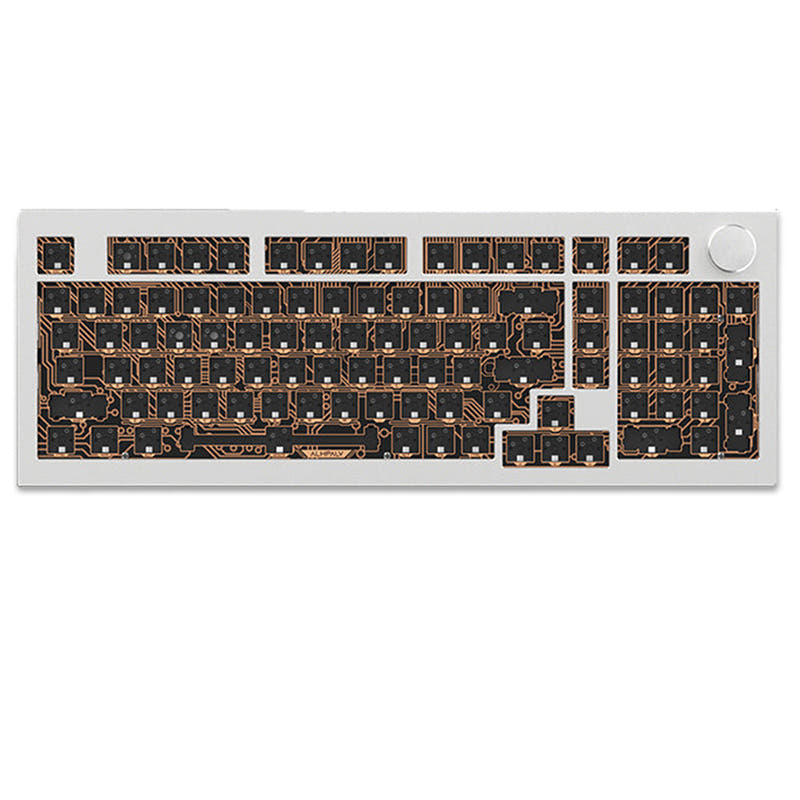
Yes, the K10 HE is listed as available in a DIY Kit/Barebones version, which means you can buy it without switches and keycaps if you want to supply your own compatible magnetic switches and keycaps.
The K10 HE offers aluminum, aluminum plus wood (Special Edition), and plastic/ABS options for the case. The K10 QMK V2 comes in either a plastic frame or an aluminum frame version, with no wood option.
Not sold on either?





Still torn?
Answer a few quick questions and the keyboard finder ranks 2,000+ boards by how you will actually use yours.