Keychron K12 vs Royal Kludge RK61RGB or 2.4 GHz
Choose the Keychron K12 for RGB lighting, its larger battery and 1000 Hz polling, or the RK61 for 2.4 GHz wireless and PBT keycap options.
KeebFinder may earn a commission when you buy through these links, at no extra cost to you.

4.8 · 192 reviews
from$39at Keychron

No reviews
from$49at Royal Kludge
90-day lowLowest price in 90 days
Which one should you get?
Get the
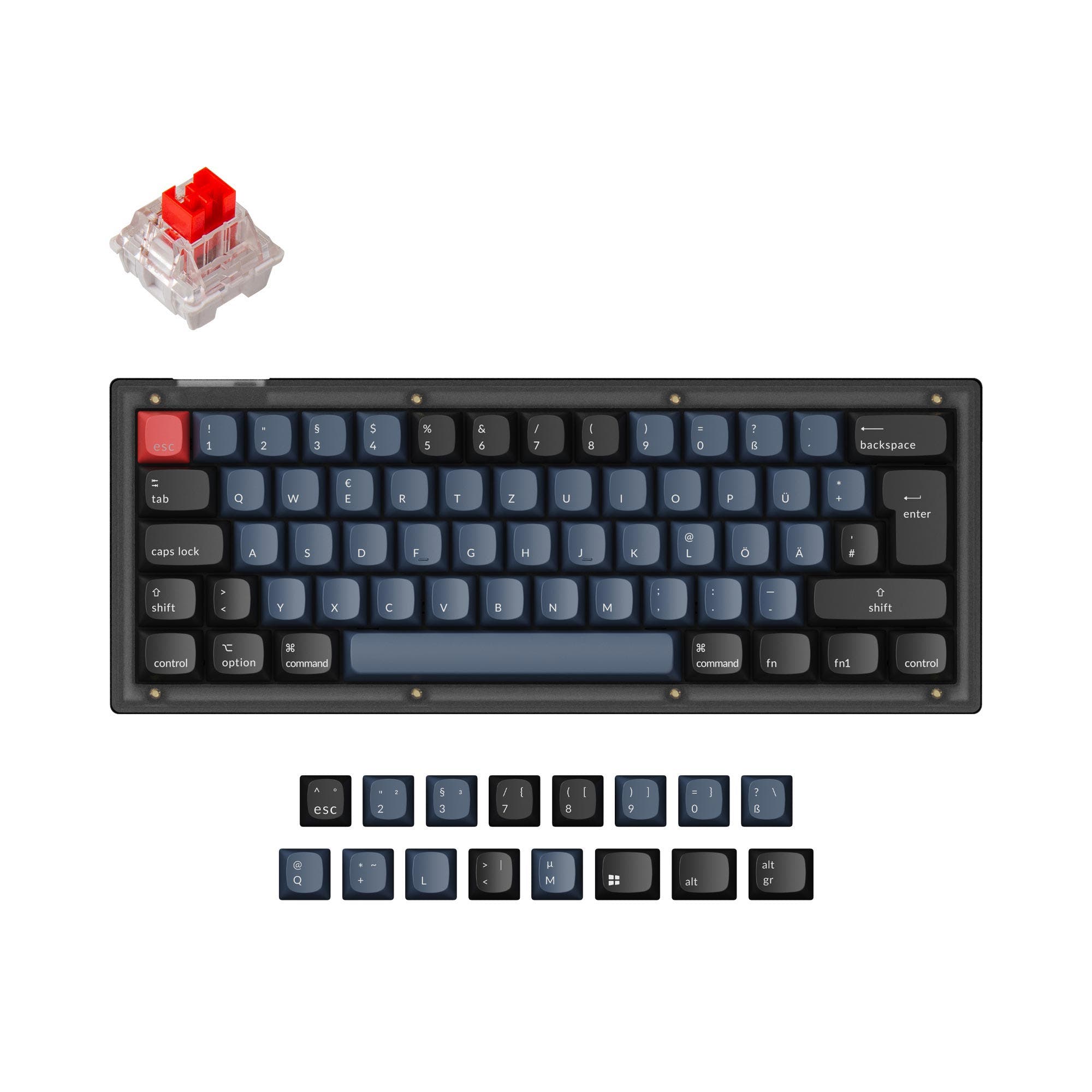
Keychron K12
Battery
Build quality in the top 20% of 60% boards under $100.
- 1000 Hz polling rate listed in its metadata.
- 4000mAh battery, with the vendor stating up to 240 hours of use.
- RGB backlighting, described by Keychron as adjustable across four levels.
- North-facing LEDs. Cherry-profile keycaps can hit the switch housing.
Get the
Royal Kludge RK61
N-key rollover
Build quality in the bottom 35% of 60% boards under $100.
- Three connection types are listed: Bluetooth, 2.4 GHz and wired.
- 500g weight and an 8° typing angle are listed in the metadata.
- Hot-swappable support and N-key rollover are listed.
Pick the Keychron K12 if RGB, its larger 4000mAh battery, listed 1000 Hz polling rate or stated case options matter most. Choose the Royal Kludge RK61 if 2.4 GHz wireless and its 500g listed weight better suit your setup. If you plan to use Cherry-profile keycaps, account for the K12’s north-facing LED compatibility warning.
The differences that matter
Skip the 40-row spec sheet. These are the specs that change how each board feels, sounds, and fits your desk.
Keychron K12
Royal Kludge RK61
Connection
Bluetooth, Wired
Bluetooth, 2.4 GHz, Wired
Wireless for several devices and wired for lower latency
Battery
4,000 mAh
1,450 mAh
A larger battery means fewer cables during the day
Keycaps
ABS
ABS, PBT
Backlight
RGB, north-facing
None
RGB for looks and low light rather than speed
N-key rollover
No
Yes
- Keychron K12
- Royal Kludge RK61
- Performance
- 5856
- Build quality
- 7452
- Productivity
- 6969
- Customizability
- 7358
- Portability
- 9088
- Layout size: 60%
- Hot-swappable
- Switch options: Clicky, Linear, Tactile
What will you mostly use it for?
The K12 edges ahead for gaming and content-focused setups where RGB and its stated polling rate are useful selection criteria. For office use, its RGB and larger battery distinguish it, though neither keyboard adds a larger layout for dedicated navigation keys. The RK61 is the more travel-oriented pick based on its listed weight and 2.4 GHz connection. Programming is a close call: both are 60% boards with hot-swap support, while the K12 has more explicit mounting and case-material details for modders.
Pick the Keychron K12
- K12 lists a 1000 Hz polling rate; the RK61 metadata does not list one.
- K12 has RGB lighting, while RK61 is listed without RGB.
- Both list linear, tactile and clicky switch types, plus hot-swappable support.
Keychron K12 vs Royal Kludge RK61 specs
Every tracked spec, side by side. Rows marked with a dot differ between the boards.
5 of 22 specs differ
Keychron K12
Royal Kludge RK61
Switch options
Hot-swappable
Mount style
Layout size
Layout standard
Ergonomics
Display
Media keys
Connection
Max polling rate
Battery
USB-C
Case material
Plate material
Keycaps
Weight
Dimensions
Typing angle
Backlight
N-key rollover
Mac & Windows
Released
Compare prices
Live prices from the stores we track, cheapest in-stock offer first.
Prices in USD are converted to your currency and can change at any time. KeebFinder may earn a commission when you buy through these links, at no extra cost to you.
Lowest price across stores, Amazon excluded.




Keychron K12 vs Royal Kludge RK61: your questions
The K12 lists a 1000 Hz polling rate and RGB lighting, giving it the clearer feature match for gaming if those specifications matter to you. Both models list hot-swappable support and linear, tactile and clicky switch types.
Yes, the RK61 metadata lists Bluetooth, 2.4 GHz and wired connectivity. The K12 vendor description lists Bluetooth and wired connectivity, while its metadata also identifies wireless connectivity.
The Keychron K12 has a listed 4000mAh battery, compared with 1450mAh for the RK61. Keychron’s vendor description says the K12 can provide up to 240 hours, but no comparable runtime claim is listed for the RK61.
Yes, the K12 metadata lists RGB and white backlight options. Keychron describes adjustable four-level RGB backlighting, while the RK61 is listed without RGB in its metadata.
The RK61 metadata lists RGB as unavailable, and its vendor product title identifies the model as single-color backlit. For RGB lighting, the Keychron K12 is the option listed with RGB.
Both keyboards are listed as hot-swappable. Keychron says the K12 hot-swappable version lets users replace switches without soldering, and the RK61 vendor description says its hot-swap PCB accepts 3-pin and 5-pin switches.
The K12 has north-facing LEDs, and its compatibility note warns that Cherry-profile keycaps can hit the switch housing. That warning is specific to the K12; the RK61 compatibility rules list none.
The RK61 is listed at 500g. Keychron’s vendor description gives the K12 an approximate weight of 664g, making the RK61 the lighter of the two based on those figures.
Both list Mac/Windows support in their metadata. Keychron also says the K12 includes keycaps for Windows and macOS, while the RK61 vendor description lists Windows and Mac among its supported operating systems.
The K12 metadata lists ABS keycaps, and Keychron’s vendor description specifies OEM double-shot ABS keycaps. The RK61 metadata lists PBT and ABS options, while its vendor description specifies ABS double-shot keycaps.
Both support hot-swapping, so either can be considered for switch changes. The K12 additionally lists tray-mount and plate-mount styles and ABS or aluminum case materials, giving buyers more explicit construction details to compare.
Both are listed as 60% keyboards, and neither product metadata identifies dedicated arrow keys. The RK61 vendor describes an arrow-key function accessed with Fn + Enter, so check its key combination if arrow access is important.
Not sold on either?





Still torn?
Answer a few quick questions and the keyboard finder ranks 2,000+ boards by how you will actually use yours.