Keychron K12 vs Wooting 60HEWireless Value vs Gaming Tech
Choose the Wooting 60HE for its unique gaming performance features, or the Keychron K12 for wireless flexibility and a lower cost.
KeebFinder may earn a commission when you buy through these links, at no extra cost to you.

4.8 (192)4.8 · 192 reviews
from$39at Keychron

Which one should you get?
Get the
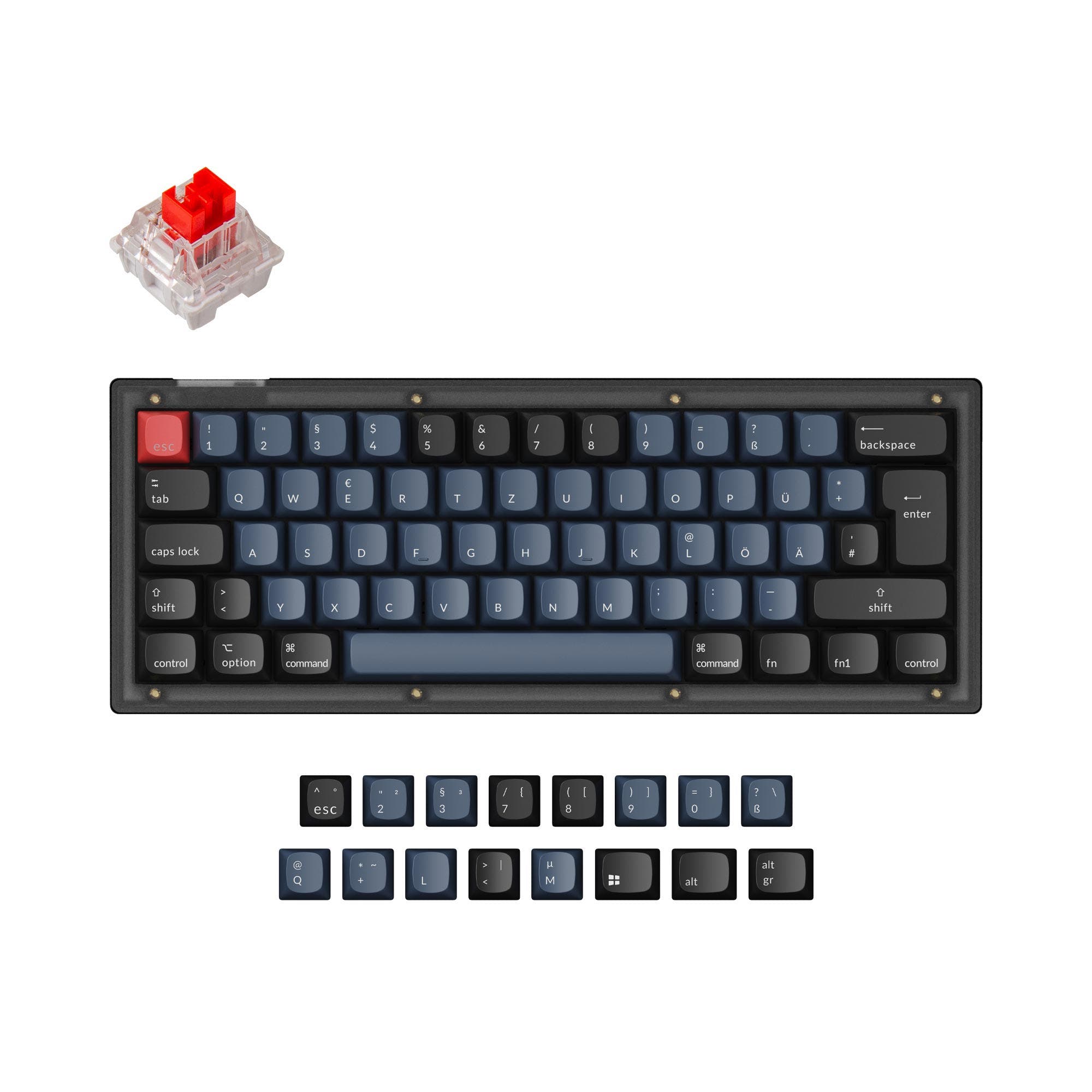
Keychron K12
Wireless Value
Build quality in the top 25% of 60% boards under $50.
- Offers Bluetooth, wired, and wireless connectivity for multi-device use.
- Includes a 4000mAh battery for long cord-free operation.
- Hot-swap sockets support a wide range of common MX-style mechanical switches.
- North-facing LEDs. Cherry-profile keycaps can hit the switch housing.
Get the
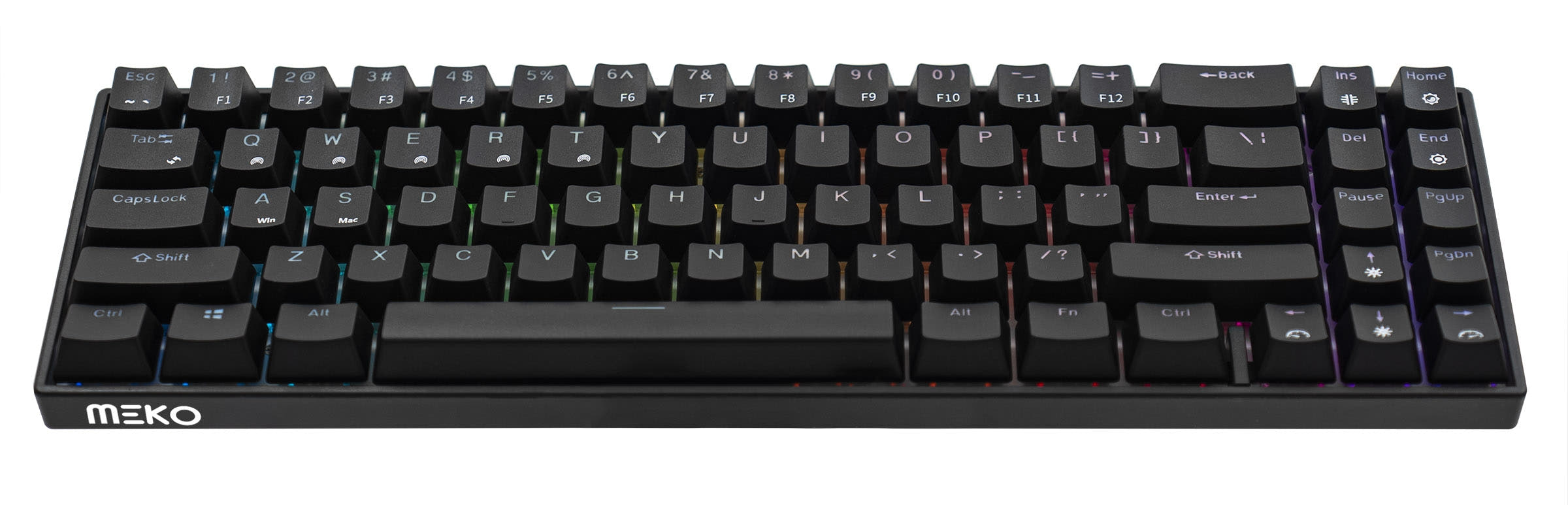
Wooting 60HE
Gaming Tech
Build quality in the bottom 50% of 60% boards under $200.
- Features Hall Effect magnetic switches with adjustable actuation points (0.1-4.0mm).
- Includes Rapid Trigger technology for gaming performance.
- Equipped with 8MB onboard memory for storing profiles and macros.
- Magnetic switches only. Standard MX switches will not fit.
Your primary need dictates the choice. For unmatched, tunable performance in competitive gaming, the Wooting 60HE's Hall Effect switches and Rapid Trigger are worth the investment and wired tether. For a versatile, portable daily driver that works wirelessly across multiple devices without breaking the bank, the Keychron K12 is the more practical and flexible option.
The differences that matter
Skip the 40-row spec sheet. These are the specs that change how each board feels, sounds, and fits your desk.
Keychron K12
Wooting 60HE
Hall effect (magnetic)
No
Yes
Adjustable actuation helps in games and not in normal typing
Rapid trigger
No
Yes
Faster resets help in games and not in normal typing
Connection
Bluetooth, Wired
Wired
Wireless for several devices and wired for lower latency
Case material
ABS, Aluminum, Plastic
ABS
Switch options
Clicky, Linear, Tactile
Linear, Magnetic
- Keychron K12
- Wooting 60HE
- Performance
- 5884
- Build quality
- 7361
- Productivity
- 6869
- Customizability
- 7368
- Portability
- 9073
- Layout size: 60%
- Hot-swappable
What will you mostly use it for?
The Wooting 60HE is the definitive choice for competitive gaming due to its Hall Effect switches and Rapid Trigger. For office work, travel, and content creation, the Keychron K12's wireless functionality and macOS/Windows keycaps provide more practical utility. In programming and modding, the choice is less clear, leaning towards the Keychron for its broader switch compatibility but towards the Wooting for its deep software programmability.
Pick the Wooting 60HE
- The Wooting 60HE features Hall Effect magnetic switches with an adjustable actuation point from 0.1-4.0mm.
- It includes Rapid Trigger capability for faster keypress resetting.
- Its vendor description highlights a 1000Hz polling rate in wired mode for consistent performance.
Keychron K12 vs Wooting 60HE specs
Every tracked spec, side by side. Rows marked with a dot differ between the boards.
12 of 21 specs differ
Keychron K12
Wooting 60HE
Switch options
Hall effect (magnetic)
Rapid trigger
Hot-swappable
Mount style
Screw-in stabilizers
Layout size
Layout standard
Ergonomics
Display
Media keys
Connection
Max polling rate
Battery
USB-C
Case material
Plate material
Keycaps
Backlight
Mac & Windows
Released
Compare prices
Live prices from the stores we track, cheapest in-stock offer first.
Prices in USD are converted to your currency and can change at any time. KeebFinder may earn a commission when you buy through these links, at no extra cost to you.
Lowest price across stores, Amazon excluded.




Keychron K12 vs Wooting 60HE: your questions
The Wooting 60HE is specifically designed for high-performance gaming. Its Lekker Linear60 Hall Effect switches allow you to adjust the actuation point, and the Rapid Trigger feature enables faster keystroke resetting, which are advantages cited in its product description for gaming responsiveness.
Yes. The Keychron K12 vendor description states it connects via Bluetooth and is suitable for use with smartphones, laptops, and iPads. It can pair with up to three devices and switch among them easily.
Yes, the Wooting 60HE has a hot-swap PCB. However, its product description specifies that the PCB is designed to work only with Wooting's proprietary Lekker magnetic Hall Effect switches, not standard mechanical MX switches.
The Keychron K12 has a 4000mAh battery. Its vendor page claims the non-backlit version can last around 2 months with 8 hours of daily use, while the RGB backlit version can last up to 240 hours with the backlight off. The Wooting 60HE is a wired-only keyboard and does not have a battery.
Yes, both the Keychron K12 and Wooting 60HE list Mac and Windows support in their specifications. The Keychron K12 notably includes Mac-specific keycaps in the box.
The Keychron K12 uses ABS plastic keycaps. The Wooting 60HE uses double-shot PBT keycaps, which are generally more resistant to wear and shine over time compared to ABS.
Rapid Trigger is a feature on the Wooting 60HE that allows a key to be re-pressed before it fully resets to its top position. This can enable faster repeated keystrokes, which is beneficial in certain gaming scenarios like strafing or rapid tapping.
Yes, for the hot-swappable version. The Keychron vendor description states its sockets are compatible with almost all MX-style 3-pin and 5-pin mechanical switches on the market, including Gateron, Cherry, and Kailh.
The Keychron K12 is more portable for on-the-go use due to its wireless Bluetooth capability and integrated battery. The Wooting 60HE requires a wired USB-C connection to function.
The Keychron K12 has a 1000Hz polling rate in wired mode and a 90Hz rate in wireless mode, as per its specifications. The Wooting 60HE vendor page also lists a maximum polling rate of 1000Hz.
Yes. According to its product description, the Wooting 60HE has 4 keyboard profiles with 3 programmable layers each, and 8MB of onboard memory to store this configuration directly on the keyboard.
The Wooting 60HE includes EPDM foam with a Poron sandwich pad for sound dampening, as stated in its description. The provided specifications for the Keychron K12 do not mention any specific sound-dampening foam layers.
Not sold on either?





Still torn?
Answer a few quick questions and the keyboard finder ranks 2,000+ boards by how you will actually use yours.