Keychron K12 vs K3 V360% vs 75% Low-Profile Keyboard Comparison
Choose the K3 V3 for its dedicated arrow keys, low-profile design, and advanced QMK/VIA firmware, or the K12 for maximum portability and longer battery life.


Which one should you get?
Get the
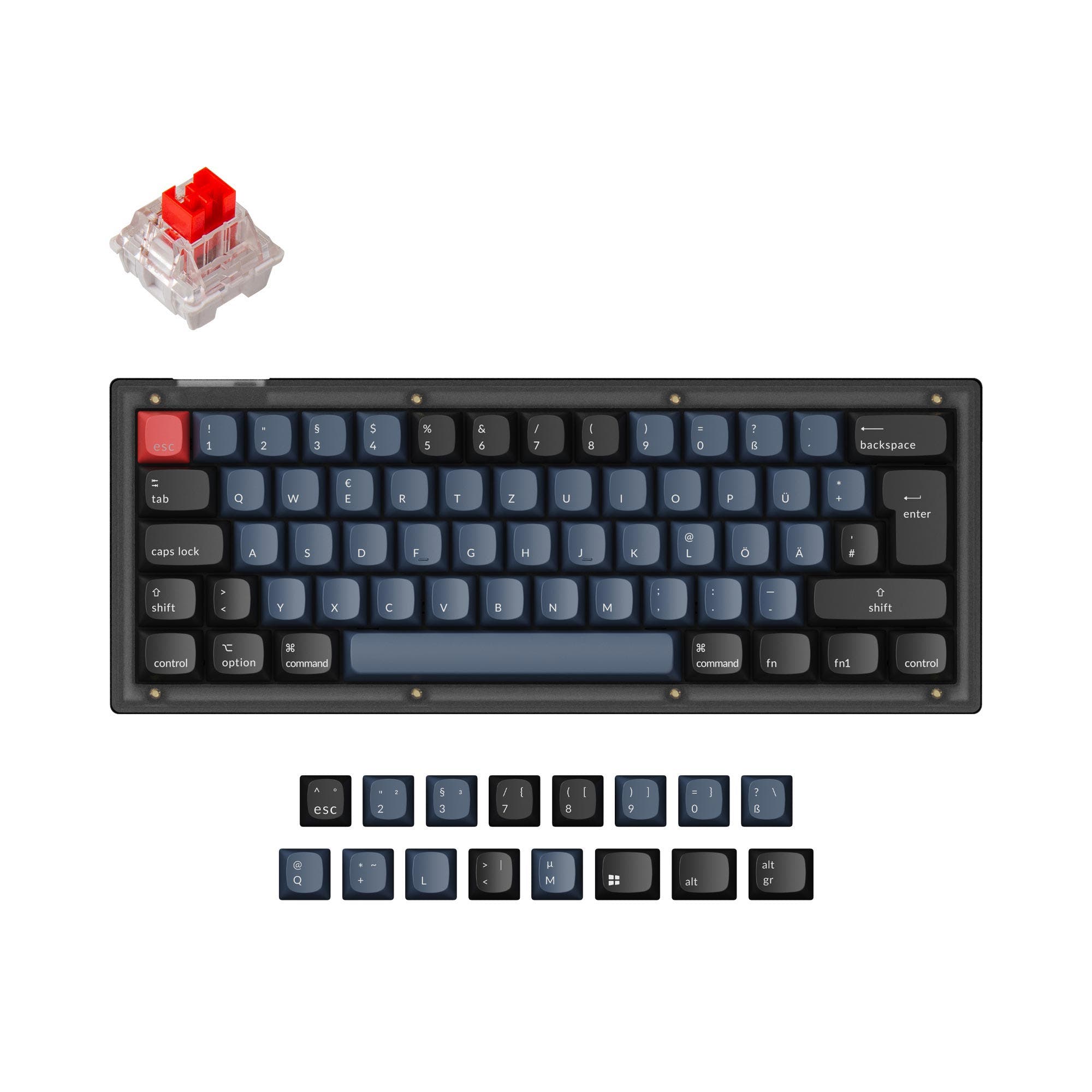
Keychron K12
60%
- Larger 4000mAh battery for extended wireless use.
- More compact 60% footprint for portability.
- Includes keycaps for both Windows and macOS layouts.
- 60% layout lacks dedicated arrow and navigation keys, requiring layer use.
- Uses a tray mount system, which is generally less favored for sound consistency than other mounts.
- Keycaps are ABS, which may develop shine over time.
Get the
Keychron K3 V3
75% Low-Profile Keyboard Comparison
- 75% layout retains arrow keys and a navigation cluster for greater utility.
- Low-profile design with Keychron Milk POM switches for an ultra-slim build.
- Full QMK and VIA support via the Keychron Launcher web app for extensive customization.
- Smaller 1550mAh battery results in shorter wireless battery life.
- Low-profile switch and keycap ecosystem is more limited than standard MX-style parts.
- Hot-swappable version is currently only compatible with specific low-profile mechanical switches.
Your primary need dictates the choice. If you require dedicated arrow keys, deep software customization via QMK/VIA, and prefer a low-profile typing experience, the Keychron K3 V3 is the clear winner despite its higher cost. If maximum portability, longer battery life, and a lower entry price are your top priorities, and you can adapt to a 60% layout, the Keychron K12 is a compelling option.
The differences that matter
Skip the 40-row spec sheet. These are the specs that change how each board feels, sounds, and fits your desk.
Keychron K12
Keychron K3 V3
Layout size
60%
75%
Battery
4,000 mAh
1,550 mAh
Low profile
No
Yes
Case material
ABS, Aluminum, Plastic
ABS, Aluminum
Mount style
Plate Mount, Tray Mount
PCB Mount, Top Mount
- Keychron K12
- Keychron K3 V3
- Performance
- 5882
- Build quality
- 7482
- Productivity
- 6970
- Customizability
- 7489
- Portability
- 9074
- Connection: Bluetooth, Wired
- Hot-swappable
- Max polling rate: 1,000 Hz
- Switch options: Clicky, Linear, Tactile
What will you mostly use it for?
The K3 V3 is the more versatile choice for productivity-focused tasks like office work, programming, and gaming due to its functional layout and superior firmware. The K12 excels in portability for travel thanks to its smaller size and much larger battery. For modding, the K3 V3's open-source firmware and described foam layers provide a stronger foundation. Content creation needs are split between the K3's programmability and the K12's endurance.
Pick the Keychron K3 V3
- The K3 V3's 1000Hz polling rate in wired mode is specified by the manufacturer for low latency.
- Its 75% layout retains dedicated arrow keys, which are often preferred for certain game controls.
- The K3 V3 features N-Key Rollover in both wireless and wired modes for reliable multi-key presses.
What owners say
Ratings and quotes collected from verified store reviews, including the critical ones.
Keychron K12
192 owner reviews
“I have recently bought a Keychron K12, and I'm really satisfied with it. You can say that the build quality is high, and I love the sound of the switches.”
“Bought this in December 2023. The good first: - the typing experience is genuinely fantastic. The plastic case creates this resonant, almost bass-cabinet effect that makes every keystroke satisfying. - Gateron G Pro Red switches are solid as always. For pure…”
Keychron K3 V3
No owner reviews collected yet.
Keychron K12 vs K3 V3 specs
Every tracked spec, side by side. Rows marked with a dot differ between the boards.
12 of 25 specs differ
Keychron K12
Keychron K3 V3
Switch options
Hot-swappable
Mount style
Low profile
Layout size
Layout standard
Ergonomics
Display
Media keys
Connection
Max polling rate
Battery
USB-C
Case material
Plate material
Keycaps
Weight
Dimensions
Typing angle
Backlight
QMK
VIA
N-key rollover
Mac & Windows
Released
Compare prices
Live prices from the stores we track, cheapest in-stock offer first.
Lowest price across stores, Amazon excluded.



Prices in USD are converted to your currency and can change at any time. KeebFinder may earn a commission when you buy through these links, at no extra cost to you.
Keychron K12 vs K3 V3: your questions
The Keychron K12 has a significantly larger 4000mAh battery compared to the K3 V3's 1550mAh. According to the K12's product page, its non-backlit version can last up to 570 hours on a single charge with backlighting off. The K3 V3's smaller battery will require more frequent charging.
Yes, the Keychron K3 V3 explicitly supports both QMK open-source firmware and VIA configuration. Keychron provides the Keychron Launcher web app to facilitate customization without installing software. The K12 does not offer this advanced firmware support.
The K12 uses a 60% layout with 61 keys, which omits the function row, arrow keys, and navigation cluster. The K3 V3 uses a 75% layout with 84 keys, which compresses these functions but retains dedicated arrow keys and a column of navigation keys for easier access.
Both keyboards offer hot-swappable versions. However, their switch compatibility differs. The K12's hot-swappable socket supports most MX-style 3-pin and 5-pin mechanical switches. The K3 V3's hot-swappable version is currently compatible with Keychron Milk POM or Gateron/Keychron low-profile mechanical switches only.
The Keychron K12 is more portable due to its smaller 60% footprint. Its dimensions are not specified, but a 60% layout is inherently more compact than the 75% layout of the K3 V3, which measures 306 x 116 mm. The K12's larger battery also supports longer travel use between charges.
Yes, both the Keychron K12 and K3 V3 are compatible with macOS and Windows. According to their product descriptions, they include keycaps for both operating systems, and the K3 V3 allows you to configure different keymaps for each OS via its Launcher app.
The K12 comes with ABS keycaps. The K3 V3 comes with shine-through ABS keycaps in an LSA (Low profile Spherical Angle) profile, designed for a comfortable feel and backlight effect. The K3 V3's listing also mentions PBT as a keycap material option.
The Keychron K3 V3 offers three adjustable typing angles: 2.5°, 4.2°, and 6.5°. The K12 has two-level adjustable feet, but the specific angles are not provided in the specifications.
No, you cannot use standard MX-profile keycaps on the K3 V3. It is a low-profile keyboard that requires specific low-profile keycaps, such as the LSA profile keycaps it comes with or other compatible low-profile sets.
The K3 V3 has some advantages for gaming. Both have a 1000Hz polling rate in wired mode, but the K3 V3's product description highlights this for low latency in games. Its 75% layout provides immediate access to arrow keys, and it features N-Key Rollover in both wireless and wired modes.
The Keychron K3 V3 is described as having enhanced acoustic foams, specifically IXPE foam for comfort, plus EPDM and latex foam for switch support and responsiveness. The K12's product description does not mention any included sound-dampening foam layers.
No, according to the K3 V3's specifications, it is not compatible with low-profile optical switches. The manufacturer states that QMK does not support them, and the hot-swappable version is only compatible with specified low-profile mechanical switches.
Not sold on either?




Still torn?
Answer a few quick questions and the keyboard finder ranks 2,000+ boards by how you will actually use yours.