Keychron K2 Pro vs Q1 V2Wireless vs All-Aluminum 75%
Choose the K2 Pro if you need wireless or portability; choose the Q1 V2 if you want a sturdier all-metal build with gasket mounting.
KeebFinder may earn a commission when you buy through these links, at no extra cost to you.

4.9 · 16 reviews
from$89at Keychron
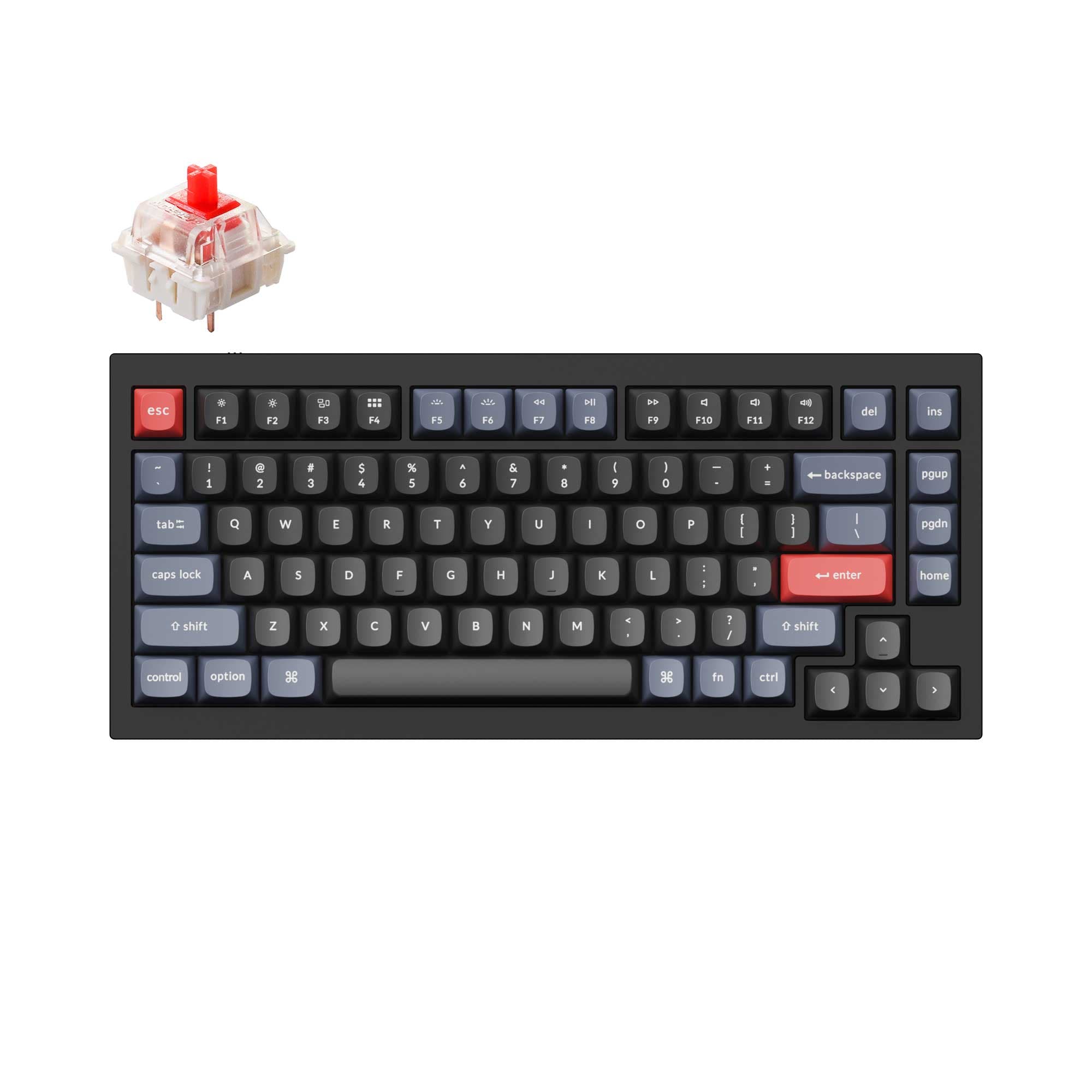
4.9 · 318 reviews
from$59at Keychron
Which one should you get?
Get the
Keychron K2 Pro
Wireless
Build quality in the top 5% of 75% boards under $100.
- Bluetooth 5.1 supports up to 3 wireless devices for multitasking.
- 4000mAh battery provides long wireless runtime.
- Lighter weight (1070g) improves portability.
- South-facing LEDs. Shine-through legends stay dark, and some sculpted keycaps can clip the LED.
Get the
Keychron Q1 V2
All-Aluminum 75%
Build quality in the top 5% of 75% boards under $100.
- Full CNC machined 6063 aluminum body for a premium feel and durability.
- Double-gasket design reduces metal resonance and improves typing sound.
- Programmable knob supports customization for creative or productivity tasks.
- South-facing LEDs. Shine-through legends stay dark, and some sculpted keycaps can clip the LED.
- No ISO layout. ISO-DE, UK, and other ISO variants are not offered.
If wireless flexibility and a lighter carry weight are important, the Keychron K2 Pro is the practical choice with its Bluetooth 5.1 and 4000mAh battery. If you prefer a premium typing feel with a solid all-aluminum chassis, gasket mounting, and a programmable knob, the Keychron Q1 V2 is the better investment. The K2 Pro suits a mobile or multi-device workflow, while the Q1 V2 excels as a desk-centric custom board.
The differences that matter
Skip the 40-row spec sheet. These are the specs that change how each board feels, sounds, and fits your desk.
Keychron K2 Pro
Keychron Q1 V2
Connection
Bluetooth, Wired
Wired
Wireless for several devices and wired for lower latency
Case material
ABS, Aluminum, Plastic
Aluminum
Mount style
PCB Mount, Plate Mount, Tray Mount
Gasket Mount, Plate Mount
Knob
No
Yes
Weight
1,070 g
1,825 g
Heavier boards stay planted and lighter ones travel
- Keychron K2 Pro
- Keychron Q1 V2
- Performance
- 8272
- Build quality
- 9089
- Productivity
- 9598
- Customizability
- 9698
- Portability
- 7962
- Layout size: 75%
- Hot-swappable
- Max polling rate: 1,000 Hz
- Switch options: Clicky, Linear, Tactile
- QMK
- VIA
What will you mostly use it for?
The K2 Pro wins in Gaming and Office thanks to its wireless capability and lighter weight, making it the more flexible daily driver. For Travel, its portability and Bluetooth are clear advantages. The Q1 V2 takes the lead in Modding and Content Creation where its double-gasket structure, all-aluminum body, and programmable knob add value. Programming is a tie because both boards provide full QMK/VIA customization and hot-swap sockets. The core trade-off is wireless convenience versus premium build and mounting.
Pick the Keychron K2 Pro
- Wired and wireless options provide flexibility for different setups.
- Lighter weight (1070g) makes it easier to bring to LAN events.
- 1000 Hz polling rate matches the Q1 V2 in wired mode.
What owners say
Ratings and quotes collected from verified store reviews, including the critical ones.
Keychron K2 Pro
16 owner reviews
“I have been using the keychron K2 V2 for more than a year so when this came out, I knew I had to get this. and boy I never imagined the smoothness and thock on this thing. I replaced the brown switches with lavender purples and it feels even better.”
Keychron Q1 V2
318 owner reviews
“Exactly what I wanted. Swapped out the switches for some Gateron Zero degree fully silent switches. Mechanical but almost completely silent, works a dream!”
Keychron K2 Pro vs Q1 V2 specs
Every tracked spec, side by side. Rows marked with a dot differ between the boards.
8 of 27 specs differ
Keychron K2 Pro
Keychron Q1 V2
Switch options
Hot-swappable
Mount style
Sound dampening
Screw-in stabilizers
Layout size
Layout standard
Ergonomics
Knob
Display
Media keys
Connection
Max polling rate
Battery
USB-C
Case material
Plate material
Keycaps
Weight
Dimensions
Typing angle
Backlight
QMK
VIA
N-key rollover
Mac & Windows
Released
ISO layouts by store
Which stores sell ISO-DE, UK, and the other regional layouts.
Keychron K2 Pro
Keychron
ISO-DE, ISO-UK, ISO-FR, ISO-ES, ISO-SW
In stockShips to you
Keychron (DE)
ISO-DE, ISO-UK, ISO-FR, ISO-ES, ISO-SW
In stockDoes not ship to you
Keychron Q1 V2
No ISO layout at the stores we track.
Compare prices
Live prices from the stores we track, cheapest in-stock offer first.
Prices in USD are converted to your currency and can change at any time. KeebFinder may earn a commission when you buy through these links, at no extra cost to you.
Lowest price across stores, Amazon excluded.



Keychron K2 Pro vs Q1 V2: your questions
The Keychron K2 Pro supports both Bluetooth 5.1 and USB-C wired connections, allowing it to pair with up to 3 devices wirelessly. The Keychron Q1 V2 is wired-only and does not have any wireless capability.
Yes, both the Keychron K2 Pro and Q1 V2 offer hot-swappable versions that support 3-pin and 5-pin MX-style switches without soldering. However, note that the K2 Pro's Black Fully Assembled version is non-hot-swappable.
The Q1 V2 features a double-gasket design with silicone pads between the top and bottom cases, which reduces metal resonance and provides a more flexible, dampened typing feel. The K2 Pro uses a tray mount with sound-absorbing foam and a silicone bottom pad for a quieter experience.
Yes, both the Keychron K2 Pro and Q1 V2 support QMK firmware and VIA software for full key remapping, macros, and shortcut customization. They can also be configured using the Keychron Launcher web app.
The K2 Pro weighs approximately 1070g, making it about 755g lighter than the Q1 V2, which weighs 1825g. This makes the K2 Pro more portable for travel or moving between setups.
The Keychron K2 Pro includes a 4000mAh battery that supports wireless use. The Keychron Q1 V2 is wired-only and does not have a battery, so it must remain plugged in to function.
Yes, the Q1 V2 is compatible with both Mac and Windows and includes a Mac multimedia key layout. It also supports VIA for configuring separate keymaps for each operating system.
Both keyboards are listed as using screw-in PCB stabilizers for better stability on large keys. However, some non-hot-swappable versions of the K2 Pro may use plate-mounted stabilizers instead.
The Keychron Q1 V2 offers a programmable knob on certain versions (Fully Assembled Knob and Barebone Knob). The Keychron K2 Pro does not include a knob.
Both keyboards feature south-facing RGB LEDs, which are free from interference when using Cherry-profile keycaps. The Q1 V2's top case also has sharper corners for better compatibility with third-party keycap profiles like MT3, SA, and XDA.
Yes, the K2 Pro is available in multiple ISO layouts including UK, German, Nordic, Swiss, French, and Spanish. The Q1 V2 also offers ISO options including UK, German, Nordic, Swiss, French, Spanish, and a Barebone ISO version.
The K2 Pro comes with pre-lubed Keychron K Pro switches (Red, Blue, Brown, or Banana). The Q1 V2 ships with Gateron G Pro or Gateron Phantom switches, or Keychron K Pro switches depending on the variant.
Not sold on either?


Still torn?
Answer a few quick questions and the keyboard finder ranks 2,000+ boards by how you will actually use yours.