Keychron Q0 HE vs Q1 ProNumpad or 75% Keyboard?
Choose the Q0 HE if you need a dedicated numpad with fast magnetic switches, or go with the Q1 Pro for a full 75% layout with broad switch compatibility.
KeebFinder may earn a commission when you buy through these links, at no extra cost to you.

4.3 (6)4.3 · 6 reviews
from$139at Keychron
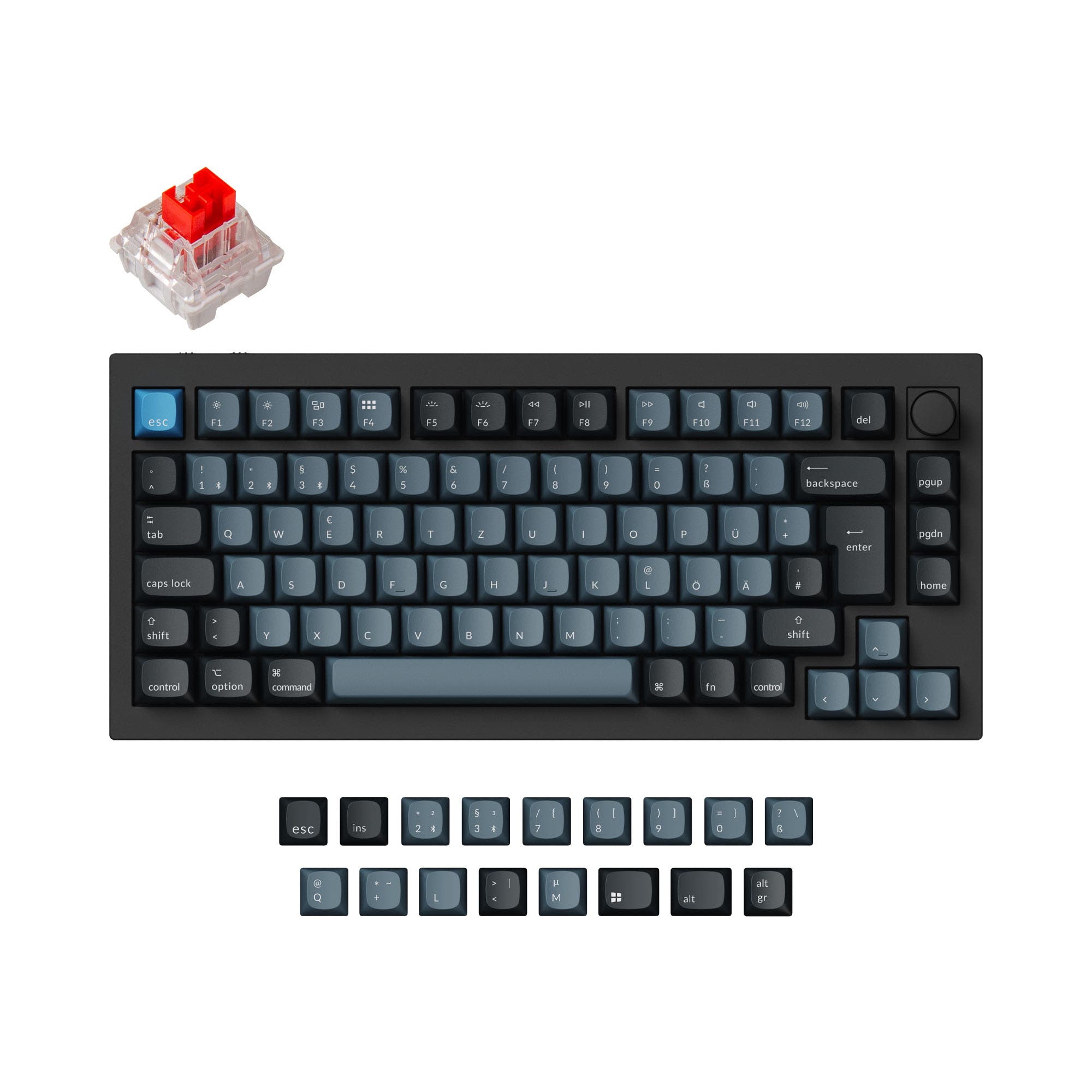
5.0 (15)5.0 · 15 reviews
from$149at Keychron
Which one should you get?
Get the
Keychron Q0 HE
Hall effect
Build quality in the top 5% of Numpad boards under $150.
- Gateron Double-Rail Magnetic switches with adjustable actuation points (0.2 to 3.8 mm) and 0.1 mm sensitivity.
- Advanced gaming features: Dynamic Rapid Trigger, Last Key Priority (LKP), Snap Click, and analog mode.
- Full metal body with a copper top case option and double-gasket design for reduced resonance.
- Magnetic switches only. Standard MX switches will not fit.
- South-facing LEDs. Shine-through legends stay dark, and some sculpted keycaps can clip the LED.
- No ISO layout. ISO-DE, UK, and other ISO variants are not offered.
- Numpad only. This is not a full keyboard.
Get the
Keychron Q1 Pro
Battery
Build quality in the top 5% of 75% boards under $150.
- Full 75% layout with a programmable knob, function row, arrow keys, and multi-media keys.
- Large 4000 mAh battery provides up to 300 hours of use without backlight (100 hours with RGB at lowest brightness).
- Hot-swappable with most 3-pin and 5-pin MX mechanical switches (Gateron, Cherry, Kailh, etc.).
- South-facing LEDs. Shine-through legends stay dark, and some sculpted keycaps can clip the LED.
- No numpad.
If your priority is a dedicated gaming numpad with the fastest possible magnetic switch response and portability, the Keychron Q0 HE is the clear choice. For anyone needing a daily driver keyboard with a complete layout, long battery life, and maximum switch and keycap compatibility, the Keychron Q1 Pro is more versatile. The Q1 Pro also serves creators and programmers better with its programmability and media controls.
The differences that matter
Skip the 40-row spec sheet. These are the specs that change how each board feels, sounds, and fits your desk.
Keychron Q0 HE
Keychron Q1 Pro
Layout size
Numpad
75%
Hall effect (magnetic)
Yes
No
Adjustable actuation helps in games and not in normal typing
Rapid trigger
Yes
No
Faster resets help in games and not in normal typing
Connection
Bluetooth, 2.4 GHz, Wired
Bluetooth, Wired, 2.4 GHz
Wireless for several devices and wired for lower latency
Battery
1,800 mAh
4,000 mAh
A larger battery means fewer cables during the day
- Keychron Q0 HE
- Keychron Q1 Pro
- Performance
- 9182
- Build quality
- 9090
- Productivity
- 9498
- Customizability
- 9298
- Portability
- 8782
- Hot-swappable
- Max polling rate: 1,000 Hz
- Knob
- QMK
- VIA
- Sound dampening
What will you mostly use it for?
The Q0 HE wins in gaming due to its advanced magnetic switch features like Rapid Trigger and analog mode, and it is the better travel companion because of its small size. However, the Q1 Pro dominates all productivity-focused categories (office, programming, content creation) thanks to its full layout, larger battery, and included media controls. For modding, the Q1 Pro's compatibility with standard MX switches and barebones option gives it a clear edge over the Q0 HE's proprietary magnetic switch ecosystem.
Pick the Keychron Q0 HE
- Gateron Double-Rail Magnetic switches with adjustable actuation from 0.2 to 3.8 mm for custom trigger points.
- Dynamic Rapid Trigger and Last Key Priority (LKP) features for faster, more responsive gameplay.
- Supports analog mode for controller-like precision in supported games.
- Wired and 2.4 GHz connections both offer 1000 Hz polling rate.
What owners say
Ratings and quotes collected from verified store reviews, including the critical ones.
Keychron Q0 HE
6 owner reviews
“Hasn’t even arrived yet and I already know it’s going to be excellent! Have the Concrete Magnetic KB and the magnetic gaming pad and they’re such a delight to use, I figured I would just go ahead and give this a 5 star already save some time. Keychron had…”
“Kind of difficult to review this unit, both because it’s a Keychron and I love their products, and because this is a quite good product. If you are really reach, this is easily a 4 star product. But at this price I think it is a two. So I landed at 3.”
Keychron Q1 Pro
15 owner reviews
“The Q1 Pro is the second keyboard I bought from Keychron. The basic materials are very good and she looks amazing. The only thing that is not perfect is the sound. I think she will be perfect with a simple adaption of foam and lubed switches. But the Q1 is…”
Keychron Q0 HE vs Q1 Pro specs
Every tracked spec, side by side. Rows marked with a dot differ between the boards.
15 of 29 specs differ
Keychron Q0 HE
Keychron Q1 Pro
Switch options
Hall effect (magnetic)
Rapid trigger
Hot-swappable
Mount style
Sound dampening
Screw-in stabilizers
Layout size
Layout standard
Ergonomics
Knob
Display
Media keys
Connection
Max polling rate
Battery
USB-C
Case material
Plate material
Keycaps
Weight
Dimensions
Typing angle
Backlight
QMK
VIA
N-key rollover
Mac & Windows
Released
ISO layouts by store
Which stores sell ISO-DE, UK, and the other regional layouts.
Keychron Q0 HE
No ISO layout at the stores we track.
Keychron Q1 Pro
Keychron
ISO-DE, ISO-UK, ISO-FR, ISO-ES, ISO-SW
In stockShips to you
Keychron (DE)
ISO-DE, ISO-UK, ISO-FR, ISO-ES, ISO-SW
Out of stockDoes not ship to you
Compare prices
Live prices from the stores we track, cheapest in-stock offer first.
Prices in USD are converted to your currency and can change at any time. KeebFinder may earn a commission when you buy through these links, at no extra cost to you.
Lowest price across stores, Amazon excluded.



Keychron Q0 HE vs Q1 Pro: your questions
No, the Q0 HE is a number pad, not a full keyboard. It is designed to complement a separate keyboard for numpad entry, not to replace a full typing board.
The Q1 Pro has a much larger 4000 mAh battery rated for up to 300 hours without backlight, while the Q0 HE's 1800 mAh battery lasts up to 56 hours without backlight.
No. The Q0 HE uses proprietary Gateron Double-Rail Magnetic switches, and its hot-swap socket only supports those. The Q1 Pro accepts standard 3-pin and 5-pin MX mechanical switches.
The Q0 HE is better for gaming, especially FPS titles, because of its magnetic switches with adjustable actuation points, Dynamic Rapid Trigger, LKP, and an analog mode that can simulate controller input.
According to the metadata, the Q1 Pro supports 2.4 GHz connectivity. However, the vendor description only mentions Bluetooth and Type-C wired, so 2.4 GHz availability may vary by variant or firmware.
Yes, both the Q0 HE and Q1 Pro support QMK and VIA, allowing you to remap keys, create macros, and customize shortcuts using the Keychron Launcher web app.
Yes, the Q1 Pro is offered in multiple ISO layout variants including ISO-UK, ISO-DE, ISO-FR, ISO-ES, and ISO-SW, as well as barebones ISO options.
The Q0 HE is lighter at 684g and much smaller, making it more portable. The Q1 Pro is significantly heavier at 1825g and larger, better suited for a desk setup.
Yes. The Q0 HE comes with OSA profile double-shot PBT keycaps, and the Q1 Pro's fully assembled version comes with KSA double-shot PBT keycaps. Both resist shine and fading.
The Q1 Pro is better for typing due to its full layout with a function row and arrow keys, a double-gasket design with a flexible PC plate, and the ability to choose from many MX mechanical switches.
Yes, the Q0 HE features per-key RGB and Mix RGB modes, plus over 22 backlight settings. Each key's color can be customized individually via the Keychron Launcher.
The Q0 HE uses Hall effect magnetic switches (Gateron Double-Rail Magnetic) that have adjustable actuation points and rapid trigger. The Q1 Pro uses traditional mechanical switches (Keychron K Pro) that offer linear, tactile, or clicky feels.
Not sold on either?


Still torn?
Answer a few quick questions and the keyboard finder ranks 2,000+ boards by how you will actually use yours.