Keychron Q1 Max vs Q11Wireless 75% vs Wired Split Keyboard
Choose the Q1 Max for wireless flexibility and a traditional compact layout, or the Q11 for ergonomic split design, accepting its wired-only connection.

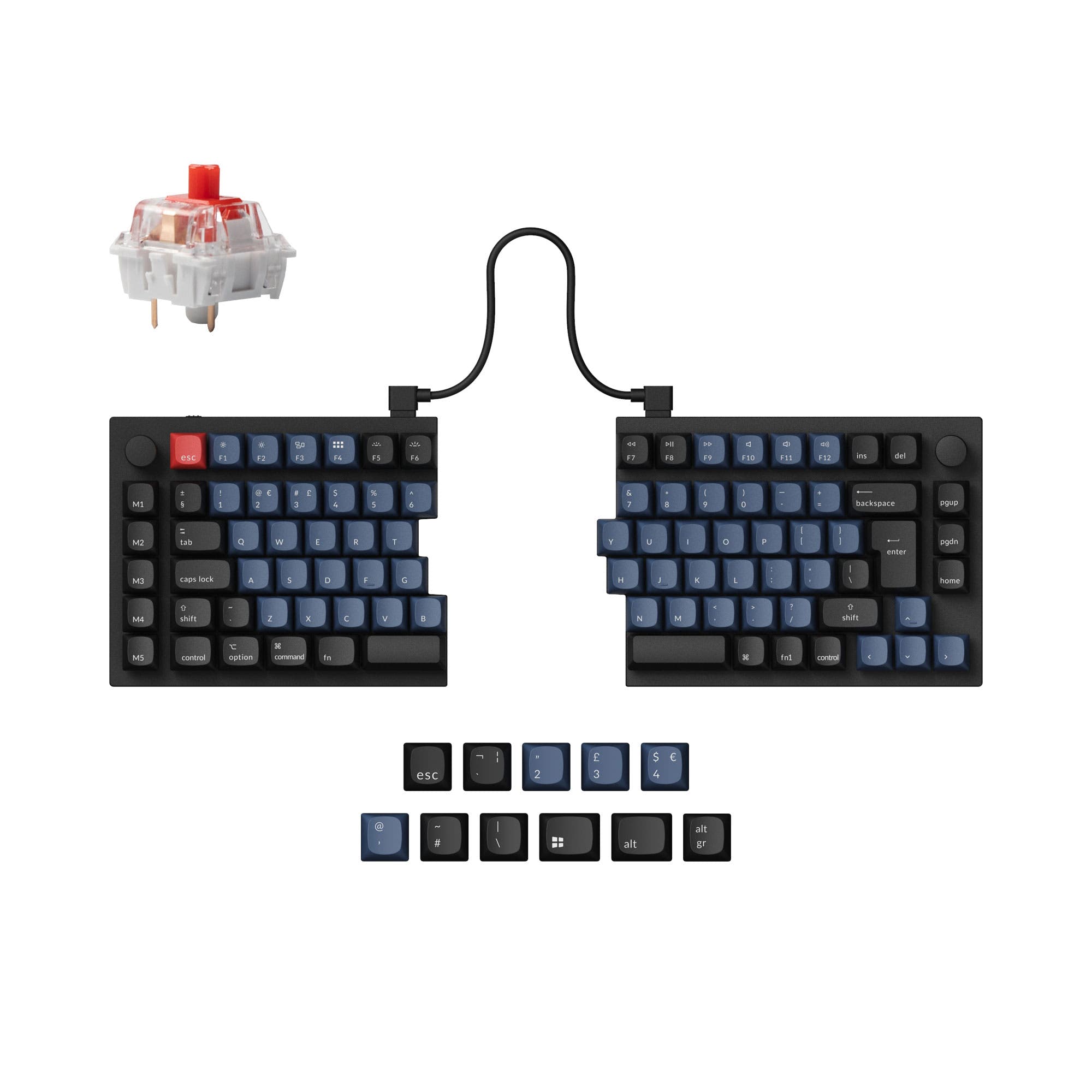
Which one should you get?
Get the
Keychron Q1 Max
Wireless 75%
- Tri-mode connectivity (2.4GHz, Bluetooth 5.1, wired) with a 1000 Hz wireless polling rate.
- Gasket mount design with a polycarbonate plate and multiple acoustic foams (IXPE, PET, Latex).
- Includes a 4000mAh battery for extended wireless use.
- Heavier at 1724g, which reduces portability despite its wireless nature.
- Taller front height (22.6mm) may require a wrist rest for some users.
- More expensive than the Q11 in its base configurations.
Get the
Keychron Q11
Wired Split Keyboard
- Split ergonomic design reduces strain and allows for customizable typing angles.
- Lower front height (9.8mm) promotes a more neutral wrist position.
- Includes a programmable aluminum knob for macros and media control.
- Wired-only connectivity, requiring two cables (bridge and host).
- Split design is less portable and requires more desk space.
- Lacks a battery and any wireless functionality.
Your primary need dictates the choice. If wireless freedom, a traditional layout, and deep sound modding potential are priorities, the Keychron Q1 Max is the superior board. If you seek ergonomic relief through a split design for long work sessions and can accept a wired connection, the Keychron Q11 offers unique value. Consider the Q11's lower front height and programmable knob as significant benefits for stationary, comfort-focused setups.
The differences that matter
Skip the 40-row spec sheet. These are the specs that change how each board feels, sounds, and fits your desk.
Keychron Q1 Max
Keychron Q11
Connection
Bluetooth, 2.4 GHz, Wired
Wired
Ergonomics
Standard
Split
Mount style
Gasket Mount, Plate Mount
Plate Mount, Tray Mount
Weight
1,724 g
1,186 g
Layout standard
ANSI, ISO, ISO-CH, ISO-DE, ISO-Nordic, ISO-SW, ISO-UK, JIS
ANSI, ISO, ISO-DE, ISO-Nordic, ISO-UK, JIS
- Keychron Q1 Max
- Keychron Q11
- Performance
- 8268
- Build quality
- 8988
- Productivity
- 9797
- Customizability
- 9898
- Portability
- 8173
- Hot-swappable
- Max polling rate: 1,000 Hz
- Case material: Aluminum
- Switch options: Clicky, Linear, Tactile
- Knob
- QMK
What will you mostly use it for?
The Q1 Max is the clear choice for gaming and travel due to its wireless connectivity and standard layout. The Q11 wins for programming and content creation where its split ergonomic design provides tangible comfort benefits. For office use, it's a tie, hinging on whether you value wireless freedom or split ergonomics more. Modders will appreciate the Q1 Max's extensive acoustic foam layers and gasket mount.
Pick the Keychron Q1 Max
- Offers 2.4 GHz wireless with a 1000 Hz polling rate for low-latency gameplay.
- Includes Hall Effect switch compatibility for advanced customization.
- Traditional 75% layout is widely supported in games without remapping.
What owners say
Ratings and quotes collected from verified store reviews, including the critical ones.
Keychron Q1 Max
25 owner reviews
“As a software analyst who do a lot of coding, emailing and editing this is the one. Why would I build one when there is one ready that is better than what I could build?”
“This product is a downgrade relative to the previous version. I deeply regret not unpacking it and testing it out in the return period: (1) The keyboard is much louder -- on the Pro, keypresses were basically silent with the right switches; now, they are very…”
Keychron Q11
13 owner reviews
“I wish that the "launcher" app had more layer options and more layer options for the RGB, but that's ok. I have a Moonlander as well and I recommend the Q11 to almost everyone, the ortholinear boards take a lot of relearning for most people to type on.”
Keychron Q1 Max vs Q11 specs
Every tracked spec, side by side. Rows marked with a dot differ between the boards.
10 of 27 specs differ
Keychron Q1 Max
Keychron Q11
Switch options
Hot-swappable
Mount style
Sound dampening
Screw-in stabilizers
Layout size
Layout standard
Ergonomics
Knob
Display
Media keys
Connection
Max polling rate
Battery
USB-C
Case material
Plate material
Keycaps
Weight
Dimensions
Typing angle
Backlight
QMK
VIA
N-key rollover
Mac & Windows
Released
Compare prices
Live prices from the stores we track, cheapest in-stock offer first.
Lowest price across stores, Amazon excluded.




Prices in USD are converted to your currency and can change at any time. KeebFinder may earn a commission when you buy through these links, at no extra cost to you.
Keychron Q1 Max vs Q11: your questions
No, the Keychron Q11 is a wired-only keyboard. It requires two USB-C cables: one to connect the two halves together and another to connect to your computer.
Yes, the Keychron Q1 Max has built-in support for both macOS and Windows. It includes a system toggle switch and extra keycaps for both operating systems, allowing you to save separate layouts.
Yes, according to the manufacturer, you can use the Keychron Q11 as a non-split keyboard by linking the two halves together with the included bridge cable.
The fully assembled Keychron Q1 Max comes with Gateron Jupiter switches (Red, Brown, or Banana), which are pre-lubed and have an LED diffuser for RGB lighting. The board is also hot-swappable for other MX-style switches.
The Keychron Q1 Max has a 1000 Hz polling rate in both its 2.4 GHz wireless and wired modes. In Bluetooth mode, the polling rate is 90 Hz.
The Keychron Q11 is specifically designed for ergonomics with its split layout, allowing you to position each half to suit your shoulder width. It also has a lower front height (9.8mm) than the Q1 Max (22.6mm), which can promote a better wrist posture.
Yes, both the Keychron Q1 Max and Q11 feature hot-swappable PCBs that support both 3-pin and 5-pin MX-style mechanical switches, allowing for easy switch changes without soldering.
The Keychron Q1 Max offers a choice between KSA profile keycaps for a classic look and OSA side-printed shine-through PBT keycaps for a less distracting appearance with backlight effects.
Yes, the Keychron Q11 features south-facing RGB LEDs. The south-facing design prevents interference with Cherry-profile keycaps and is designed to better illuminate the keyboard from the typist's angle.
The Q1 Max uses a gasket mount, where the plate is suspended on soft gaskets for a more cushioned, flexible typing feel and sound dampening. The Q11 uses a tray mount, where the plate is screwed directly into the top case, typically resulting in a firmer typing experience.
The Keychron Q1 Max is significantly heavier, weighing 1724g for the fully assembled version. The Keychron Q11 weighs 1186g. The Q1 Max's weight contributes to its solid feel and reduced movement on the desk.
Yes, both the Keychron Q1 Max and Q11 come equipped with screw-in PCB stabilizers for the larger keys like spacebar and shift. This design is generally more stable and less prone to rattling than clip-in stabilizers.
Not sold on either?





Still torn?
Answer a few quick questions and the keyboard finder ranks 2,000+ boards by how you will actually use yours.