Keychron Q1 V2 vs Q2 HEWired Workhorse or Wireless Gaming Beast
Choose the Q1 V2 for a traditional wired experience with more keys and extensive customization, or the Q2 HE for cutting-edge magnetic switches and wireless freedom.
KeebFinder may earn a commission when you buy through these links, at no extra cost to you.
4.9 (318)4.9 · 318 reviews
from$59at Keychron

5.0 (4)5.0 · 4 reviews
from$229at MK
Which one should you get?
Get the
Keychron Q1 V2
Build quality in the top 5% of 75% boards under $100.
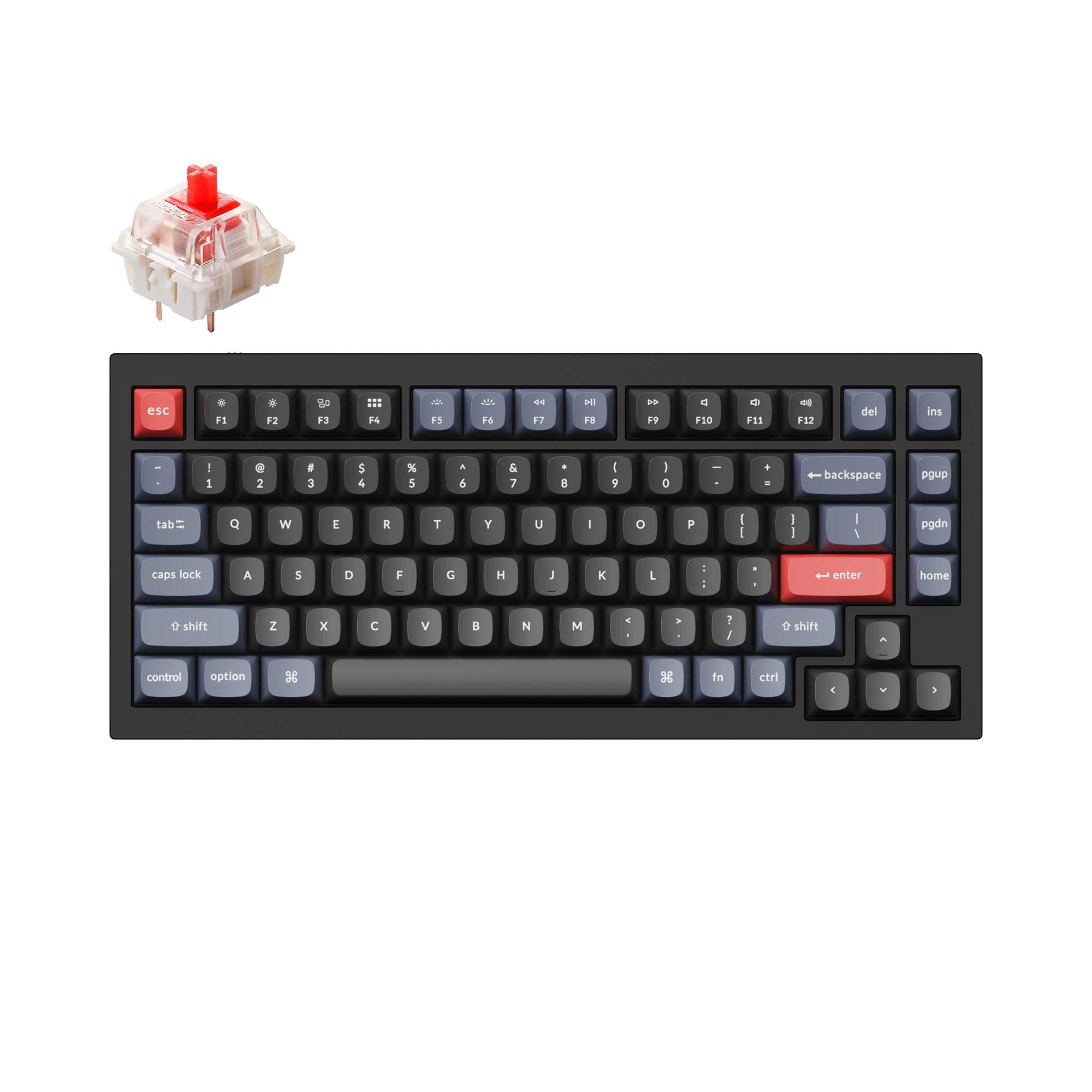
- 75% layout with dedicated F-row and navigation cluster for productivity
- Steel plate provides a rigid typing feel and distinct acoustic character
- Wider switch compatibility: works with most 3-pin and 5-pin MX mechanical switches
- South-facing LEDs. Shine-through legends stay dark, and some sculpted keycaps can clip the LED.
- No numpad.
Get the
Keychron Q2 HE
Hall effect
Build quality in the top 10% of 65% boards under $300.
- Hall Effect magnetic switches with adjustable actuation from 0.2 to 3.8 mm
- Wireless via Bluetooth 5.2 and 2.4 GHz with up to 8000 Hz polling
- 4000 mAh battery for extended wireless use (up to 115 hours backlit off)
- Magnetic switches only. Standard MX switches will not fit.
- South-facing LEDs. Shine-through legends stay dark, and some sculpted keycaps can clip the LED.
- 65% layout. No function row and no numpad.
For professionals who need a full layout and wide switch compatibility, the Keychron Q1 V2 is the practical wired workhorse with a proven track record. For gamers and travelers seeking the latest magnetic switch tech and wireless freedom, the Keychron Q2 HE is the forward-looking choice. Your decision comes down to whether you prioritize keyboard size and connectivity or traditional flexibility and cost.
The differences that matter
Skip the 40-row spec sheet. These are the specs that change how each board feels, sounds, and fits your desk.
Keychron Q1 V2
Keychron Q2 HE
Layout size
75%
65%
Hall effect (magnetic)
No
Yes
Adjustable actuation helps in games and not in normal typing
Rapid trigger
No
Yes
Faster resets help in games and not in normal typing
Connection
Wired
Wired, Bluetooth, 2.4 GHz
Wireless for several devices and wired for lower latency
Max polling rate
1,000 Hz
8,000 Hz
Higher polling helps competitive FPS and does nothing for typing
- Keychron Q1 V2
- Keychron Q2 HE
- Performance
- 7298
- Build quality
- 8987
- Productivity
- 9894
- Customizability
- 9896
- Portability
- 6290
- Hot-swappable
- Knob
- QMK
- VIA
- Sound dampening
What will you mostly use it for?
The Q2 HE wins in gaming and travel thanks to its advanced magnetic switches and wireless capabilities. The Q1 V2 takes programming and modding due to its fuller layout and broader MX switch support. Office and content creation end in a tie, as both boards offer programmable knobs and sound dampening, though each has different connectivity strengths.
Pick the Keychron Q2 HE
- Hall Effect magnetic switches with adjustable actuation points from 0.2 to 3.8 mm for rapid triggers
- Dynamic Rapid Trigger and 4-in-1 action keys for competitive play
- Up to 8000 Hz polling rate (wired and 2.4 GHz) and N-Key Rollover
- Wireless 2.4 GHz mode with 1000 Hz polling reduces cable clutter
What owners say
Ratings and quotes collected from verified store reviews, including the critical ones.
Keychron Q1 V2
318 owner reviews
“Exactly what I wanted. Swapped out the switches for some Gateron Zero degree fully silent switches. Mechanical but almost completely silent, works a dream!”
Keychron Q2 HE
4 owner reviews
“This thing is pure quality from the software all the way to the build itself. It's got a lot of heft to it and the material is very nice. The Keychron software is amazing too, there is no app or anything you just go to the Keychron launcher on your browser…”
Keychron Q1 V2 vs Q2 HE specs
Every tracked spec, side by side. Rows marked with a dot differ between the boards.
16 of 29 specs differ
Keychron Q1 V2
Keychron Q2 HE
Switch options
Hall effect (magnetic)
Rapid trigger
Hot-swappable
Mount style
Sound dampening
Screw-in stabilizers
Layout size
Layout standard
Ergonomics
Knob
Display
Media keys
Connection
Max polling rate
Battery
USB-C
Case material
Plate material
Keycaps
Weight
Dimensions
Typing angle
Backlight
QMK
VIA
N-key rollover
Mac & Windows
Released
Compare prices
Live prices from the stores we track, cheapest in-stock offer first.
Prices in USD are converted to your currency and can change at any time. KeebFinder may earn a commission when you buy through these links, at no extra cost to you.
Lowest price across stores, Amazon excluded.



Keychron Q1 V2 vs Q2 HE: your questions
The Q1 V2 uses a steel plate with gasket mount and pre-lubed Gateron G Pro switches, offering a stiffer and more traditional mechanical feel. The Q2 HE uses an aluminum plate and Hall Effect magnetic switches with adjustable actuation points, allowing you to fine-tune the trigger depth for a customized typing sensation. Both include sound dampening foam and screw-in stabilizers for a smooth experience.
No, the Q2 HE is only compatible with Gateron double-rail magnetic switches sold on the Keychron website. It does not support standard MX mechanical switches or other magnetic switch families like Gateron Magnetic Jade or KS-20. The Q1 V2, in contrast, supports most 3 and 5 pin MX style switches.
Yes, the Q1 V2 features hot-swappable sockets on the PCB that support both 3-pin and 5-pin MX mechanical switches, so you can change switches without soldering. The Q2 HE is also hot-swappable but only for its proprietary Gateron double-rail magnetic switches.
The Q2 HE is better for wireless gaming because it offers a 2.4 GHz connection with a 1000 Hz polling rate and up to 8000 Hz in wired mode, plus Hall Effect features like Rapid Trigger and adjustable actuation. The Q1 V2 is wired only, so it cannot be used for wireless gaming.
Yes, the Q2 HE supports Bluetooth 5.2, allowing you to connect to up to three devices like a computer, phone, and tablet, with a polling rate of 90 Hz in Bluetooth mode. The Q1 V2 does not have any Bluetooth or wireless connectivity.
The Q1 V2 weighs 1825 grams (Fully Assembled version), while the Q2 HE weighs approximately 1650 grams. The Q2 HE is lighter by about 175 grams, making it more portable for travel despite both having aluminum cases.
Yes, both keyboards support QMK open-source firmware and the Keychron Launcher web app, allowing you to remap keys, create macros, and customize shortcuts. The Q2 HE also allows you to adjust actuation points and set dynamic keystrokes via the same launcher.
Both keyboards feature a full CNC machined 6063 aluminum case with a double-gasket design that uses silicone pads between cases to reduce resonance. The Q1 V2 uses a steel plate while the Q2 HE uses an aluminum plate, but both are built to a high standard with sandblasted and anodized finishes.
Both keyboards offer versions with a programmable rotary encoder knob. The Q1 V2 is available in standard and knob versions, while the Q2 HE is sold as a Fully Assembled Knob version. The knob can be customized via VIA for functions like volume, zoom, or brush size.
The Q2 HE has a 4000 mAh rechargeable lithium-polymer battery that lasts up to 115 hours with backlighting off, according to the manufacturer. The Q1 V2 has no battery as it is wired only.
The Q1 V2 has a 75% layout with more keys, including a full F-row and navigation cluster, while the Q2 HE has a 65% layout that keeps arrow keys but omits the F-row. The Q1 V2 is better suited for users who need dedicated function keys without using layers.
The Q1 V2 has a typing angle of 5 degrees, while the Q2 HE has a steeper 7 degree angle. Both include adjustable feet for additional tilt. The difference may affect wrist posture over long typing sessions.
Not sold on either?


Still torn?
Answer a few quick questions and the keyboard finder ranks 2,000+ boards by how you will actually use yours.