Keychron Q10 Pro vs Q13 ProCompact 75% vs Full 96% Layout
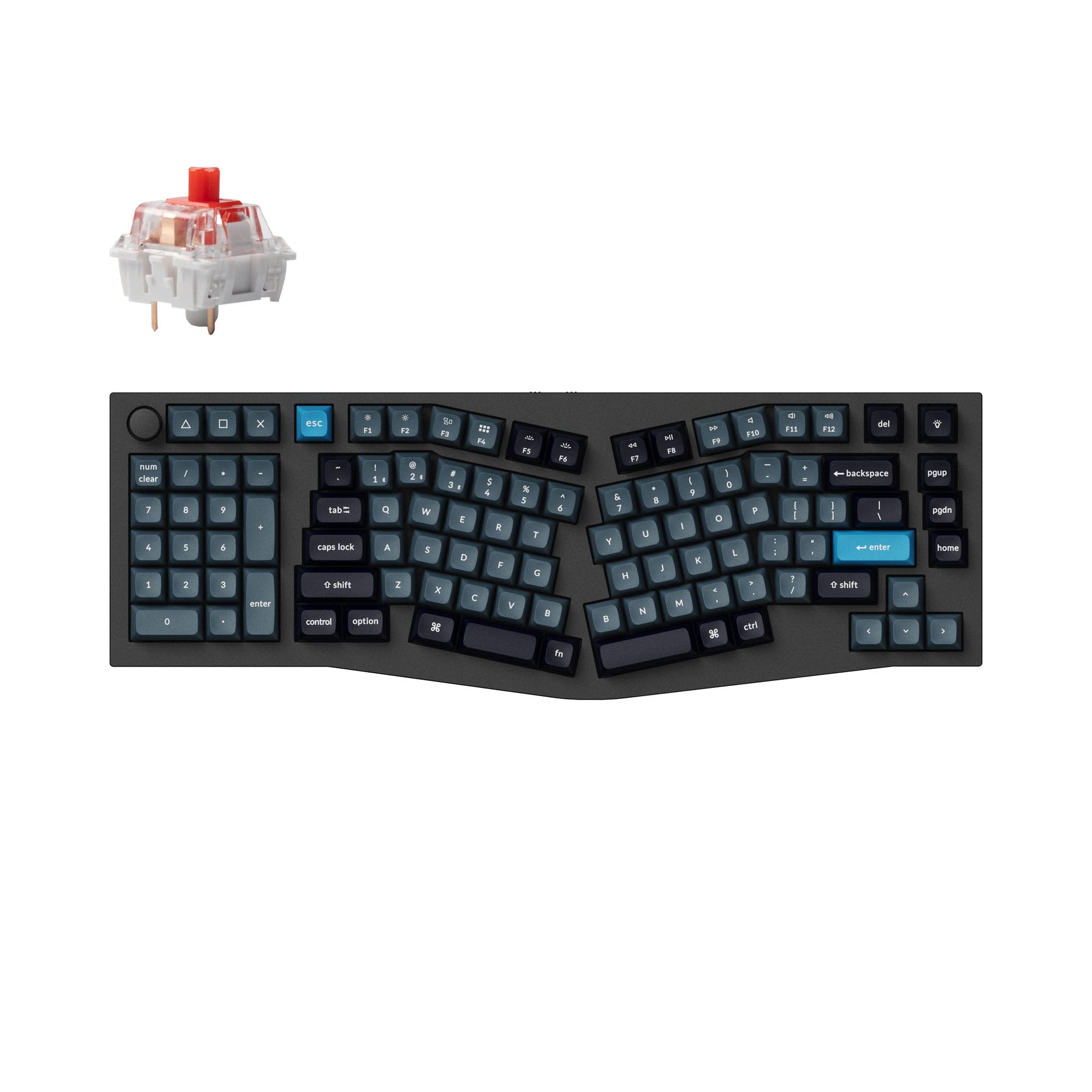
Choose the Q10 Pro for a more portable Alice layout, or the Q13 Pro if you require a built-in numpad.
KeebFinder may earn a commission when you buy through these links, at no extra cost to you.

5.0 (2)5.0 · 2 reviews
from$159at Keychron

4.7 (12)4.7 · 12 reviews
from$167at Keychron
Which one should you get?
Get the
Keychron Q10 Pro
Compact 75%
Build quality in the top 5% of 75% boards under $200.
- More compact 75% layout saves significant desk space.
- Lighter weight at 2096 grams for easier portability.
- Shorter length (385mm) is easier to fit in bags or on crowded desks.
- South-facing LEDs. Shine-through legends stay dark, and some sculpted keycaps can clip the LED.
- No numpad.
Get the
Keychron Q13 Pro
Full 96% Layout
Build quality in the top 10% of 96% boards under $200.
- 96% layout includes a full numpad for efficient data entry.
- More dedicated keys reduce reliance on function layers for some users.
- Has a perfect 5/5 rating from 10 user reviews on the vendor page.
- South-facing LEDs. Shine-through legends stay dark, and some sculpted keycaps can clip the LED.
- Compact full-size layout. The numpad is present, the gaps of a full-size board are not.
Select the Keychron Q13 Pro if your daily workflow relies heavily on a numpad and you value having maximum keys at your fingertips. Opt for the Keychron Q10 Pro if you want the ergonomic benefits of the Alice layout in a more space-efficient, portable package and are willing to forgo the integrated numpad. Both are exceptionally well-built and customizable keyboards.
The differences that matter
Skip the 40-row spec sheet. These are the specs that change how each board feels, sounds, and fits your desk.
Keychron Q10 Pro
Keychron Q13 Pro
Layout size
75%
96%
Weight
2,096 g
2,392 g
Heavier boards stay planted and lighter ones travel
Dimensions
33 x 157 x 385 mm
32 x 157 x 447 mm
- Keychron Q10 Pro
- Keychron Q13 Pro
- Performance
- 8282
- Build quality
- 8888
- Productivity
- 100100
- Customizability
- 9696
- Portability
- 8257
- Connection: Bluetooth, Wired
- Hot-swappable
- Battery: 4,000 mAh
- Ergonomics: Alice
- Max polling rate: 1,000 Hz
- Case material: Aluminum
What will you mostly use it for?
The Q13 Pro is the clear choice for office work and content creation where a numpad is essential. The Q10 Pro wins for gaming and travel due to its smaller, lighter footprint. For programming and modding, the keyboards are functionally identical, making the decision purely about layout preference. Your primary task will dictate which form factor is more efficient.
Pick the Keychron Q10 Pro
- The Q10 Pro's 75% layout offers more desk space for mouse movement.
- Both share the same 1000Hz wired polling rate for low latency.
- Its lighter weight (2096g vs 2392g) may be preferable for repositioning.
What owners say
Ratings and quotes collected from verified store reviews, including the critical ones.
Keychron Q10 Pro
2 owner reviews
“Excellent quality as expected by Keychron. Not just excellent, outstanding.I'm using it with a Macbook Air M3, both via wired and wireless mode, and it works excellent.I paired the keyboard with:- Akko Penguin Switch (Silent) (which is tactile, if you prefer…”
Keychron Q13 Pro
12 owner reviews
“I was looking for a good ergonomic, programmable, mechanical keyboard and this is it. It would be nice to have a proper case to carry it.”
“So, me,being dumb, didn't pay too much attention to the iso vs not iso (?) layout. The enter key doesn't bother me much, but left shift.... Being smoll is an issue. I did rekey the additional key to be L-shift, but it's too... Janky? For my mucked up brain…”
Keychron Q10 Pro vs Q13 Pro specs
Every tracked spec, side by side. Rows marked with a dot differ between the boards.
3 of 26 specs differ
Keychron Q10 Pro
Keychron Q13 Pro
Switch options
Hot-swappable
Mount style
Sound dampening
Screw-in stabilizers
Layout size
Layout standard
Ergonomics
Knob
Display
Connection
Max polling rate
Battery
USB-C
Case material
Plate material
Keycaps
Weight
Dimensions
Typing angle
Backlight
QMK
VIA
N-key rollover
Mac & Windows
Released
ISO layouts by store
Which stores sell ISO-DE, UK, and the other regional layouts.
Keychron Q10 Pro
Keychron
ISO
In stockShips to you
Keychron (DE)
ISO
In stockDoes not ship to you
Keychron Q13 Pro
Keychron
ISO
Out of stockShips to you
Keychron (DE)
ISO
Out of stockDoes not ship to you
Compare prices
Live prices from the stores we track, cheapest in-stock offer first.
Prices in USD are converted to your currency and can change at any time. KeebFinder may earn a commission when you buy through these links, at no extra cost to you.
Lowest price across stores, Amazon excluded.


Keychron Q10 Pro vs Q13 Pro: your questions
The main difference is the layout size. The Q10 Pro uses a 75% Alice layout, which is more compact. The Q13 Pro uses a 96% Alice layout, which is larger and includes a full numpad and more navigation keys while still reducing overall size compared to a full-size keyboard.
Yes. Both keyboards support Bluetooth 5.1 wireless connectivity for use with up to three devices, as well as a USB-C wired connection. The manufacturer states both have a 4000mAh battery.
Yes, both the Q10 Pro and Q13 Pro feature hot-swappable sockets. This allows you to easily install most 3-pin and 5-pin MX-style mechanical switches without soldering.
Yes. Both models support programming via the open-source QMK firmware and the VIA/Keychron Launcher web app. This allows for extensive key remapping, macro creation, and layer customization.
Both keyboards use a gasket mount design. The manufacturer describes a double-gasket design with silicone pads between the aluminum top and bottom cases to reduce acoustic resonance and provide a flexible typing feel.
According to the manufacturer, the fully assembled versions include KSA (Keychron Spherical-Angle) profile double-shot PBT keycaps. These are oil-resistant and come with extra keycaps for both Mac and Windows layouts.
Both keyboards have a fixed 5-degree typing angle, as listed in their specifications.
The Keychron Q10 Pro is better for limited desk space. It is significantly shorter (385mm vs 447mm) and lighter, freeing up more room for your mouse and other peripherals while still offering the ergonomic Alice layout.
Yes. Both keyboards are fully compatible with macOS, Windows, and Linux. They include a physical system toggle switch and separate keycap sets for Mac and Windows modifiers.
Both feature a full CNC-machined aluminum case, a polycarbonate plate, and PCB-mounted screw-in stabilizers. The manufacturer states the aluminum undergoes multiple finishing stages, resulting in a solid, premium construction.
Yes. When connected via the included USB-C cable, both keyboards operate at a 1000Hz polling rate for minimal latency, which the manufacturer states is suitable for competitive gaming.
Not sold on either?




Still torn?
Answer a few quick questions and the keyboard finder ranks 2,000+ boards by how you will actually use yours.