Keychron Q10 Pro vs Q8 Pro75% vs 65% Layout Choice
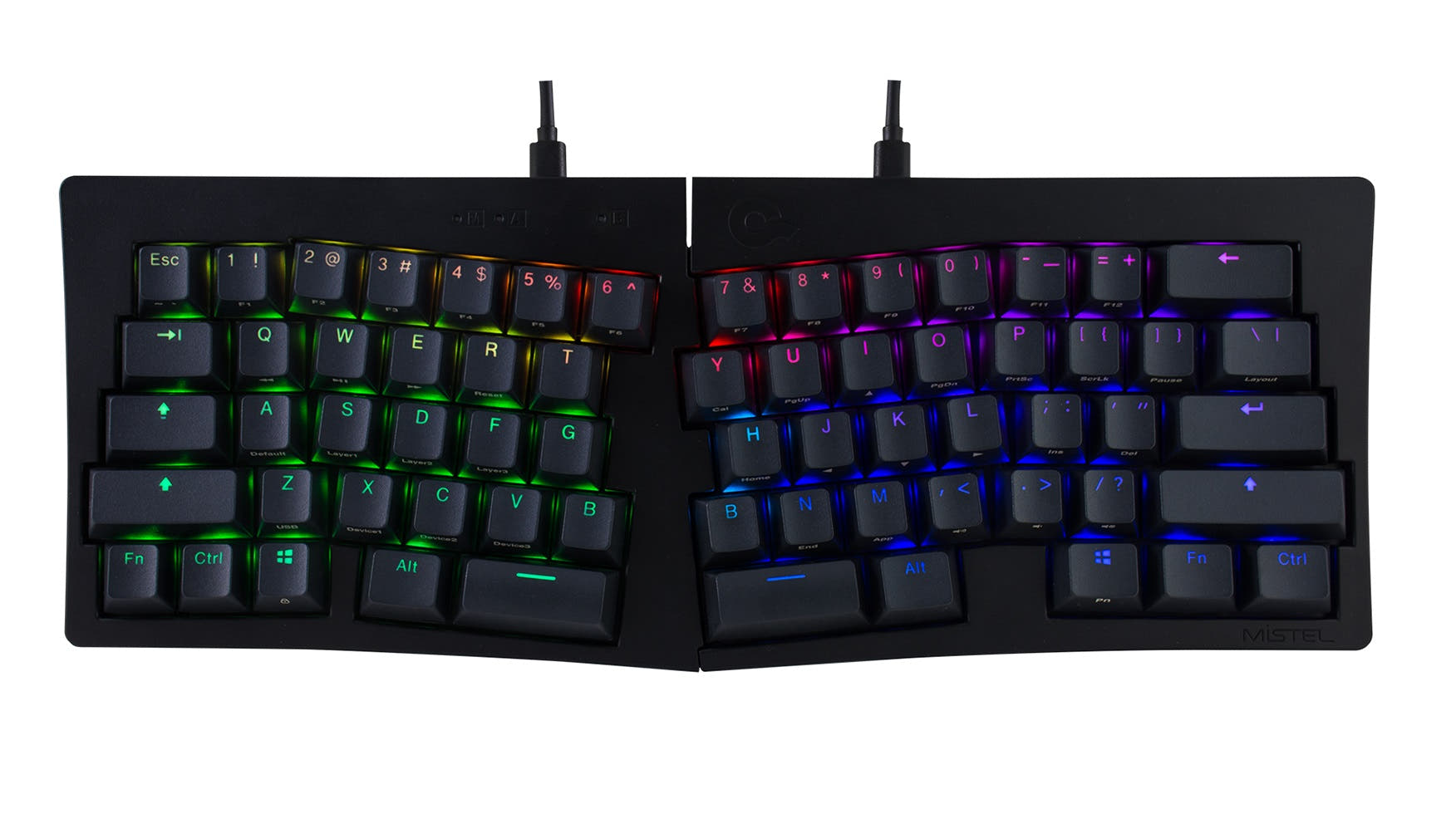
Choose the Q10 Pro for dedicated function and navigation keys, or the Q8 Pro for a more compact and portable Alice layout.


Which one should you get?
Get the
Keychron Q10 Pro
75%
- 75% Alice layout includes function row and dedicated navigation keys.
- Full CNC machined aluminum case with a double-gasket design for sound dampening.
- Extensive programmability via open-source QMK firmware and VIA/Keychron Launcher.
- Larger and heavier (2096g) than the Q8 Pro, less portable.
- The 75% layout requires more desk space.
- Wireless polling rate is lower at 90 Hz compared to the 1000 Hz wired mode.
Get the
Keychron Q8 Pro
65% Layout Choice
- More compact 65% Alice layout saves desk space and is easier to transport.
- Lighter weight (1657g) than the Q10 Pro.
- Shares the same premium build: aluminum case, double-gasket mount, and PBT keycaps.
- Lacks dedicated function keys and a navigation cluster, requiring the use of layers.
- Smaller form factor may not suit users who heavily rely on arrow or page navigation keys.
- Wireless polling rate is lower at 90 Hz compared to the 1000 Hz wired mode.
Your primary need for keys should guide your choice. If you want the most keys possible in an Alice layout without going full-size, the Keychron Q10 Pro is the clear option. If you prefer a minimalist, space-saving desk setup or need a keyboard to move around more often, the Keychron Q8 Pro's compact form is the better fit, as it sacrifices only keys, not quality.
The differences that matter
Skip the 40-row spec sheet. These are the specs that change how each board feels, sounds, and fits your desk.
Keychron Q10 Pro
Keychron Q8 Pro
Layout size
75%
65%
Weight
2,096 g
1,657 g
Dimensions
33 x 157 x 385 mm
32 x 136 x 358 mm
- Keychron Q10 Pro
- Keychron Q8 Pro
- Performance
- 8278
- Build quality
- 8888
- Productivity
- 10098
- Customizability
- 9696
- Portability
- 8189
- Connection: Bluetooth, Wired
- Hot-swappable
- Battery: 4,000 mAh
- Ergonomics: Alice
- Max polling rate: 1,000 Hz
- Case material: Aluminum
What will you mostly use it for?
The Q10 Pro is the consistent winner for tasks that benefit from more keys, such as office work, programming, and content creation. Its 75% layout provides tangible advantages for productivity. The Q8 Pro takes the lead only for travel due to its smaller size and lower weight. For gaming and modding, the keyboards are closely matched, with the Q10 Pro having a slight edge in gaming for its dedicated arrows.
Pick the Keychron Q10 Pro
- The Q10 Pro's 1000 Hz wired polling rate is specified for low latency.
- Its 75% layout retains dedicated arrow keys for quick navigation.
- Both offer N-key rollover for simultaneous key presses.
What owners say
Ratings and quotes collected from verified store reviews, including the critical ones.
Keychron Q10 Pro
No owner reviews collected yet.
Keychron Q8 Pro
1 owner reviews
“I'm a creative writer and college professor, so this keyboard is probably overkill, but it was a nice Christmas present for myself. Plus, I don't want to get carpal tunnel or wrist strain bc I type A LOT. My other Keychron (c1k1z) was super-loud, but the Q8…”
Keychron Q10 Pro vs Q8 Pro specs
Every tracked spec, side by side. Rows marked with a dot differ between the boards.
3 of 26 specs differ
Keychron Q10 Pro
Keychron Q8 Pro
Switch options
Hot-swappable
Mount style
Sound dampening
Screw-in stabilizers
Layout size
Layout standard
Ergonomics
Knob
Display
Connection
Max polling rate
Battery
USB-C
Case material
Plate material
Keycaps
Weight
Dimensions
Typing angle
Backlight
QMK
VIA
N-key rollover
Mac & Windows
Released
Compare prices
Live prices from the stores we track, cheapest in-stock offer first.
Lowest price across stores, Amazon excluded.


Prices in USD are converted to your currency and can change at any time. KeebFinder may earn a commission when you buy through these links, at no extra cost to you.
Keychron Q10 Pro vs Q8 Pro: your questions
The main difference is the layout size. The Q10 Pro uses a 75% Alice layout which includes a function row and dedicated navigation keys. The Q8 Pro uses a more compact 65% Alice layout that omits these keys, requiring the use of function layers to access them.
Yes. Both the Q10 Pro and Q8 Pro offer Bluetooth 5.1 wireless connectivity for up to three devices, according to Keychron. They also include a USB Type-C wired connection. The wireless polling rate is 90 Hz, while the wired mode operates at 1000 Hz.
Yes. Both models feature a hot-swappable PCB. The manufacturer states they are compatible with most 3-pin and 5-pin MX-style mechanical switches from brands like Gateron, Cherry, and Kailh, allowing for easy customization without soldering.
The Keychron Q10 Pro is generally better for programming. Its 75% layout provides dedicated arrow keys and a navigation cluster (like Page Up/Down), which are frequently used in coding environments. Both keyboards support QMK/VIA for creating custom macros and layers.
Both are available in Fully Assembled and Barebone versions. The Fully Assembled version includes KSA double-shot PBT keycaps, Keychron K Pro switches, and stabilizers. The Barebone version includes only the case, PCB, and plate, letting you supply your own switches and keycaps.
Both the Q10 Pro and Q8 Pro use a gasket mount design. Keychron specifically mentions a double-gasket design with additional silicone pads between the aluminum top and bottom cases to reduce acoustic resonance and improve typing feel.
Yes. Keychron lists compatibility with macOS, Windows, and Linux. Both keyboards include a physical system toggle switch and an extra set of keycaps tailored for both Mac and Windows layouts, allowing you to save a separate layout for each OS.
You can customize both keyboards using the open-source QMK firmware or the VIA/Keychron Launcher web app. This allows for remapping every key, creating macros, and adjusting the 22 types of south-facing RGB backlight effects, including hue, speed, and brightness.
The Keychron Q8 Pro is more portable. It is significantly lighter at 1657 grams compared to the Q10 Pro's 2096 grams, and its dimensions (358mm long) are smaller than the Q10 Pro (385mm long), making it easier to carry in a bag.
Both keyboards have the same 4000mAh rechargeable battery. According to Keychron's lab tests, with the RGB backlight off, battery life can last up to 300 hours on Bluetooth. With RGB on at the lowest brightness, it can last up to 100 hours.
Yes, the compared versions (Knob variants) of both the Q10 Pro and Q8 Pro include an encoder knob. This knob can be used for media control, scrolling, or can be reprogrammed via QMK/VIA for other functions like adjusting volume or brush size in creative software.
Not sold on either?


Still torn?
Answer a few quick questions and the keyboard finder ranks 2,000+ boards by how you will actually use yours.