76
Overall/ Value
75.7Build Quality
69.9Customizability
78.3Performance
60.5Productivity
72.5Portability
73.2$189

Ergodox 76 Hot Dox V2
Hotswap,
Screen,
RGB,
VIA,
Alu case
This comparison helps ergonomic enthusiasts and productivity-focused users decide between two unconventional Keychron layouts. The Q11 offers a fully split 75% design that lets you position each half independently, while the Q12 Max packs a 96% southpaw layout with the numpad on the left for right-handed mouse users. The decision is hard because both boards share premium aluminum builds, QMK/VIA support, and hot-swap sockets, but differ radically in ergonomics and connectivity. Your choice comes down to whether you prioritize a separate split form factor or a compact wireless board with a left-side numpad.
95 Overall/ Value 94.6Build Quality 88.0Customizability 98.2Performance 67.4Productivity 97.1Portability 73.1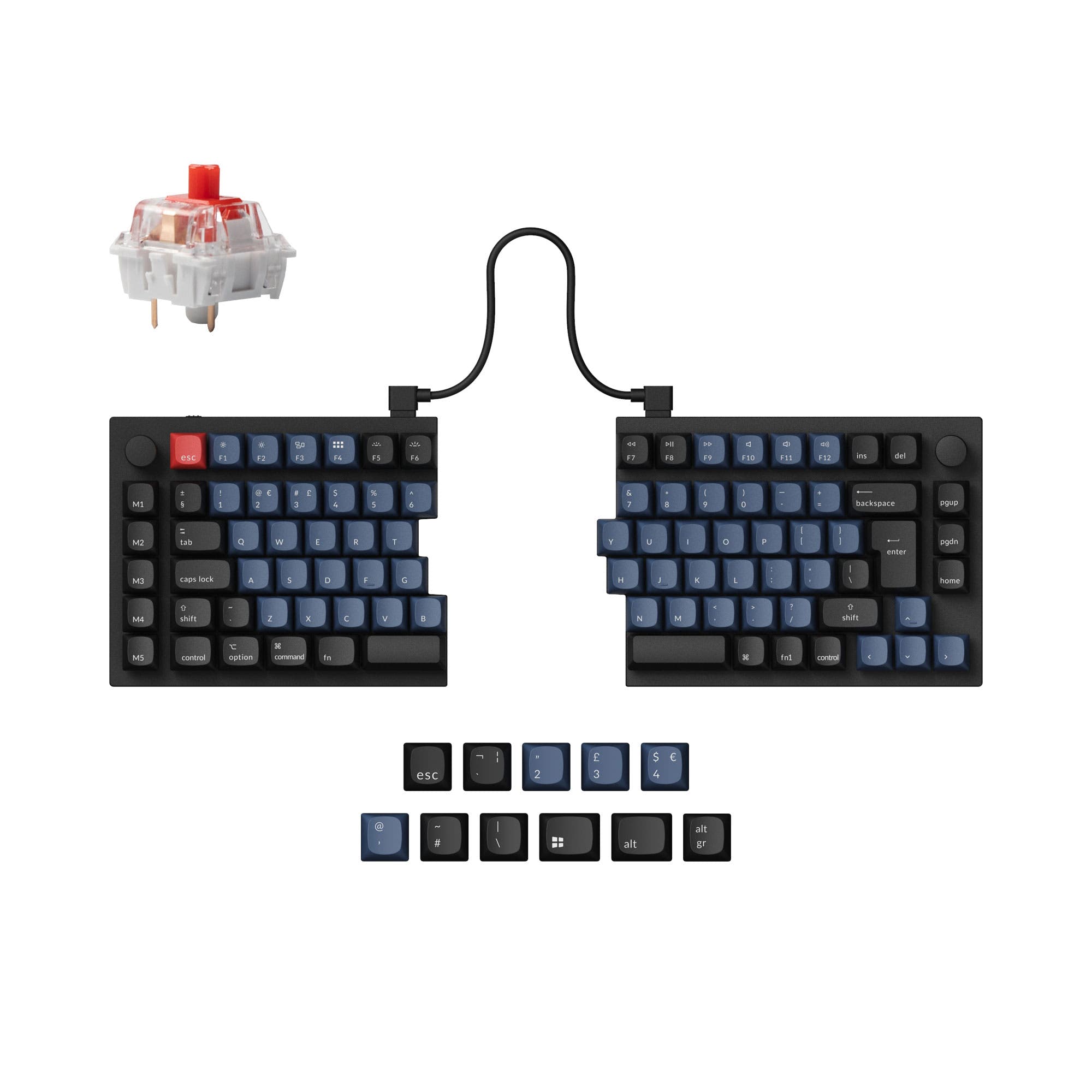 | 96 Overall/ Value 95.6Build Quality 89.8Customizability 98.4Performance 81.3Productivity 97.8Portability 56.6 | Select a keyboard to compare |
4.7 stars (26 reviews) | 4.8 stars (29 reviews) | |
|
| |
Scores
| Scores
| |
Name Keychron Q11 | Name Keychron Q12 Max | |
Release year 2023 | Release year 2024 | |
Switch Options Linear, Tactile, Clicky | Switch Options Linear, Tactile, Clicky | |
Profile Normal Profile | Profile Normal Profile | |
Hot Swappable | Hot Swappable | |
Layout Size Other | Layout Size 96% | |
Layout Standard ISO, ISO-DE, ISO-Nordic, ISO-UK, JIS, ANSI | Layout Standard ANSI | |
Layout Ergonomics Split | Layout Ergonomics Southpaw | |
Knob Support | Knob Support | |
Display Support | Display Support | |
Mac/Win Support | Mac/Win Support | |
Multi-Media Keys | Multi-Media Keys | |
USB-C | USB-C | |
USB passthrough | USB passthrough | |
Connection Wired, Wired only | Connection Bluetooth, 2.4 GHz, Wired, Wireless | |
Polling Rate 1000 Hz | Polling Rate 1000 Hz | |
Battery capacity - | Battery capacity 4000 mAh | |
Hall Effect Support | Hall Effect Support | |
QMK Support | QMK Support | |
VIA Support | VIA Support | |
VIAL Support | VIAL Support | |
N-Key Rollover | N-Key Rollover | |
Rapid Trigger | Rapid Trigger | |
Mount Style Tray Mount | Mount Style Gasket Mount | |
Screw in Stabilizers | Screw in Stabilizers | |
Sound Dampening | Sound Dampening | |
Backlight Rgb, South-face | Backlight Rgb, South-face | |
Case Colors | Case Colors | |
Case Material Aluminum | Case Material Aluminum | |
Keycaps Material ABS, PBT | Keycaps Material PBT | |
Dimensions 10 x 134 x 345 mm | Dimensions 20 x 145 x 409 mm | |
Weight 1186g | Weight 2195g |
If ergonomic split positioning is your top priority, the Keychron Q11 is the obvious choice with its lighter weight and flexible half placement. If you prefer a compact board with a left-side numpad and wireless freedom, the Keychron Q12 Max delivers a richer feature set for office and creative work. For most buyers who need a numpad and wireless connectivity, the Q12 Max offers better value despite the higher price. Only choose the Q11 if you specifically need a split layout for shoulder or wrist comfort.
The Q12 Max wins four out of six use cases, mainly due to its wireless connectivity and left-side numpad. It is the better choice for gaming, office work, modding, and content creation where a numpad and cable-free setup matter. The Q11 takes Programming and Travel, as its lighter weight and truly split design benefit ergonomic typists and those who need to pack light. Both boards tie on core customization features like QMK/VIA, but the Q12 Max's additional foam layers and gasket mount give it a slight edge in modding potential. The Q11 remains the better pick for users who want a true split keyboard without the extra weight.
You might also like similar products in that price range:


![[In-Stock]Zoom98 EE Wild Green](https://cdn.shopify.com/s/files/1/0607/2474/0287/files/Zoom98_Screen_EE_WildGreen_Ano_Black_e643a276-d06e-4aca-b381-da77d27d07ab.jpg?v=1708587782&width=3840&quality=75)

