Keychron Q13 Pro vs MCHOSE UT98Ergonomic vs Silent Typing
Choose the Keychron Q13 Pro for a premium, ergonomic typing project, or the MCHOSE UT98 for a quieter, more portable experience with longer battery life.
KeebFinder may earn a commission when you buy through these links, at no extra cost to you.

4.7 (12)4.7 · 12 reviews
from$167at Keychron

No reviews
from$97at Mchose
90-day lowLowest price in 90 days
Which one should you get?
Get the
Keychron Q13 Pro
Ergonomic
Build quality in the top 10% of 96% boards under $200.
- Full CNC-machined aluminum case for a premium, solid feel.
- Open-source QMK and VIA firmware support for extensive key remapping.
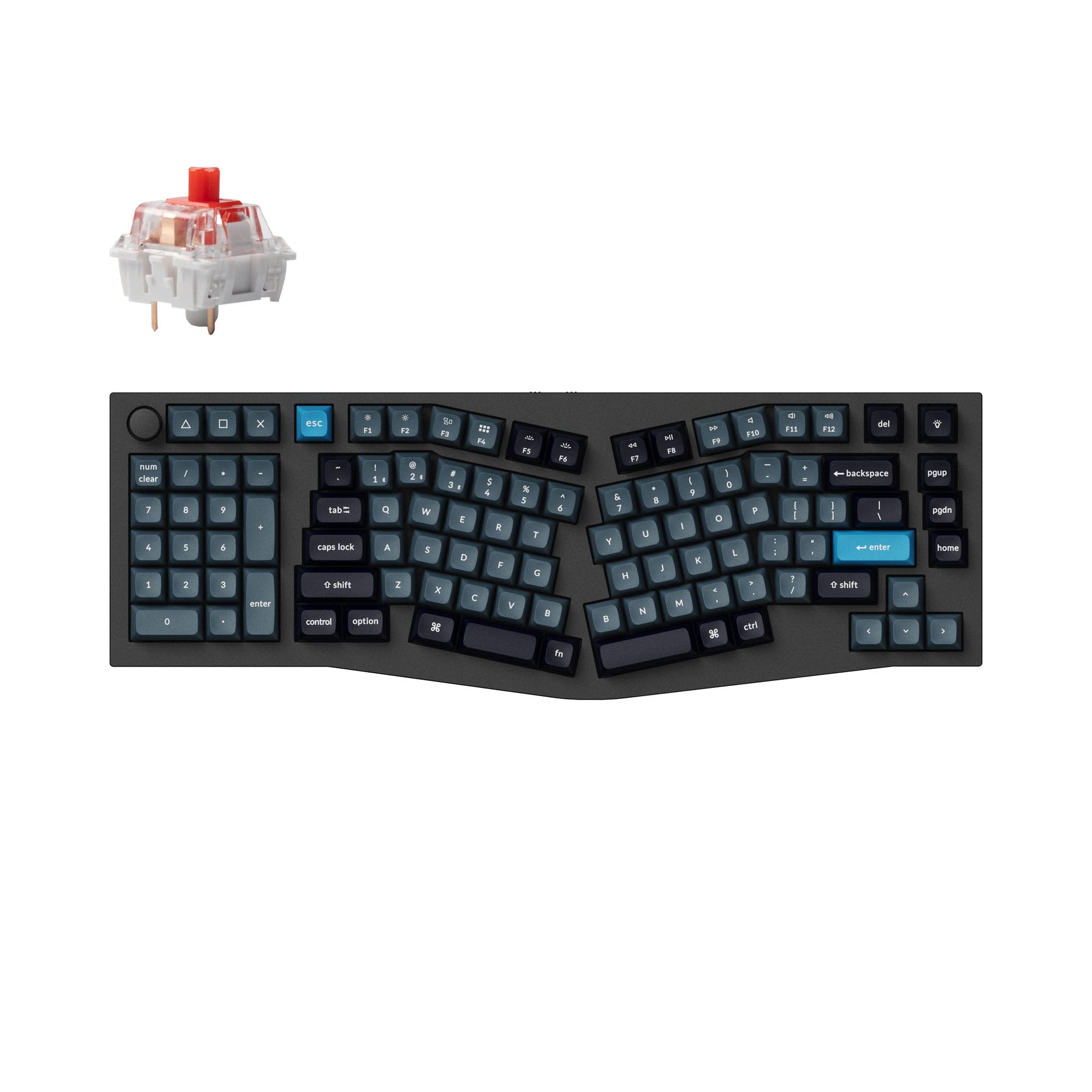
- Unique 96% Alice layout designed for ergonomic typing comfort.
- South-facing LEDs. Shine-through legends stay dark, and some sculpted keycaps can clip the LED.
- Compact full-size layout. The numpad is present, the gaps of a full-size board are not.
Get the
MCHOSE UT98
Silent Typing
Build quality in the top 50% of 98% boards under $100.
- Explicitly designed as a silent mechanical keyboard with focused switch options.
- Large 10000mAh battery capacity for extended wireless use.
- Lighter weight (1250g) and includes a 2.4 GHz wireless dongle for a stable connection.
- South-facing LEDs. Shine-through legends stay dark, and some sculpted keycaps can clip the LED.
- No ISO layout. ISO-DE, UK, and other ISO variants are not offered.
- Compact full-size layout. The numpad is present, the gaps of a full-size board are not.
Your primary need dictates the choice. For a long-term, ergonomic typing project with unmatched customization via QMK/VIA and a premium metal build, the Keychron Q13 Pro Alice is worth the investment. If you need a quieter, more portable keyboard for office or travel with outstanding battery life and a standard layout, the MCHOSE UT98 is the more practical and cost-effective option.
The differences that matter
Skip the 40-row spec sheet. These are the specs that change how each board feels, sounds, and fits your desk.
Keychron Q13 Pro
MCHOSE UT98
Layout size
96%
98%
Connection
Bluetooth, Wired
Bluetooth, 2.4 GHz, Wired
Wireless for several devices and wired for lower latency
Battery
4,000 mAh
10,000 mAh
A larger battery means fewer cables during the day
Ergonomics
Alice
Standard
Switch options
Clicky, Linear, Tactile
Linear
- Keychron Q13 Pro
- MCHOSE UT98
- Performance
- 8278
- Build quality
- 8862
- Productivity
- 10083
- Customizability
- 9666
- Portability
- 5763
- Hot-swappable
- Mount style: Gasket Mount
- Knob
- Sound dampening
- Plate material: Polycarbonate
What will you mostly use it for?
The Keychron Q13 Pro Alice is the clear choice for modding and programming due to its open-source firmware and ergonomic design. For office use and travel, the MCHOSE UT98 wins with its focus on silent operation, lighter weight, and larger battery. Gamers will prefer the Keychron for its higher polling rate, while content creators have a split decision based on whether they value deep customization or quiet switches more.
Pick the Keychron Q13 Pro
- The Keychron Q13 Pro has a specified 1000 Hz polling rate in wired mode for lower latency.
- Its listed N-key rollover ensures all key presses are registered simultaneously.
- The vendor description notes the latency is hardly noticeable in competitive games.
Keychron Q13 Pro vs MCHOSE UT98 specs
Every tracked spec, side by side. Rows marked with a dot differ between the boards.
13 of 26 specs differ
Keychron Q13 Pro
MCHOSE UT98
Switch options
Hot-swappable
Mount style
Sound dampening
Screw-in stabilizers
Layout size
Layout standard
Ergonomics
Knob
Display
Connection
Max polling rate
Battery
USB-C
Case material
Plate material
Keycaps
Weight
Dimensions
Typing angle
Backlight
QMK
VIA
N-key rollover
Mac & Windows
Released
ISO layouts by store
Which stores sell ISO-DE, UK, and the other regional layouts.
Keychron Q13 Pro
Keychron
ISO
Out of stockShips to you
Keychron (DE)
ISO
Out of stockDoes not ship to you
MCHOSE UT98
No ISO layout at the stores we track.
Compare prices
Live prices from the stores we track, cheapest in-stock offer first.
Prices in USD are converted to your currency and can change at any time. KeebFinder may earn a commission when you buy through these links, at no extra cost to you.
Lowest price across stores, Amazon excluded.



Keychron Q13 Pro vs MCHOSE UT98: your questions
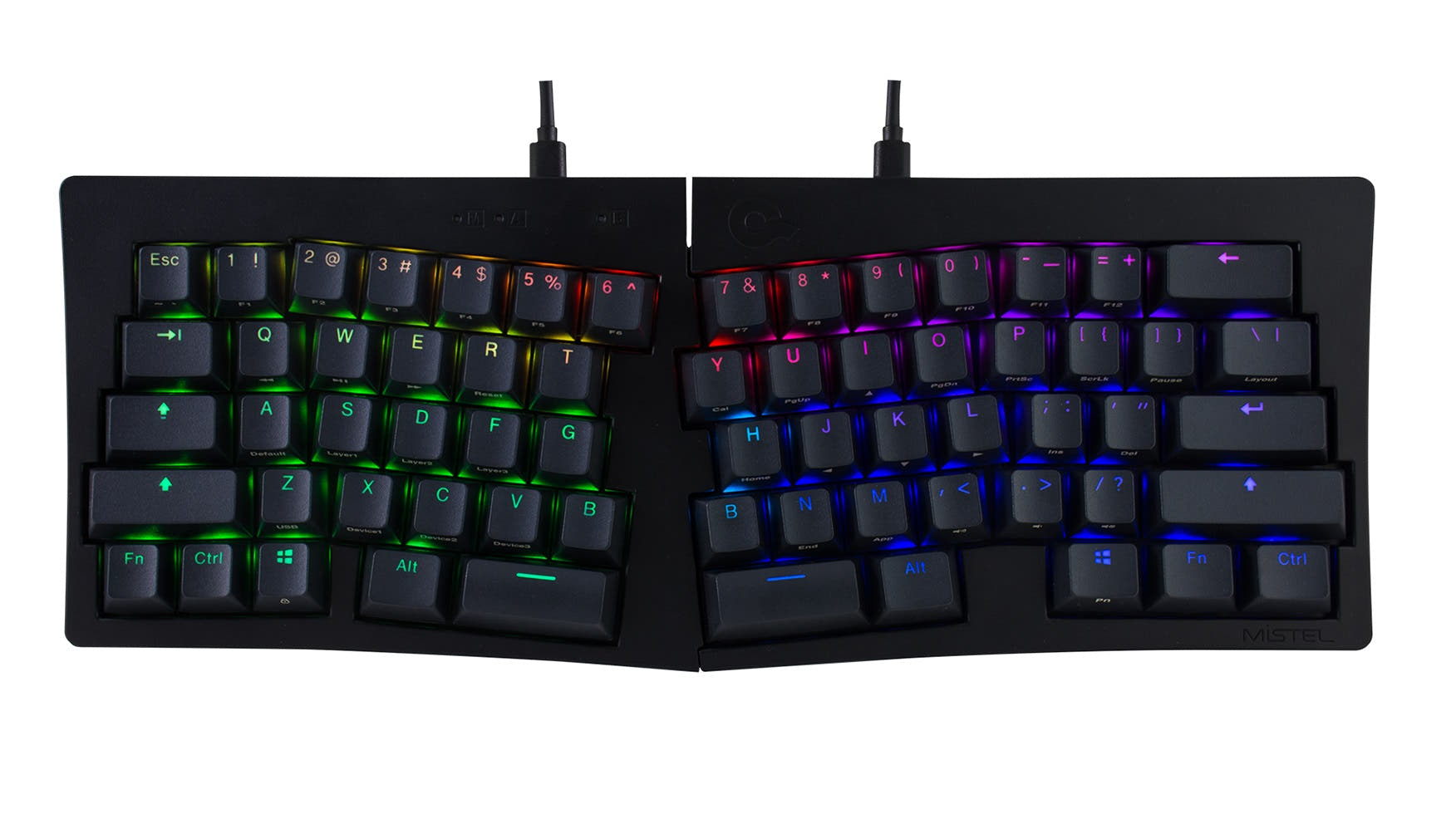
The Keychron Q13 Pro is specifically designed with an Alice layout, which splits the keyboard to promote a more natural hand and wrist posture. User reviews mention it helps reduce hand pain during long typing sessions. The MCHOSE UT98 has a standard layout but a steeper 19-degree typing angle, which may also offer some ergonomic benefit.
Yes, the MCHOSE UT98 supports N-key rollover and has a 2.4 GHz wireless mode for a stable connection. However, its vendor description does not specify a polling rate, while the Keychron Q13 Pro explicitly lists a 1000 Hz polling rate in wired mode, which is a common metric for gaming performance.
Yes. The Keychron Q13 Pro supports both QMK and VIA firmware. According to the manufacturer, this allows for endless key remapping, macros, and shortcuts. You can customize it through the Keychron Launcher web app or directly via QMK.
The MCHOSE UT98 has a very large 10000mAh battery. While the exact runtime is not specified, a larger capacity typically translates to longer use between charges compared to the Keychron's 4000mAh battery, especially with RGB lighting off.
The MCHOSE UT98 is explicitly marketed as a silent mechanical keyboard and includes five layers of sound-dampening foam. The Keychron Q13 Pro uses a double-gasket design and sound dampening to reduce noise, but its focus is on acoustic tuning rather than achieving near-silent operation.
Yes, both the Keychron Q13 Pro and MCHOSE UT98 list compatibility with macOS and Windows. The Keychron includes an additional set of keycaps for Mac, and the MCHOSE listing mentions dedicated Mac keycaps are included.
Yes, both keyboards are hot-swappable. The Keychron Q13 Pro is compatible with most 3-pin and 5-pin MX-style switches. The MCHOSE UT98 is also hot-swappable, but its product description does not specify the exact pin compatibility.
The Keychron Q13 Pro uses Keychron's own KSA (Keychron Spherical-Angle) profile double-shot PBT keycaps. The MCHOSE UT98 uses Cherry profile keycaps, which are a more common and lower profile.
No, for both keyboards. The Keychron Q13 Pro uses non-shine-through PBT keycaps. The MCHOSE UT98 vendor description explicitly states its keycaps are non-shine-through, so the backlight will shine around the keys, not through the characters.
According to its specifications, the MCHOSE UT98 package includes the keyboard, a user guide, a Type-C cable, a keycap puller, two spare switches, a dust cover, and five additional keycaps.
Yes. The Keychron Q13 Pro is offered in a 'Barebone' configuration, which includes the keyboard PCB, the aluminum case, and the PC plate, but does not include keycaps or switches.
Not sold on either?





Still torn?
Answer a few quick questions and the keyboard finder ranks 2,000+ boards by how you will actually use yours.