Keychron Q2 vs Q365% vs TKL Layout Showdown
Choose the Keychron Q2 if you prioritize a compact desk footprint, or the Keychron Q3 if you need dedicated function row keys more than saving space.
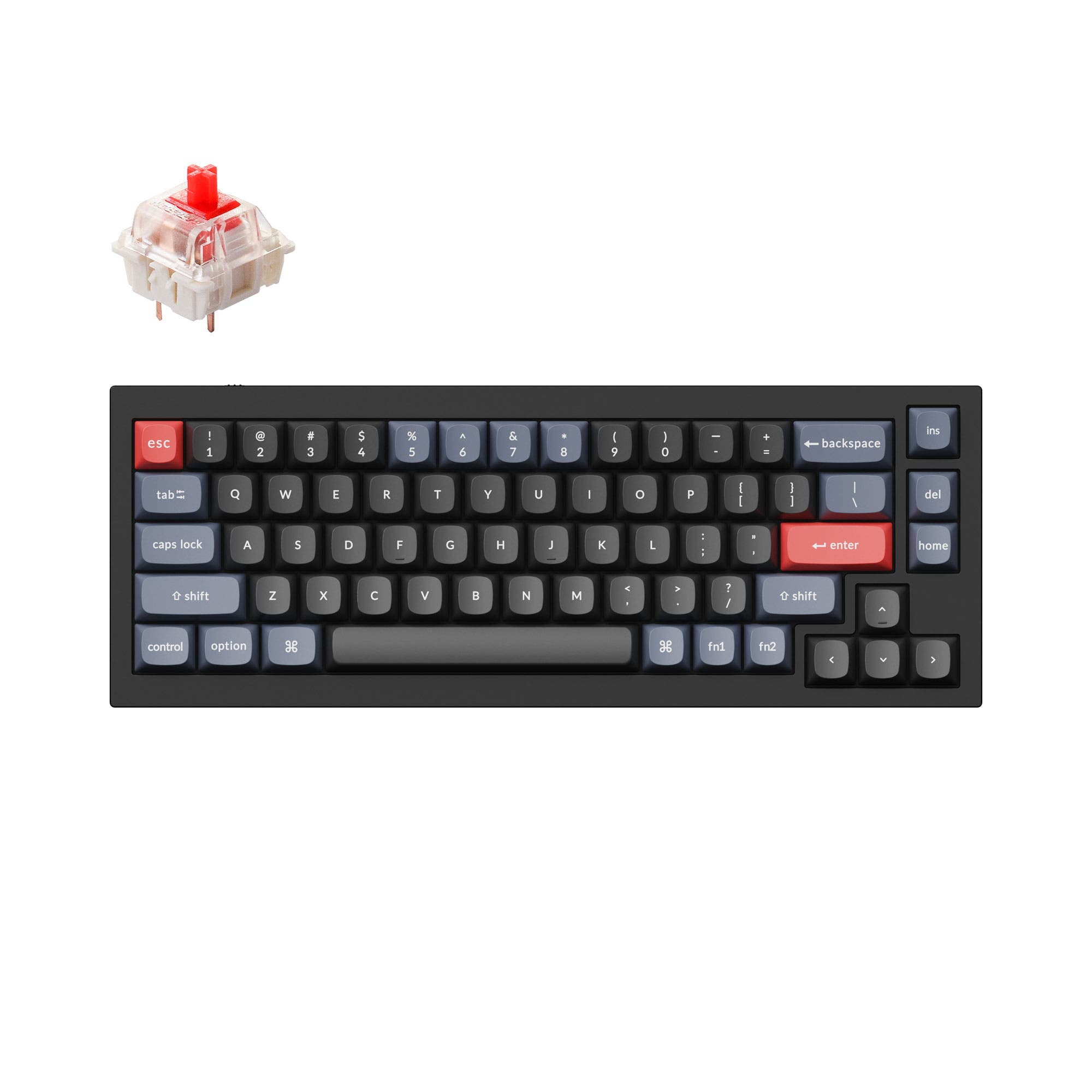

Which one should you get?
Get the
Keychron Q2
65%
- Compact 65% layout saves desk space and is easier to carry (1645g).
- Features a double-gasket design with silicone pads for improved typing sound.
- Slightly steeper 6.5° typing angle for users who prefer more incline.
- Lacks a dedicated function row and navigation keys, requiring more layer usage.
- Wired-only connectivity limits portability despite its lighter weight.
- Keycap profile can be a personal preference; the OSA profile may take adjustment for some users.
Get the
Keychron Q3
TKL Layout Showdown
- TKL layout includes a dedicated function row and navigation cluster for increased productivity.
- Heavier 2000g chassis provides a more stable and premium typing foundation.
- Offers Silent switch options from the vendor, making it suitable for quiet environments.
- Larger footprint (365mm wide) takes up more desk space and is heavier to move.
- Wired-only connectivity limits its use for travel despite the larger, less portable size.
- The Q3's lower 5.2° typing angle may not suit users who prefer a steeper incline.
Your choice between the Keychron Q2 and Q3 comes down to layout preference. If you want to maximize desk space and prefer a compact 65% layout that is easier to move around, the Keychron Q2 is the right choice. If you rely on a dedicated function row and navigation keys for work or gaming without sacrificing build quality, the larger Q3 is a better fit. Both offer the same core build quality, QMK/VIA support, and hot-swappable functionality.
The differences that matter
Skip the 40-row spec sheet. These are the specs that change how each board feels, sounds, and fits your desk.
Keychron Q2
Keychron Q3
Layout size
65%
80%
Switch options
Clicky, Linear, Tactile
Clicky, Linear, Silent, Tactile
Mount style
Gasket Mount, PCB Mount
Gasket Mount, PCB Mount, Plate Mount
Weight
1,645 g
2,000 g
Layout standard
ANSI, ISO, ISO-DE, ISO-ES, ISO-FR, ISO-Nordic, ISO-SW, ISO-UK, JIS
ANSI, ISO, ISO-DE, ISO-ES, ISO-FR, ISO-SW, ISO-UK, JIS
- Keychron Q2
- Keychron Q3
- Performance
- 6672
- Build quality
- 9091
- Productivity
- 9598
- Customizability
- 9898
- Portability
- 7057
- Connection: Wired
- Hot-swappable
- Max polling rate: 1,000 Hz
- Case material: Aluminum
- Knob
- QMK
What will you mostly use it for?
The Keychron Q3 wins for productivity-focused scenarios like gaming, office work, and programming, where the extra keys of its TKL layout provide direct access without layers. The Keychron Q2 takes the lead for travel and modding due to its smaller size and lighter weight, making it a more portable and experimental platform. For content creation, the decision is a tie, as both boards offer a programmable knob and similar build quality.
Pick the Keychron Q3
- The Q3's TKL layout provides dedicated F-row keys for quick access to game commands.
- The Q3 weighs 2000g, offering a more stable typing platform during intense gameplay.
- Both keyboards offer a 1000 Hz polling rate and hot-swappable switches, but the Q3's larger size can be more comfortable for gaming sessions.
What owners say
Ratings and quotes collected from verified store reviews, including the critical ones.
Keychron Q2
241 owner reviews
“The Q2 is waaaaay underrated. Tempest mod, lubed durock v2 stabs, tecsee PME or HPE housing long pole tactile switches and you have yourself a killer board.”
Keychron Q3
108 owner reviews
“I upgraded from the Q1 as I never really liked 75%. The weight, sound and feel of the Q3 are all amazing. Really good build quality. Money well spent.”
“I thought I had found exactly what I wanted and its great for what it is, but! This was advertised as an ANSI layout but what I received was an ISO layout board. The barebones board also states in the images that it comes with switch and keycap removal tools…”
Keychron Q2 vs Q3 specs
Every tracked spec, side by side. Rows marked with a dot differ between the boards.
8 of 25 specs differ
Keychron Q2
Keychron Q3
Switch options
Hot-swappable
Mount style
Sound dampening
Screw-in stabilizers
Layout size
Layout standard
Ergonomics
Knob
Display
Media keys
Connection
Max polling rate
USB-C
Case material
Plate material
Keycaps
Weight
Dimensions
Typing angle
Backlight
QMK
VIA
Mac & Windows
Released
Compare prices
Live prices from the stores we track, cheapest in-stock offer first.
Lowest price across stores, Amazon excluded.




Prices in USD are converted to your currency and can change at any time. KeebFinder may earn a commission when you buy through these links, at no extra cost to you.
Keychron Q2 vs Q3: your questions
The Keychron Q3 is generally better for gaming due to its TKL layout with dedicated function row keys. This allows for quick access to game commands without using layers. Both keyboards feature a 1000 Hz polling rate and hot-swappable switches, ensuring low latency and the ability to customize switch feel for gaming.
The Keychron Q2 has a steeper typing angle of 6.5 degrees compared to the Q3's 5.2 degrees. This means the Q2 provides a more pronounced incline, which some users may find more comfortable for typing. The Q3's slightly lower angle might be preferred by those who like a flatter typing posture.
Yes, both the Keychron Q2 and Q3 are designed with Mac and Windows users in mind. They come with a system toggle switch and include an additional set of customized keycaps for both macOS and Windows systems, as described by the vendor. This makes switching between operating systems straightforward.
Yes, both keyboards fully support QMK firmware and VIA software, as stated in their specifications. This allows for endless possibilities in key remapping, creating macros, and adjusting shortcuts through the Keychron Launcher web app, making them highly customizable for any workflow.
Yes, both the Keychron Q2 and Q3 feature hot-swappable PCBs that support both 3-pin and 5-pin MX mechanical switches. This means you can install or change switches without soldering, giving you the freedom to customize the typing feel of your keyboard easily.
Both keyboards use screw-in PCB stabilizers, which provide increased stability and less wobble compared to plate-mounted stabilizers. The vendor notes these stabilizers are designed for a more stable and smooth typing experience on larger keys like the space bar and shift.
The Keychron Q3 is heavier, weighing in at 2000 grams for the fully assembled version, compared to the Q2's 1645 grams. The Q3's extra weight provides a more stable typing platform that is less likely to slide around on a desk. The Q2 is lighter and easier to move if needed.
Yes, both the Q2 and Q3 can be purchased with a programmable knob. The vendor describes this as a premium rotary encoder that can be customized through QMK/VIA software for functions like zooming in and out, adjusting volume, or controlling screen brightness.
The keycap material varies by version. The vendor description for the fully assembled Q2 mentions double-shot OSA PBT keycaps, which are oil-resistant and durable. The fully assembled Q3 ISO version is described as coming with OSA profile ABS backlight shine-through keycaps, which allow more light to pass through the legends.
The Keychron Q2 is better for a small desk due to its compact 65% layout, which is significantly smaller at 328mm wide. The Q3's TKL layout is larger at 365mm wide and takes up more space. Choose the Q2 if desk space is at a premium, but be prepared to use layers for missing keys.
The Keychron Q3 is often better for office use because its TKL layout includes a dedicated function row and navigation keys, which can speed up tasks like spreadsheet navigation. Additionally, the Q3 is available with Silent switch options from the vendor, making it more considerate for a shared workplace.
Yes, both keyboards feature a USB-C connection and the vendor includes a Type-C cable along with a Type-A to Type-C adapter in the box. This ensures compatibility with modern computers and peripherals, allowing for a reliable wired connection.
Not sold on either?


Still torn?
Answer a few quick questions and the keyboard finder ranks 2,000+ boards by how you will actually use yours.