Keychron Q3 Pro vs Q5 Ultra80% TKL vs 96% Gaming
Choose the Q3 Pro for unmatched customizability with QMK/VIA and broad layout support, or the Q5 Ultra for extreme 8K wireless performance and a full numpad in a compact 96% form.
KeebFinder may earn a commission when you buy through these links, at no extra cost to you.
4.8 (24)4.8 · 24 reviews
from$149at Keychron

Which one should you get?
Get the
Keychron Q3 Pro
80% TKL
Build quality in the top 5% of 80% boards under $150.
- Open-source QMK/VIA firmware allows unlimited key remapping and macro creation.
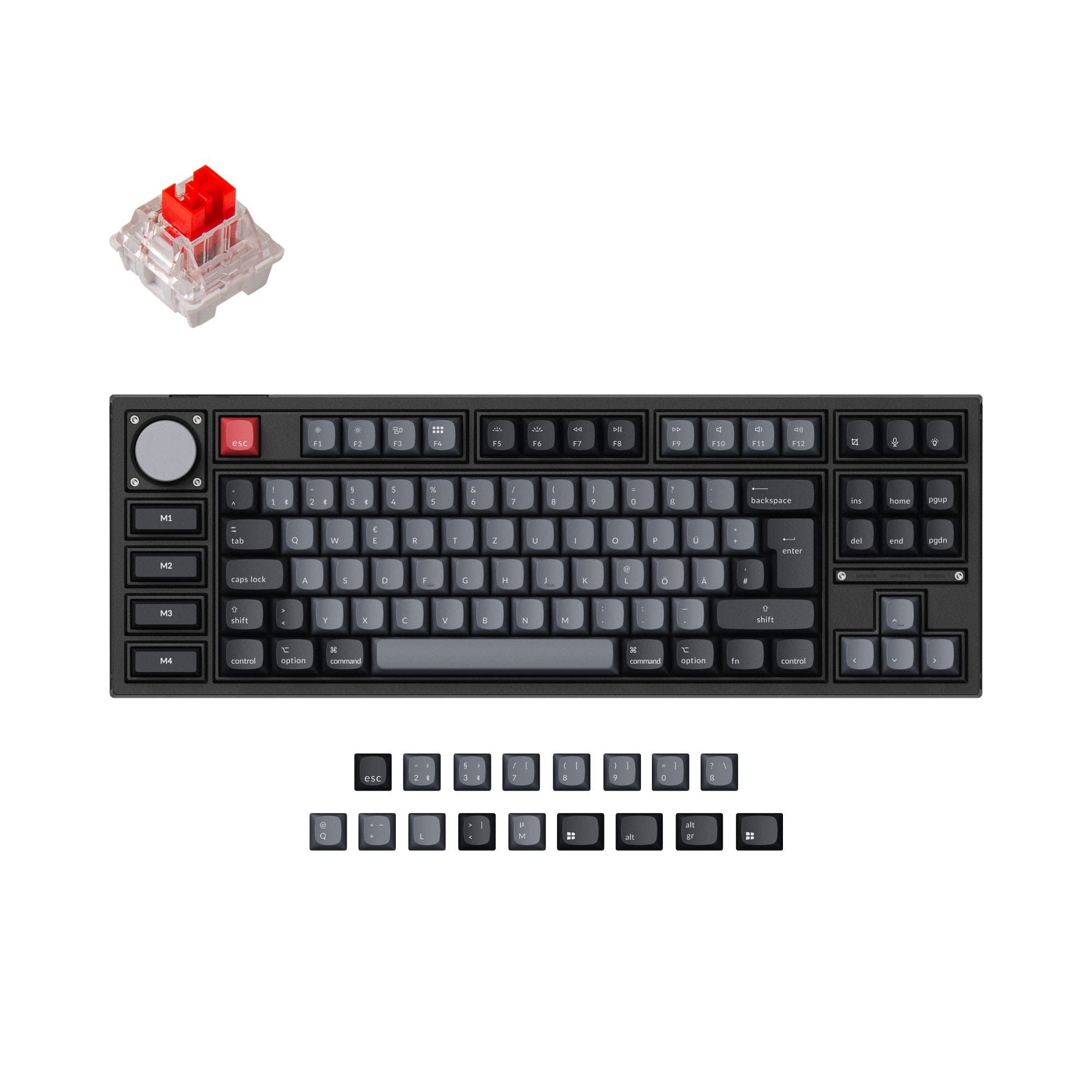
- Available in multiple layouts (ANSI, ISO-DE, ISO-UK, ISO-Nordic, ISO-FR, ISO-ES, ISO-SW) and a Special Edition with left macro keys.
- Screw-in PCB stabilizers reduce wobble on large keys like the spacebar.
- South-facing LEDs. Shine-through legends stay dark, and some sculpted keycaps can clip the LED.
- No numpad.
Get the
Keychron Q5 Ultra
96% Gaming
Build quality in the top 35% of 96% boards under $300.
- Supports 8K polling rate in wired and 2.4 GHz modes for extremely low latency gaming performance.
- Features a 96% layout with a full numpad, saving space while retaining all keys.
- Delivers up to 660 hours of battery life with backlight off, substantially longer than typical wireless keyboards.
- South-facing LEDs. Shine-through legends stay dark, and some sculpted keycaps can clip the LED.
- Missing ISO-UK, ISO-Nordic, ISO-FR. The other board is sold in those layouts.
- Compact full-size layout. The numpad is present, the gaps of a full-size board are not.
If you prioritize deep customization, a TKL form factor, or need an ISO layout, the Keychron Q3 Pro is the clear winner with its QMK/VIA support and broad layout selection. For competitive gamers who demand the lowest possible input lag with an 8K polling rate and prefer a compact full-size layout with a numpad, the Keychron Q5 Ultra is the superior choice. Let your need for programmability versus raw wireless performance decide.
The differences that matter
Skip the 40-row spec sheet. These are the specs that change how each board feels, sounds, and fits your desk.
Keychron Q3 Pro
Keychron Q5 Ultra
Layout size
80%
96%
Connection
Bluetooth, Wired
Bluetooth, 2.4 GHz, Wired
Wireless for several devices and wired for lower latency
Max polling rate
1,000 Hz
8,000 Hz
Higher polling helps competitive FPS and does nothing for typing
Weight
2,300 g
2,098 g
Heavier boards stay planted and lighter ones travel
QMK
Yes
No
The deep option when you want to remap every key
- Keychron Q3 Pro
- Keychron Q5 Ultra
- Performance
- 8289
- Build quality
- 8974
- Productivity
- 9790
- Customizability
- 9877
- Portability
- 7655
- Hot-swappable
- Battery: 4,000 mAh
- Case material: Aluminum
- Switch options: Clicky, Linear, Tactile
- Mount style: Gasket Mount, Plate Mount
- Knob
What will you mostly use it for?
The Keychron Q5 Ultra wins outright for gaming due to its 8K polling rate and 2.4 GHz connectivity. However, the Q3 Pro dominates in office, programming, travel, modding, and content creation use cases. Its superior customizability via QMK/VIA, availability of ISO layouts, and compact TKL form factor make it more versatile for productivity-focused and customization-heavy users. The Q5 Ultra's 96% layout with numpad and fast wireless performance appeals specifically to gamers who need both low latency and a full key set in a compact package.
Pick the Keychron Q5 Ultra
- Supports an 8K polling rate in wired and 2.4 GHz mode for ultra-low latency.
- Includes a dedicated 2.4 GHz wireless connection for stable, high-speed gaming.
- Packs a 96% layout with a numpad, useful for MMOs or sim games that require many keys.
- Uses pre-lubed Keychron Silk POM switches for smooth, responsive keystrokes.
Keychron Q3 Pro vs Q5 Ultra specs
Every tracked spec, side by side. Rows marked with a dot differ between the boards.
11 of 27 specs differ
Keychron Q3 Pro
Keychron Q5 Ultra
Switch options
Hot-swappable
Mount style
Sound dampening
Screw-in stabilizers
Layout size
Layout standard
Ergonomics
Knob
Display
Media keys
Connection
Max polling rate
Battery
USB-C
Case material
Plate material
Keycaps
Weight
Dimensions
Typing angle
Backlight
QMK
VIA
N-key rollover
Mac & Windows
Released
ISO layouts by store
Which stores sell ISO-DE, UK, and the other regional layouts.
Keychron Q3 Pro
Keychron
ISO-DE, ISO-UK, ISO-Nordic, ISO-FR, ISO-ES, ISO-SW
In stockShips to you
Keychron (DE)
ISO-DE, ISO-UK, ISO-Nordic, ISO-FR, ISO-ES, ISO-SW
In stockDoes not ship to you
Keychron Q5 Ultra
Keychron (DE)
ISO-DE, ISO-ES
In stockDoes not ship to you
Compare prices
Live prices from the stores we track, cheapest in-stock offer first.
Prices in USD are converted to your currency and can change at any time. KeebFinder may earn a commission when you buy through these links, at no extra cost to you.
Lowest price across stores, Amazon excluded.



Keychron Q3 Pro vs Q5 Ultra: your questions
The Keychron Q5 Ultra is better for gaming wireless connectivity because it includes a dedicated 2.4 GHz dongle which, according to the vendor, supports an 8K polling rate. The Q3 Pro relies on Bluetooth 5.1, which caps at 90 Hz polling and may introduce higher latency, making the Q5 Ultra the stronger choice for low-latency wireless gaming.
Yes, both keyboards support macro programming but through different firmware. The Q3 Pro uses the widely supported QMK/VIA system, allowing deep customization via the Keychron Launcher web app. The Q5 Ultra uses ZMK firmware, which also offers remapping and macros through the Launcher, but ZMK is generally less feature-rich than QMK for complex macro chains.
Yes, the Q5 Ultra features a 96% layout, which includes a full numeric keypad (numpad) on the right side. This is a key differentiator from the Q3 Pro, which is an 80% TKL layout and does not have a numpad. The Q5 Ultra is ideal for users who need a numpad for data entry or gaming but want a more compact footprint than a full-size keyboard.
The Keychron Q3 Pro is significantly better for regional layouts. It is available in ANSI, ISO-DE (German), ISO-UK, ISO-Nordic, ISO-FR (French), ISO-ES (Spanish), and ISO-SW (Swiss) variants. The Q5 Ultra is only available in ANSI layout, so it does not support the dedicated keys typically needed in European or Scandinavian layouts.
Both keyboards feature a full CNC-machined 6063 aluminum case and a PC (polycarbonate) plate, providing a premium feel. However, the Q5 Ultra includes more extensive internal sound dampening as described by the vendor: it layers sound absorbing foam, IXPE foam, PET film, latex bottom pad, and bottom case acoustic foam. The Q3 Pro is described with a double-gasket design and silicone pads, but its vendor listing mentions fewer foam layers.
According to the vendor descriptions, the Q5 Ultra offers up to 660 hours of use on a single charge with the backlight off, nearly double the Q3 Pro's figure of up to 300 hours under similar conditions. Both keyboards have a 4000mAh battery, but the Q5 Ultra's more power-efficient chip and ZMK firmware likely contribute to its longer runtime.
The Q3 Pro is generally easier to mod, as it is built around QMK firmware, which has a large community and extensive documentation for custom firmware modifications. It is also available as a Barebone kit, meaning you can supply your own switches and keycaps. Both keyboards are hot-swappable and use standard screw-in stabilizers, but the Q3 Pro's open firmware ecosystem gives it an edge for advanced modding.
Yes, both the Keychron Q3 Pro and Q5 Ultra fully support macOS and Windows. According to the vendor, they come with a system toggle switch and additional sets of keycaps for both Mac and Windows layouts. The Q3 Pro vendor listing also mentions Linux compatibility, and it is reasonable to expect similar support on the Q5 Ultra given its programmable firmware.
The Q3 Pro comes with Keychron K Pro switches, which are available in linear (Red), tactile (Banana), and other options. The Q5 Ultra is equipped with pre-lubed Keychron Silk POM switches, available in Red (linear), Brown (tactile), and Banana (tactile). The Silk POM switches feature a POM housing and stem for added smoothness and durability compared to the standard K Pro line.
Despite being larger, the Q5 Ultra is slightly lighter at 2098g compared to the Q3 Pro at 2300g. However, the Q3 Pro has a smaller 80% TKL footprint (31 x 144 x 415 mm) versus the Q5 Ultra's 96% layout (32 x 408 x 145 mm), making the Q3 Pro easier to fit into a bag for travel. Both are heavy all-metal keyboards and are not ideal for frequent carrying.
Yes, both keyboards support a wired USB-C connection. The Q3 Pro's vendor page states a 1000 Hz polling rate in wired mode and 90 Hz in Bluetooth. The Q5 Ultra supports an 8K polling rate (8000 Hz) in both wired and 2.4 GHz wireless modes, with additional options for 2000 Hz and 1000 Hz polling rates as mentioned in its specs.
According to the metadata for both products, neither the Keychron Q3 Pro nor the Keychron Q5 Ultra comes equipped with a screen or display. They rely on onboard LED indicators and software-based feedback through VIA or the Keychron Launcher for configuration and status monitoring.
Not sold on either?


Still torn?
Answer a few quick questions and the keyboard finder ranks 2,000+ boards by how you will actually use yours.