Keychron Q4 vs Q760% vs 70% Compact Showdown
Choose the Q4 for maximum desk space savings, or the Q7 if you need dedicated arrow keys without moving to a full 75% layout.
KeebFinder may earn a commission when you buy through these links, at no extra cost to you.
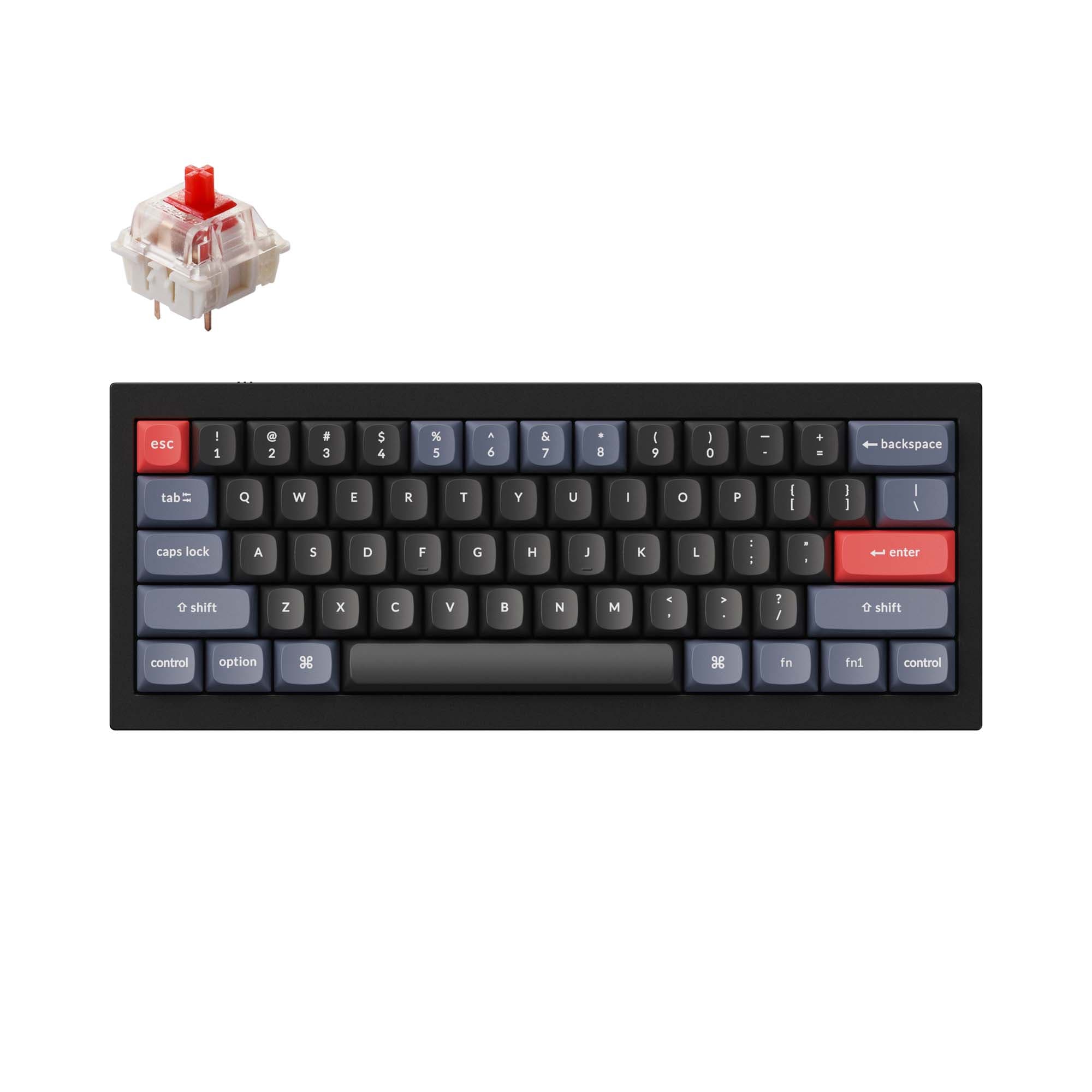
4.7 (10)4.7 · 10 reviews
from$59at Keychron
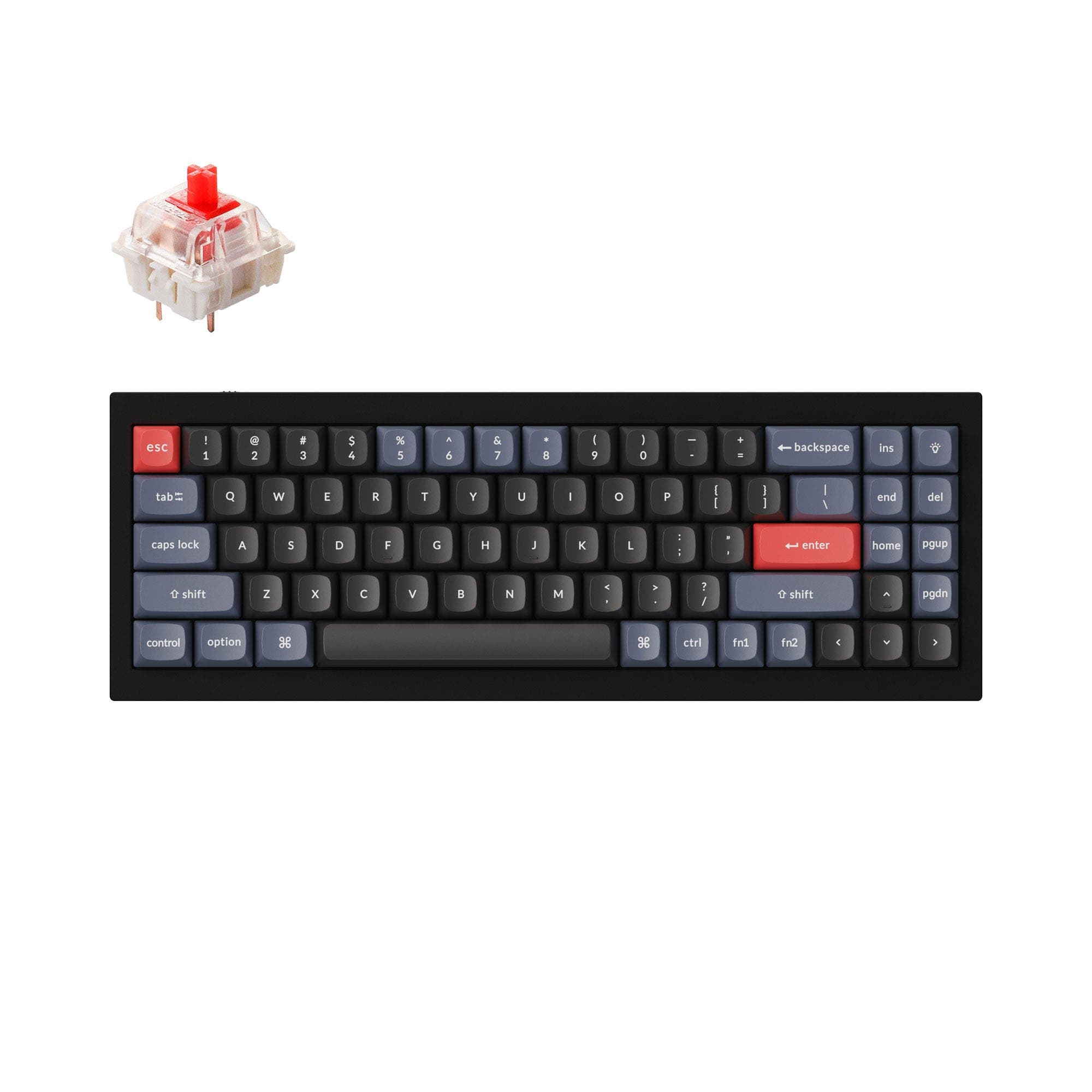
4.0 (3)4.0 · 3 reviews
from$59at Keychron
Which one should you get?
Get the
Keychron Q4
60%
Build quality in the top 5% of 60% boards under $100.
- Compact 60% layout saves significant desk space and is highly portable.
- Lighter weight (1500g) compared to the Q7.
- Offered with knob support for quick volume and macro control.
- South-facing LEDs. Shine-through legends stay dark, and some sculpted keycaps can clip the LED.
- Compact layout only. No function row, dedicated arrow keys, or numpad.
Get the
Keychron Q7
70% Compact Showdown
- Includes dedicated arrow keys and a function row, improving out-of-box productivity.
- Features a 5-degree typing angle, which is more standard and comfortable for some users.
- Larger layout (70%) reduces the need for complex layer memorization.
- South-facing LEDs. Shine-through legends stay dark, and some sculpted keycaps can clip the LED.
For users who prioritize desk space and portability and are comfortable with layering, the Keychron Q4 is the clear winner. For anyone who finds dedicated arrow keys and a full function row indispensable for daily work or gaming, the Keychron Q7 is the more practical choice. Both keyboards deliver the same high-quality aluminum build and software capabilities, so your choice depends entirely on your preferred layout size.
The differences that matter
Skip the 40-row spec sheet. These are the specs that change how each board feels, sounds, and fits your desk.
Keychron Q4
Keychron Q7
Layout size
60%
70%
Weight
1,500 g
1,820 g
Heavier boards stay planted and lighter ones travel
Media keys
Yes
No
Dimensions
20 x 121 x 303 mm
20 x 121 x 341 mm
Typing angle
7°
5°
- Keychron Q4
- Keychron Q7
- Performance
- 6667
- Build quality
- 9090
- Productivity
- 9595
- Customizability
- 9896
- Portability
- 7163
- Connection: Wired
- Hot-swappable
- Max polling rate: 1,000 Hz
- Case material: Aluminum
- Switch options: Clicky, Linear, Tactile
- Mount style: Gasket Mount, Plate Mount
What will you mostly use it for?
The Q7 wins for office productivity due to its dedicated arrow keys, but the Q4 triumphs in travel and modding scenarios with its smaller, more popular 60% form factor. For gaming and content creation, both keyboards perform equally well, offering the same responsive wired connection and software programmability. The Q4's minimal layout is better for developers who prefer layers, while the Q7's extra keys are a boon for general users. Your final choice will likely come down to your need for physical arrow and navigation keys versus the desire for a smaller desk footprint.
It's a tie
- Both keyboards feature a 1000 Hz polling rate and an Arm Cortex-M4 MCU with 128KB Flash, making latency negligible.
- Both are wired-only, eliminating wireless interference concerns.
- The Q4's 60% layout provides more mouse space, while the Q7's arrow keys can be useful in specific game genres.
What owners say
Ratings and quotes collected from verified store reviews, including the critical ones.
Keychron Q4
10 owner reviews
“Perfect keyboard, sounds lovely, feels lovely, i just fee like the white keys are a lot more cream than pictured. Not an issue though! Just a little annoying haha”
Keychron Q7
3 owner reviews
“The Q7 is unconventional, compact, and surprisingly usable once you give it a little time. It feels solid and intentional, not experimental. A great option if you like smaller layouts but still want something different. The layout is what stands out…”
“Was displeased to find out afterwards inhad purchased that i had to pay an import fee. Wouldn’t have purchased had i known”
Keychron Q4 vs Q7 specs
Every tracked spec, side by side. Rows marked with a dot differ between the boards.
5 of 25 specs differ
Keychron Q4
Keychron Q7
Switch options
Hot-swappable
Mount style
Sound dampening
Screw-in stabilizers
Layout size
Layout standard
Ergonomics
Knob
Display
Media keys
Connection
Max polling rate
USB-C
Case material
Plate material
Keycaps
Weight
Dimensions
Typing angle
Backlight
QMK
VIA
Mac & Windows
Released
ISO layouts by store
Which stores sell ISO-DE, UK, and the other regional layouts.
Keychron Q4
Keychron
ISO-DE, ISO-UK, ISO-Nordic, ISO-FR, ISO-ES, ISO-SW
In stockShips to you
Keychron (DE)
ISO-DE, ISO-UK, ISO-Nordic, ISO-FR, ISO-ES, ISO-SW
In stockDoes not ship to you
Keychron Q7
Keychron
ISO-DE, ISO-UK, ISO-Nordic, ISO-FR, ISO-ES, ISO-SW
In stockShips to you
Keychron (DE)
ISO-DE, ISO-UK, ISO-Nordic, ISO-FR, ISO-ES, ISO-SW
In stockDoes not ship to you
Compare prices
Live prices from the stores we track, cheapest in-stock offer first.
Prices in USD are converted to your currency and can change at any time. KeebFinder may earn a commission when you buy through these links, at no extra cost to you.
Lowest price across stores, Amazon excluded.



Keychron Q4 vs Q7: your questions
Yes, both keyboards provide full support for QMK and VIA. This allows you to remap any key, create macros, and adjust lighting. The Keychron Launcher web app can be used for customization with browsers like Chrome, Opera, or Edge.
The Keychron Q7 is generally better for a beginner due to its 70% layout, which includes dedicated arrow keys and a function row. This layout is closer to a standard keyboard and requires less adaptation compared to the Q4's more compact 60% design.
Yes, both the Q4 and Q7 feature the double-gasket design. This structure includes gaskets on the plates and silicone pads between the top and bottom cases. According to the manufacturer, this helps reduce acoustic resonance and improves the overall typing sound.
The Keychron Q4 is the more portable option. It weighs 1500 grams and has dimensions of 303 x 121 mm. In contrast, the Q7 weighs 1820 grams and has a length of 341 mm, making it both heavier and longer.
The primary difference is that the Keychron Q7 (70%) provides a dedicated arrow cluster and a row of function keys. The Keychron Q4 (60%) omits these keys, requiring users to activate them through a secondary function layer. The Q4 also offers a knob support option which the Q7 does not have according to its description.
Yes, both the Q4 and Q7 feature a hot-swappable PCB that supports both 3-pin and 5-pin MX mechanical switches. This allows you to change switches without any soldering, making experimentation and customization easy.
Both keyboards come with screw-in PCB stabilizers. According to the manufacturer, the screw-in design increases stability for larger keys like the space bar and shift keys. They also support third-party stabilizers such as Cherry or Durock.
Yes, the fully assembled versions of both keyboards come with double-shot PBT keycaps in an OSA (OEM Spherical Angled) profile. These keycaps are not shine-through and are designed to be oil-resistant. The keycap sets also include additional keycaps for switching between Mac and Windows layouts.
Yes. The Keychron Q4 weighs approximately 1500 grams, while the Keychron Q7 is about 1820 grams. This 320-gram difference can be noticeable when carrying the keyboard in a bag or moving it around a desk.
According to the extra features list, the Keychron Q4 has knob support, meaning you can purchase a version with a knob. The vendor description for the Keychron Q7 notes the lack of a knob as a drawback, suggesting it does not come standard with one.
Not sold on either?





Still torn?
Answer a few quick questions and the keyboard finder ranks 2,000+ boards by how you will actually use yours.