Keychron Q6 Ultra vs Q8 MaxFull-Size vs Alice Layout Showdown
Choose the Q6 Ultra for a full-size layout and maximum wireless speed, or the Q8 Max for ergonomic comfort and deep firmware customization.
KeebFinder may earn a commission when you buy through these links, at no extra cost to you.

5.0 (9)5.0 · 9 reviews
from$203at MK

5.0 (8)5.0 · 8 reviews
from$219at Keychron
Which one should you get?
Get the
Keychron Q6 Ultra
Full-Size
Build quality in the top 10% of 100% boards under $300.
- 8000 Hz polling rate in wired and 2.4 GHz modes for ultra-responsive performance.
- Full-size 100% layout includes a dedicated numpad for data entry.
- Extremely long claimed battery life of up to 660 hours with lighting off.
- South-facing LEDs. Shine-through legends stay dark, and some sculpted keycaps can clip the LED.
Get the
Keychron Q8 Max
Alice Layout Showdown
Build quality in the top 5% of 65% boards under $300.
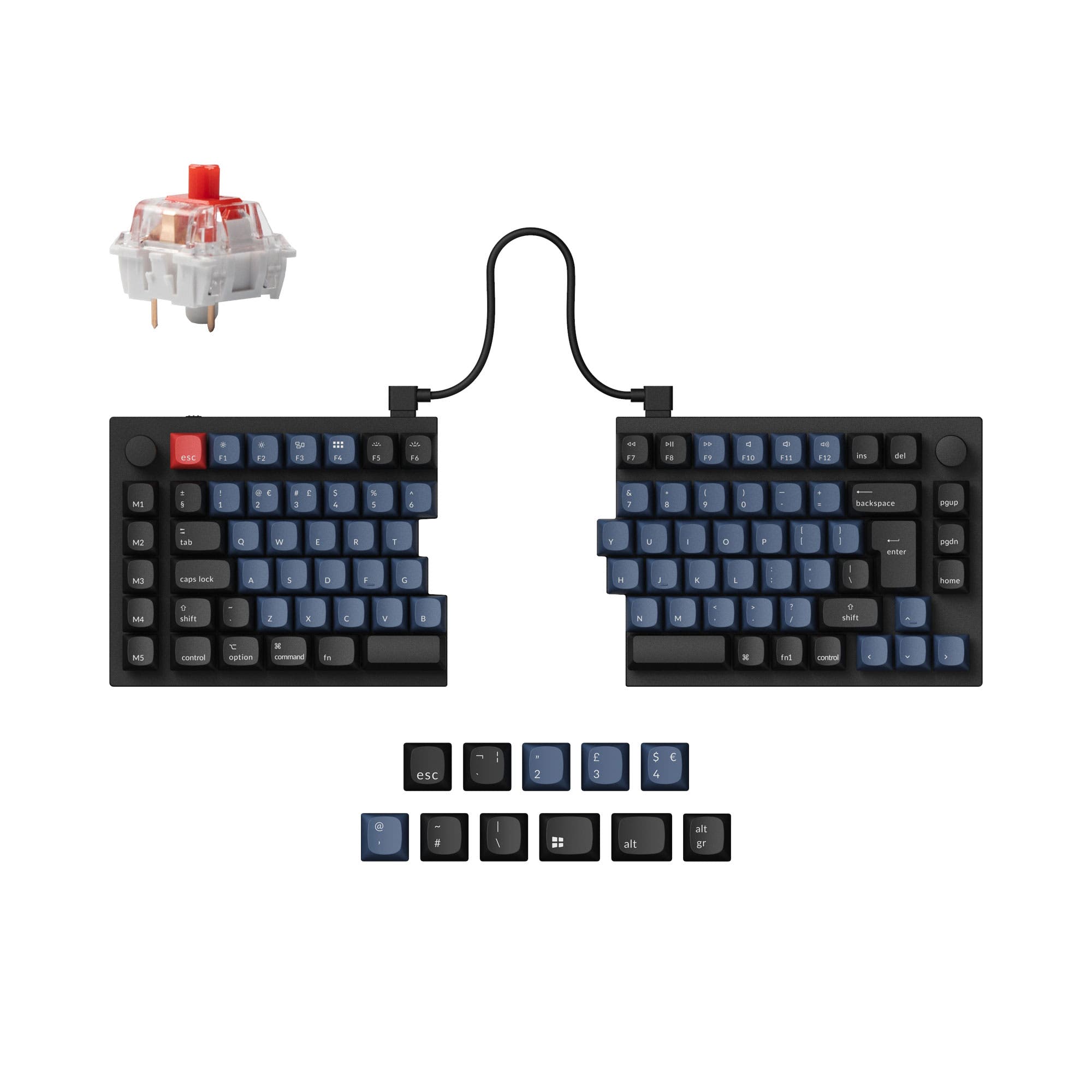
- Ergonomic Alice layout with a split key design for more natural typing posture.
- Explicit support for QMK and VIA open-source firmware for extensive programmability.
- Available as a barebones kit for custom builds.
- South-facing LEDs. Shine-through legends stay dark, and some sculpted keycaps can clip the LED.
- No ISO layout. ISO-DE, UK, and other ISO variants are not offered.
- 65% layout. No function row and no numpad.
Your primary need dictates the choice. If you require a numpad, prioritize maximum wireless responsiveness for gaming, or need the longest possible battery life, the Keychron Q6 Ultra is the logical pick. If you value ergonomic design, want the deepest level of firmware customization with QMK/VIA, or need a more portable, lighter keyboard, the Keychron Q8 Max is the better option. Both are excellently built with aluminum cases and extensive modding potential.
The differences that matter
Skip the 40-row spec sheet. These are the specs that change how each board feels, sounds, and fits your desk.
Keychron Q6 Ultra
Keychron Q8 Max
Layout size
100%
65%
Ergonomics
Standard
Alice
Max polling rate
8,000 Hz
1,000 Hz
Higher polling helps competitive FPS and does nothing for typing
Weight
2,238 g
1,745 g
Heavier boards stay planted and lighter ones travel
VIA
No
Yes
GUI remapping without compiling firmware
- Keychron Q6 Ultra
- Keychron Q8 Max
- Performance
- 9078
- Build quality
- 8089
- Productivity
- 9397
- Customizability
- 8398
- Portability
- 5589
- Connection: Bluetooth, 2.4 GHz, Wired
- Hot-swappable
- Battery: 4,000 mAh
- Case material: Aluminum
- Switch options: Clicky, Linear, Tactile
- Mount style: Gasket Mount, Plate Mount
What will you mostly use it for?
The Q6 Ultra dominates for office work and content creation due to its numpad, and leads in gaming with its higher polling rate. The Q8 Max is the clear choice for travel due to its smaller size and lower weight, and for modding due to its QMK/VIA support and barebones option. For programming, the choice is a tie, splitting between ergonomic benefits and dedicated key access.
Pick the Keychron Q6 Ultra
- The Q6 Ultra offers an 8000 Hz polling rate in both wired and 2.4 GHz modes for minimal input lag.
- Its full-size layout includes a dedicated numpad useful for macros or certain games.
- The manufacturer states its latency is hardly noticeable in competitive games.
What owners say
Ratings and quotes collected from verified store reviews, including the critical ones.
Keychron Q6 Ultra
9 owner reviews
“AMAZING!! I Love it!! It lights up, battery last about 3 - 4 weeks or so. Sounds great. Its solid which is a bonus. Best investment and back it all the way”
Keychron Q8 Max
8 owner reviews
“An amazing keyboard for the money! The build quality is immaculate and the keycaps and switches are just fantastic. I was very pleasantly surprised with the included keycaps and I like the KSA profile much better than I expected to.”
Keychron Q6 Ultra vs Q8 Max specs
Every tracked spec, side by side. Rows marked with a dot differ between the boards.
8 of 27 specs differ
Keychron Q6 Ultra
Keychron Q8 Max
Switch options
Hot-swappable
Mount style
Sound dampening
Screw-in stabilizers
Layout size
Layout standard
Ergonomics
Knob
Display
Media keys
Connection
Max polling rate
Battery
USB-C
Case material
Plate material
Keycaps
Weight
Dimensions
Typing angle
Backlight
QMK
VIA
N-key rollover
Mac & Windows
Released
ISO layouts by store
Which stores sell ISO-DE, UK, and the other regional layouts.
Keychron Q6 Ultra
Input Gear
ISO-DE
Out of stockShips to you
Keychron (DE)
ISO-DE, ISO-FR, ISO-ES
In stockDoes not ship to you
Keychron Q8 Max
No ISO layout at the stores we track.
Compare prices
Live prices from the stores we track, cheapest in-stock offer first.
Prices in USD are converted to your currency and can change at any time. KeebFinder may earn a commission when you buy through these links, at no extra cost to you.
Lowest price across stores, Amazon excluded.




Keychron Q6 Ultra vs Q8 Max: your questions
The core difference is the layout and performance focus. The Q6 Ultra is a full-size keyboard with a 100% layout and an 8000 Hz polling rate. The Q8 Max uses a 65% Alice ergonomic layout with a split design and has a 1000 Hz polling rate, but adds QMK/VIA firmware support.
The Keychron Q6 Ultra is better suited for competitive gaming due to its higher 8000 Hz polling rate in wireless mode, which minimizes input lag. Its manufacturer states this makes latency hardly noticeable in competitive games. The full layout also provides ample keys for game macros.
Yes. The Keychron Q8 Max product listing explicitly states support for both QMK and VIA open-source firmware. This allows for deep key remapping, macro creation, and layer programming directly through those community-supported tools.
According to manufacturer claims, the Keychron Q6 Ultra has a significantly longer battery life. It is rated for up to 660 hours with the backlight off, compared to the Q8 Max's rating of up to 180 hours under the same conditions. Both use a 4000mAh battery.
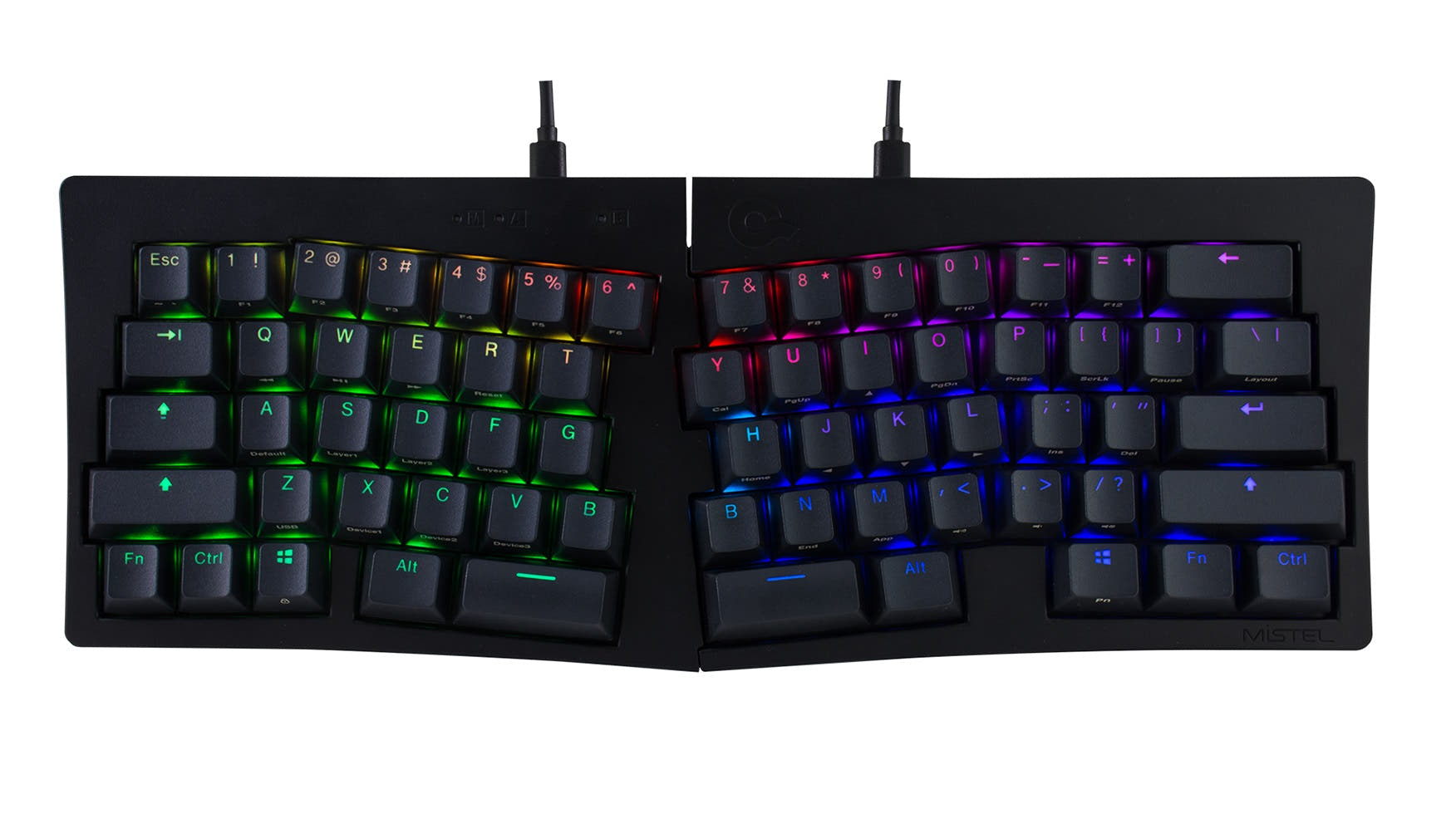
The Alice layout has a split key design and a slightly curved key arrangement, which differs from a standard keyboard. It requires an adjustment period for touch typists. However, many users find it reduces strain over long typing sessions once acclimated.
Yes, both the Keychron Q6 Ultra and Q8 Max feature hot-swappable PCBs. This allows you to change between most 3-pin and 5-pin MX-style mechanical switches without any soldering required.
Yes. According to their vendor descriptions, both the fully assembled Q6 Ultra and Q8 Max include keycaps for both macOS and Windows systems. They also have a physical toggle to switch between operating system layouts.
The Keychron Q8 Max is more portable. It is lighter at 1745g compared to the Q6 Ultra's 2238g, and its 65% Alice layout has a much smaller desk footprint. Its dimensions are listed as 136mm x 358mm.
Both models feature multiple layers of acoustic foam. The listings mention components like sound-absorbing foam, IXPE foam, PET film, latex bottom pads, and bottom case acoustic foam to reduce noise and improve typing sound.
Yes. The Keychron Q8 Max is offered in a Barebone Knob version, which includes the aluminum case, PC plate, and PCB, but does not include switches or keycaps. This is ideal for builders who want to choose their own components.
The fully assembled Q6 Ultra comes with Keychron Silk POM switches (Red, Brown, or Banana). The fully assembled Q8 Max comes with Gateron Jupiter switches (Red, Brown, or Banana). Both sets of switches are described as pre-lubricated.
It depends on preference. The Q8 Max's Alice layout may offer better ergonomics for long sessions, while the Q6 Ultra's full-size layout provides dedicated arrow and navigation keys without using function layers. Both are excellent, so the choice is subjective.
Not sold on either?




Still torn?
Answer a few quick questions and the keyboard finder ranks 2,000+ boards by how you will actually use yours.