Keychron V2 vs Royal Kludge R65Wired vs Wireless 65% Choice
Choose the Keychron V2 for maximum layout and switch flexibility, or the Royal Kludge R65 for wireless connectivity and a softer gasket-mounted typing feel.
KeebFinder may earn a commission when you buy through these links, at no extra cost to you.
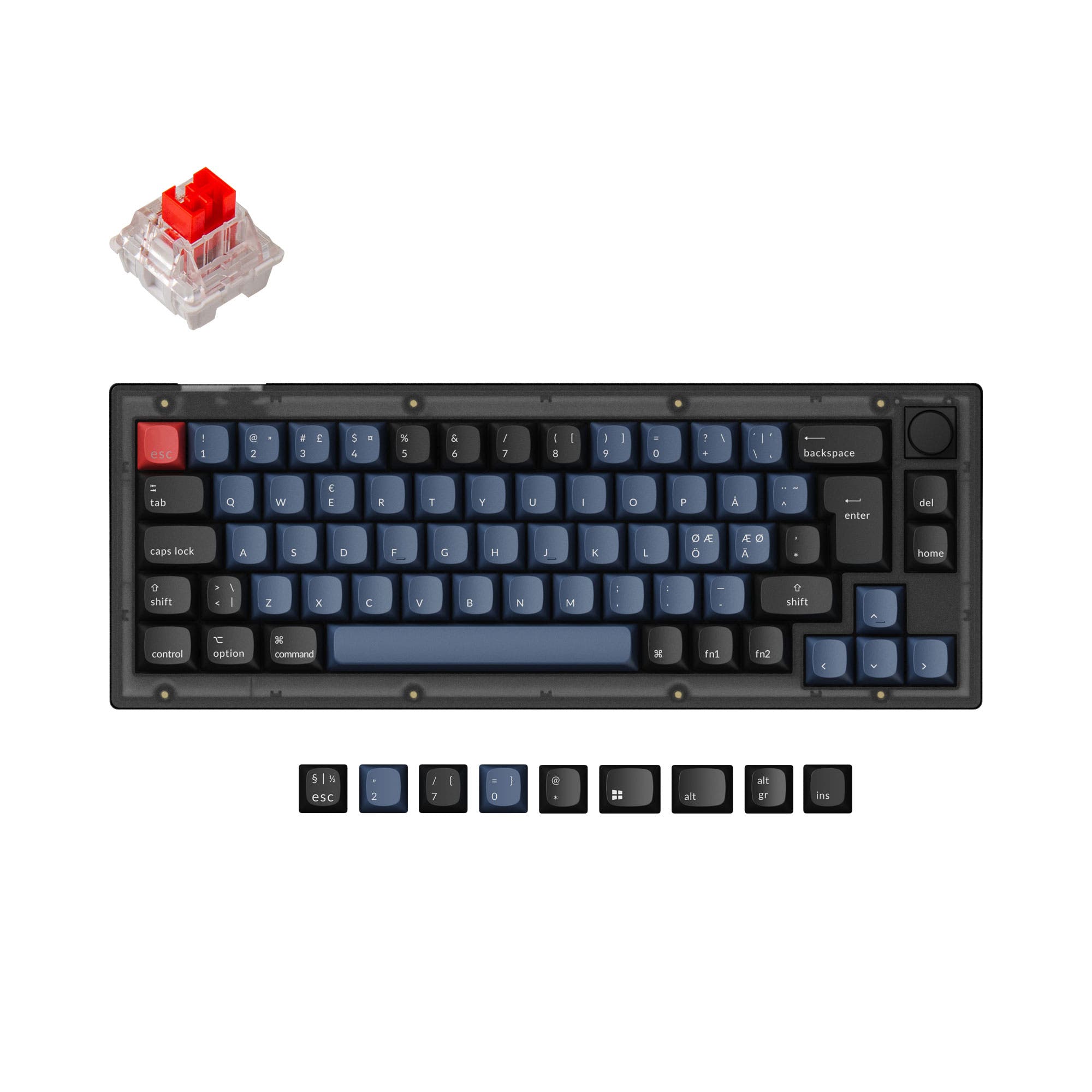
4.9 · 17 reviews
from$44at Keychron

No reviews
from$59at Royal Kludge
Which one should you get?
Get the
Keychron V2
Wired
Build quality in the top 10% of 65% boards under $100.
- Extensive layout support for ISO, ANSI, and multiple European ISO standards.
- Available in both fully assembled and barebones kit configurations.
- Includes screw-in PCB stabilizers for a stable typing feel.
- South-facing LEDs. Shine-through legends stay dark, and some sculpted keycaps can clip the LED.
Get the
Royal Kludge R65
Wireless 65% Choice
Build quality in the top 15% of 65% boards under $100.
- Offers tri-mode connectivity with Bluetooth, 2.4 GHz, and wired options.
- Features a gasket mount design with 5-layer noise dampening for a softer typing feel.
- Lighter weight of 580g and potentially more compact dimensions.
- No ISO layout. ISO-DE, UK, and other ISO variants are not offered.
Your primary need dictates the choice. If you require wireless freedom, a lighter keyboard, and prefer a gasket-mounted typing experience, the Royal Kludge R65 is the clear pick. If your priority is maximum customization from layout options to switch types, and you plan to heavily modify your keyboard, the wired Keychron V2 offers a more flexible foundation. Both deliver excellent programmability and a compact 65% form factor.
The differences that matter
Skip the 40-row spec sheet. These are the specs that change how each board feels, sounds, and fits your desk.
Keychron V2
Royal Kludge R65
Connection
Wired
Bluetooth, 2.4 GHz, Wired
Wireless for several devices and wired for lower latency
Case material
ABS, Plastic
Aluminum
Switch options
Clicky, Linear, Tactile
Linear
Mount style
Plate Mount, Tray Mount
Gasket Mount
Weight
855 g
580 g
Heavier boards stay planted and lighter ones travel
- Keychron V2
- Royal Kludge R65
- Performance
- 6967
- Build quality
- 8784
- Productivity
- 9689
- Customizability
- 9989
- Portability
- 7686
- Layout size: 65%
- Hot-swappable
- Knob
- QMK
- VIA
- Sound dampening
What will you mostly use it for?
The Royal Kludge R65 wins for office use and travel due to its wireless features and lighter weight. The Keychron V2 is the stronger choice for programming and modding, thanks to its extensive layout support and barebones availability. For gaming and content creation, the keyboards are evenly matched on core performance features, leaving the choice to personal preference on connectivity and typing feel.
It's a tie
- Both keyboards feature a 1000 Hz polling rate for responsive input.
- Both support QMK/VIA for creating gaming macros.
- The Keychron V2's south-facing RGB LEDs avoid interference with Cherry-profile keycaps, while the R65's gasket mount may offer a more comfortable feel for long sessions.
Keychron V2 vs Royal Kludge R65 specs
Every tracked spec, side by side. Rows marked with a dot differ between the boards.
12 of 25 specs differ
Keychron V2
Royal Kludge R65
Switch options
Hot-swappable
Mount style
Sound dampening
Screw-in stabilizers
Layout size
Layout standard
Ergonomics
Knob
Display
Media keys
Connection
Max polling rate
USB-C
Case material
Plate material
Keycaps
Weight
Dimensions
Typing angle
Backlight
QMK
VIA
Mac & Windows
Released
ISO layouts by store
Which stores sell ISO-DE, UK, and the other regional layouts.
Keychron V2
Input Gear
ISO-DE
In stockShips to you
Keychron
ISO-DE, ISO-UK, ISO-FR, ISO-ES
In stockShips to you
Keychron (DE)
ISO-DE, ISO-UK, ISO-FR, ISO-ES
In stockDoes not ship to you
Royal Kludge R65
No ISO layout at the stores we track.
Compare prices
Live prices from the stores we track, cheapest in-stock offer first.
Prices in USD are converted to your currency and can change at any time. KeebFinder may earn a commission when you buy through these links, at no extra cost to you.
Lowest price across stores, Amazon excluded.





Keychron V2 vs Royal Kludge R65: your questions
The Keychron V2 is designed with Mac users in mind. According to its vendor page, it includes a system toggle and an additional set of customized keycaps specifically for macOS, allowing you to save a dedicated layout for it alongside Windows.
Yes, but the Keychron V2 has a specific advantage. Its south-facing RGB LEDs are designed to be free from interference when using OEM or Cherry-profile keycaps. The Royal Kludge R65's listing does not specify LED orientation regarding keycap compatibility.
Both have hot-swappable sockets supporting 3-pin and 5-pin MX-style switches. However, the Keychron V2 is explicitly listed as supporting linear, tactile, and clicky switch types, while the Royal Kludge R65 metadata lists only linear switches for its pre-built configuration.
The Keychron V2 uses a tray mount, where the plate is screwed directly into the case, often resulting in a firmer typing feel. The Royal Kludge R65 uses a gasket mount, where the plate is suspended by rubber or silicone gaskets, which typically creates a softer, more cushioned feel and can alter the sound signature.
The Royal Kludge R65 is more portable. It is significantly lighter at 580g compared to the V2's 855g, and its wireless functionality means you don't need to be tethered by a cable, making it easier to use with laptops or move between workspaces.
Yes. The Keychron V2 is offered in a barebone version, which does not include keycaps and switches, according to its vendor description. This is ideal for enthusiasts who want to install their own preferred components immediately.
The product metadata for the Royal Kludge R65 lists Bluetooth and 2.4 GHz connectivity, which implies it has an internal battery. However, the specific battery capacity is not detailed in the provided specifications for this wired-focused comparison model.
Based on the provided features, the Keychron V2 includes screw-in PCB stabilizers, which are generally considered more stable and easier to modify than clip-in stabilizers. The Royal Kludge R65's product details do not specify the type of stabilizers used.
Yes, both keyboards come with PBT keycaps. The Keychron V2 uses OSA profile double-shot PBT keycaps, while the Royal Kludge R65 uses MDA profile double-shot PBT keycaps, as per their respective vendor descriptions.
Both keyboards support the open-source QMK and VIA firmware. This allows for extensive key remapping, layer creation, and macro programming directly through a web-based or desktop application without needing proprietary software.
The Keychron V2 has a fixed typing angle of 4 degrees, as listed in its specifications. Its vendor page also notes different angles achieved by using the feet: 3.5°, 7.91°, and 10.88°.
Not sold on either?


Still torn?
Answer a few quick questions and the keyboard finder ranks 2,000+ boards by how you will actually use yours.