Keychron V3 vs V5 MaxTKL or 96% Wireless
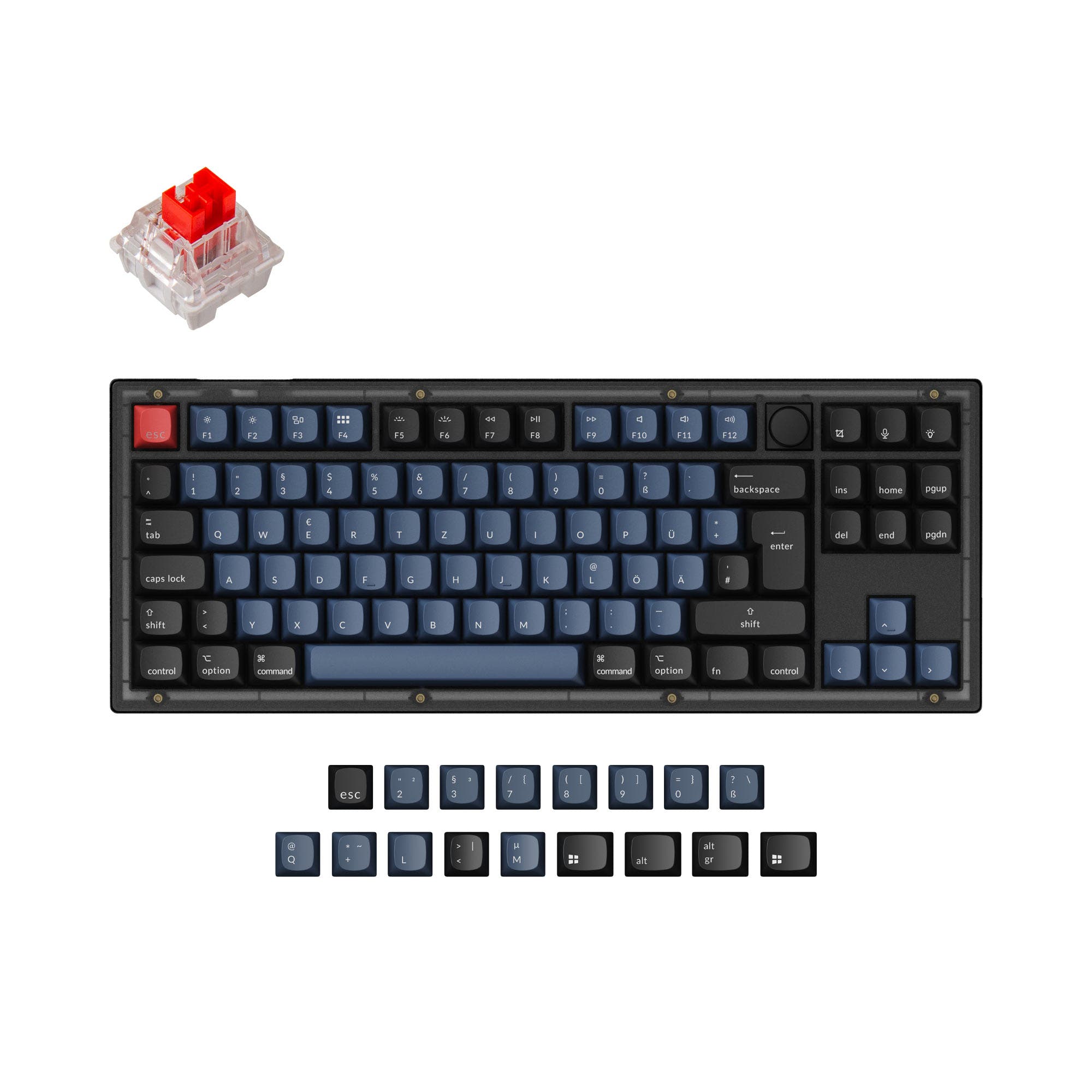
Choose the wired Keychron V3 for a classic TKL layout with a lower price, or the wireless 96% V5 Max if you need a numpad and Bluetooth/2.4 GHz connectivity.
KeebFinder may earn a commission when you buy through these links, at no extra cost to you.
4.9 (17)4.9 · 17 reviews
from$54at Keychron

4.8 (5)4.8 · 5 reviews
from$99at MK
Which one should you get?
Get the
Keychron V3
polling rate
Build quality in the top 5% of 80% boards under $100.
- Offers a classic TKL (80%) layout that saves desk space.
- Supports a 1000 Hz polling rate with an 8000 Hz option according to the metadata.
- Includes many ISO layout options for international users.
- South-facing LEDs. Shine-through legends stay dark, and some sculpted keycaps can clip the LED.
- Missing ISO-Nordic. The other board is sold in those layouts.
- No numpad.
Get the
Keychron V5 Max
Build quality in the top 10% of 96% boards under $100.
- Features tri-mode connectivity with Bluetooth 5.1 and 2.4 GHz wireless.
- 96% layout includes a dedicated numpad for data entry.
- Gasket mount design with a PC plate offers a softer typing feel according to the vendor description.
- South-facing LEDs. Shine-through legends stay dark, and some sculpted keycaps can clip the LED.
- Compact full-size layout. The numpad is present, the gaps of a full-size board are not.
Choose the Keychron V3 if you want a wired, more affordable TKL keyboard focused on gaming and desk space efficiency. Opt for the Keychron V5 Max if you need a full numpad in a compact 96% layout and value the flexibility of wireless connectivity. Ultimately, the V5 Max offers more features at a higher price, while the V3 delivers a solid, no-frills experience for less.
The differences that matter
Skip the 40-row spec sheet. These are the specs that change how each board feels, sounds, and fits your desk.
Keychron V3
Keychron V5 Max
Layout size
80%
96%
Connection
Wired
Bluetooth, 2.4 GHz, Wired
Wireless for several devices and wired for lower latency
Max polling rate
8,000 Hz
1,000 Hz
Higher polling helps competitive FPS and does nothing for typing
Mount style
Gasket Mount, Plate Mount, Tray Mount
Gasket Mount, Plate Mount
Weight
1,360 g
925 g
Heavier boards stay planted and lighter ones travel
- Keychron V3
- Keychron V5 Max
- Performance
- 9183
- Build quality
- 8886
- Productivity
- 9897
- Customizability
- 9898
- Portability
- 5853
- Hot-swappable
- Case material: ABS, Plastic
- Switch options: Clicky, Linear, Tactile
- Knob
- QMK
- VIA
What will you mostly use it for?
The Keychron V3 wins for gaming due to its optional 8000 Hz polling rate and compact TKL layout. For office and travel, the V5 Max is the clear choice thanks to its numpad, lighter weight, and wireless capabilities. Both keyboards tie for programming as they share QMK/VIA support and PBT keycaps, making the decision a matter of layout preference. Modders may find the V3 more interesting due to its tray mount design and wider layout availability. Content creators will likely prefer the V5 Max for its numpad and wireless convenience.
Pick the Keychron V3
- Has a 1000 Hz polling rate with an option for 8000 Hz according to the metadata, which can be beneficial for competitive play.
- TKL (80%) layout saves desk space for mouse movement.
- Wired-only connection eliminates potential wireless latency concerns.
What owners say
Ratings and quotes collected from verified store reviews, including the critical ones.
Keychron V3
17 owner reviews
“Mainly bought this keyboard for the russian layout, despite this I prefer it over my steelseries apex pro, its nice feel and sounds nice”
Keychron V5 Max
5 owner reviews
“The keys feel smooth and easy as you type. It's probably the best keyboard I've used. I've had a number of mechanical keyboards, but, none of them can compare to the v5 max. The feel of the thing while typing, is hard to not constantly repeat.”
Keychron V3 vs V5 Max specs
Every tracked spec, side by side. Rows marked with a dot differ between the boards.
9 of 27 specs differ
Keychron V3
Keychron V5 Max
Switch options
Hot-swappable
Mount style
Sound dampening
Screw-in stabilizers
Layout size
Layout standard
Ergonomics
Knob
Display
Media keys
Connection
Max polling rate
Battery
USB-C
Case material
Plate material
Keycaps
Weight
Dimensions
Typing angle
Backlight
QMK
VIA
N-key rollover
Mac & Windows
Released
ISO layouts by store
Which stores sell ISO-DE, UK, and the other regional layouts.
Keychron V3
Keychron
ISO-DE, ISO-UK, ISO-FR, ISO-ES, ISO-SW
In stockShips to you
Keychron (DE)
ISO-DE, ISO-ES
In stockDoes not ship to you
Keychron (DE)
ISO-DE, ISO-UK, ISO-FR, ISO-ES, ISO-SW
Out of stockDoes not ship to you
Keychron V5 Max
Keychron
ISO-DE, ISO-UK, ISO-Nordic, ISO-SW
Out of stockShips to you
Keychron (DE)
ISO-DE, ISO-UK, ISO-FR, ISO-ES, ISO-SW
Out of stockDoes not ship to you
Compare prices
Live prices from the stores we track, cheapest in-stock offer first.
Prices in USD are converted to your currency and can change at any time. KeebFinder may earn a commission when you buy through these links, at no extra cost to you.
Lowest price across stores, Amazon excluded.



Keychron V3 vs V5 Max: your questions
The main difference is layout and connectivity. The Keychron V3 is a wired-only TKL (80%) keyboard, while the V5 Max is a wireless 96% keyboard with a numpad and supports Bluetooth 5.1 and 2.4 GHz connections.
The Keychron V5 Max is the better choice for a numpad because it uses a 96% layout that includes a number pad, unlike the TKL Keychron V3 which omits it.
Yes, the V5 Max supports a 1000 Hz polling rate when using the 2.4 GHz wireless connection or a wired connection. In Bluetooth mode, the polling rate drops to 90 Hz.
Yes, both the Keychron V3 and V5 Max support full customization through QMK firmware and VIA software, allowing you to remap keys, create macros, and adjust settings.
Both keyboards offer linear, tactile, and clicky switch options. The V3 uses Keychron K Pro switches, while the V5 Max uses Gateron Jupiter switches in the fully assembled version.
The Keychron V5 Max features a gasket mount design with a PC (polycarbonate) plate. The V3 uses a tray mount design with a steel plate.
The V5 Max has a 4000mAh rechargeable battery. The vendor states it can last up to 190 hours with the backlight off, or up to 100 hours with RGB on at the lowest brightness.
According to the product metadata, the Keychron V3 supports polling rates of 1000 Hz and 8000 Hz.
No, both keyboards come with double-shot PBT keycaps that are not shine-through. The RGB lighting is south-facing, which is designed to work well with these opaque keycaps.
The Keychron V5 Max is lighter at 925g, compared to the V3 which weighs 1360g. The V5 Max is also more portable due to its wireless connectivity.
Yes, both the Keychron V3 and V5 Max come with a system toggle and additional keycaps for both macOS and Windows as described by the vendor.
Not sold on either?


Still torn?
Answer a few quick questions and the keyboard finder ranks 2,000+ boards by how you will actually use yours.