LUMINKEY Magger60 HE vs Magger60 HE Ultra
Choose the Magger60 HE Ultra for its gasket-mounted typing feel, or the standard HE if you prioritize case compatibility for future mods.
KeebFinder may earn a commission when you buy through these links, at no extra cost to you.


Which one should you get?
Get the
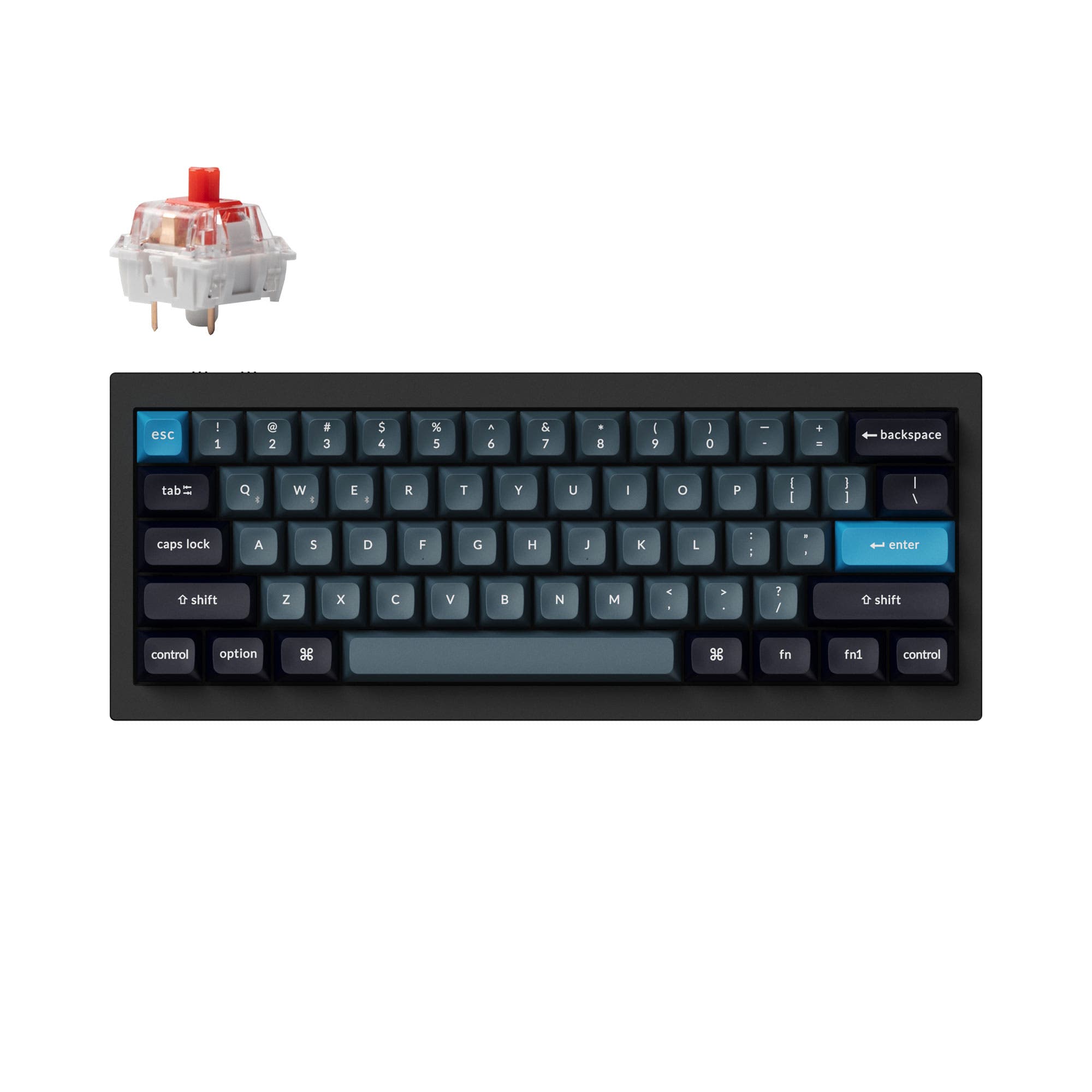
LUMINKEY Magger60 HE
Build quality in the top 50% of 60% boards under $200.
- PCB features a removable ai03 c3 compatible daughterboard for installation in other GH60-spec cases.
- Includes an IPX4 water-resistant PCB for protection against spills.
- Comes as a fully built kit with an 8K USB cable, extra switches, and a keycap puller.
- Magnetic switches only. Standard MX switches will not fit.
Get the
LUMINKEY Magger60 HE Ultra
USB-C
Build quality in the top 40% of 60% boards under $200.
- Features a gasket mount design with an FR4 plate for a potentially more cushioned typing feel.
- Includes Cherry profile dye-sub PBT and PC keycaps, offering a mix of texture and sound profiles.
- Shares all high-performance features like the 8000Hz polling, IPX4 PCB, and magnetic switches.
- Magnetic switches only. Standard MX switches will not fit.
Your decision should be guided by your priority for typing feel versus modification potential. Select the Magger60 HE Ultra for its gasket-mounted construction, which is designed to offer a softer, more consistent typing experience. Choose the standard Magger60 HE if you plan to swap the PCB into other 60% cases in the future, as its vendor description explicitly supports this.
The differences that matter
Skip the 40-row spec sheet. These are the specs that change how each board feels, sounds, and fits your desk.
LUMINKEY Magger60 HE
LUMINKEY Magger60 HE Ultra
Keycaps
PBT
PBT, PC
USB-C
No
Yes
- LUMINKEY Magger60 HE
- LUMINKEY Magger60 HE Ultra
- Performance
- 9293
- Build quality
- 6366
- Productivity
- 5159
- Customizability
- 7561
- Portability
- 7074
- Layout size: 60%
- Hall effect (magnetic)
- Rapid trigger
- Connection: Wired
- Hot-swappable
- Max polling rate: 8,000 Hz
What will you mostly use it for?
The Luminkey Magger60 HE and HE Ultra are functionally identical for core use cases like gaming, typing, and travel, sharing their high-performance magnetic technology. The standard HE model holds a distinct advantage for modders due to its stated broader case compatibility. For all other scenarios, the choice comes down to a preference for the standard aluminum build or the gasket-mounted construction of the Ultra.
It's a tie
- Both feature an 8000Hz polling rate and a 0.08ms latency chipset for minimal input delay.
- Both support per-key adjustable actuation points and rapid trigger via the Luminkey Web Drive software.
- Both include the same Magger magnetic switches with a 100 million keystroke lifespan.
LUMINKEY Magger60 HE vs Magger60 HE Ultra specs
Every tracked spec, side by side. Rows marked with a dot differ between the boards.
2 of 20 specs differ
LUMINKEY Magger60 HE
LUMINKEY Magger60 HE Ultra
Switch options
Hall effect (magnetic)
Rapid trigger
Hot-swappable
Mount style
Layout size
Layout standard
Ergonomics
Display
Connection
Max polling rate
USB-C
Case material
Plate material
Keycaps
Weight
Typing angle
Backlight
Mac & Windows
Released
Compare prices
Live prices from the stores we track, cheapest in-stock offer first.
Prices in USD are converted to your currency and can change at any time. KeebFinder may earn a commission when you buy through these links, at no extra cost to you.
Lowest price across stores, Amazon excluded.



- Check on Amazon
Amazon
Check price

LUMINKEY Magger60 HE vs Magger60 HE Ultra: your questions
The primary difference is the mounting style. The Magger60 HE Ultra features a gasket mount design, while the standard HE model does not. The Ultra also includes a keycap set mixing PBT and PC, whereas the standard HE listing specifies PBT dye-sub keycaps.
Yes. According to the manufacturer's descriptions, both the Magger60 HE and HE Ultra support rapid trigger and per-key adjustable actuation points from 0.1mm to 3.5mm. These features are configured through the Luminkey Web Drive software.
Both models are built with competitive gaming in mind. They share an ultra-low 0.08ms latency chipset, an 8000Hz polling rate, and a 48,000Hz full-key scan rate. These specs are designed to minimize input lag for fast-paced games.
Yes. Both keyboards feature hot-swappable PCBs designed specifically for magnetic Hall Effect switches. Each kit includes extra Magger switches, allowing for easy replacement without soldering.
Both keyboards use a 6063 aluminum case. The HE Ultra's listing emphasizes its gasket mount design, which typically offers a more flexible typing feel. The standard HE model's vendor page highlights its IPX4 water-resistant PCB and removable daughterboard for case compatibility.
The Magger60 HE comes with PBT dye-sub keycaps. The Magger60 HE Ultra includes Cherry profile dye-sub PBT and PC keycaps, which combine the texture of PBT with the sound characteristics of polycarbonate.
Yes. The manufacturer lists both the Magger60 HE and HE Ultra as compatible with Windows, Mac, and Linux operating systems.
Yes. According to the vendor descriptions, both models feature an IPX4 water-resistant PCB treatment, which provides protection against accidental liquid splashes.
The vendor description for the standard Magger60 HE states its PCB has a removable daughterboard compatible with the ai03 c3 standard and the GH60 specification, allowing installation in other cases that meet the requirements. This specific compatibility is not mentioned for the HE Ultra model.
Both the Magger60 HE and HE Ultra have a 7-degree typing angle and a 17.5mm front height, as specified in their respective product listings.
Yes. Both keyboards are programmable using the Luminkey Web Drive software. This allows for setting adjustable actuation points, rapid trigger, SOCD cleaning, and other key mappings.
Not sold on either?




Still torn?
Answer a few quick questions and the keyboard finder ranks 2,000+ boards by how you will actually use yours.