LUMINKEY Magger60 HE vs Luminkey65Gaming Tech vs Custom Build
Choose the Magger60 HE for competitive gaming with magnetic switches, or the Luminkey65 for a premium, customizable wireless typing experience.
KeebFinder may earn a commission when you buy through these links, at no extra cost to you.

No reviews
from$159at Divinikey

5.0 (3)5.0 · 3 reviews
from$10at Input Gear
Which one should you get?
Get the
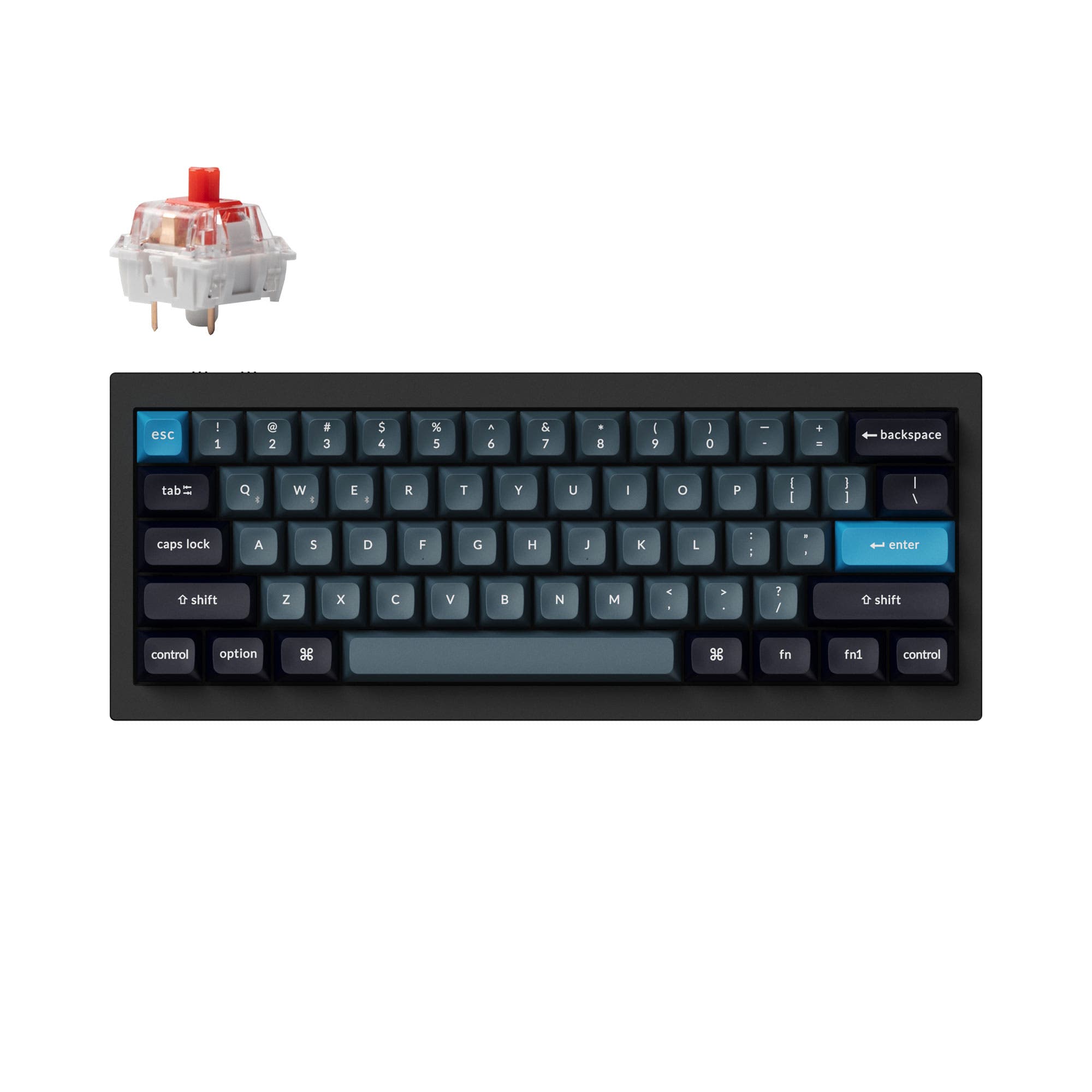
LUMINKEY Magger60 HE
Gaming Tech
Build quality in the top 50% of 60% boards under $200.
- Ultra-low 0.08ms latency chipset and 8000 Hz polling rate for competitive gaming.
- Magnetic Hall Effect switches with adjustable actuation points and rapid trigger support.
- IPX4 water-resistant PCB for protection against accidental spills.
- Magnetic switches only. Standard MX switches will not fit.
- No ISO layout. ISO-DE, UK, and other ISO variants are not offered.
- Compact layout only. No function row, dedicated arrow keys, or numpad.
Get the
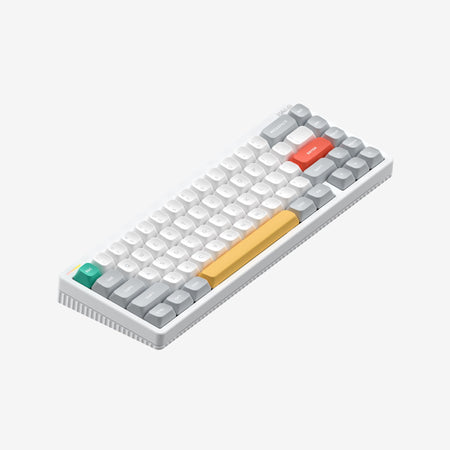
LUMINKEY Luminkey65
Custom Build
Build quality in the top 5% of 65% boards under $150.
- Versatile 65% layout with arrow keys and support for both ANSI and ISO standards.
- Tri-mode connectivity with Bluetooth, 2.4 GHz, and wired USB-C.
- Premium custom kit foundation with gasket mount, polycarbonate plate, and multiple sound-dampening foam layers included.
- 65% layout. No function row and no numpad.
Your primary use case dictates the choice. If your main goal is to gain every possible millisecond advantage in fast-paced games, the LUMINKEY Magger60 HE's magnetic switches and high-speed specs are compelling. For a daily driver that excels at typing, offers wireless freedom, and serves as a canvas for customization, the LUMINKEY Luminkey65 is the more well-rounded and premium option.
The differences that matter
Skip the 40-row spec sheet. These are the specs that change how each board feels, sounds, and fits your desk.
LUMINKEY Magger60 HE
LUMINKEY Luminkey65
Layout size
60%
65%
Hall effect (magnetic)
Yes
No
Adjustable actuation helps in games and not in normal typing
Rapid trigger
Yes
No
Faster resets help in games and not in normal typing
Connection
Wired
Bluetooth, 2.4 GHz, Wired
Wireless for several devices and wired for lower latency
Ergonomics
Standard
Split Backspace
- LUMINKEY Magger60 HE
- LUMINKEY Luminkey65
- Performance
- 9363
- Build quality
- 6391
- Productivity
- 5191
- Customizability
- 7594
- Portability
- 7087
- Hot-swappable
- Keycaps: PBT
What will you mostly use it for?
The Magger60 HE is the clear choice for dedicated competitive gaming due to its high-speed magnetic technology. For nearly all other scenarios, including office work, programming, and content creation, the Luminkey65's more practical layout and wireless options make it more versatile. Enthusiasts who enjoy building and tuning their keyboard will strongly prefer the Luminkey65's barebones kit approach and extensive modding features.
Pick the LUMINKEY Magger60 HE
- The Magger60 HE features an 8000 Hz polling rate and a 0.08ms latency chipset for ultra-fast response.
- Its magnetic Hall Effect switches offer adjustable actuation points from 0.1mm to 3.3mm and rapid trigger functionality.
- The vendor description highlights a 48,000Hz full-key scan rate for tracking complex multi-key combos.
LUMINKEY Magger60 HE vs Luminkey65 specs
Every tracked spec, side by side. Rows marked with a dot differ between the boards.
18 of 25 specs differ
LUMINKEY Magger60 HE
LUMINKEY Luminkey65
Switch options
Hall effect (magnetic)
Rapid trigger
Hot-swappable
Mount style
Sound dampening
Screw-in stabilizers
Layout size
Layout standard
Ergonomics
Display
Connection
Max polling rate
USB-C
Case material
Plate material
Keycaps
Weight
Dimensions
Typing angle
Backlight
QMK
VIA
Mac & Windows
Released
ISO layouts by store
Which stores sell ISO-DE, UK, and the other regional layouts.
LUMINKEY Magger60 HE
No ISO layout at the stores we track.
LUMINKEY Luminkey65
Listed on the product, not split by store: ISO.
Compare prices
Live prices from the stores we track, cheapest in-stock offer first.
Prices in USD are converted to your currency and can change at any time. KeebFinder may earn a commission when you buy through these links, at no extra cost to you.
Lowest price across stores, Amazon excluded.





LUMINKEY Magger60 HE vs Luminkey65: your questions
The LUMINKEY Magger60 HE is specifically designed for competitive gaming. It features an 8000 Hz polling rate, a 0.08ms ultra-low latency chipset, and magnetic Hall Effect switches with adjustable actuation and rapid trigger, as stated in its product listing.
No, the Luminkey65 is sold as a barebones kit according to the vendor description. This means you must purchase mechanical switches and keycaps separately to complete the build.
Yes, the Magger60 HE has a hot-swappable PCB, allowing you to change switches without soldering. However, it is designed for its specific magnetic Hall Effect switches to utilize features like adjustable actuation.
The LUMINKEY Luminkey65 offers wireless connectivity via both Bluetooth and a 2.4 GHz USB dongle, in addition to a wired USB-C connection. The Magger60 HE is a wired-only keyboard.
The Magger60 HE uses a 60% layout, which omits the arrow keys, function row, and navigation cluster. The Luminkey65 is a 65% layout, which retains the arrow keys and a few navigation keys, making it more functional for general use without a full-size footprint.
The Luminkey65 has native support for QMK and VIA firmware, which are open-source and widely used for deep key remapping and macro programming. The Magger60 HE uses the proprietary Luminkey Web Drive software for its gaming-specific features.
Yes, the product specifications for the Luminkey65 list Mac and Windows support. Its QMK/VIA firmware also allows for easy key remapping to suit different operating systems.
The Luminkey65 uses a gasket mount system, according to its specifications. The vendor description notes it includes gaskets, gasket jackets, and socks, which provide a softer, more flexible typing feel compared to tray-mounted boards.
Yes, the vendor description for the Magger60 HE explicitly lists rapid trigger (RT) as a feature available through its Luminkey software, alongside other gaming functions like SOCD cleaning and DKS.
The LUMINKEY Magger60 HE is sold fully built and ready to use, making it plug-and-play. The Luminkey65, as a barebones kit, requires you to source and install switches and keycaps, offering a hands-on introduction to keyboard assembly.
The Luminkey65 features a case made from CNC-milled aluminum, with a copper option also listed in its specifications. The vendor description details a multi-layered aluminum top and bottom case construction.
Yes, the Luminkey65 can be used for gaming, especially casual or non-competitive play. Its 1000 Hz polling rate is standard for many gaming keyboards. However, it lacks the ultra-high polling rate and magnetic switch technology of the dedicated Magger60 HE.
Not sold on either?


Still torn?
Answer a few quick questions and the keyboard finder ranks 2,000+ boards by how you will actually use yours.