LUMINKEY Magger60 HE vs LuminKey80Gaming Speed vs Wireless Versatility
Choose the Magger60 HE for competitive gaming speed, or the LuminKey80 for wireless productivity and a premium typing feel.
KeebFinder may earn a commission when you buy through these links, at no extra cost to you.


Which one should you get?
Get the
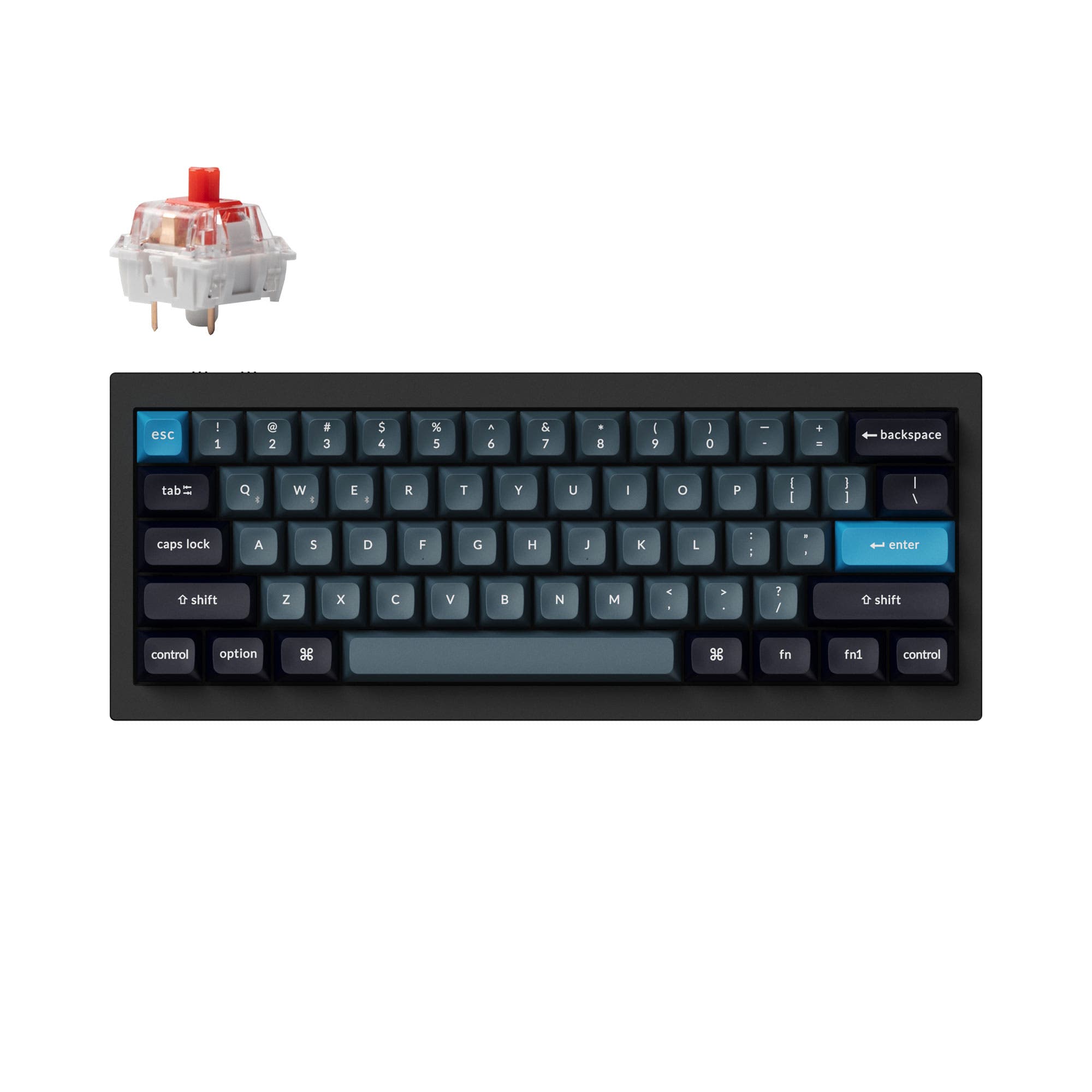
LUMINKEY Magger60 HE
Gaming Speed
Build quality in the top 50% of 60% boards under $200.
- Ultra-low latency hardware with a 0.08ms chipset and 8000 Hz polling rate for gaming.
- Hall effect magnetic switches with software-adjustable actuation, rapid trigger, and DKS.
- IPX4 waterproof PCB for spill resistance.
- Magnetic switches only. Standard MX switches will not fit.
- No ISO layout. ISO-DE, UK, and other ISO variants are not offered.
- Compact layout only. No function row, dedicated arrow keys, or numpad.
Get the
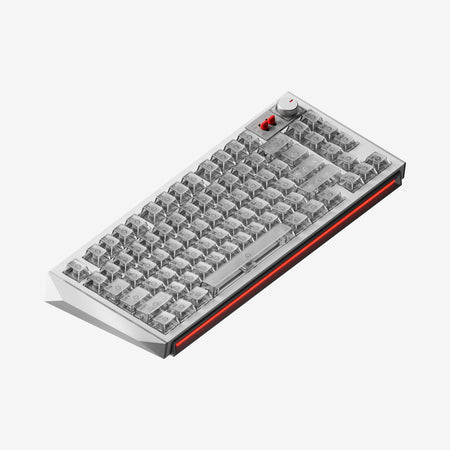
LUMINKEY LuminKey80
Wireless Versatility
Build quality in the top 20% of 80% boards under $300.
- Tri-mode connectivity with wired, 2.4 GHz, and Bluetooth options.
- 80% ANSI/ISO layout retains arrow keys and function row in a compact form.
- Gasket mount design with a polycarbonate plate for a cushioned typing feel.
- No numpad.
Your primary need dictates the choice. For competitive gaming where every millisecond counts, the Luminkey Magger60 HE's Hall effect technology and extreme polling rate are unmatched in this comparison. For a versatile daily driver that excels in typing comfort, wireless freedom, and productivity, the LuminKey80's gasket mount, larger layout, and connectivity options make it the more practical board.
The differences that matter
Skip the 40-row spec sheet. These are the specs that change how each board feels, sounds, and fits your desk.
LUMINKEY Magger60 HE
LUMINKEY LuminKey80
Layout size
60%
80%
Hall effect (magnetic)
Yes
No
Adjustable actuation helps in games and not in normal typing
Rapid trigger
Yes
No
Faster resets help in games and not in normal typing
Connection
Wired
Bluetooth, 2.4 GHz, Wired
Wireless for several devices and wired for lower latency
Max polling rate
8,000 Hz
1,000 Hz
Higher polling helps competitive FPS and does nothing for typing
- LUMINKEY Magger60 HE
- LUMINKEY LuminKey80
- Performance
- 9260
- Build quality
- 6376
- Productivity
- 5183
- Customizability
- 7579
- Portability
- 7076
- Hot-swappable
- Case material: Aluminum
- Keycaps: PBT
What will you mostly use it for?
The Magger60 HE is the clear choice for dedicated gaming, while the LuminKey80 wins for most productivity and general use scenarios due to its layout and wireless features. For travel, the smaller 60% form factor is an advantage, though it lacks wireless convenience. Both keyboards offer strong foundations for modders, with the Magger60 HE offering case compatibility and the LuminKey80 offering superior firmware support.
Pick the LUMINKEY Magger60 HE
- The Magger60 HE has an 8000 Hz polling rate and a 0.08ms latency chipset for faster response.
- Its Hall effect switches support adjustable actuation points, rapid trigger, and DKS for competitive play.
- The vendor description states it is specifically 'built for gaming' and 'performance and speed'.
LUMINKEY Magger60 HE vs LuminKey80 specs
Every tracked spec, side by side. Rows marked with a dot differ between the boards.
12 of 23 specs differ
LUMINKEY Magger60 HE
LUMINKEY LuminKey80
Switch options
Hall effect (magnetic)
Rapid trigger
Hot-swappable
Mount style
Layout size
Layout standard
Ergonomics
Display
Connection
Max polling rate
USB-C
Case material
Plate material
Keycaps
Weight
Dimensions
Typing angle
Backlight
QMK
VIA
Mac & Windows
Released
ISO layouts by store
Which stores sell ISO-DE, UK, and the other regional layouts.
LUMINKEY Magger60 HE
No ISO layout at the stores we track.
LUMINKEY LuminKey80
Listed on the product, not split by store: ISO.
Compare prices
Live prices from the stores we track, cheapest in-stock offer first.
Prices in USD are converted to your currency and can change at any time. KeebFinder may earn a commission when you buy through these links, at no extra cost to you.
Lowest price across stores, Amazon excluded.




LUMINKEY Magger60 HE vs LuminKey80: your questions
The Luminkey Magger60 HE is designed for competitive gaming. Its 8000 Hz polling rate, 0.08ms latency chipset, and Hall effect switches with features like rapid trigger and adjustable actuation points provide a tangible advantage in fast-paced titles where input speed is critical.
Yes, the LuminKey80 is listed as compatible with both Windows and MacOS. Its support for QMK and VIA firmware also allows for extensive key remapping to suit either operating system's shortcuts.
Yes, the Magger60 HE has a hot-swappable PCB. However, it is designed specifically for its included Magger HE magnetic switches. The vendor description does not state compatibility with standard mechanical switches.
The provided vendor description and specifications for the LuminKey80 do not mention battery capacity or estimated battery life for its wireless modes.
Only the Luminkey Magger60 HE features full per-key RGB backlighting. The LuminKey80 has customizable indicator lights but does not have RGB backlighting for the keys themselves.
The Magger60 HE uses Luminkey's proprietary web driver software for customization. There is no mention in the provided information of support for open-source firmware like QMK or VIA.
The LuminKey80 uses a gasket mount system. This involves mounting the plate and PCB on soft gaskets within the aluminum case, which is designed to provide a softer, more cushioned typing feel and reduce vibration.
Both keyboards come with PBT dye-sublimated keycaps, which are durable and resistant to shine. The LuminKey80 offers a choice between 9009 and White on Black colorways, while the Magger60 HE's color options are tied to its case finish.
No, the Luminkey Magger60 HE is a wired-only keyboard. It does not have Bluetooth or 2.4 GHz wireless capabilities.
According to the vendor listing, the LuminKey80 comes fully assembled with a Type-C data cable and a user manual. The listing does not mention included switch pullers or keycap pullers.
An IPX4 rating on the PCB means it is protected against water splashes from any direction. This offers a degree of protection against accidental spills, but the keyboard should not be submerged or subjected to sustained water jets.
Not sold on either?


Still torn?
Answer a few quick questions and the keyboard finder ranks 2,000+ boards by how you will actually use yours.