Mechboards MBUK Macro Pad Kit vs NIBBLEMacro Pad vs 65% DIY Kit Comparison
Choose the MBUK for a low-cost soldering practice kit, or the NIBBLE for a fully functional, customizable 65% keyboard.

Which one should you get?
Get the
Mechboards MBUK Macro Pad Kit
Macro Pad
- Extremely low-cost entry point for learning soldering and QMK.
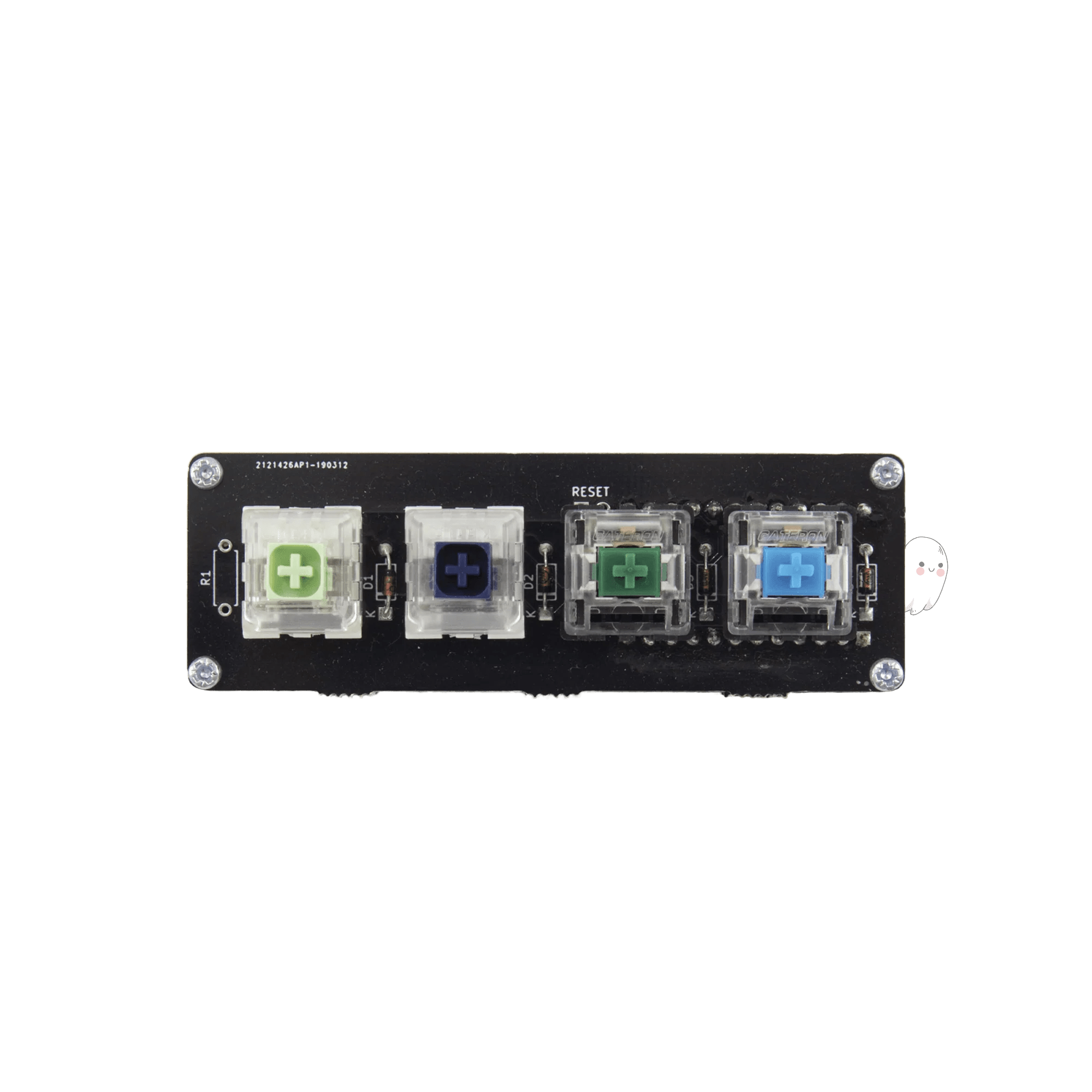
- Simple kit includes PCB, diodes, and four random switches.
- Vendor description notes they will send extra parts if you make mistakes during assembly.
- Only a four-key macropad, not a functional standalone keyboard.
- Requires sourcing your own microcontroller (like a Pro Micro) which is not included.
- Lacks features like RGB, rotary encoder, or case options found in more advanced kits.
Get the
Mechboards NIBBLE
65% DIY Kit Comparison
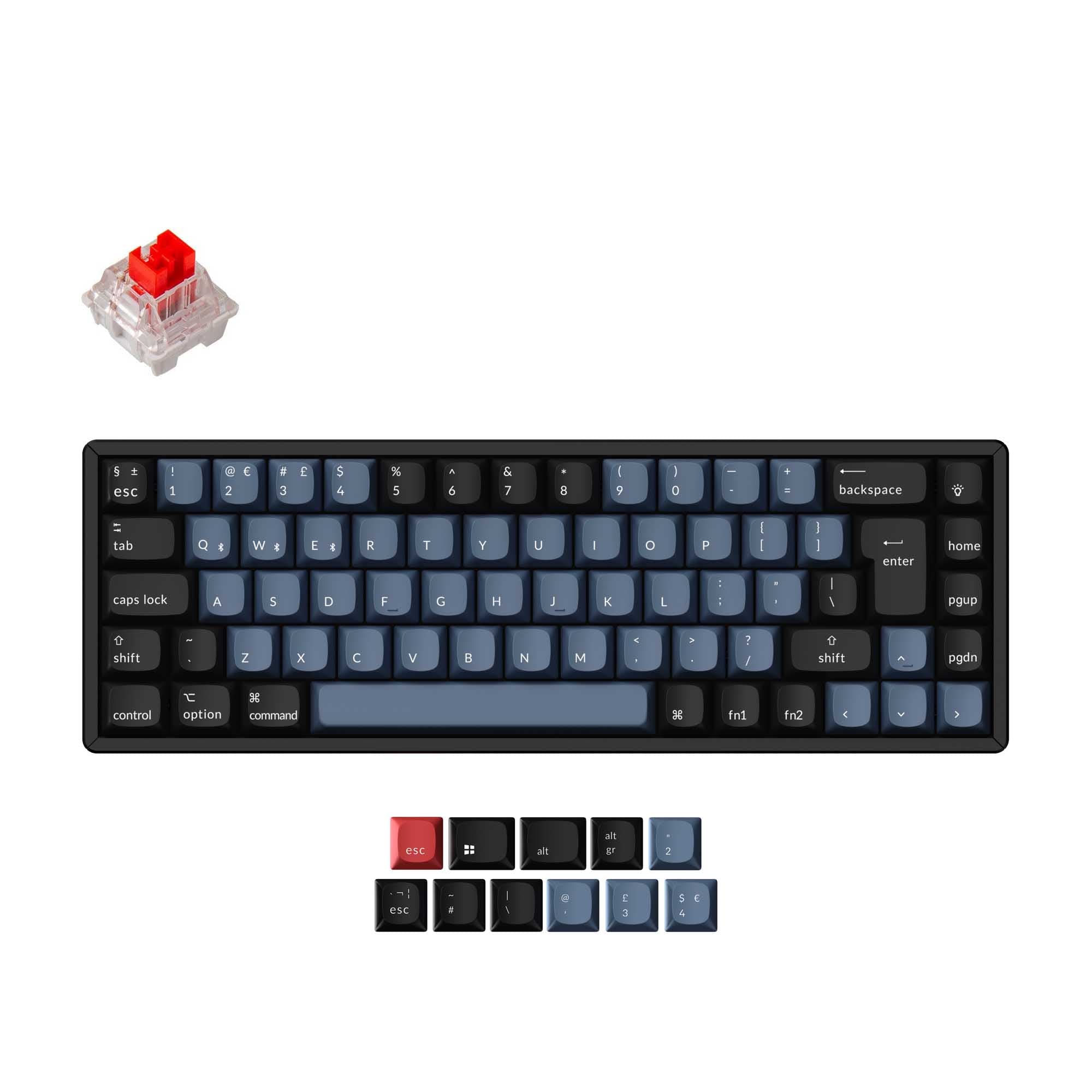
- Complete 65% keyboard kit with support for ANSI and ISO layouts.
- Includes a wired RP2040 controller, rotary encoder with knob, and underglow RGB LEDs.
- Explicitly supports adding an OLED screen and uses screw-in stabilizers.
- Requires purchasing 72 switches, keycaps, stabilizers, and a USB cable separately.
- Higher part count and complexity compared to a simple macropad kit.
- One reviewer reported an issue with the board shorting.
Your goal dictates the choice. For an absolute beginner wanting to learn soldering with minimal risk and cost, the MBUK Macro Pad Kit is a purposeful practice tool. If you are ready to build a fully functional, customizable 65% keyboard that can serve as your daily driver, the NIBBLE kit offers significantly more features, layout options, and expansion potential for the higher price.
The differences that matter
Skip the 40-row spec sheet. These are the specs that change how each board feels, sounds, and fits your desk.
Mechboards MBUK Macro Pad Kit
Mechboards NIBBLE
Layout size
Macropad
65%
Ergonomics
Ortholinear
Standard
Knob
No
Yes
Layout standard
ANSI
ANSI, ISO
Screw-in stabilizers
No
Yes
- Mechboards MBUK Macro Pad Kit
- Mechboards NIBBLE
- Performance
- 4553
- Build quality
- 6571
- Productivity
- 5053
- Customizability
- 5778
- Portability
- 6059
- QMK
What will you mostly use it for?
The NIBBLE is the clear choice for any use case requiring a primary keyboard, winning in Gaming, Office, Programming, Modding, and Content Creation due to its full 65% layout, encoder, and customization options. The MBUK only wins for Travel due to its minimal size, and it serves best as a low-cost soldering learning tool or a supplemental macro pad rather than a standalone typing device.
Pick the Mechboards NIBBLE
- The NIBBLE is a full 65% layout with arrow keys and more programmable keys for game macros.
- It includes support for a rotary encoder, which can be mapped to volume or other in-game controls.
- The MBUK's four-key ortholinear layout is too limited for gaming as a primary input device.
Mechboards MBUK Macro Pad Kit vs NIBBLE specs
Every tracked spec, side by side. Rows marked with a dot differ between the boards.
6 of 12 specs differ
Mechboards MBUK Macro Pad Kit
Mechboards NIBBLE
Mount style
Screw-in stabilizers
Layout size
Layout standard
Ergonomics
Knob
Display
Case material
Plate material
Backlight
QMK
Released
Compare prices
Live prices from the stores we track, cheapest in-stock offer first.
Lowest price across stores, Amazon excluded.

Prices in USD are converted to your currency and can change at any time. KeebFinder may earn a commission when you buy through these links, at no extra cost to you.
Mechboards MBUK Macro Pad Kit vs NIBBLE: your questions
The MBUK is a 4-key ortholinear macro pad kit designed as a low-cost soldering practice project. The NIBBLE is a complete 65% keyboard kit that builds into a fully functional typing device with more keys, a rotary encoder, and RGB support.
The NIBBLE kit includes a wired RP2040 controller. The MBUK kit does not include a microcontroller. According to the vendor description, the MBUK requires you to source your own, such as a Pro Micro.
No. The MBUK has only four keys in an ortholinear grid, making it a macro pad. It is intended to supplement a full keyboard with programmable shortcuts, not for typing.
Yes. The Mechboards NIBBLE kit includes a rotary encoder with a knob, and the product listing confirms knob support as a feature.
The MBUK is simpler and more forgiving for a first build due to its low part count and the vendor's offer to send extra parts if mistakes are made. The NIBBLE is a more complex project suitable for someone comfortable with soldering or ready for a bigger challenge.
Yes. The NIBBLE vendor listing states you need to purchase 72 switches, keycaps, screw-in PCB mount stabilizers, and a USB cable separately. An OLED screen is also an optional add-on.
The NIBBLE uses a layered acrylic case. The kit includes FR4 material for the bottom and switch plate, plus top and middle acrylic pieces with the necessary hardware.
Neither product listing mentions hot-swap sockets. Both are DIY kits that require soldering the switches directly to the PCB.
The NIBBLE has RGB underglow LEDs, as listed in its components. The MBUK macro pad has no RGB lighting, according to its specifications.
Both the Mechboards MBUK and NIBBLE support QMK firmware. Vendor pages for both include links to QMK configurators and firmware resources.
Yes. The MBUK's vendor description positions it as a tool to try out QMK. Its simple 4-key matrix is a straightforward platform for learning firmware compilation and key mapping.
The NIBBLE supports both ANSI and ISO layouts, as stated in its specifications. The vendor description also notes it allows for multiple layouts and has more programmable keys than a standard 65%.
Not sold on either?


Still torn?
Answer a few quick questions and the keyboard finder ranks 2,000+ boards by how you will actually use yours.