

84
Overall/ Value
83.9Build Quality
85.7Customizability
88.8Performance
66.8Productivity
76.2Portability
66.8$79

Click the coupon code for a discount. Features and specs may vary by model version.
The price history chart tracks the lowest price over time across all stores, excluding Amazon (shipping costs not included).

![[In Stock] W909 15 Keys Wireless Macro Defined Mechanical Keyboard](https://cdn.shopify.com/s/files/1/0549/0262/0278/files/01_f523d005-e559-466b-899c-c9ac5632a0fc.jpg?v=1753942831&width=3840&quality=75)


| Mechboards MBUK Macro Pad Kit | DOIO KB16 | LUMINKEY Nova Mini Ultra |
| 84 Overall/ Value 83.9Build Quality 85.7Customizability 88.8Performance 66.8Productivity 76.2Portability 66.8 | 85 Overall/ Value 85.4Build Quality 84.8Customizability 91.7Performance 62.2Productivity 84.0Portability 85.8 |
0.0 stars (0 reviews) | 0.0 stars (0 reviews) | 0.0 stars (0 reviews) |
|
|
|
Scores
| Scores
| Scores
|
Name Mechboards MBUK Macro Pad Kit | Name DOIO KB16 | Name LUMINKEY Nova Mini Ultra |
Release year 2021 | Release year 2025 | Release year 2026 |
Switch Options - | Switch Options - | Switch Options - |
Profile Normal Profile | Profile Normal Profile | Profile Normal Profile |
Hot Swappable | Hot Swappable | Hot Swappable |
Layout Size Macropad | Layout Size Macropad | Layout Size Macropad |
Layout Standard ANSI | Layout Standard ANSI | Layout Standard - |
Layout Ergonomics Ortholinear | Layout Ergonomics Normal | Layout Ergonomics Normal |
Knob Support | Knob Support | Knob Support |
Display Support | Display Support OLED | Display Support |
Mac/Win Support | Mac/Win Support | Mac/Win Support |
Multi-Media Keys | Multi-Media Keys | Multi-Media Keys |
USB-C | USB-C | USB-C |
USB passthrough | USB passthrough | USB passthrough |
Connection | Connection Wired, Wired only | Connection Bluetooth, 2.4 GHz, Wired, Wireless |
Polling Rate - | Polling Rate - | Polling Rate 1000 Hz |
Battery capacity - | Battery capacity - | Battery capacity 500 mAh |
Hall Effect Support | Hall Effect Support | Hall Effect Support |
QMK Support | QMK Support | QMK Support |
VIA Support | VIA Support | VIA Support |
VIAL Support | VIAL Support | VIAL Support |
N-Key Rollover | N-Key Rollover | N-Key Rollover |
Rapid Trigger | Rapid Trigger | Rapid Trigger |
Mount Style - | Mount Style Gasket Mount | Mount Style Gasket Mount |
Screw in Stabilizers | Screw in Stabilizers | Screw in Stabilizers |
Sound Dampening | Sound Dampening | Sound Dampening |
Backlight | Backlight Rgb, North-face | Backlight Rgb, South-face |
Case Colors | Case Colors | Case Colors |
Case Material - | Case Material Aluminum, Acrylic | Case Material Aluminum |
Keycaps Material - | Keycaps Material - | Keycaps Material - |
Dimensions - | Dimensions - | Dimensions - |
Weight - | Weight - | Weight - |
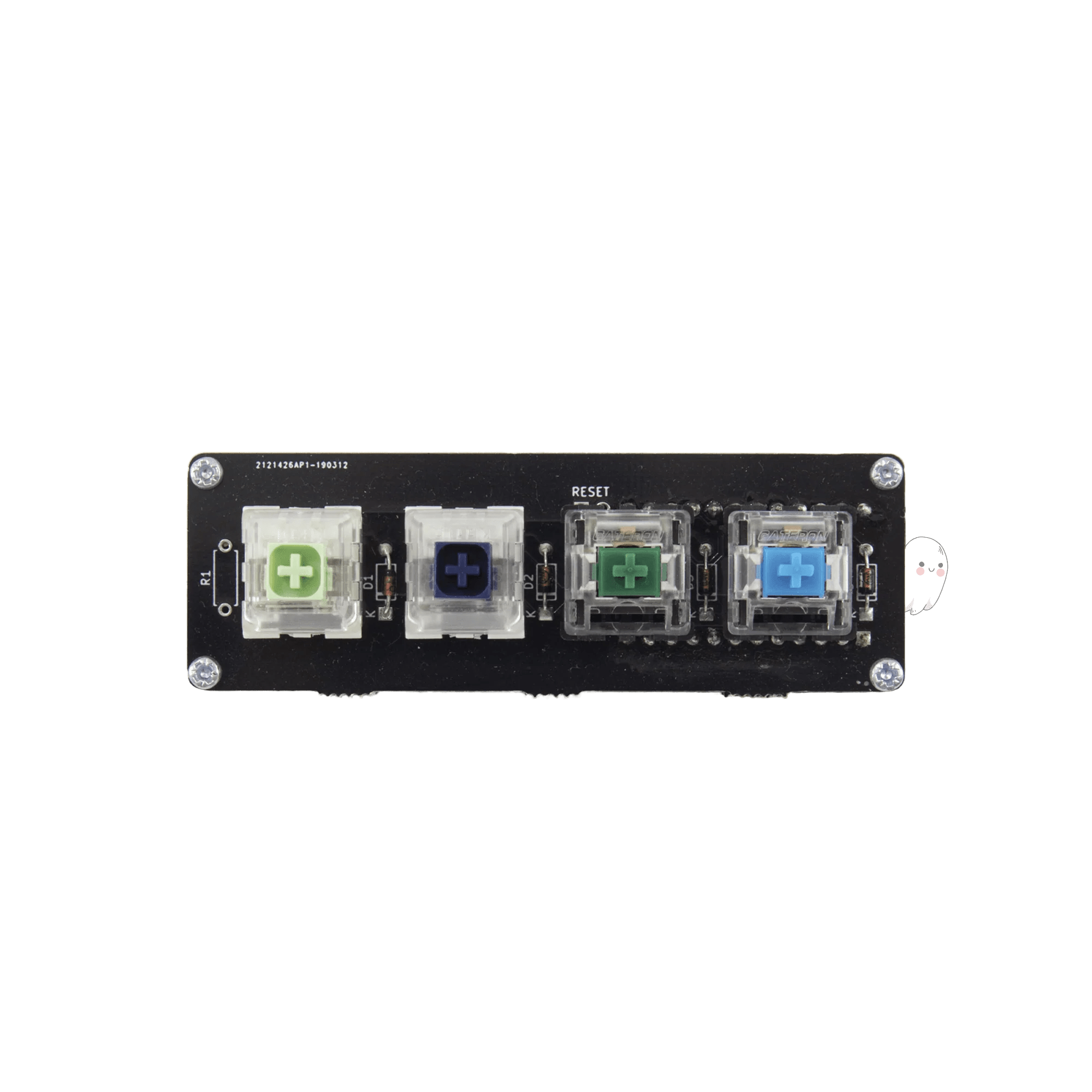
The Mechboards MBUK Macro Pad is a compact, soldering kit designed for users interested in building a simple 4-key macro pad. It suits hobbyists or beginners who want to learn soldering and customize a small keypad for shortcuts or macros. Users must provide their own controller, which adds flexibility but requires additional parts and assembly skills.
The macro pad supports QMK firmware, which is widely used for custom keyboard layouts and macros. Users can program keys to perform complex commands or shortcuts. The kit requires a separate controller, so compatibility depends on the controller chosen by the user. Operating system support aligns with QMK standards, covering Windows, macOS, and Linux.


